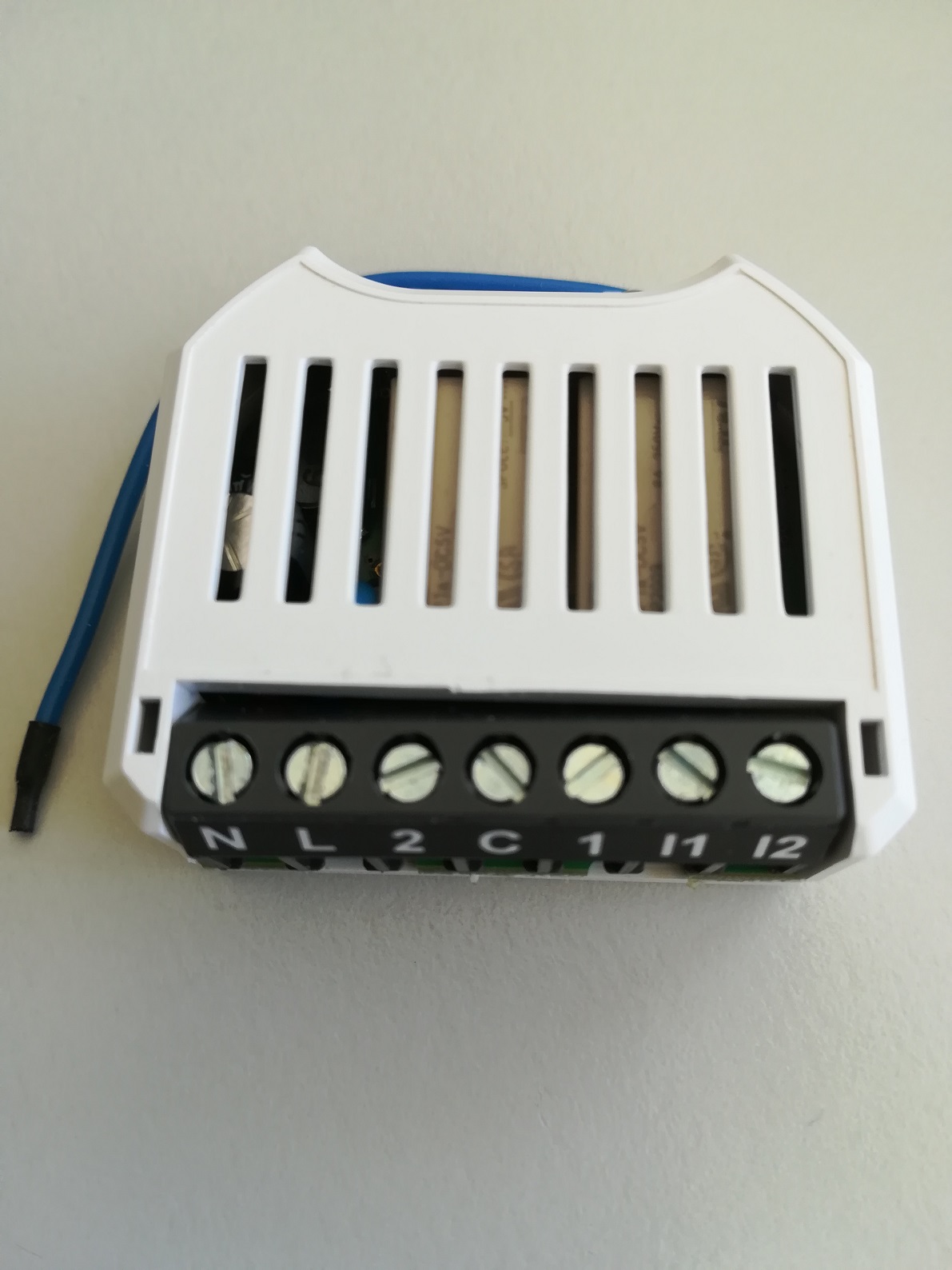
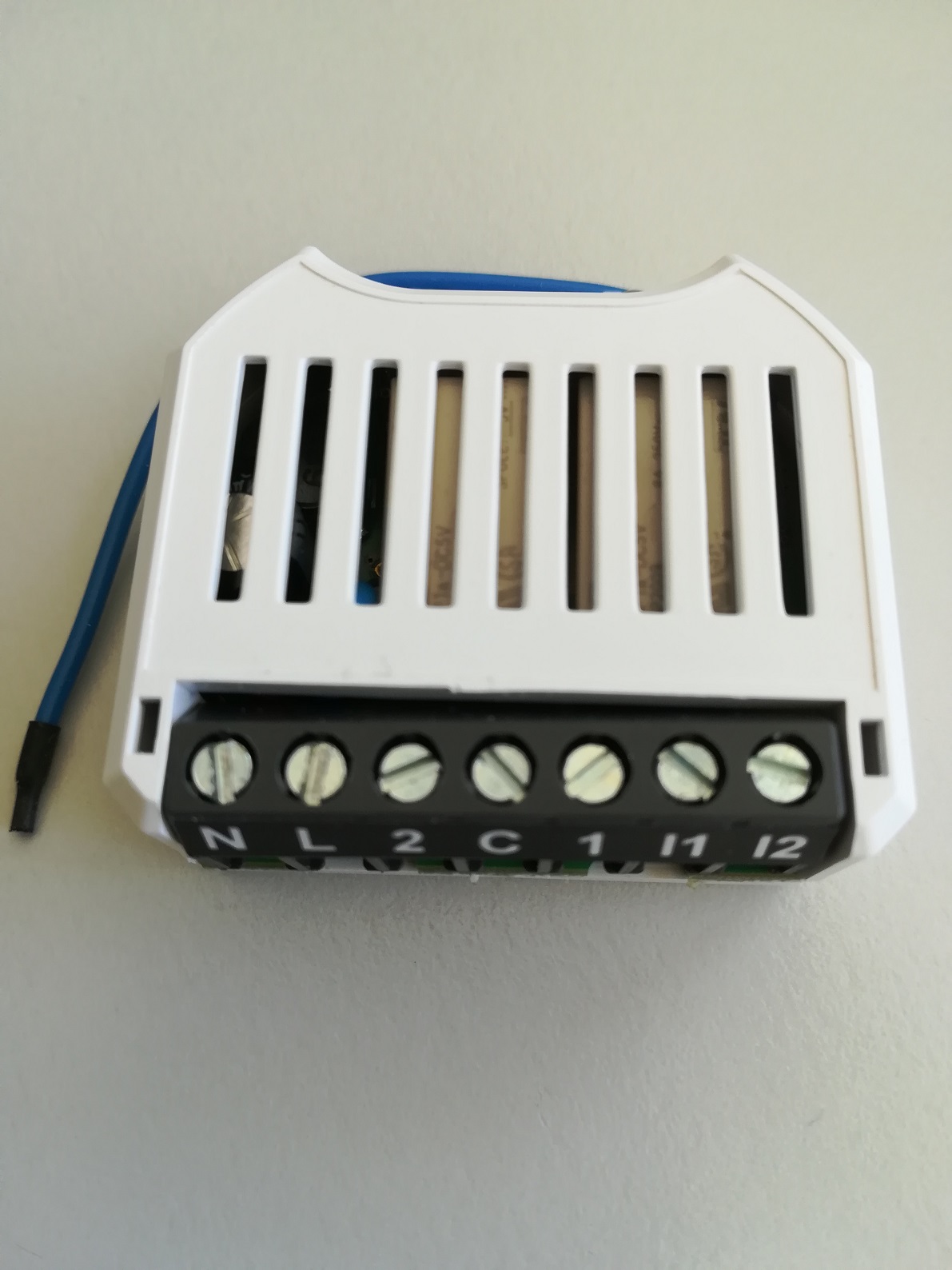
Product Recognition | |
|---|
Certification Number | ZC10-21027009 |
|---|
Name | Radio Switch Shutter Plus |
|---|
Short Description | The myTEM Radio Switch Shutter Plus is a universal, Z-Wave compatible wall or ceiling switch and is used to control the motor of blinds, Venetian blinds, roller shutters, awnings, etc. |
|---|
Long Description | The myTEM Radio Switch Shutter Plus is a universal, Z-Wave compatible wall or ceiling switch and is used to control the motor of blinds, Venetian blinds, roller shutters, awnings, etc. These are controlled via a myTEM Radio Server, via switches or buttons connected to the inputs or via the optional myTEM Touch Add-on, which can be connected to the rear socket.
The device is intended for installation in a flush-mounted box. |
|---|
Brand | myTEM SmartHome |
|---|
Product Identifier | MTSWIS-101-WL |
|---|
Product Line | myTEM SmartHome. |
|---|
OEM Version | HW: 1 FW: 1.00 |
|---|
Hardware Platform | ZM5101 |
|---|
Z-Wave Version | 6.82.01 |
|---|
Library Type | SLAVE_ENHANCED_232 |
|---|
Device Type | Window Covering - Endpoint Aware |
|---|
Role Type | ROLE_TYPE_SLAVE_ALWAYS_ON |
|---|
Manufacturer ID | 0x034E |
|---|
Product Type ID | 0x0001 |
|---|
Product ID | 0x000C |
|---|
User Icon | 0x1900 |
|---|
Installer Icon | 0x1900 |
|---|
Frequency Plans | EU: 869.85MHz, 868.40MHz |
|---|
Categories | Sensors, All Lighting Devices, On/Off Switches/Devices |
|---|
Countries / Regions | European Union |
|---|
Supported Command Classes | Identifier | Name | Key | Version |
|---|
COMMAND_CLASS_CONFIGURATION_V4 | Configuration V4 | 0x70 | 4 | COMMAND_CLASS_FIRMWARE_UPDATE_MD_V4 | Firmware Update Meta-Data V4 | 0x7A | 4 | COMMAND_CLASS_POWERLEVEL | Powerlevel | 0x73 | 1 | COMMAND_CLASS_MULTI_CHANNEL_ASSOCIATION_V3 | Multi-Channel Association V3 | 0x8E | 3 | COMMAND_CLASS_APPLICATION_STATUS | Application Status | 0x22 | 1 | COMMAND_CLASS_BASIC | Basic | 0x20 | 1 | COMMAND_CLASS_TRANSPORT_SERVICE_V2 | Transport Service V2 | 0x55 | 2 | COMMAND_CLASS_ZWAVEPLUS_INFO_V2 | Z-Wave Plus Info V2 | 0x5E | 2 | COMMAND_CLASS_ASSOCIATION_V2 | Association V2 | 0x85 | 2 | COMMAND_CLASS_MULTI_CHANNEL_V4 | Multi-Channel V4 | 0x60 | 4 | COMMAND_CLASS_SWITCH_MULTILEVEL_V4 | Switch Multilevel V4 | 0x26 | 4 | COMMAND_CLASS_ASSOCIATION_GRP_INFO_V3 | Association Group Information V3 | 0x59 | 3 | COMMAND_CLASS_NOTIFICATION_V8 | Notification V8 | 0x71 | 8 | COMMAND_CLASS_SECURITY_2 | Security S2 | 0x9F | 1 | COMMAND_CLASS_VERSION_V3 | Version V3 | 0x86 | 3 | COMMAND_CLASS_CENTRAL_SCENE_V3 | Central Scene V3 | 0x5B | 3 | COMMAND_CLASS_SUPERVISION | Supervision | 0x6C | 1 | COMMAND_CLASS_MANUFACTURER_SPECIFIC_V2 | Manufacturer Specific V2 | 0x72 | 2 |
|
|---|
S2 Classes | S2_UNAUTHENTICATED, S2_AUTHENTICATED |
|---|
Documents | Category | Description | File |
|---|
Manual_Primary_Lang | Product Manual | |
|
|---|
Features | Feature | Values |
|---|
Electric Load Type | Value |
|---|
Inductive (e.g. Motor) |
| Switch Load Capacity Current | Value |
|---|
2x 6A, 250VAC or 30VDC |
| Firmware Updatable | Value |
|---|
Updatable by Consumer by RF |
| Supported Notification Types | Value |
|---|
Power Management | System |
| Z-Wave Scene Type | |
|
|---|
Association Groups | Group Number | Maximum Nodes Supported | End Point ID | Group Name | Profile | Description |
|---|
1 | 5 | 0 | Lifeline | 0x0001 | Z-Wave Plus Lifeline
System / Heartbeat; sent periodically (see Configuration Parameter Heartbeat)
Power Mangement / Power has been applied; sent after Powerup and Reset |
|
|---|
Configuration Parameters | Parameter Number | Name | Description | Format | Size | Min Value | Max Value | Default Value | Parameter Values | Read-only |
|---|
4 | Time to move slat between horizontal and vertivcal | Time to move slat between horizontal and vertivcal | 2 | 2 | 0 | 500 | 120 |
Warning: Undefined variable $field_object in /nas/content/live/zwaprodcatalog/wp-content/themes/hello-elementor-child/single-z-wave-product.php on line 98
From | To | Description |
|---|
0 | 500 | Slat move time [0.01s] |
| | 2 | Full distance down drive time | Time the blind uses to drive from upper end position to the lower end position. | 2 | 2 | 0 | 30000 | 0 | From | To | Description |
|---|
0 | 30000 | Full distance down drive time [0.01s] |
| Yes | 5 | Start position calibration | Start a positioning calibration. Used to start to measure time used by blind to move from one end position to the other. | 2 | 2 | 0 | 1 | 0 | From | To | Description |
|---|
1 | 1 | Start Position calibration / position calibration is active | 0 | 0 | Position calibration is inactive / has ended |
| | 8 | Key assignment local control | Digital inputs and Touch add-on may be used to control blinds locally. Different key pairs can be assigned to control blind to move up or down resp. | 2 | 2 | 0 | 6 | 0 | From | To | Description |
|---|
1 | 1 | Input 1 --> up, input 2 --> down | 2 | 2 | Input 1 --> down, input 2 --> up | 3 | 3 | Touch 2 --> up, touch 4 --> down | 4 | 4 | Touch 3 --> up, touch 5 --> down | 5 | 5 | Touch 2 --> left, touch 3 --> right | 6 | 6 | Touch 4 --> left, touch 5 --> right | 0 | 0 | Locol control of blinds disabled |
| | 6 | Invert outputs | Normaly output 1 is used to drive blind upwards and output 2 to drive it downwards. When parameter is set to 1 output 1 drives blind downwards and output 2 upwards. | 2 | 2 | 0 | 1 | 0 | From | To | Description |
|---|
1 | 1 | Inverted assignment of outputs | 0 | 0 | Normal assignment of outputs |
| | 7 | Min off time of outputs | When blind should change direction while running, the time defined in this parameter is used between stopping active direction output and starting oposite direction output. | 2 | 2 | 10 | 50 | 10 | From | To | Description |
|---|
10 | 50 | Minimum off time of one output before turning on other one [0.01s] |
| | 1 | Heartbeat rate | A heartbeat notification is sent at this rate | 2 | 2 | 1 | 1440 | 60 | From | To | Description |
|---|
1 | 1440 | Heartbeat rate [min] |
| | 3 | Full distance up drive time | Time the blind uses to drive from lower end position to the upper end position. | 2 | 2 | 0 | 30000 | 0 | From | To | Description |
|---|
0 | 30000 | Full distance up drive time [0.01s] |
| Yes |
|
|---|
Texts | ID | Description | Value |
|---|
2 | Classic Exclusion | Manual exclusion (“Remove”)
1. Activate the “Remove” mode on your controller.
2. When 110 – 230 VAC is used, press a button connected to input I1 or I2 four times in quick succession to start exclude (“Remove”). If a switch is used instead of the button, it must be changed accordingly eight times.
3. Alternatively, when 24 VDC is used, you can press the small lever (T) four times in quick succession with a pen to start “Remove”.
When finished, the new status is:
Add: The LED lights up briefly in green
Remove: The LED lights up briefly in red | 5 | Factory Reset Procedure | Reset to factory default
If the myTEM Radio Switch Dual Plus shows status “Add”, the “Remove” can be performed with any controller in the network or with the help of a new controller. However it is recommended to use the primary controller of the previous network unless it is no longer available or damaged.
“Remove” deletes the memory chip, including all Z-Wave network and custom configuration settings. | 1 | Classic Inclusion | Manual inclusion (“Add”)
1. Activate the “Add” mode on your controller.
2. When 110 – 230 VAC is used, press a button connected to input I1 or I2 four times in quick succession to start include (“Add”). If a switch is used instead of the button, it must be changed accordingly eight times.
3. Alternatively, when 24 VDC is used, you can press the small lever (T) four times in quick succession with a pen to start “Add”.
When the device is in the “Add” mode, the LED flashes green. When finished, the new status is:
Add: The LED lights up briefly in green
Remove: The LED lights up briefly in red | 8 | Where to find S2 DSK on product | The QR code is located on the side of the housing. |
|
|---|
Supported Notification Types | Notification Type | Event / State |
|---|
Power Management | Power status: Power has been applied | System | Heartbeat |
|
|---|
Supports NWI | Yes |
|---|
Supports Explorer Frames | Yes |
|---|
Supports SmartStart | Yes |
|---|
Radio Range Z-Wave (m) | 40 |
|---|