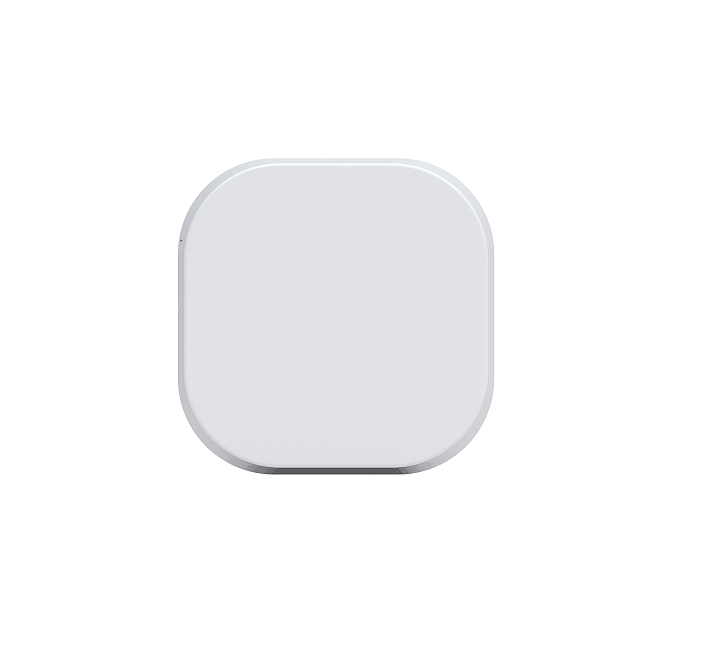
Product Recognition | |
|---|
Certification Number | ZC10-16095249 |
|---|
Name | Range Extender 6 |
|---|
Short Description | Aeotec Range Extender 6 is a Z-Wave repeater. |
|---|
Long Description | Aeotec Range Extender is a Z-Wave mesh network repeater which can extend the range of communication between Z-Wave products and assist other devices to reach each other in your Z-Wave network.
The Range Extender can also communicate securely via AES 128 wireless Z-Wave commands and supports Over-The-Air (OTA) firmware upgrades. |
|---|
Brand | Aeotec |
|---|
Product Identifier | ZW117-B21 |
|---|
OEM Version | HW: 117 FW: 1.03 |
|---|
Hardware Platform | ZM5101 |
|---|
Z-Wave Version | 6.51.08 |
|---|
Library Type | SLAVE_ENHANCED_232 |
|---|
Device Type | Repeater |
|---|
Role Type | ROLE_TYPE_SLAVE_ALWAYS_ON |
|---|
Manufacturer ID | 0x0086 |
|---|
Product Type ID | 0x0204 |
|---|
Product ID | 0x0075 |
|---|
User Icon | 0x1B00 |
|---|
Installer Icon | 0x1B00 |
|---|
Frequency Plans | ANZ: 919.80MHz, 921.40MHz |
|---|
Categories | Network Devices |
|---|
Countries / Regions | Australia |
|---|
Documents | Category | Description | File |
|---|
Manual_Primary_Lang | Product or Owner's Manual | |
|
|---|
Features | Feature | Values |
|---|
Color | | Firmware Updatable | Value |
|---|
Updatable by Consumer by RF |
|
|
|---|
Association Groups | Group Number | Maximum Nodes Supported | End Point ID | Description |
|---|
1 | 1 | 0 | The association group 1 is the Z-Wave Lifeline group. The Device Reset Locally Notification CC can be sent to the associated node in association group 1. |
|
|---|
Configuration Parameters | Parameter Number | Name | Description | Format | Size | Min Value | Max Value | Default Value | Parameter Values |
|---|
82 | Set the default status of the LED when the Range Extender relays Z-Wave message | Set the default status of the LED when the Range Extender relays Z-Wave message | 0 | 1 | 0 | 0 | 0 | From | To | Description |
|---|
1 | 1 | The LED remains OFF state. | 0 | 0 | The Green LED will remain ON for 2 seconds. |
| 200 | Partner ID | Set the partner ID of product. | 0 | 1 | 0 | 0 | 0 | From | To | Description |
|---|
1 | 1 | Other partners. | 0 | 0 | Aeon Labs standard product |
| 252 | Enable/disable Lock Configuration | Enable/disable to lock Configuration parameters. | 0 | 1 | 0 | 0 | 0 | From | To | Description |
|---|
0 | 0 | Disable | 1 | 1 | Enable |
| 254 | Device tag | Set a device tag for your Range Extender. | 0 | 2 | 0 | 0 | 0 | From | To | Description |
|---|
1 | 32767 | The available value range is 1 to 32767. |
| 255 | Reset the Range Extender 6 | Reset theRange Extender 6 to factory default. | 0 | 4 | 0 | 0 | 0 | From | To | Description |
|---|
0 | 0 | Reset all configuration parameters to factory default settings | 1431655765 | 1431655765 | Reset the bulb to factory default. |
|
|
|---|
Texts | ID | Description | Value |
|---|
5 | Factory Reset | Press and hold the Z-Wave Button for 20 seconds and then release it.
Use this procedure only in the event that your primary network controller is missing or inoperable. | 6 | Additional Special Features | Support ""Over the Air Firmware Updating"" and “Z-Wave Security”. | 1 | Inclusion | Turn the primary controller of Z-Wave network into inclusion mode, press the Z-Wave Button on Range Extender 6. | 2 | Exclusion | Turn the primary controller of Z-Wave network into exclusion mode, press the Z-Wave Button on Range Extender 6. |
|
|---|
Supports NWI | Yes |
|---|
Supports Explorer Frames | Yes |
|---|
Radio Range Z-Wave (m) | 40 |
|---|