| Product Recognition | |
|---|
| Certification Number | ZC12-21040217 |
|---|
| Name | Range Extender v2 EU |
|---|
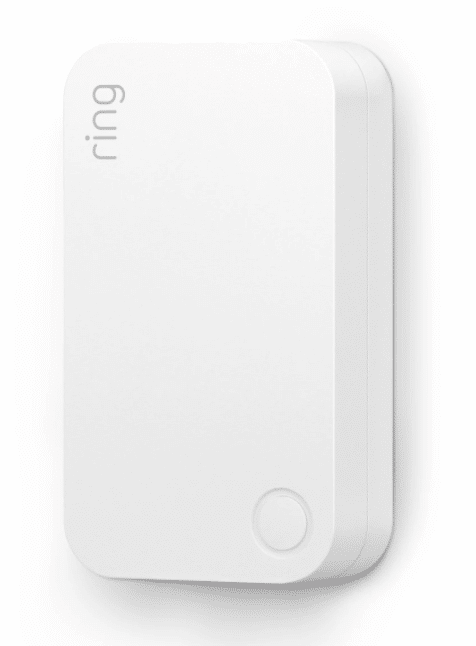
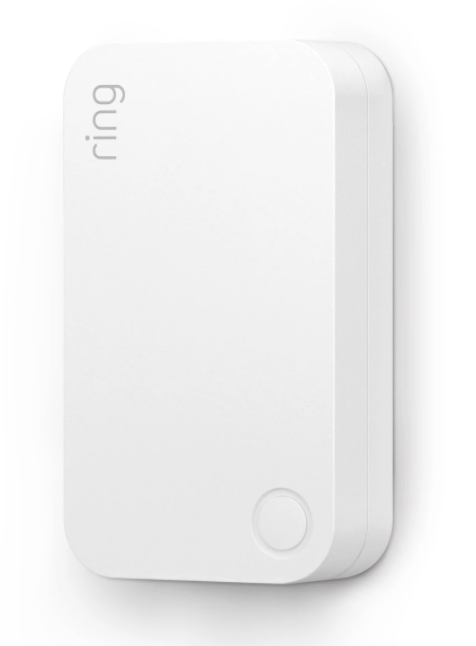
| Short Description | Ring Alarm Range Extender is a wireless repeater for the Ring Alarm system which helps to improve the range and reliability of the Ring Alarm network by listening for and repeating network communication between the Ring Alarm Base Station and other Ring Alarm end devices. |
|---|
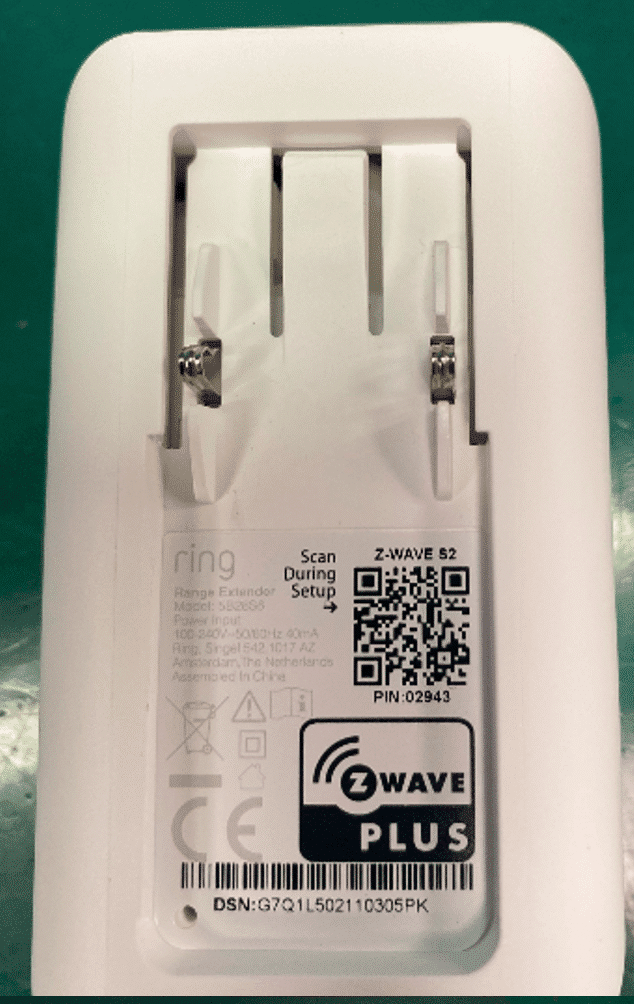
| Long Description | Ring Alarm Range Extender is a wireless repeater for the Ring Alarm system which helps to improve the range and reliability of the Ring Alarm network by listening for and repeating network communication between the Ring Alarm Base Station and other Ring Alarm end devices. After installing the Range Extender and setting up the Range Extender in the Ring app, the devices added to Ring Alarm’s network can utilize the Range Extender’s routing and repeating to communicate effectively with the Base Station. The Ring Alarm Base Station is required to enable Range Extender features and functions within the Ring app. |
|---|
| Brand | Ring |
|---|
| Product Identifier | Range Extender v2 EU |
|---|
| Product Line | Ring Alarm |
|---|
| OEM Version | HW: 1 FW: 1.10 |
|---|
| Hardware Platform | EFR32Z |
|---|
| Z-Wave Version | 7.12.1 |
|---|
| Library Type | SLAVE_ENHANCED_232 |
|---|
| Device Type | Repeater |
|---|
| Role Type | ROLE_TYPE_SLAVE_ALWAYS_ON |
|---|
| Manufacturer ID | 0x0346 |
|---|
| Product Type ID | 0x0401 |
|---|
| Product ID | 0x0301 |
|---|
| User Icon | 0x1B00 |
|---|
| Installer Icon | 0x1B00 |
|---|
| Frequency Plans | EU: 869.85MHz, 868.40MHz |
|---|
| Categories | Network Devices |
|---|
| Countries / Regions | European Union |
|---|
| Supported Command Classes | | Identifier | Name | Key | Version |
|---|
| COMMAND_CLASS_CONFIGURATION_V4 | Configuration V4 | 0x70 | 4 | | COMMAND_CLASS_POWERLEVEL | Powerlevel | 0x73 | 1 | | COMMAND_CLASS_MULTI_CHANNEL_ASSOCIATION_V3 | Multi-Channel Association V3 | 0x8E | 3 | | COMMAND_CLASS_INDICATOR_V3 | Indicator V3 | 0x87 | 3 | | COMMAND_CLASS_BATTERY | Battery | 0x80 | 1 | | COMMAND_CLASS_TRANSPORT_SERVICE_V2 | Transport Service V2 | 0x55 | 2 | | COMMAND_CLASS_DEVICE_RESET_LOCALLY | Device Reset Locally | 0x5A | 1 | | COMMAND_CLASS_ZWAVEPLUS_INFO_V2 | Z-Wave Plus Info V2 | 0x5E | 2 | | COMMAND_CLASS_ASSOCIATION_V2 | Association V2 | 0x85 | 2 | | COMMAND_CLASS_FIRMWARE_UPDATE_MD_V5 | Firmware Update Meta-Data V5 | 0x7A | 5 | | COMMAND_CLASS_ASSOCIATION_GRP_INFO_V3 | Association Group Information V3 | 0x59 | 3 | | COMMAND_CLASS_NOTIFICATION_V8 | Notification V8 | 0x71 | 8 | | COMMAND_CLASS_SECURITY_2 | Security S2 | 0x9F | 1 | | COMMAND_CLASS_VERSION_V3 | Version V3 | 0x86 | 3 | | COMMAND_CLASS_SUPERVISION | Supervision | 0x6C | 1 | | COMMAND_CLASS_MANUFACTURER_SPECIFIC_V2 | Manufacturer Specific V2 | 0x72 | 2 |
|
|---|
| S2 Classes | S2_UNAUTHENTICATED, S2_AUTHENTICATED |
|---|
| Documents | |
|---|
| Association Groups | | Group Number | Maximum Nodes Supported | End Point ID | Group Name | Profile | Description |
|---|
| 1 | 5 | 0 | Lifeline | 0x0001 | This is the Lifeline group and the following are the supported command class -
1. Notification Report
a. See notification CC section for notifications that are sent
2. Battery Report
3. Device Reset Locally Notification |
|
|---|
| Configuration Parameters | | Parameter Number | Name | Description | Format | Flag Advanced | Size | Min Value | Max Value | Default Value | Parameter Values |
|---|
| 1 | Hearbeats | This parameter is the number minutes between heartbeats. Heartbeats are automatic battery reports on a timer after the last event. | 2 | Yes | 1 | 1 | 70 | 70 | | From | To | Description |
|---|
| 1 | 70 | This parameter is the number of minutes between heartbeats. |
| | 2 | Application Retries: | Number of application level retries attempted for messages either not ACKed or messages encapsulated via supervision get that did not receive a report. | 2 | Yes | 1 | 0 | 5 | 1 | | From | To | Description |
|---|
| 0 | 5 | This parameter is the Number of application level retries. |
| | 3 | Application Level Retry Base Wait Time Period: | The number base seconds used in the calculation for sleeping between retry messages. | 2 | Yes | 1 | 1 | 60 | 5 | | From | To | Description |
|---|
| 1 | 60 | This parameter is the number base seconds used in the calculation for sleeping between retry messages. |
| | 4 | LED Indicator | Allows LED indications on the device to be turned on or off | 2 | Yes | 1 | 0 | 2 | 1 | | From | To | Description |
|---|
| 0 | 2 | This parameter is the LED indications on the device to be turned on or off |
| | 5 | Supervisory Report Timeout | The number of milliseconds waiting for a Supervisory Report response to a Supervisory Get encapsulated command from the sensor before attempting a retry. | 2 | Yes | 2 | 500 | 5000 | 1500 | | From | To | Description |
|---|
| 500 | 5000 | The number of milliseconds waiting for number of milliseconds waiting for a Supervisory Report response to a Supervisory Get . |
|
|
|---|
| Texts | | ID | Description | Value |
|---|
| 4 | Wake-Up Procedure | Not applicable. Ring Alarm Range Extender is an Always On Slave (AOS) and does not support Wake Up Command Class. | | 5 | Factory Reset Procedure | Factory Default Instructions
1. To restore Ring Alarm Range Extender to factory default settings, locate the pinhole reset button on the device. This is found on the back of the device after unplugging the device from the outlet.
2. Using a paperclip or similar object, insert it into the pinhole, press and hold the button down for 10 seconds.
3. The device will rapidly blink green continuously for 10 seconds. After about 10 seconds, when the green blinking stops,
release the button. The red LED will turn on solid to indicate the device was removed from the network.
Note: Use this procedure only in the event that the network primary controller is missing or otherwise inoperable. | | 8 | Where to find S2 DSK on product | The 5-digit DSK pin found on the package of the Ring Alarm Range Extender or the 5-digit DSK pin found under the QR code on the device. | | 1 | Classic Inclusion | After powering on the device, press and hold the button on the front of the device for ~3 seconds. Release the button and the device will enter Classic inclusion mode which implements both classic inclusion with a Node Information Frame, and Network Wide Inclusion. During Classic Inclusion mode, the green LED will blink three times followed by a brief pause, repeatedly. When Classic inclusion times-out, the device will blink alternating red and green a few times. | | 2 | Classic Exclusion | Exclusion Instructions:
1. Initiate remove “Ring Alarm Range Extender” flow in the Ring Alarm mobile application – Select the settings icon from device details page and choose Remove Device to remove the device. This will place the controller into Remove or “Z-Wave Exclusion” mode.
2. Locate the pinhole reset button on the back of the device.
3. With the controller in Remove (Z-Wave Exclusion) mode, use a paper clip or similar object and tap the pinhole button. The
device’s red LED turns on solid to indicate the device was removed from the network. |
|
|---|
| Supported Notification Types | | Notification Type | Event / State |
|---|
| Power Management | Power status: Power has been applied | | Power Management | Mains status: AC mains disconnected | | Power Management | Mains status: AC mains re-connected | | Power Management | Voltage drop/drift | | System | SW status: System software failure (manufacturer proprietary failure code provided) | | System | Heartbeat |
|
|---|
| Supports NWI | Yes |
|---|
| Supports Explorer Frames | Yes |
|---|
| Supports SmartStart | Yes |
|---|