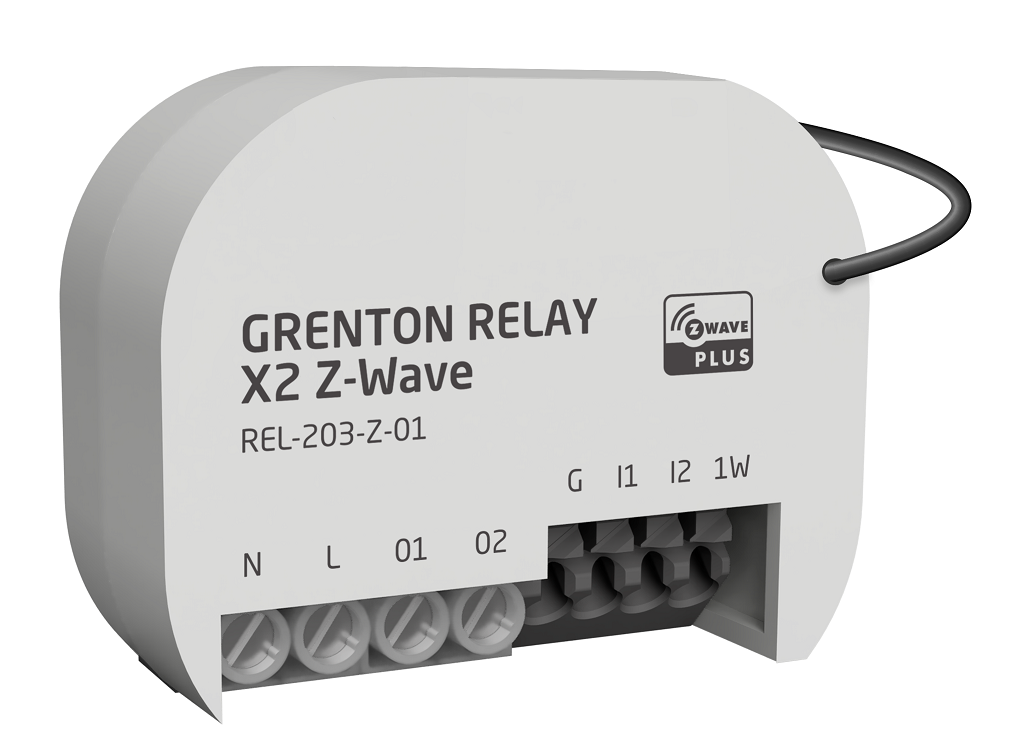
Product Recognition | |
|---|
Certification Number | ZC14-24020402 |
|---|
Name | Relay x2 Z-Wave |
|---|
Short Description | Grenton Relay x2 Z-Wave is a wireless module that allows the control of any electrical device, enables the connection of 2 digital inputs to the system, and supports the connection of one digital 1-wire temperature sensor. |
|---|
Long Description | Grenton Relay x2 Z-Wave provides the on/off switching functionality of 2 independent devices in an intelligent home (e.g. control of lamps, valves, an entrance gate or recuperator). Additionally, it allows to connect 2 independent elements containing a contact input (e.g. classic switches, motion, smoke or flood sensors) and one temperature sensor using 1-wire. |
|---|
Brand | Grenton Sp. z o.o. |
|---|
Product Identifier | REL-203-Z-01 |
|---|
Product Line | Z-Wave |
|---|
OEM Version | HW: 01 FW: 01.00 |
|---|
Hardware Platform | ZGM130S037HGN2 / ZGM130S037HGN1 |
|---|
Z-Wave Version | 7.19.2 |
|---|
Library Type | END_NODE_ENHANCED_232 |
|---|
Device Type | Binary Switch DT |
|---|
Role Type | ROLE_TYPE_END_NODE_ALWAYS_ON |
|---|
Manufacturer ID | 0x0401 |
|---|
Product Type ID | 0x0004 |
|---|
Product ID | 0x0002 |
|---|
User Icon | 0x0700 |
|---|
Installer Icon | 0x0700 |
|---|
Frequency Plans | EU: 869.85MHz, 868.40MHz |
|---|
Categories | Sensors, On/Off Switches/Devices |
|---|
Countries / Regions | European Union, Saudi Arabia, United Arab Emirates, Armenia, Bahrain, Cyprus, Moldova, Egypt, French Guiana, Georgia, Iraq, Jordan, Kazakhstan, Kuwait, Lebanon, Libya, Maldives, Mauritius, Nigeria, Oman, Philippines, Qatar, South Africa, Turkmenistan, ZU |
|---|
Supported Command Classes | Identifier | Name | Key | Version |
|---|
COMMAND_CLASS_ASSOCIATION_V2 | Association V2 | 0x85 | 2 | COMMAND_CLASS_ASSOCIATION_GRP_INFO_V3 | Association Group Information (AGI) V3 | 0x59 | 3 | COMMAND_CLASS_DEVICE_RESET_LOCALLY | Device Reset Locally | 0x5A | 1 | COMMAND_CLASS_FIRMWARE_UPDATE_MD_V5 | Firmware Update Meta Data V5 | 0x7A | 5 | COMMAND_CLASS_INDICATOR_V3 | Indicator V3 | 0x87 | 3 | COMMAND_CLASS_MANUFACTURER_SPECIFIC_V2 | Manufacturer Specific V2 | 0x72 | 2 | COMMAND_CLASS_MULTI_CHANNEL_ASSOCIATION_V3 | Multi Channel Association V3 | 0x8E | 3 | COMMAND_CLASS_VERSION_V3 | Version V3 | 0x86 | 3 | COMMAND_CLASS_ZWAVEPLUS_INFO_V2 | Z-Wave Plus Info V2 | 0x5E | 2 | COMMAND_CLASS_SECURITY_2 | Security 2 | 0x9F | 1 | COMMAND_CLASS_SUPERVISION | Supervision | 0x6C | 1 | COMMAND_CLASS_TRANSPORT_SERVICE_V2 | Transport Service V2 | 0x55 | 2 | COMMAND_CLASS_POWERLEVEL | Powerlevel | 0x73 | 1 | COMMAND_CLASS_SWITCH_BINARY_V2 | Binary Switch V2 | 0x25 | 2 | COMMAND_CLASS_BASIC_V2 | Basic V2 | 0x20 | 2 | COMMAND_CLASS_MULTI_CHANNEL_V4 | Multi Channel V4 | 0x60 | 4 | COMMAND_CLASS_SENSOR_MULTILEVEL_V11 | Multilevel Sensor V11 | 0x31 | 11 | COMMAND_CLASS_CENTRAL_SCENE_V3 | Central Scene V3 | 0x5B | 3 | COMMAND_CLASS_CONFIGURATION_V4 | Configuration V4 | 0x70 | 4 | COMMAND_CLASS_SECURITY | Security 0 | 0x98 | 1 |
|
|---|
S2 Classes | S2_AUTHENTICATED, S2_UNAUTHENTICATED |
|---|
Documents | Category | File |
|---|
Manual_English | |
|
|---|
Features | Feature | Values |
|---|
Switch Load Capacity Current | Value |
|---|
16A / 265 Vac summary, 16A channel 1, 8A channel 2 |
| Switch Load Capacity Volt-Ampere | |
|
|---|
Association Groups | Group Number | Maximum Nodes Supported | End Point ID | Group Name | Profile |
|---|
1 | 5 | 0 | Lifeline | 0x0001 | 2 | 5 | 0 | On/Off IN1 | 0x2001 | 3 | 5 | 0 | On/Off IN2 | 0x2002 | 1 | 0 | 1 | Lifeline | 0x0001 | 2 | 5 | 1 | On/Off IN1 | 0x2001 | 1 | 0 | 2 | Lifeline | 0x0001 | 2 | 5 | 2 | On/Off IN2 | 0x2002 | 1 | 0 | 3 | Lifeline | 0x0001 |
|
|---|
Configuration Parameters | Parameter Number | Name | Description | Format | Size | Min Value | Max Value | Default Value |
|---|
1 | IN1 Type | Type of IN1 Input (0 - Monostable, 1 - Bistable) | 2 | 1 | 0 | 0 | 0x00 | 2 | IN2 Type | Type of IN2 Input (0 - Monostable, 1 - Bistable) | 2 | 1 | 0 | 0 | 0x00 | 3 | Internal Connection IN1 | Sets Internal connection between IN1 Input and specified Output (0 - NONE, 1 - OUT1, 2 - OUT2) | 2 | 1 | 0 | 0 | 0x01 | 4 | Internal Connection IN2 | Sets Internal connection between IN2 Input and specified Output (0 - NONE, 1 - OUT1, 2 - OUT2) | 2 | 1 | 0 | 0 | 0x02 | 5 | Polarization OUT1 | Defines polarization of OUT1 Output (0 - Normal, 1 - Inverted) | 2 | 1 | 0 | 0 | 0x00 | 6 | Polarization OUT2 | Defines polarization of OUT2 Output (0 - Normal, 1 - Inverted) | 2 | 1 | 0 | 0 | 0x00 | 7 | Zero Cross Detection OUT1 | Enables or Disables Zero Cross Detection on OUT1 Output (0 - Disabled, 1 - Enabled) | 2 | 1 | 0 | 0 | 0x01 | 8 | Zero Cross Detection OUT2 | Enables or Disables Zero Cross Detection on OUT2 Output (0 - Disabled, 1 - Enabled) | 2 | 1 | 0 | 0 | 0x01 | 9 | Stand Alone Mode | Enables or Disables Internal Connections from Device Inputs (0 - Disabled, 1 - Enabled) | 2 | 1 | 0 | 0 | 0x01 |
|
|---|
Texts | ID | Description | Value |
|---|
8 | Where to find S2 DSK on product | manual.pdf, page 7 | 1 | Classic Inclusion | To add the device to the Z-Wave network:
1. Set your Z-Wave controller into inclusion mode.
2. Identify IN1 switch.
3. Quickly, six times press the IN1 switch. The status LED starts blinking with a period of
500ms.
4. Wait for the adding process to end. | 2 | Classic Exclusion | To remove the device from the Z-Wave network:
1. Set your Z-Wave controller into exclusion mode.
2. Identify IN1 switch.
3. Quickly, six times press the IN1 switch. The status LED starts blinking with a period of
500ms.
4. Wait for the removing process to end. | 5 | Factory Reset Procedure | To add the device to the Z-Wave network:
1. Identify IN2 switch
2. Quickly, six times press the IN2 switch. The status LED turns on.
3. Identify IN1 switch
4. Quickly, six times press the IN1 switch. The status LED turns off. |
|
|---|
Supported Multilevel Sensors | Multilevel Sensor Type |
|---|
Air temperature |
|
|---|
Supports NWI | Yes |
|---|
Supports Explorer Frames | Yes |
|---|
Supports SmartStart | Yes |
|---|
Radio Range Z-Wave (m) | 40 |
|---|