Product Recognition | |
|---|
Certification Number | ZC10-19106775 |
|---|
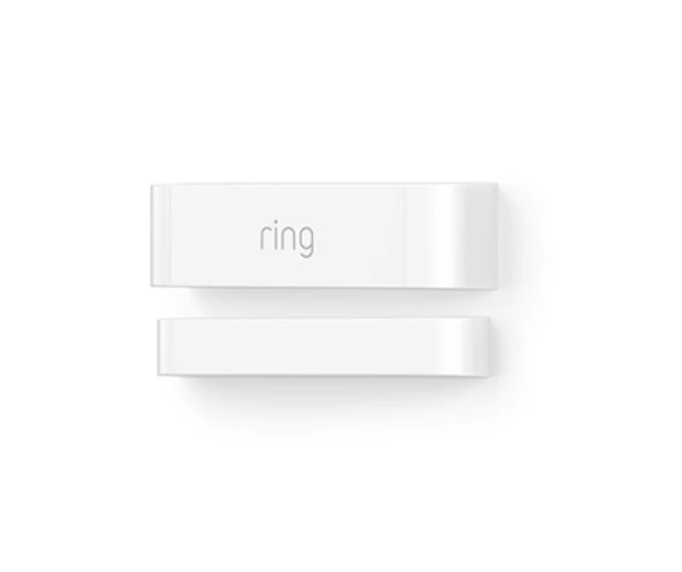
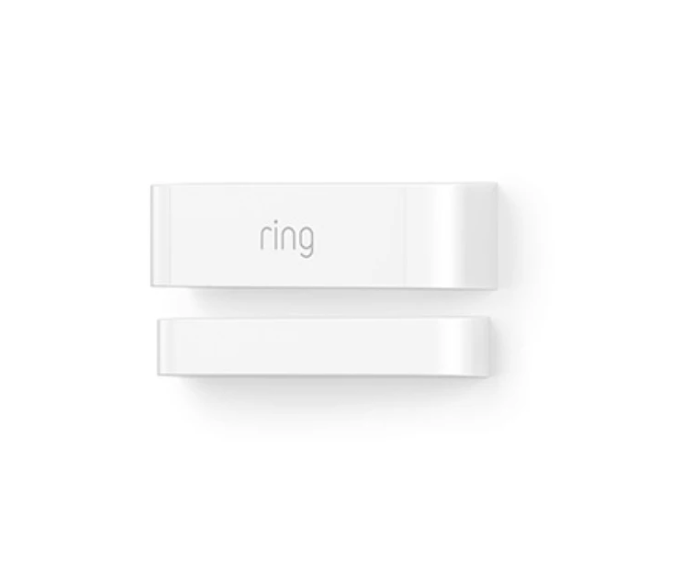
Name | Ring Contact Sensor EU |
|---|
Short Description | The Alarm Contact Sensor connects to your Alarm Base Station and easily mounts to any door or window frame in your home. It sends you mobile alerts whenever your doors or windows open, so you’ll always be the first to know when something’s ajar. |
|---|
Long Description | The Alarm Contact Sensor connects to your Alarm Base Station and easily mounts to any door or window frame in your home. It sends you mobile alerts whenever your doors or windows open, so you’ll always be the first to know when something’s ajar.
- Requires the Ring Alarm Security Kit
- Triggers your Alarm when someones tampers with Contact Sensors |
|---|
Brand | Ring |
|---|
Product Identifier | 4SDAE9-0EU0 |
|---|
Product Line | Ring Security |
|---|
OEM Version | HW: 1 FW: 1.00:00.03 |
|---|
Hardware Platform | ZM5101 |
|---|
Z-Wave Version | 6.81.03 |
|---|
Library Type | SLAVE_ENHANCED_232 |
|---|
Device Type | Notification Sensor |
|---|
Role Type | ROLE_TYPE_SLAVE_SLEEPING_REPORTING |
|---|
Manufacturer ID | 0x0346 |
|---|
Product Type ID | 0x0201 |
|---|
Product ID | 0x0202 |
|---|
User Icon | 0x0C07 |
|---|
Installer Icon | 0x0C06 |
|---|
Frequency Plans | EU: 869.85MHz, 868.40MHz |
|---|
Categories | Sensors |
|---|
Countries / Regions | European Union |
|---|
Supported Command Classes | Identifier | Name | Key | Version |
|---|
COMMAND_CLASS_FIRMWARE_UPDATE_MD_V4 | Firmware Update Meta-Data V4 | 0x7A | 4 | COMMAND_CLASS_POWERLEVEL | Powerlevel | 0x73 | 1 | COMMAND_CLASS_BATTERY | Battery | 0x80 | 1 | COMMAND_CLASS_CONFIGURATION | Configuration | 0x70 | 1 | COMMAND_CLASS_TRANSPORT_SERVICE_V2 | Transport Service V2 | 0x55 | 2 | COMMAND_CLASS_VERSION_V2 | Version V2 | 0x86 | 2 | COMMAND_CLASS_WAKE_UP_V2 | Wake Up V2 | 0x84 | 2 | COMMAND_CLASS_DEVICE_RESET_LOCALLY | Device Reset Locally | 0x5A | 1 | COMMAND_CLASS_ZWAVEPLUS_INFO_V2 | Z-Wave Plus Info V2 | 0x5E | 2 | COMMAND_CLASS_ASSOCIATION_V2 | Association V2 | 0x85 | 2 | COMMAND_CLASS_ASSOCIATION_GRP_INFO | Association Group Info | 0x59 | 1 | COMMAND_CLASS_NOTIFICATION_V8 | Notification V8 | 0x71 | 8 | COMMAND_CLASS_BASIC_V2 | Basic V2 | 0x20 | 2 | COMMAND_CLASS_SECURITY_2 | Security S2 | 0x9F | 1 | COMMAND_CLASS_SUPERVISION | Supervision | 0x6C | 1 | COMMAND_CLASS_MANUFACTURER_SPECIFIC_V2 | Manufacturer Specific V2 | 0x72 | 2 |
|
|---|
Controlled Command Classes | Identifier | Name | Key | Version |
|---|
COMMAND_CLASS_SUPERVISION | Supervision | 0x6C | 1 |
|
|---|
S2 Classes | S2_UNAUTHENTICATED, S2_AUTHENTICATED |
|---|
Documents | Category | Description | File |
|---|
Manual_English | Product Manual in English | | Manual_Primary_Lang | Product Manual | |
|
|---|
Features | Feature | Values |
|---|
Battery Quantity | | Color | | Battery Type | |
|
|---|
Association Groups | Group Number | Maximum Nodes Supported | End Point ID | Group Name | Description |
|---|
1 | 1 | 0 | Lifeline | This sensor has one Association group of with only one node. Group one is a lifeline group who will receive unsolicited messages relating to door/window open/close notifications, case tampering notifications, and low-battery notifications. |
|
|---|
Configuration Parameters | Parameter Number | Name | Description | Format | Size | Min Value | Max Value | Default Value | Parameter Values |
|---|
1 | Parameter 1 | Number of seconds between periodic battery reports. (Heartbeats) | 1 | 2 | 0 | 0 | 0 | From | To | Description |
|---|
255 | 4200 | Number of seconds between periodic battery reports. (Heartbeats) |
| 2 | Parameter 2 | One-Time Wakeup Notification. (In addition to normal Wakeup Notification) | 1 | 2 | 1 | 0 | 0 | From | To | Description |
|---|
1 | 3600 | One-Time Wakeup Notification |
| 3 | Parameter 3 | Number of Application Level Retries after a failed transmission defined as either not ACKed or Supervision Report not returned when encapsulated. | 1 | 1 | 0 | 5 | 5 | From | To | Description |
|---|
0 | 5 | Number of Application Level Retries |
| 4 | Parameter 4 | The minimum number of seconds to sleep between application level retries. | 1 | 1 | 1 | 0 | 6 | From | To | Description |
|---|
1 | 6 | The minimum number of seconds to sleep between application level retries. |
| 6 | Parameter 6 | The number of seconds the device will sleep between waking up to increment its Wakeup and Heartbeat counter. Also the sleep step time. | 1 | 1 | 10 | 127 | 127 | From | To | Description |
|---|
10 | 127 | The number of seconds the device will sleep between waking up to increment its Wakeup and Heartbeat counter. Also the sleep step time. |
| 5 | Parameter 5 | The number of milliseconds to wait for a Supervisory Report in response to a Supervisory encapsulated Get. | 1 | 2 | 500 | 5000 | 1500 | From | To | Description |
|---|
500 | 5000 | The number of milliseconds to wait for a Supervisory Report in response to a Supervisory encapsulated Get. |
|
|
|---|
Texts | ID | Description | Value |
|---|
2 | Classic Exclusion | Exclusion Instructions:
1. Initiate remove sensor flow in the Ring Alarm mobile application – Select the setting icon from device details page and choose “Remove Device”
2. Open contact sensor’s cover
3. Remove and replace battery quickly | 1 | Classic Inclusion | Inclusion Instructions
1. Initiate add sensor flow in the Ring Alarm mobile application – Follow the guided add flow instructions provided in the application
2. Select add manually and enter the 5 digit DSK pin found on the package of the sensor or the QR code found on the back of the sensor
3. Pull the battery tab on the sensor
4. When the inclusion process in complete, the LED on the sensor will be solid blue, then go out.
5. Test the sensor. Place the magnet next to the sensor to represent a closed position (see Installation video to see where to position the magnet). If the LED flashes ONE TIME, it is successfully communicating on your Zwave network. If the LED on the sensor flashes slow and steady for 5 seconds, you need to repeat the inclusion process. | 5 | Factory Reset Procedure | Factory Reset Instructions
o If not already done, remove the device from its mounting bracket.
o On the back of the device, using a paperclip (or similar) press and hold the pin hole button.
o Continue holding the button for ~10s watching the LED blink rapidly blue.
o When the blue LED stops blinking, release the button.
o Watch for the solid red LED indication to tell you the device was reset and removed from the network.
Use this procedure only in the event that the network primary controller is missing or otherwise inoperable. | 4 | Wake-Up Procedure | The sensor will wake up every so often to send a Wake-Up Notification to allow the life line master node controller that the sensor is now available for any queued messages that the controller may have for the sensor. The time between Wake-Up Notifications can be configured with the Wake-Up Notification command class to be between 1 and 24 hours with interval steps of 1 minute. | 8 | Where to find S2 DSK on product | The QR code and corresponding 5 digit Security 2 DSK on the product can be found in two locations -
1. On the back side of product
2. Inside wall of the cover of contact senso. (Open the cover of contact sensor to locate).
The 5 digit Security 2 DSK can also be found on device profile page of Contact sensor in mobile UI application -
1. Launch Ring Alarm application
2. Navigate to device profile page of Contact sensor |
|
|---|
Supported Notification Types | Notification Type | Event / State |
|---|
Home Security | Sensor status: Intrusion | Home Security | Cover status: Tampering, product cover removed | Power Management | Battery maintenance status: Replace battery soon | Power Management | Battery maintenance status: Replace battery now |
|
|---|
Supports NWI | Yes |
|---|
Supports Explorer Frames | Yes |
|---|
Supports SmartStart | Yes |
|---|
Radio Range Z-Wave (m) | 40 |
|---|