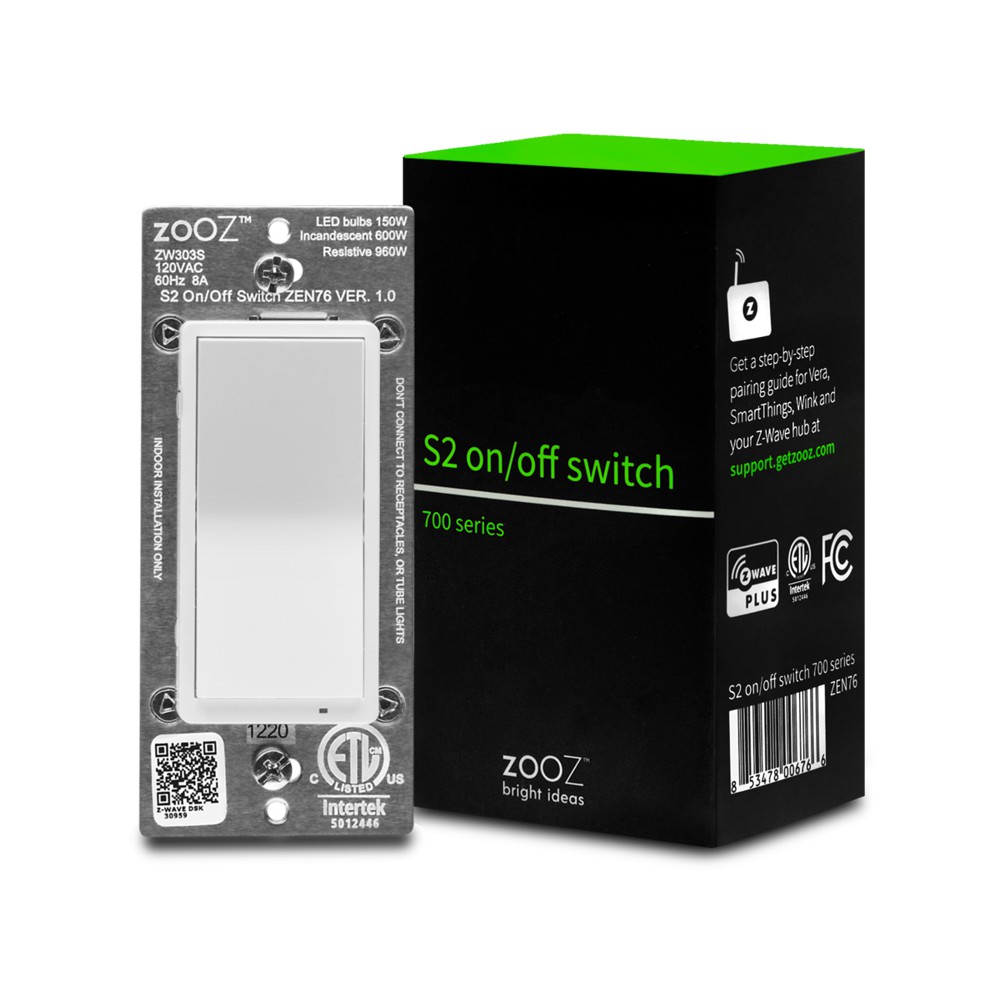
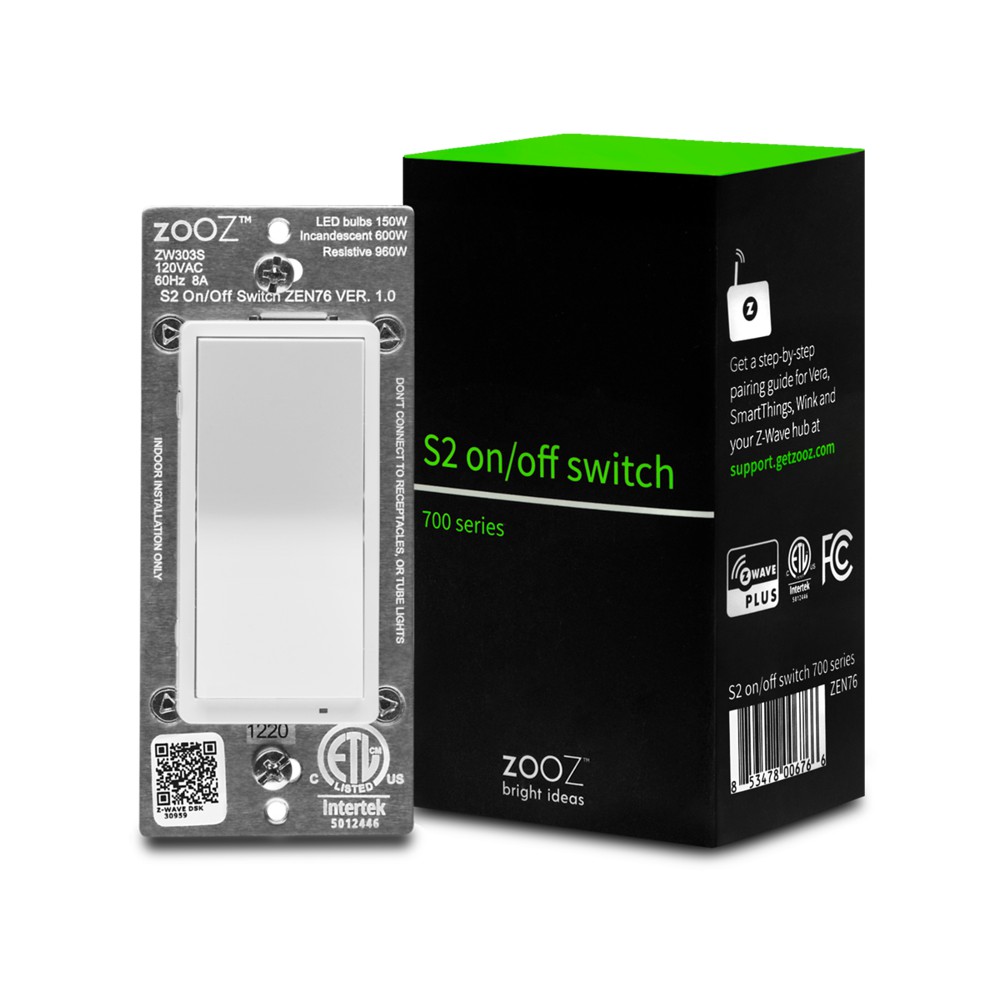
Product Recognition | |
|---|
Certification Number | ZC12-21020182 |
|---|
Name | S2 ON/OFF SWITCH 700 |
|---|
Short Description | 700 Series Z-Wave Plus S2 On/Off Switch with Simple Direct 3-Way and 4-Way Patented Solution. |
|---|
Long Description | HIGHLIGHTS:
- Manual or Z-Wave on/off control with instant status updates
- NEW: 700 series Z-Wave chip for better range and faster control
- Simple Direct 3-Way: connect with existing on/off switches in 3-way, 4-way, and 5-way set-ups, no add-on needed
- Scene control: trigger actions with multi-tap (select hubs only)
- Smart bulb mode: disable relay and control the light via Z-Wave
- Remembers and restores on/off status after power failure
- Adjustable LED indicator in 4 colors and 3 brightness levels
- Works with LED and incandescent bulbs (don’t use with tubes)
SPECS:
- Model Number: ZEN76
- Z-Wave Signal Frequency: 908.42 MHz
- Power: 120 VAC, 60 Hz
- Maximum Load: 8 A, 150 W LED/CFL, 600 W incandescent, 960 W resistive (DON’T use with tube lights, fans, or receptacles)
- Range: Up to 500 feet line of sight
- Operating Temperature: 32-104° F (0-40° C)
- Installation and Use: Indoor only |
|---|
Brand | Zooz |
|---|
Product Identifier | ZEN76 |
|---|
Product Line | Line A |
|---|
OEM Version | HW: 1 FW: 1.00 |
|---|
Hardware Platform | ZGM130 |
|---|
Z-Wave Version | 7.13.6 |
|---|
Library Type | SLAVE_ENHANCED_232 |
|---|
Device Type | Binary Switch |
|---|
Role Type | ROLE_TYPE_SLAVE_ALWAYS_ON |
|---|
Manufacturer ID | 0x027A |
|---|
Product Type ID | 0x7000 |
|---|
Product ID | 0xA006 |
|---|
User Icon | 0x0704 |
|---|
Installer Icon | 0x0700 |
|---|
Frequency Plans | US: 916.00MHz, 908.40MHz |
|---|
Categories | All Lighting Devices, On/Off Switches/Devices |
|---|
Countries / Regions | United States of America |
|---|
Supported Command Classes | Identifier | Name | Key | Version |
|---|
COMMAND_CLASS_CONFIGURATION_V4 | Configuration V4 | 0x70 | 4 | COMMAND_CLASS_SWITCH_BINARY_V2 | Switch Binary V2 | 0x25 | 2 | COMMAND_CLASS_POWERLEVEL | Powerlevel | 0x73 | 1 | COMMAND_CLASS_ASSOCIATION_V3 | Association V3 | | 0 | COMMAND_CLASS_MULTI_CHANNEL_ASSOCIATION_V3 | Multi-Channel Association V3 | 0x8E | 3 | COMMAND_CLASS_INDICATOR_V3 | Indicator V3 | 0x87 | 3 | COMMAND_CLASS_TRANSPORT_SERVICE_V2 | Transport Service V2 | 0x55 | 2 | COMMAND_CLASS_DEVICE_RESET_LOCALLY | Device Reset Locally | 0x5A | 1 | COMMAND_CLASS_ZWAVEPLUS_INFO_V2 | Z-Wave Plus Info V2 | 0x5E | 2 | COMMAND_CLASS_FIRMWARE_UPDATE_MD_V5 | Firmware Update Meta-Data V5 | 0x7A | 5 | COMMAND_CLASS_ASSOCIATION_GRP_INFO_V3 | Association Group Information V3 | 0x59 | 3 | COMMAND_CLASS_BASIC_V2 | Basic V2 | 0x20 | 2 | COMMAND_CLASS_SECURITY_2 | Security S2 | 0x9F | 1 | COMMAND_CLASS_MANUFACTURER_SPECIFIC | Manufacturer Specific | 0x72 | 1 | COMMAND_CLASS_VERSION_V3 | Version V3 | 0x86 | 3 | COMMAND_CLASS_CENTRAL_SCENE_V3 | Central Scene V3 | 0x5B | 3 | COMMAND_CLASS_SUPERVISION | Supervision | 0x6C | 1 |
|
|---|
S2 Classes | S2_UNAUTHENTICATED, S2_AUTHENTICATED |
|---|
Documents | Category | Description | File |
|---|
Manual_Primary_Lang | Product Manual in English | |
|
|---|
Features | Feature | Values |
|---|
Electric Load Type | | Switch Load Capacity Current | | Switch Load Capacity Watts | | Color | | Z-Wave Scene Type | | Firmware Updatable | Value |
|---|
Updatable by Consumer by RF |
| Neutral Wire Required | |
|
|---|
Association Groups | Group Number | Maximum Nodes Supported | End Point ID | Group Name | Description |
|---|
2 | 2 | 0 | Group 2 | Basic set report to devices in Group 2. | 1 | 1 | 0 | Lifeline | Lifeline communication with basic report to the hub. |
|
|---|
Configuration Parameters | Parameter Number | Name | Description | Format | Size | Min Value | Max Value | Default Value | Parameter Values |
|---|
2 | LED Indicator Control | Choose if you want the LED indicator to turn on when the switch (light) is on or off, or if you want it to remain on or off at all times. | 2 | 1 | 0 | 3 | 0 | From | To | Description |
|---|
0 | 0 | LED indicator is on when switch is off, LED indicator is off when switch is on (default) | 1 | 1 | LED indicator is on when switch is on, LED indicator is off when switch is of | 2 | 2 | LED indicator is always OFF | 3 | 3 | LED indicator is always ON |
| 3 | Auto Turn-Off Timer | Use this parameter to enable or disable the auto turn-off timer function (the time after which you want the switch to automatically turn off once it has been turned on). | 2 | 4 | 0 | 65535 | 0 | From | To | Description |
|---|
0 | 0 | timer disabled | 1 | 65535 | minutes |
| 5 | Auto Turn-On Timer | Use this parameter to enable or disable the auto turn-on timer function (the time after which you want the switch to automatically turn on once it has been turned off). | 2 | 4 | 0 | 65535 | 0 | From | To | Description |
|---|
0 | 0 | timer disabled | 1 | 65535 | minutes |
| 10 | Enable or Disable Scene | Enable or disable scene control functionality for quick double tap triggers. | 2 | 1 | 0 | 1 | 0 | From | To | Description |
|---|
0 | 0 | scene control disabled | 1 | 1 | scene control enabled |
| 8 | On Off Status After Power Failure | Set the on off status for the switch after power failure. | 2 | 1 | 0 | 2 | 2 | From | To | Description |
|---|
2 | 2 | remembers and restores on/off status after power failure (default) | 0 | 0 | forced to OFF (regardless of state prior to power outage) | 1 | 1 | forced to ON (regardless of state prior to power outage) |
| 1 | On/Off Paddle Orientation | Choose if you want the upper paddle to turn the light on or turn the light off when tapped. | 2 | 1 | 0 | 2 | 0 | From | To | Description |
|---|
0 | 0 | Upper paddle turns the light on, lower paddle turns it off (default) | 1 | 1 | Upper paddle turns the light off, lower paddle turns it on | 2 | 2 | Any paddle turns light on/off. |
|
|
|---|
Texts | ID | Description | Value |
|---|
8 | Where to find S2 DSK on product | Scan the QR Code / enter 5 digit DSK code located in the lower left corner of the front metal panel on the switch (visual pointing to location in the manual under Z-Wave Control > Add device). | 1 | Classic Inclusion | 1. Initiate inclusion (pairing) in the app (or web interface).
2. TAP UP 3 TIMES QUICKLY if using traditional Z-Wave inclusion. | 2 | Classic Exclusion | 1. Bring your Z-Wave gateway (hub) close to the switch if possible
2. Put the Z-Wave hub into exclusion mode (not sure how to do that? ask@getzooz.com)
3. Tap the lower paddle on the switch 3 times quickly (the LED indicator will start blinking blue)
4. Your hub will confirm exclusion, the LED indicator on the switch will turn green for 3 seconds, and the device will disappear from your controller's device list | 5 | Factory Reset Procedure | If your primary controller is missing or inoperable, you may need to reset the device to factory settings. To reset the switch, press and hold the lower paddle for 10 seconds until the LED indicator starts blinking. Release paddle, and immediately after, tap the lower paddle 5 times to complete the reset. The LED indicator will flash blue 3 times and turn red for 3 seconds to confirm successful reset.
NOTE: All previously recorded activity and custom settings will be erased from the device’s memory. |
|
|---|
Supports NWI | Yes |
|---|
Supports Explorer Frames | Yes |
|---|
Supports SmartStart | Yes |
|---|
Radio Range Z-Wave (m) | 40 |
|---|