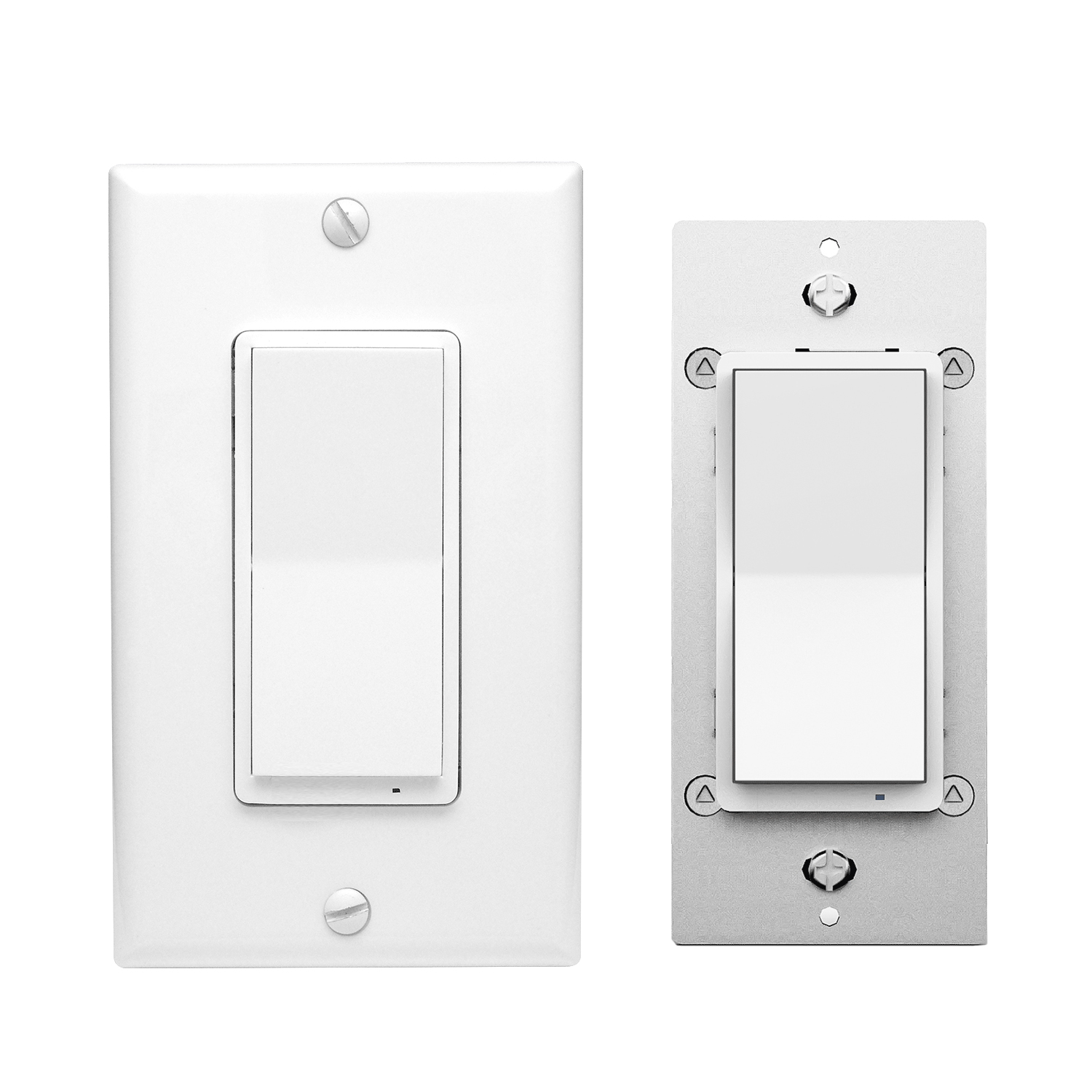
Product Recognition | |
|---|
Certification Number | ZC12-21010161 |
|---|
Name | S2 Smart Start On/Off Switch |
|---|
Short Description | In-Wall Smart Switch design features a housing depth that is up to 20 percent smaller than the previous Z-Wave models. This reduced size coupled with the elimination of heat taps provides a better fit in older style boxes and multi-gang configurations. |
|---|
Long Description | In-Wall Smart Switch design features a housing depth that is up to 20 percent smaller than the previous Z-Wave models. This reduced size coupled with the elimination of heat taps provides a better fit in older style boxes and multi-gang configurations. SimpleWire technology allows line and load to automatically be configured with auto-sensing line-load terminals. All of this is coupled with Z-Wave S2 and SmartStart allows for effortless installation while being safer than ever! |
|---|
Brand | EVA LOGIK |
|---|
Product Identifier | ZW30S |
|---|
Product Line | Line A |
|---|
OEM Version | HW: 1 FW: 1.00 |
|---|
Hardware Platform | ZGM130 |
|---|
Z-Wave Version | 7.13.6 |
|---|
Library Type | SLAVE_ENHANCED_232 |
|---|
Device Type | Binary Switch |
|---|
Role Type | ROLE_TYPE_SLAVE_ALWAYS_ON |
|---|
Manufacturer ID | 0x0312 |
|---|
Product Type ID | 0xBB00 |
|---|
Product ID | 0xBB01 |
|---|
User Icon | 0x0704 |
|---|
Installer Icon | 0x0700 |
|---|
Frequency Plans | US: 916.00MHz, 908.40MHz |
|---|
Categories | All Lighting Devices, On/Off Switches/Devices, Lighting Accessories |
|---|
Countries / Regions | United States of America |
|---|
Supported Command Classes | Identifier | Name | Key | Version |
|---|
COMMAND_CLASS_CONFIGURATION_V4 | Configuration V4 | 0x70 | 4 | COMMAND_CLASS_SWITCH_BINARY_V2 | Switch Binary V2 | 0x25 | 2 | COMMAND_CLASS_POWERLEVEL | Powerlevel | 0x73 | 1 | COMMAND_CLASS_ASSOCIATION_V3 | Association V3 | | 0 | COMMAND_CLASS_MULTI_CHANNEL_ASSOCIATION_V3 | Multi-Channel Association V3 | 0x8E | 3 | COMMAND_CLASS_INDICATOR_V3 | Indicator V3 | 0x87 | 3 | COMMAND_CLASS_TRANSPORT_SERVICE_V2 | Transport Service V2 | 0x55 | 2 | COMMAND_CLASS_DEVICE_RESET_LOCALLY | Device Reset Locally | 0x5A | 1 | COMMAND_CLASS_ZWAVEPLUS_INFO_V2 | Z-Wave Plus Info V2 | 0x5E | 2 | COMMAND_CLASS_FIRMWARE_UPDATE_MD_V5 | Firmware Update Meta-Data V5 | 0x7A | 5 | COMMAND_CLASS_ASSOCIATION_GRP_INFO_V3 | Association Group Information V3 | 0x59 | 3 | COMMAND_CLASS_BASIC_V2 | Basic V2 | 0x20 | 2 | COMMAND_CLASS_SECURITY_2 | Security S2 | 0x9F | 1 | COMMAND_CLASS_MANUFACTURER_SPECIFIC | Manufacturer Specific | 0x72 | 1 | COMMAND_CLASS_VERSION_V3 | Version V3 | 0x86 | 3 | COMMAND_CLASS_CENTRAL_SCENE_V3 | Central Scene V3 | 0x5B | 3 | COMMAND_CLASS_SUPERVISION | Supervision | 0x6C | 1 |
|
|---|
S2 Classes | S2_UNAUTHENTICATED, S2_AUTHENTICATED |
|---|
Documents | Category | Description | File |
|---|
Manual_Primary_Lang | Product Manual | | Manual_English | Product Manual in English | | Installer_Guide | Installation Guide | |
|
|---|
Features | Feature | Values |
|---|
Electric Load Type | Value |
|---|
Incandescent | Fluorescent | LED |
| Firmware Updatable | Value |
|---|
Updatable by Consumer by RF |
| Switch Type | | Z-Wave Scene Type | | Color | |
|
|---|
Association Groups | Group Number | Maximum Nodes Supported | End Point ID | Group Name | Description |
|---|
1 | 1 | 0 | Lifeline | Z-Wvae Lifeline | 2 | 5 | 0 | basic set command | basic set command | 3 | 5 | 0 | basic set command | basic set command |
|
|---|
Configuration Parameters | Parameter Number | Name | Description | Format | Size | Min Value | Max Value | Default Value | Parameter Values |
|---|
5 | Auto Turn-On Timer | Parameter=5,Size=1, Value=0 timer disabled (default); Values: 1 – 65535 (minutes); | 2 | 4 | 0 | 65535 | 0 | From | To | Description |
|---|
0 | 65535 | Auto Turn-On Timer |
| 11 | Enable or Disable OutPut control | Parameter=11,Size=1,Value=0 disable local button and External Switch control enable Z-Wave control Value=1 enable local button and External Switch control enable Z-Wave control Value = 2 disable local button and External Switch control | 2 | 1 | 0 | 2 | 1 | From | To | Description |
|---|
2 | 2 | disable local button and External Switch control | 0 | 0 | disable local button and External Switch control | 1 | 1 | enable local button and External Switch control enable Z-Wave control |
| 1 | KeyFunction | Parameter=1,Size=1, Value=0 Up Button: On Down Button: Off Value=1 Up Button: Off Down Button: On Value=2 Up Button: On/Off Down Button: On/Off | 2 | 1 | 0 | 2 | 0 | From | To | Description |
|---|
0 | 0 | Up Button ON,Down Button OFF | 1 | 1 | Up Button OFF,Down Button ON | 2 | 2 | Up Button: On/Off, Down Button: On/Off |
| 2 | LED Indicator | Parameter=2,Size=1 Value=0 On when Off and Off when On Value=1 On when On and Off when Off Value=2 Always Off Value=3 Always On | 2 | 1 | 0 | 3 | 0 | From | To | Description |
|---|
1 | 1 | On when On and Off when Off | 2 | 2 | Always Off | 3 | 3 | Always On | 0 | 0 | On when Off and Off when On |
| 8 | Restores state after power failure | Parameter=8,Size=1, Value=0 output off Value=1 output on Value=2 out put the state after power | 2 | 1 | 0 | 2 | 2 | From | To | Description |
|---|
0 | 0 | output off | 1 | 1 | Output ON | 2 | 2 | out put the state after power |
| 3 | Auto Turn-Off Timer | Parameter=3,Size=4, Value=0 timer disabled (default); Values: 1 – 65535 (minutes); | 2 | 4 | 0 | 65535 | 0 | From | To | Description |
|---|
0 | 65535 | Auto Turn-Off Timer |
|
|
|---|
Texts | ID | Description | Value |
|---|
1 | Classic Inclusion | 1,Refer to your primary controller instructions to process the inclusion / exclusion setup procedure.
2,When prompted by your primary controller, click the Up or Down button three times in one second. | 2 | Classic Exclusion | 1,Refer to your primary controller instructions to process the inclusion / exclusion setup procedure.
2,When prompted by your primary controller, click the Up or Down button three times in one second. | 5 | Factory Reset Procedure | Press and hold lower paddle for 10 seconds,then LED starts blinking, release paddle and within 2 seconds,click lower paddle 5 times
(Node:Please use this procedure only when the network primary controller is missing or otherwise inoperable.) | 8 | Where to find S2 DSK on product | The device support two methods of inclusion,When using a Z-Wave Plus certified controller choose Network Wide Inclusion or SmartStart,
Network Wide Inclusion To A Z-Wave Network
1,Refer to your primary controller instructions to process the inclusion / exclusion setup procedure.
2,When prompted by your primary controller, click the Up or Down button three times in one second.
The device is compatible with SmartStart
SmartStart enabled products can be added into a Z-Wave network by scanning the Z-Wave QR Code found on the top of the outlet or the back of
the box with a controller providing SmartStart inclusion.No further action is required and the SmartStart product will be added automatically within
10 minutes of being switched on and in the network vicinity.
QR CODE
the QR code are sticked to the side of the case,DSK is included in the QR code.
DSK
The DSK code can be found on the DSK label which is attached on the packaging box. |
|
|---|
Supports NWI | Yes |
|---|
Supports Explorer Frames | Yes |
|---|
Supports SmartStart | Yes |
|---|
Radio Range Z-Wave (m) | 40 |
|---|

.jpg)