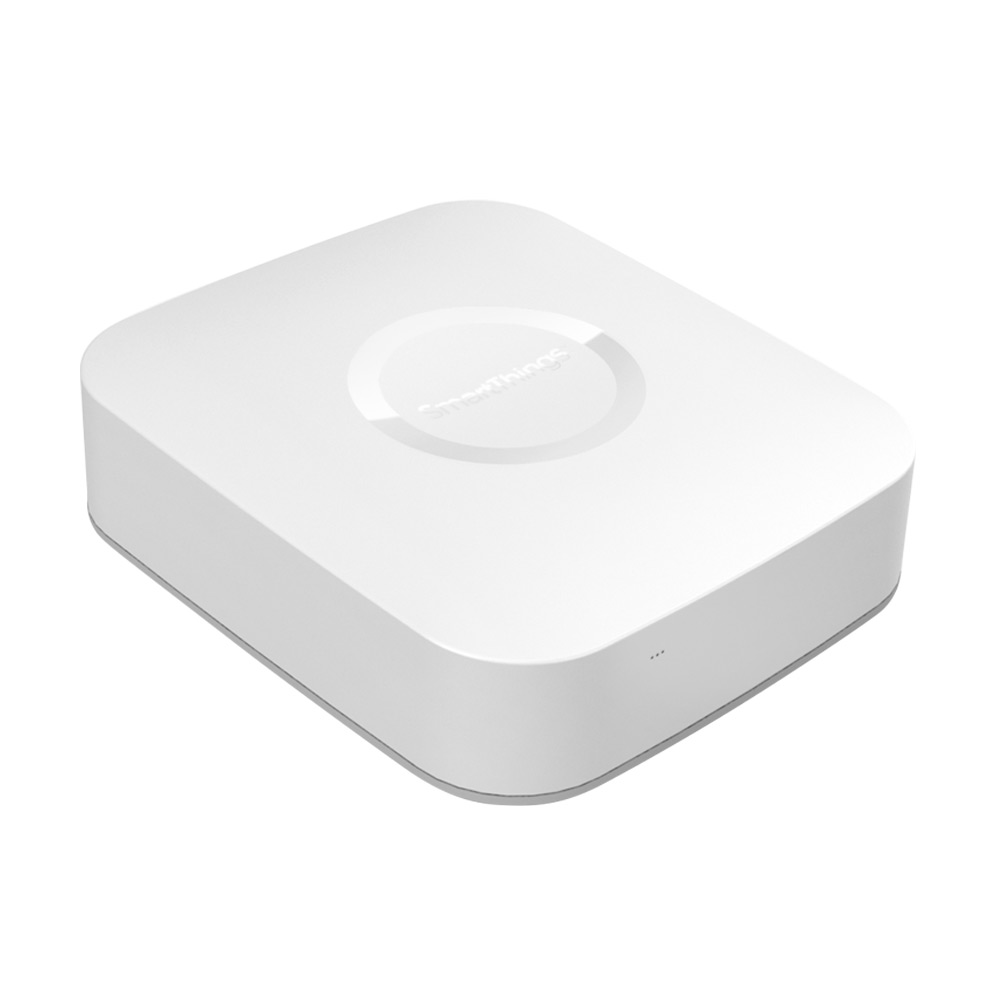
Product Recognition | |
|---|
Certification Number | ZC10-16115320 |
|---|
Name | Samsung SmartThings Hub |
|---|
Short Description | The Samsung SmartThings Hub helps you create a smart home by communicating with all of your different connected products so that you can easily monitor and control them from the SmartThings app. |
|---|
Long Description | Whether you have two smart devices or 200, all you need is one Hub to create a smart home. Like a live-in translator, the Hub communicates with all of your different connected products–regardless of their wireless protocol– so that you can easily monitor and control them from the SmartThings app.
• Compatible with hundreds of smart home products
• Contains ZigBee and Z-Wave radios, and is also compatible with IP-accessible devices
• Enables live video recording and event-based video clip recording
• Contains replacement backup batteries that allow it to continue operating in the event of a power outage
• Local app processing enables faster operating time
• No hard wiring or tricky installation needed
• Simply attach the power supply to the back of the Hub and plug the Ethernet cable in to your Internet router. Easy peasy. |
|---|
Brand | SmartThings |
|---|
Product Identifier | STH-ETH-250 |
|---|
OEM Version | HW: 6 FW: 3.83:00.14 |
|---|
Hardware Platform | ZM5304 |
|---|
Z-Wave Version | 6.51.06 |
|---|
Library Type | CONTROLLER_STATIC |
|---|
Device Type | Central Controller |
|---|
Role Type | ROLE_TYPE_CONTROLLER_CENTRAL_STATIC |
|---|
Manufacturer ID | 0x0150 |
|---|
Product Type ID | 0x0002 |
|---|
Product ID | 0x000C |
|---|
User Icon | 0x0100 |
|---|
Installer Icon | 0x0100 |
|---|
Frequency Plans | US: 916.00MHz, 908.40MHz |
|---|
Categories | All Controllers, Gateway Controller |
|---|
Countries / Regions | United States of America |
|---|
Supported Command Classes | Identifier | Name | Key | Version |
|---|
COMMAND_CLASS_NO_OPERATION | No Operation | 0x00 | 1 | COMMAND_CLASS_POWERLEVEL | Powerlevel | 0x73 | 1 | COMMAND_CLASS_APPLICATION_STATUS | Application Status | 0x22 | 1 | COMMAND_CLASS_CRC_16_ENCAP | CRC16 Encapsulation | 0x56 | 1 | COMMAND_CLASS_SECURITY | Security S0 | 0x98 | 1 | COMMAND_CLASS_VERSION_V2 | Version V2 | 0x86 | 2 | COMMAND_CLASS_DEVICE_RESET_LOCALLY | Device Reset Locally | 0x5A | 1 | COMMAND_CLASS_ZWAVEPLUS_INFO_V2 | Z-Wave Plus Info V2 | 0x5E | 2 | COMMAND_CLASS_ASSOCIATION_V2 | Association V2 | 0x85 | 2 | COMMAND_CLASS_ASSOCIATION_GRP_INFO | Association Group Info | 0x59 | 1 | COMMAND_CLASS_MANUFACTURER_SPECIFIC_V2 | Manufacturer Specific V2 | 0x72 | 2 |
|
|---|
Controlled Command Classes | Identifier | Name | Key | Version |
|---|
COMMAND_CLASS_SENSOR_MULTILEVEL_V5 | Sensor Multilevel V5 | 0x31 | 5 | COMMAND_CLASS_THERMOSTAT_OPERATING_STATE_V2 | Thermostat Operating State V2 | 0x42 | 2 | COMMAND_CLASS_DOOR_LOCK_V2 | Door Lock V2 | 0x62 | 2 | COMMAND_CLASS_MULTI_CHANNEL_ASSOCIATION_V3 | Multi-Channel Association V3 | 0x8E | 3 | COMMAND_CLASS_BATTERY | Battery | 0x80 | 1 | COMMAND_CLASS_SWITCH_BINARY | Switch Binary | 0x25 | 1 | COMMAND_CLASS_BASIC | Basic | 0x20 | 1 | COMMAND_CLASS_CRC_16_ENCAP | CRC16 Encapsulation | 0x56 | 1 | COMMAND_CLASS_SECURITY | Security S0 | 0x98 | 1 | COMMAND_CLASS_SENSOR_BINARY_V2 | Sensor Binary V2 | 0x30 | 2 | COMMAND_CLASS_THERMOSTAT_FAN_MODE_V3 | Thermostat Fan Mode V3 | 0x44 | 3 | COMMAND_CLASS_THERMOSTAT_MODE_V2 | Thermostat Mode V2 | 0x40 | 2 | COMMAND_CLASS_THERMOSTAT_SETPOINT_V2 | Thermostat Setpoint V2 | 0x43 | 2 | COMMAND_CLASS_VERSION_V2 | Version V2 | 0x86 | 2 | COMMAND_CLASS_WAKE_UP_V2 | Wake Up V2 | 0x84 | 2 | COMMAND_CLASS_DEVICE_RESET_LOCALLY | Device Reset Locally | 0x5A | 1 | COMMAND_CLASS_ZWAVEPLUS_INFO_V2 | Z-Wave Plus Info V2 | 0x5E | 2 | COMMAND_CLASS_BARRIER_OPERATOR | Barrier Operator | 0x66 | 1 | COMMAND_CLASS_SWITCH_MULTILEVEL_V3 | Switch Multilevel V3 | 0x26 | 3 | COMMAND_CLASS_ASSOCIATION_V2 | Association V2 | 0x85 | 2 | COMMAND_CLASS_METER_V3 | Meter V3 | 0x32 | 3 | COMMAND_CLASS_ASSOCIATION_GRP_INFO | Association Group Info | 0x59 | 1 | COMMAND_CLASS_MULTI_CHANNEL_V4 | Multi-Channel V4 | 0x60 | 4 | COMMAND_CLASS_SWITCH_COLOR_V2 | Switch Color V2 | 0x33 | 2 | COMMAND_CLASS_NOTIFICATION_V5 | Notification V5 | 0x71 | 5 | COMMAND_CLASS_CONFIGURATION_V2 | Configuration V2 | 0x70 | 2 | COMMAND_CLASS_MANUFACTURER_SPECIFIC_V2 | Manufacturer Specific V2 | 0x72 | 2 |
|
|---|
Documents | Category | Description | File |
|---|
Manual_Primary_Lang | Product or Owner's Manual | |
|
|---|
Features | Feature | Values |
|---|
Gateway Has Preferred Partners | | Communications Connections | | Communications Protocol | | Controller Supports Multiple Networks | | Controller Supports Multiple Z-Wave Interfaces | | Firmware Updatable | Value |
|---|
Updatable by Consumer by Wire |
| Z-Wave Scene Type | | Battery Quantity | | Battery Type | | Color | |
|
|---|
Association Groups | Group Number | Maximum Nodes Supported | End Point ID | Description |
|---|
1 | 4 | 0 | Z-Wave Plus Lifeline |
|
|---|
Texts | ID | Description | Value |
|---|
23 | Controller Inclusion | In the SmartThings mobile app, open the menu in the upper right corner and tap ""Connect New Device."" Then, tap ""Connect Now."" | 3 | Learn Mode (adding another controller) | In the SmartThings mobile app, open the menu in the upper right corner and tap ""My Locations."" Tap the gear icon at the top right of your hub's location to access the location settings. Scroll down to the ""Hubs"" section and tap on your Hub's name, then tap ""Z-Wave Utilities."" Tap ""Join or Leave Existing Z-Wave Network"" and confirm to activate Learn mode on the Hub. | 24 | Controller Exclusion | In the SmartThings mobile app's ""Things"" tab, tap the name of the device to show the device details. Then, open the menu in the upper right and tap ""Remove.""
Alternatively, open the menu in the upper right corner and tap ""My Locations."" Tap the gear icon at the top right of your Hub's location to access the location settings. Scroll down to the ""Hubs"" section and tap on your Hub's name, then tap ""Z-Wave Utilities."" Tap ""General Device Exclusion"" and then the ""Remove"" button to confirm. The hub will enter exclude mode. | 5 | Factory Reset | In the SmartThings mobile app, open the menu in the upper right corner and tap ""My Locations."" Tap the gear icon at the top right of your Hub's location to access the location settings. Scroll down and check that your Hub is listed as ""Active"" in the Hubs section. Also check that the LED indicator on the front of the Hub is a solid green and not blinking.
At the bottom of the location settings, tap the red ""Remove Location"" button and confirm the removal. This will delete your location, including all devices, settings, and SmartApps. Your Hub will be reset back to a factory default state and you will need the claim code that came with your Hub to re-connect it to SmartThings. |
|
|---|
Supports NWI | Yes |
|---|
Supports Explorer Frames | Yes |
|---|
Radio Range Z-Wave (m) | 40 |
|---|