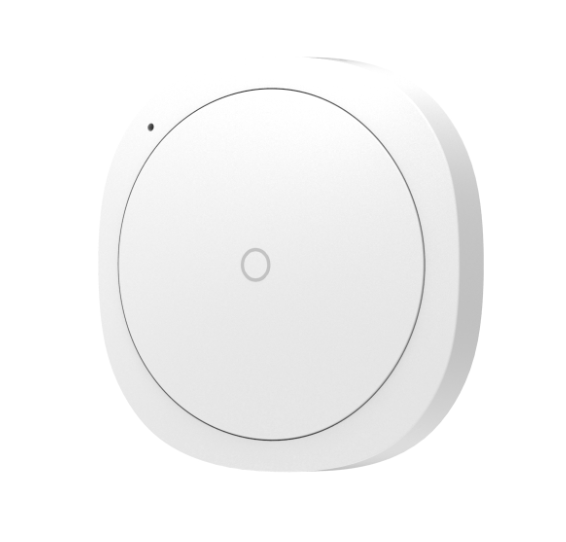
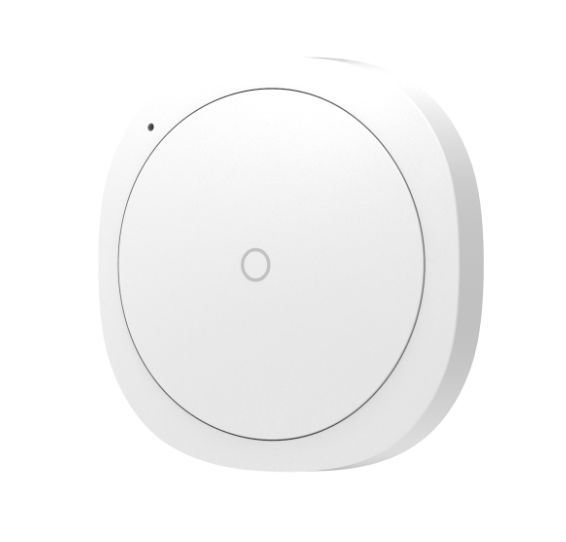
Product Recognition | |
|---|
Certification Number | ZC10-16085175 |
|---|
Name | Scene Controller |
|---|
Short Description | The Scene Controller is a wireless, portable and rechargeable scene switch. It can control a Z-Wave device, such as smart plug, smart dimmer with a Z-Wave gateway. |
|---|
Long Description | The Scene Controller is a wireless, portable and rechargeable scene switch. It can control a Z-Wave device, such as smart plug, smart dimmer with a Z-Wave gateway. You can also activate a scene like sleep scene, movie scene and entertainment scene with it. |
|---|
Brand | Hank |
|---|
Product Identifier | HKZW-SCN01 |
|---|
OEM Version | HW: 1 FW: 1.00 |
|---|
Hardware Platform | ZM5101 |
|---|
Z-Wave Version | 6.51.08 |
|---|
Library Type | SLAVE_ENHANCED_232 |
|---|
Device Type | Wall Controller |
|---|
Role Type | ROLE_TYPE_SLAVE_PORTABLE |
|---|
Manufacturer ID | 0x0208 |
|---|
Product Type ID | 0x0200 |
|---|
Product ID | 0x0009 |
|---|
User Icon | 0x1600 |
|---|
Installer Icon | 0x1600 |
|---|
Frequency Plans | EU: 869.85MHz, 868.40MHz |
|---|
Categories | All Controllers, Handheld Controller, Lighting Accessories |
|---|
Countries / Regions | European Union |
|---|
Controlled Command Classes | Identifier | Name | Key | Version |
|---|
COMMAND_CLASS_BATTERY | Battery | 0x80 | 1 | COMMAND_CLASS_BASIC | Basic | 0x20 | 1 | COMMAND_CLASS_SWITCH_MULTILEVEL_V2 | Switch Multilevel V2 | 0x26 | 2 | COMMAND_CLASS_CENTRAL_SCENE_V2 | Central Scene V2 | 0x5B | 2 |
|
|---|
Documents | Category | Description | File |
|---|
Manual_Primary_Lang | Product or Owner's Manual | |
|
|---|
Features | Feature | Values |
|---|
Battery Quantity | | Battery Type | | Z-Wave Scene Type | |
|
|---|
Association Groups | Group Number | Maximum Nodes Supported | End Point ID | Description |
|---|
1 | 5 | 0 | Scene Controller will send Scene Controller sends the central scene notification command and battery report command to the associated nodes. | 2 | 5 | 0 | Scene Controller will send Basic Set command to the associated nodes. | 3 | 5 | 0 | Scene Controller will send switch multilevel set, the multilevel start level change and multilevel stop level change command to the associated nodes. |
|
|---|
Configuration Parameters | Parameter Number | Name | Description | Format | Size | Min Value | Max Value | Default Value | Parameter Values |
|---|
254 | Enable/disable the configuration command | Lock/unlock all configuration parameters. | 0 | 1 | 0 | 0 | 0 | From | To | Description |
|---|
0 | 0 | Unlock all configuration parameters. | 1 | 1 | Lock all configuration parameters |
| 255 | Reset Scene Controller | Reset Scene Controller and remove from the Z-Wave network | 0 | 4 | 0 | 0 | 0 | From | To | Description |
|---|
1431655765 | 1431655765 | Reset Scene Controller and remove from the Z-Wave network |
|
|
|---|
Texts | ID | Description | Value |
|---|
24 | Controller Exclusion | To remove the Scene Controller from the Z-Wave network:
(1) Insert the LIR2450 battery.
(2) Set the Z-Wave network main controller into remove mode
(see Z-Wave controller operating manual).
(3) Triple click the Z-button, if the exclusion is successful, LED
will blink in orange for less than 5 seconds and then keep on
for 3 seconds. | 23 | Controller Inclusion | Included as non-secure device:
1. Insert the LIR2450 battery.
2. Set the Z-Wave network main controller into learning mode( see Z-Waave network controller operating manul).
3. Triple click the Z-button.
4. If the inclusion is successful, the LED will blink in blue less than for 5 seconds and then keep on for 15 seconds.
Included as a secure device:
1. Insert the LIR2450 battery.
2. Set the Z-Wave network main controller into learning mode( see Z-Wave network controller operating manual).
3. Pressing and holding the Z-button for 3 seconds.
4. If the inclusion is successful, the LED will blink in green less than for 5 seconds and then keep on for 15 seconds. | 4 | Device Wake-Up | Pressing and holding Z-Button for 3 seconds. Led will turn to green,
which means Scene Controller has been woken up. | 5 | Factory Reset | Pressing and holding the Z-button for 20 seconds. Release the button after 20 seconds, LED will keep in yellow for 3 seconds. Scene Controller will be reset to factory defaults if you short press the button within this 3 seconds.
Using this procedure only in the event that the network primary controller is missing or otherwise inoperable. |
|
|---|
Supports NWI | Yes |
|---|
Supports Explorer Frames | Yes |
|---|