| Product Recognition | |
|---|
| Certification Number | ZC10-18106259 |
|---|
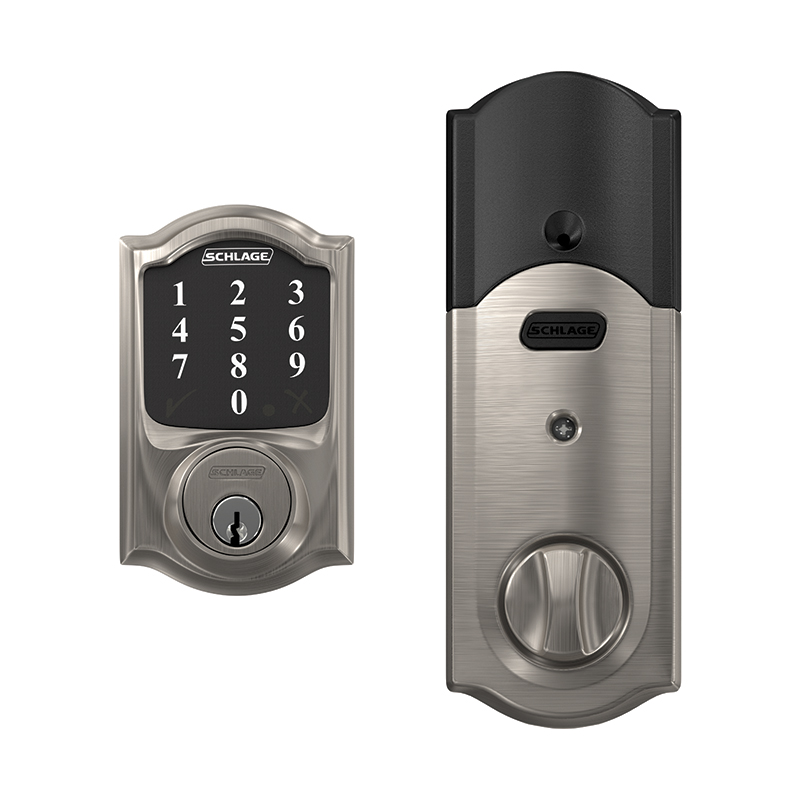
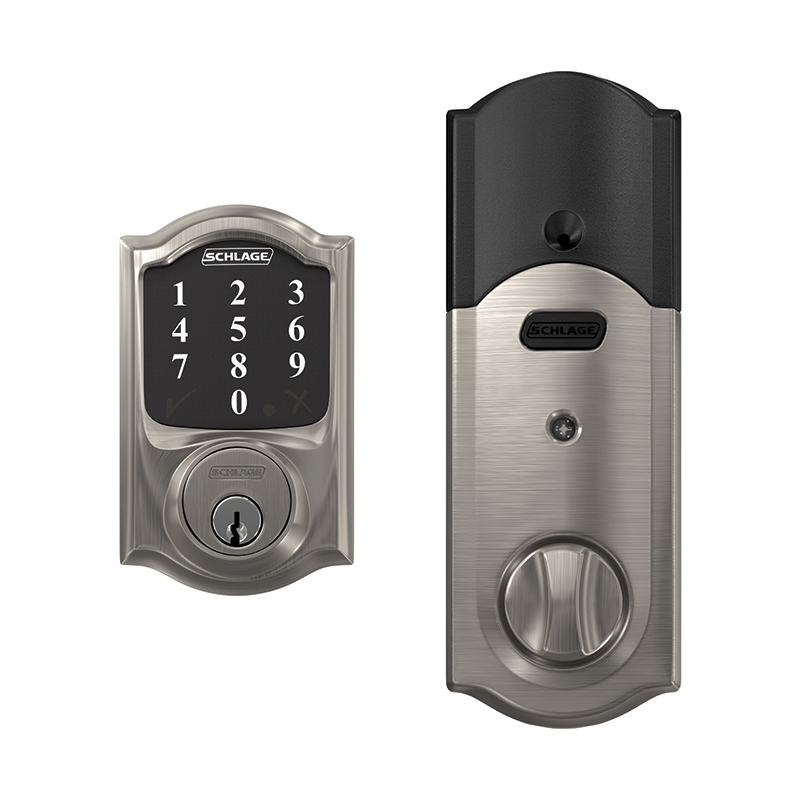
| Name | Schlage Connect Smart Deadbolt |
|---|
| Short Description | The Schlage Connect Smart Deadbolt combines advanced features and compatibility with home automation or security systems, so you can control your lock from anywhere using your smartphone. |
|---|
| Long Description | The Schlage Connect™ Smart Deadbolt combines advanced features and compatibility with your home automation or security system, allowing you to control your lock from anywhere and freeing you from the hassles of lost keys, getting locked out, or hiding a spare for friends and family.
The lock comes preprogrammed with two access codes and can hold up to 30 unique codes for family members and trusted friends. The fingerprint-resistant touchscreen helps access codes stay private, minimizing tell-tale wear that can tip off possible intruders.
The Schlage Connect Smart Deadbolt is battery-powered with a low battery warning that gives you weeks of advanced notice before it runs out. With guaranteed fit on standard doors, it’s easy for homeowners to install in minutes with just a screwdriver. The touchscreen continues to work in the event of a power outage, so you don’t have to worry about getting locked out – plus, a back-up key is included with the lock for peace of mind.
The Schlage Connect Smart Deadbolt incorporates Z-Wave Plus S2 technology, an enhanced security protocol that features an additional layer of AES encryption of wireless signals. The Z-Wave technology allows you to integrate your exterior door locks with other Z-Wave smart home devices, such as cameras, motion detectors, lights and thermostats, bringing the safety, simplicity and style of Schlage to your smart home. |
|---|
| Brand | Schlage |
|---|
| Product Identifier | BE468ZP |
|---|
| OEM Version | HW: 3 FW: 3.03:10.09 |
|---|
| Hardware Platform | ZM5101 |
|---|
| Z-Wave Version | 6.81.02 |
|---|
| Library Type | SLAVE_ROUTING |
|---|
| Device Type | Door Lock - Keypad |
|---|
| Role Type | ROLE_TYPE_SLAVE_SLEEPING_LISTENING |
|---|
| Manufacturer ID | 0x003B |
|---|
| Product Type ID | 0x0001 |
|---|
| Product ID | 0x0468 |
|---|
| User Icon | 0x0300 |
|---|
| Installer Icon | 0x0300 |
|---|
| Frequency Plans | US: 916.00MHz, 908.40MHz |
|---|
| Categories | Locks |
|---|
| Countries / Regions | United States of America |
|---|
| Supported Command Classes | | Identifier | Name | Key | Version |
|---|
| COMMAND_CLASS_POWERLEVEL | Powerlevel | 0x73 | 1 | | COMMAND_CLASS_USER_CODE | User Code | 0x63 | 1 | | COMMAND_CLASS_DOOR_LOCK_V2 | Door Lock V2 | 0x62 | 2 | | COMMAND_CLASS_BATTERY | Battery | 0x80 | 1 | | COMMAND_CLASS_TIME | Time | 0x8A | 1 | | COMMAND_CLASS_BASIC | Basic | 0x20 | 1 | | COMMAND_CLASS_CONFIGURATION | Configuration | 0x70 | 1 | | COMMAND_CLASS_SECURITY | Security S0 | 0x98 | 1 | | COMMAND_CLASS_TRANSPORT_SERVICE_V2 | Transport Service V2 | 0x55 | 2 | | COMMAND_CLASS_VERSION_V2 | Version V2 | 0x86 | 2 | | COMMAND_CLASS_DEVICE_RESET_LOCALLY | Device Reset Locally | 0x5A | 1 | | COMMAND_CLASS_ZWAVEPLUS_INFO_V2 | Z-Wave Plus Info V2 | 0x5E | 2 | | COMMAND_CLASS_ASSOCIATION_V2 | Association V2 | 0x85 | 2 | | COMMAND_CLASS_ASSOCIATION_GRP_INFO | Association Group Info | 0x59 | 1 | | COMMAND_CLASS_NOTIFICATION_V8 | Notification V8 | 0x71 | 8 | | COMMAND_CLASS_SECURITY_2 | Security S2 | 0x9F | 1 | | COMMAND_CLASS_MANUFACTURER_SPECIFIC | Manufacturer Specific | 0x72 | 1 | | COMMAND_CLASS_SUPERVISION | Supervision | 0x6C | 1 | | COMMAND_CLASS_FIRMWARE_UPDATE_MD_V3 | Firmware Update Meta-Data V3 | 0x7A | 3 | | COMMAND_CLASS_SCHEDULE_ENTRY_LOCK_V3 | Schedule Entry Lock V3 | 0x4E | 3 | | COMMAND_CLASS_ANTITHEFT_V2 | Anti-Theft V2 | 0x5D | 2 |
|
|---|
| Controlled Command Classes | | Identifier | Name | Key | Version |
|---|
| COMMAND_CLASS_TIME | Time | 0x8A | 1 |
|
|---|
| S2 Classes | S2_ACCESS_CONTROL |
|---|
| Documents | |
|---|
| Features | | Feature | Values |
|---|
| Battery Quantity | | | Battery Type | | | Door Lock Type | | | Supported Notification Types | | Value |
|---|
| Access Control | | Power Management | | System |
|
|
|---|
| Association Groups | | Group Number | Maximum Nodes Supported | End Point ID | Description |
|---|
| 1 | 2 | 0 | Z-Wave Lifeline |
|
|---|
| Configuration Parameters | | Parameter Number | Name | Description | Format | Size | Min Value | Max Value | Default Value | Parameter Values |
|---|
| 3 | Beeper | This configuration setting controls the keypad beeper of the deadbolt allowing the keypad beeper to be turned ON or OFF | 0 | 1 | 0 | 0 | -1 | | From | To | Description |
|---|
| -1 | -1 | Enable Beeper | | 0 | 0 | Disable Beeper |
| | 4 | Vacation Mode | This configuration setting controls the keypad entry of User Codes allowing all User Codes to be turned ON (disable Vacation Mode) or OFF (enable Vacation Mode) | 0 | 1 | 0 | 0 | 0 | | From | To | Description |
|---|
| -1 | -1 | Enable Vacation Mode | | 0 | 0 | Disable Vacation Mode |
| | 5 | Lock and Leave Mode | This configuration setting controls the use of the "Schlage" button on the keypad for single button push for throwing the deadbolt. | 0 | 1 | 0 | 0 | -1 | | From | To | Description |
|---|
| -1 | -1 | Enable Lock and Leave Mode | | 0 | 0 | Disable Lock and Leave Mode |
| | 6 | User Slot Bit Field | This configuration setting indicates the occupied slots (from 1 to 30) that contain User Codes that will activate the deadbolt when entered on the keypad. | 0 | 4 | 0 | 0 | 0 | | From | To | Description |
|---|
| 0 | -1 | User Slot Bit Field |
| | 17 | Get Electrical High Preload Transition Count | This configuration setting indicates the number of transitions from locked to unlocked or unlocked to locked state via electronic activation that indicated a high preload on the deadbolt. This value is a subset of Parameter 12. | 0 | 4 | 0 | 0 | 0 | | From | To | Description |
|---|
| 0 | -1 | Electronic State Change Count with High Preload |
|
|
|---|
| Texts | | ID | Description | Value |
|---|
| 2 | Exclusion | One-button Remove lock from Z-Wave Network (Exclusion)
1. Place your home automation system or panel into the “Remove” or Exclusion Mode (Refer to the respective documentation for that specific home automation system or panel device for details).
2. Remove the battery cover of the deadbolt.
3. Press then release the button on the PCB.
4. An LED will flash amber indicating the “Remove” or Exclusion process is in progress.
5. When a green LED flashes 3 times, the “Remove” or Exclusion process is completed successfully.
6. If a red LED turns ON, try repeating steps 1-3
Interactive Instruction for Remove https://instructions.allegion.com/instr/86/2581 | | 5 | Factory Reset | Steps for One-button Factory Default Reset
1. Remove the battery cover of the deadbolt
2. Press and hold the button on the PCB for 7 (seven) seconds.
While holding the button pressed, after 1 sec LED will be lit for 2 sec. and turn OFF; continue to press and hold the button until the LED will be lit again and release the button.
3. The LED will blink red three times and the green check on the touchscreen will blink if the Factory Default Reset is successful.
4. To check that the lock was reset, press the Schlage Button and enter one of the Default User Codes. If the reset was successful, the Default User Codes will unlock the deadbolt.
NOTE: Please use this procedure only when the network primary controller is missing or otherwise inoperable. | | 1 | Inclusion | One-button Add lock to Z-Wave Network (Inclusion)
1. Place your home automation system or panel into the “Add” or Inclusion Mode (Refer to the respective documentation for that specific home automation system or panel device for details).
2. Remove the battery cover of the deadbolt.
3. Press then release the button on the PCB.
4. An LED will flash amber indicating the “Add” or Inclusion process is in progress.
• If the Security Scheme is Security 2 (S2), verify the DSK of the lock at the Z-Wave Controller. The PIN Code portion of the Z-Wave DSK will be needed.
5. When a green LED turns ON, the “Add” or Inclusion has completed successfully.
6. If a red LED turns ON, try repeating steps 1-3
Interactive Instruction for Add
https://instructions.allegion.com/instr/86/2543 |
|
|---|
| Supported Notification Types | | Notification Type | Event / State |
|---|
| Access Control | (Refer to parameters): State idle | | Power Management | (Refer to parameters): State idle | | System | (Refer to parameters): State idle |
|
|---|
| Supports NWI | Yes |
|---|
| Supports Explorer Frames | Yes |
|---|
| Is Flirs | Yes |
|---|
| Supports SmartStart | Yes |
|---|