Product Recognition | |
|---|
Certification Number | ZC12-21080290 |
|---|
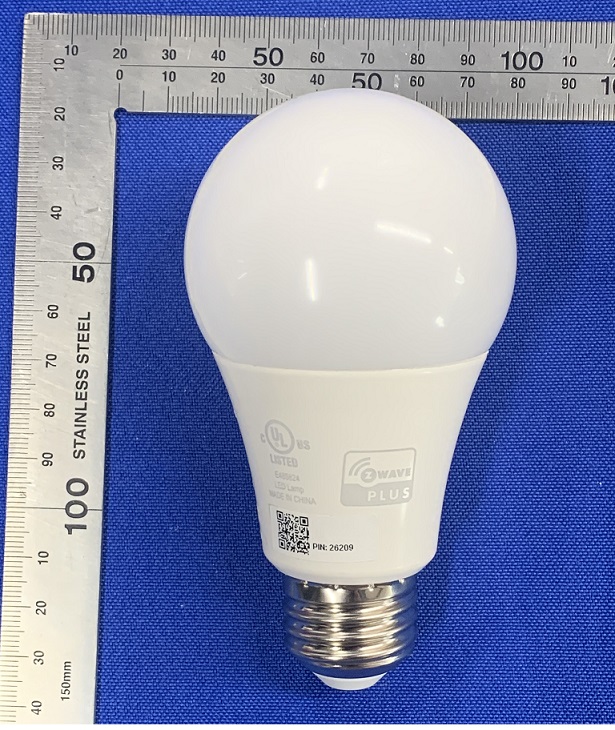
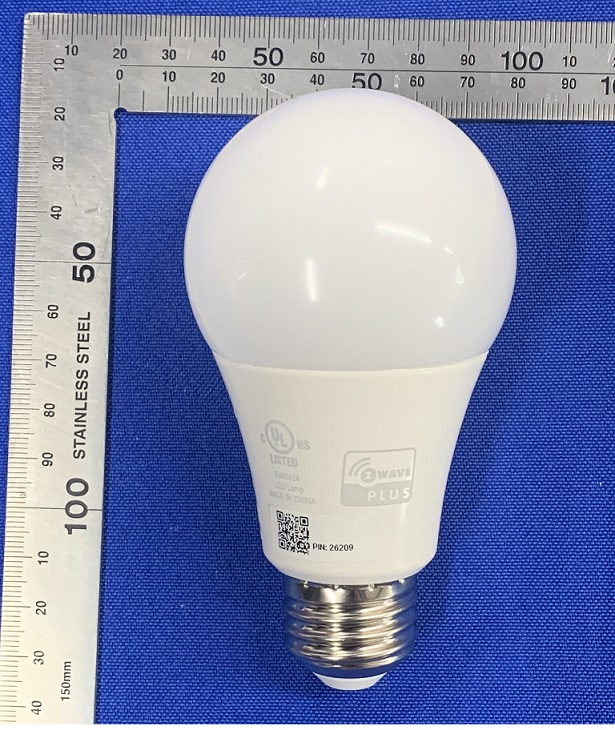
Name | SENGLED Smart LED Classic A19 CRI90 |
|---|
Short Description | Sengled Z-Wave™ Classic A19 2700K 800LM |
|---|
Long Description | Sengled Smart Z-Wave LED bulbs can be operated in any Z-Wave™ network with other Z-Wave™ certified devices from other manufacturers. All non-battery operated nodes within the network will act as repeaters regardless of vendor to increase reliability of the network. These bulbs enable you to control your lights in multiple ways—on/off, dimming, schedules, etc.— through the Z-Wave™ network and its app on your phones (Certified Z-Wave hub required). |
|---|
Brand | SENGLED |
|---|
Product Identifier | V11-N13 |
|---|
Product Line | Z-WAVE |
|---|
OEM Version | HW: 1 FW: 2.11 |
|---|
Hardware Platform | EFR32Z |
|---|
Library Type | SLAVE_ENHANCED_232 |
|---|
Device Type | Multilevel Switch |
|---|
Role Type | ROLE_TYPE_SLAVE_ALWAYS_ON |
|---|
Manufacturer ID | 0x0454 |
|---|
Product Type ID | 0x0004 |
|---|
Product ID | 0x0007 |
|---|
User Icon | 0x0600 |
|---|
Installer Icon | 0x0600 |
|---|
Frequency Plans | US: 916.00MHz, 908.40MHz |
|---|
Categories | All Lighting Devices, Dimming Lighting Devices |
|---|
Countries / Regions | United States of America |
|---|
Supported Command Classes | Identifier | Name | Key | Version |
|---|
COMMAND_CLASS_POWERLEVEL | Powerlevel | 0x73 | 1 | COMMAND_CLASS_MULTI_CHANNEL_ASSOCIATION_V3 | Multi-Channel Association V3 | 0x8E | 3 | COMMAND_CLASS_INDICATOR_V3 | Indicator V3 | 0x87 | 3 | COMMAND_CLASS_SECURITY | Security S0 | 0x98 | 1 | COMMAND_CLASS_TRANSPORT_SERVICE_V2 | Transport Service V2 | 0x55 | 2 | COMMAND_CLASS_DEVICE_RESET_LOCALLY | Device Reset Locally | 0x5A | 1 | COMMAND_CLASS_ZWAVEPLUS_INFO_V2 | Z-Wave Plus Info V2 | 0x5E | 2 | COMMAND_CLASS_ASSOCIATION_V2 | Association V2 | 0x85 | 2 | COMMAND_CLASS_FIRMWARE_UPDATE_MD_V5 | Firmware Update Meta-Data V5 | 0x7A | 5 | COMMAND_CLASS_SWITCH_MULTILEVEL_V4 | Switch Multilevel V4 | 0x26 | 4 | COMMAND_CLASS_ASSOCIATION_GRP_INFO_V3 | Association Group Information V3 | 0x59 | 3 | COMMAND_CLASS_BASIC_V2 | Basic V2 | 0x20 | 2 | COMMAND_CLASS_SECURITY_2 | Security S2 | 0x9F | 1 | COMMAND_CLASS_VERSION_V3 | Version V3 | 0x86 | 3 | COMMAND_CLASS_SUPERVISION | Supervision | 0x6C | 1 | COMMAND_CLASS_MANUFACTURER_SPECIFIC_V2 | Manufacturer Specific V2 | 0x72 | 2 |
|
|---|
S2 Classes | S2_UNAUTHENTICATED, S2_AUTHENTICATED |
|---|
Documents | Category | Description | File |
|---|
Manual_Primary_Lang | Product Manual | |
|
|---|
Association Groups | Group Number | Maximum Nodes Supported | End Point ID | Group Name | Profile | Description |
|---|
1 | 5 | 0 | Lifeline | 0x0001 | Lifeline. New Group 1 |
|
|---|
Texts | ID | Description | Value |
|---|
8 | Where to find S2 DSK on product | Security and non-Security features of bulb | 6 | Other Special Features | Switch multilevel | 2 | Classic Exclusion | If you would like to remove the bulb from your app, keep your bulb online and light on, then click the Exclusion button on your app, and power cycle the desired bulb once and keep on, it will be deleted from app automatically. Note: the bulb that you want to delete should be within the required time. If you want to delete another device, you should try the same operation again. | 5 | Factory Reset Procedure | To reset your Smart Z-Wave™ bulb to factory mode, ensure that the bulb is on firstly, then quickly turn the bulb off and on at least 5 times (using a light switch or power bar works best). If the reset is successful, the bulb will flash 3 times, and the device in app will be removed automatically. If it does not flash 3 times, you will have to try again. Once successfully reset, please try to pair it again. | 1 | Classic Inclusion | Power cycle Sengled Smart Z-Wave™ bulb once within 2 seconds and keep the bulb on, it can go to the Inclusion mode. Then enable the Inclusion command in app can add the bulb successfully. If you would like to stop the Inclusion mode, power off the bulb more than 8 seconds, then you power on it, it can go to SmartStart mode again. |
|
|---|
Supports NWI | Yes |
|---|
Supports Explorer Frames | Yes |
|---|
Supports SmartStart | Yes |
|---|
Radio Range Z-Wave (m) | 40 |
|---|