Product Recognition | |
|---|
Certification Number | ZC10-19056512 |
|---|
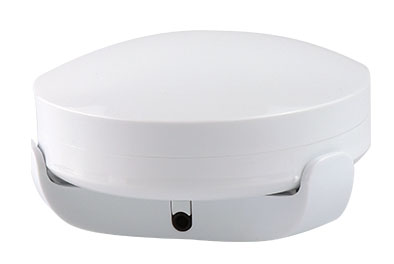
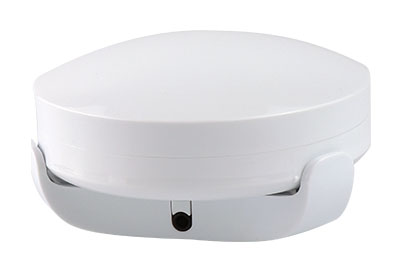
Name | Shock Sensor |
|---|
Short Description | The Shock sensor is designed to detect vibration in objects. |
|---|
Long Description | The Shock sensor is designed to detect vibration in objects.
When vibration is detected, the sensor will transmit an alarm signal to controller. |
|---|
Brand | EVA LOGIK |
|---|
Product Identifier | ZW1105 |
|---|
OEM Version | HW: 1 FW: 20.15 |
|---|
Hardware Platform | ZM5202 |
|---|
Z-Wave Version | 6.51.06 |
|---|
Library Type | SLAVE_ROUTING |
|---|
Device Type | Notification Sensor |
|---|
Role Type | ROLE_TYPE_SLAVE_SLEEPING_REPORTING |
|---|
Manufacturer ID | 0x0312 |
|---|
Product Type ID | 0x2003 |
|---|
Product ID | 0xB51C |
|---|
User Icon | 0x0C00 |
|---|
Installer Icon | 0x0C07 |
|---|
Frequency Plans | US: 916.00MHz, 908.40MHz |
|---|
Categories | Sensors |
|---|
Countries / Regions | United States of America |
|---|
Supported Command Classes | Identifier | Name | Key | Version |
|---|
COMMAND_CLASS_POWERLEVEL | Powerlevel | 0x73 | 1 | COMMAND_CLASS_BATTERY | Battery | 0x80 | 1 | COMMAND_CLASS_VERSION_V2 | Version V2 | 0x86 | 2 | COMMAND_CLASS_WAKE_UP_V2 | Wake Up V2 | 0x84 | 2 | COMMAND_CLASS_ZWAVEPLUS_INFO_V2 | Z-Wave Plus Info V2 | 0x5E | 2 | COMMAND_CLASS_ASSOCIATION_V2 | Association V2 | 0x85 | 2 | COMMAND_CLASS_ASSOCIATION_GRP_INFO | Association Group Info | 0x59 | 1 | COMMAND_CLASS_MANUFACTURER_SPECIFIC_V2 | Manufacturer Specific V2 | 0x72 | 2 | COMMAND_CLASS_NOTIFICATION_V4 | Notification V4 | 0x71 | 4 |
|
|---|
Controlled Command Classes | Identifier | Name | Key | Version |
|---|
COMMAND_CLASS_BASIC | Basic | 0x20 | 1 |
|
|---|
Documents | Category | Description | File |
|---|
Manual_Primary_Lang | Product or Owner's Manual | |
|
|---|
Features | Feature | Values |
|---|
Color | | Sensors | Value |
|---|
Vibration/Shock (Binary) |
| Battery Type | | Supported Notification Types | |
|
|---|
Association Groups | Group Number | Maximum Nodes Supported | End Point ID | Description |
|---|
1 | 5 | 0 | Z-Wave Plus Lifeline |
|
|---|
Texts | ID | Description | Value |
|---|
5 | Factory Reset | 1. Press and hold Tamper switch for at least 3 seconds while you insert the batteries.
2. Use this procedure only in the event that the network primary controller is missing
or otherwise inoperable. | 4 | Device Wake-Up | The sensor was wake up when Tamper switch on or sensor detect vibration after mounted on site. | 2 | Exclusion | 1. Follow the instructions for your Z-Wave certified controller to exclude a device
from the Z-Wave network.
2. Once the controller is ready to Exclude your device, triple click the Tamper switch
to exclude it from the network | 1 | Inclusion | 1. Follow the instructions for your Z-Wave certified controller to include a device to
the Z-Wave network.
2. Once the controller is ready to include your device, triple click the Tamper switch
to include it in the network.
3. Once your controller has confirmed that the device has been included, refresh the
Z-Wave network to optimize performance.
4. The device is associated in the same group when it included in setting process.
Now you can control your Z-Wave device according to groups, scenes, schedules
and automation programmed. |
|
|---|
Supported Notification Types | Notification Type | Event / State |
|---|
Home Security | (Refer to parameters): State idle |
|
|---|
Supported Multilevel Sensors | Multilevel Sensor Type |
|---|
General purpose |
|
|---|
Supports NWI | Yes |
|---|
Supports Explorer Frames | Yes |
|---|
Radio Range Z-Wave (m) | 40 |
|---|