Product Recognition | |
|---|
Certification Number | ZC10-19126808 |
|---|
Name | Single-Switch |
|---|
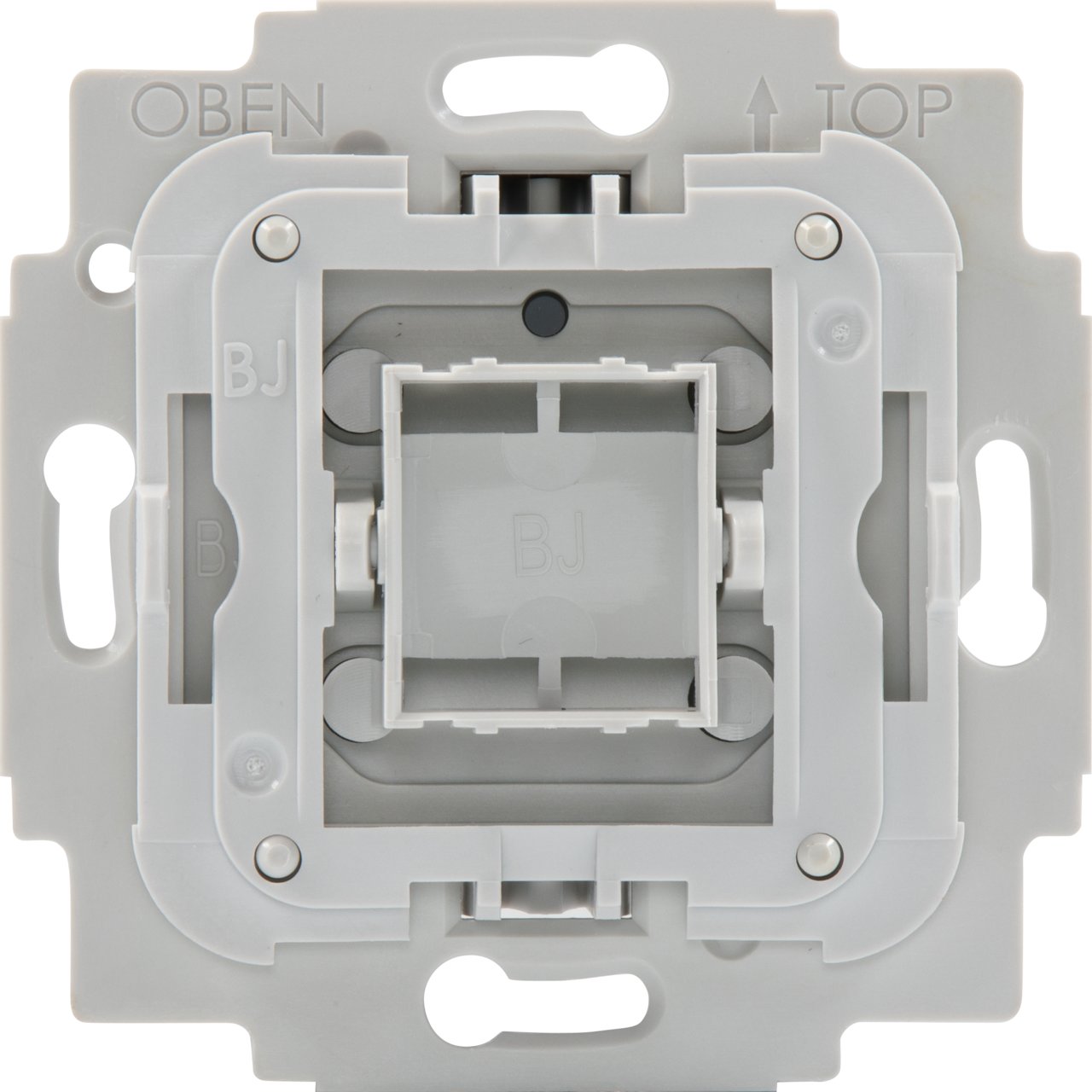
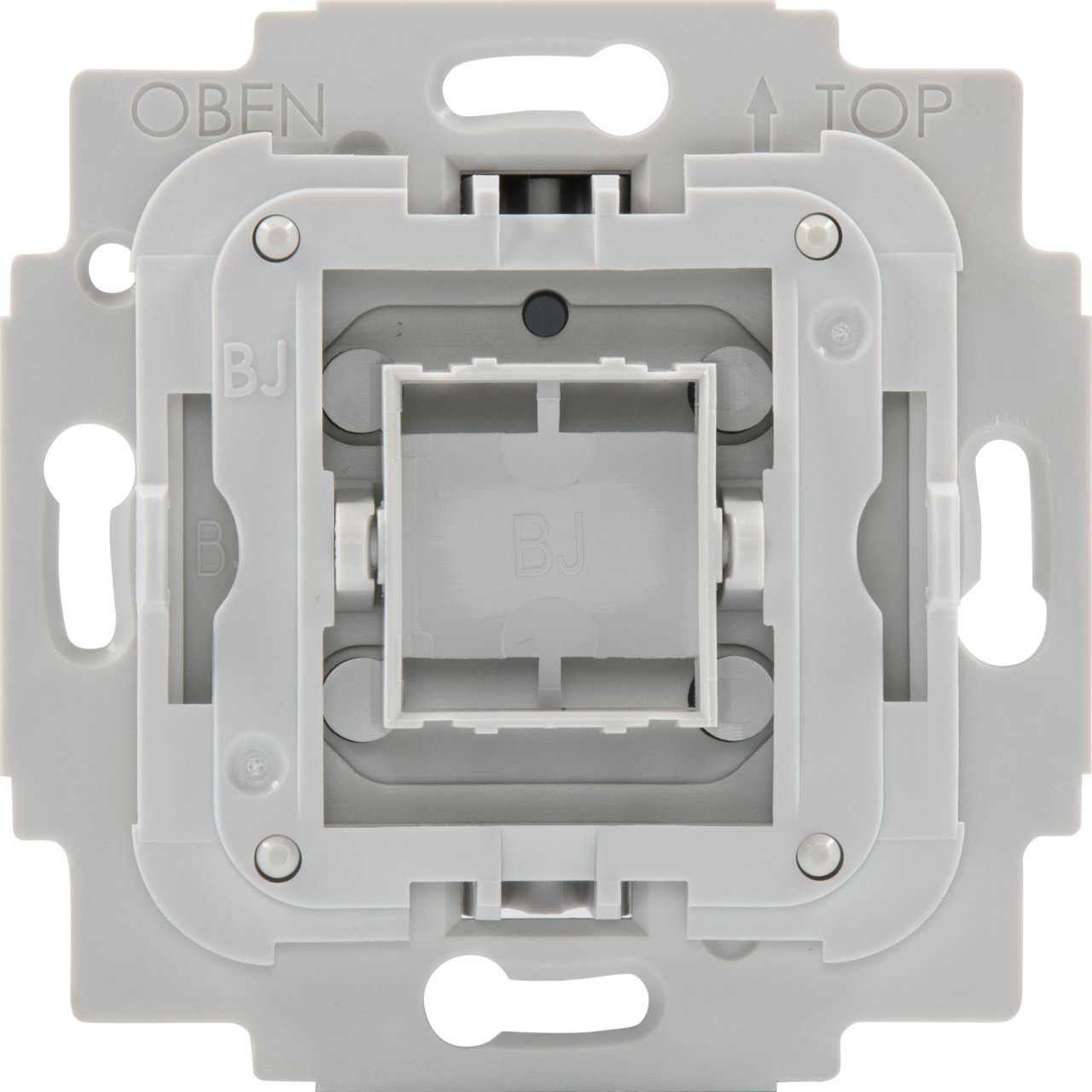
Short Description | The smart wall mounted single switch is suitable for switching a light source within a Z-Wave network can also switch by hand operation. The device is compatible with many single switches from leading brand manufacturers. |
|---|
Long Description | Designed as a drop-in replacement for your single wall switch from leading brand manufacturers, TechniSat's Single-Switch integrates your wall switch into the Smart Home future.
Featuring Z-Wave SmartStart and S2 security for easy installation and secure operation, your wall switch can now be controlled from your Smart Home as well.
● Full manual operation
● can trigger central scenes via multiple button clicks
● Integrated 230 V auxiliary input for push buttons or toggle switch types, applicable in alternating switching and or intermediate switching circuits
● Short circuit and overload protection monitoring |
|---|
Brand | TechniSat |
|---|
Product Identifier | 0x00/9499 |
|---|
Product Line | Smart Home |
|---|
OEM Version | HW: 6 FW: 2.00 |
|---|
Hardware Platform | ZM5101 |
|---|
Z-Wave Version | 6.82.00 |
|---|
Library Type | SLAVE_ENHANCED_232 |
|---|
Device Type | On/Off Power Switch |
|---|
Role Type | ROLE_TYPE_SLAVE_ALWAYS_ON |
|---|
Manufacturer ID | 0x0299 |
|---|
Product Type ID | 0x0002 |
|---|
Product ID | 0x1A90 |
|---|
User Icon | 0x0700 |
|---|
Installer Icon | 0x0700 |
|---|
Frequency Plans | EU: 869.85MHz, 868.40MHz |
|---|
Categories | Energy Meters, All Lighting Devices, On/Off Switches/Devices, Lighting Accessories |
|---|
Countries / Regions | European Union |
|---|
Supported Command Classes | Identifier | Name | Key | Version |
|---|
COMMAND_CLASS_FIRMWARE_UPDATE_MD_V4 | Firmware Update Meta-Data V4 | 0x7A | 4 | COMMAND_CLASS_POWERLEVEL | Powerlevel | 0x73 | 1 | COMMAND_CLASS_SWITCH_BINARY | Switch Binary | 0x25 | 1 | COMMAND_CLASS_CONFIGURATION | Configuration | 0x70 | 1 | COMMAND_CLASS_SECURITY | Security S0 | 0x98 | 1 | COMMAND_CLASS_TRANSPORT_SERVICE_V2 | Transport Service V2 | 0x55 | 2 | COMMAND_CLASS_DEVICE_RESET_LOCALLY | Device Reset Locally | 0x5A | 1 | COMMAND_CLASS_ZWAVEPLUS_INFO_V2 | Z-Wave Plus Info V2 | 0x5E | 2 | COMMAND_CLASS_ASSOCIATION_V2 | Association V2 | 0x85 | 2 | COMMAND_CLASS_ASSOCIATION_GRP_INFO | Association Group Info | 0x59 | 1 | COMMAND_CLASS_NOTIFICATION_V8 | Notification V8 | 0x71 | 8 | COMMAND_CLASS_BASIC_V2 | Basic V2 | 0x20 | 2 | COMMAND_CLASS_SECURITY_2 | Security S2 | 0x9F | 1 | COMMAND_CLASS_VERSION_V3 | Version V3 | 0x86 | 3 | COMMAND_CLASS_CENTRAL_SCENE_V3 | Central Scene V3 | 0x5B | 3 | COMMAND_CLASS_SUPERVISION | Supervision | 0x6C | 1 | COMMAND_CLASS_MANUFACTURER_SPECIFIC_V2 | Manufacturer Specific V2 | 0x72 | 2 | COMMAND_CLASS_METER_V4 | Meter V4 | 0x32 | 4 |
|
|---|
Controlled Command Classes | Identifier | Name | Key | Version |
|---|
COMMAND_CLASS_BASIC_V2 | Basic V2 | 0x20 | 2 |
|
|---|
S2 Classes | S2_UNAUTHENTICATED, S2_AUTHENTICATED |
|---|
Documents | Category | Description | File |
|---|
Manual_Primary_Lang | Product Manual | |
|
|---|
Features | Feature | Values |
|---|
Neutral Wire Required | | Firmware Updatable | Value |
|---|
Updatable by Consumer by RF |
|
|
|---|
Association Groups | Group Number | Maximum Nodes Supported | End Point ID | Group Name | Profile | Description |
|---|
2 | 10 | 0 | Switch State | 0x2001 | Sends basic set commands according to the current state of the device to associated devices. | 1 | 1 | 0 | Lifeline | 0x0001 | The lifeline group reports the device's status. |
|
|---|
Configuration Parameters | Parameter Number | Name | Description | Format | Size | Min Value | Max Value | Default Value | Parameter Values |
|---|
2 | Parameter 2 | Interval of current wattage meter reports in 10 seconds increments. | 1 | 2 | 0 | 8640 | 3 | From | To | Description |
|---|
0 | 0 | Disable unsolicited meter reports of current wattage. | 3 | 8640 | Interval of unsolicited reports in 10s increments (30 seconds - 1 day) |
| 4 | Parameter 4 | Operations mode for push buttons controlling the output. | 1 | 1 | 0 | 1 | 0 | From | To | Description |
|---|
0 | 0 | In this mode the top button will turn the output on, while the bottom button will turn the output off. | 1 | 1 | In this mode any button press will toggle the output - when on it will be turned off, when off it will be turned on. |
| 3 | Parameter 3 | Interval of active energy meter reports in minutes. | 1 | 2 | 0 | 30240 | 60 | From | To | Description |
|---|
0 | 0 | Disable unsolicited meter reports of active energy. | 10 | 30240 | Interval of unsolicited reports in minutes (10 minutes - 3 weeks) |
| 1 | Parameter 1 | Enable/disable central scene notifications for 2x-5x button presses | 1 | 1 | 0 | 1 | 1 | From | To | Description |
|---|
0 | 1 | Setting this parameter to 0 will disable central scene notifications for multiple (2x-5x button presses). |
| 6 | Parameter 6 | Central Scene mapping of extension input S. | 1 | 1 | 1 | 3 | 1 | From | To | Description |
|---|
1 | 1 | Multiple button presses (2x-5x) on extension input S will trigger events of central scene 1. | 2 | 2 | Multiple button presses (2x-5x) on extension input S will trigger events of central scene 2. | 3 | 3 | Multiple button presses (2x-5x) on extension input S will trigger events of central scene 3 - an additional central scene exclusive to extension input S. |
| 5 | Parameter 5 | Configuration of switch type connected to extension input S. | 1 | 1 | 0 | 1 | 0 | From | To | Description |
|---|
1 | 1 | Use this value if a push button switch is connected to extension input S. | 0 | 0 | Use this value if a toggle switch is connected to extension input S. |
|
|
|---|
Texts | ID | Description | Value |
|---|
2 | Classic Exclusion | 1. Start the Z-Wave device remove mode on your Z-Wave gateway, according to the gateway‘s manual.
2. Press and hold position T1 for more than 10 seconds.
3. The red status LED is on while the device is removed from the Z-Wave network.
4. The green LED is on for 5 seconds after successfully removing the device. | 5 | Factory Reset Procedure | Use this procedure only when the network primary controller is missing or otherwise inoperable.
1. Press and hold position T2 for more than 20 seconds.
2. The LED will alternately flash red and green for 5 seconds after a successful reset. | 8 | Where to find S2 DSK on product | The Z-Wave QR-Code is located on the back of the product. | 1 | Classic Inclusion | 1. Install the TechniSat Single-Switch.
2. After checking the correct installation, re-enable electrical power at the main fuse or circuit breaker.
3. Start the Z-Wave device add mode on your Z-Wave gateway, according to the gateway‘s manual.
4. Press position T1 3x within 1 second.
5. The red status LED is on while the device is added to the Z-Wave network.
6. The green LED is on for 5 seconds after successfully adding the device. |
|
|---|
Supported / Controlled Meter Types | Meter Type | Rate Type | Description |
|---|
Electric meter | Import | Electric Meter Consumption |
|
|---|
Supported Notification Types | Notification Type | Event / State |
|---|
Power Management | (Refer to parameters): State idle | Power Management | Over-load status: Over-load detected |
|
|---|
Supports NWI | Yes |
|---|
Supports Explorer Frames | Yes |
|---|
Supports SmartStart | Yes |
|---|
Radio Range Z-Wave (m) | 40 |
|---|