Product Recognition | |
|---|
Certification Number | ZC10-17105814 |
|---|
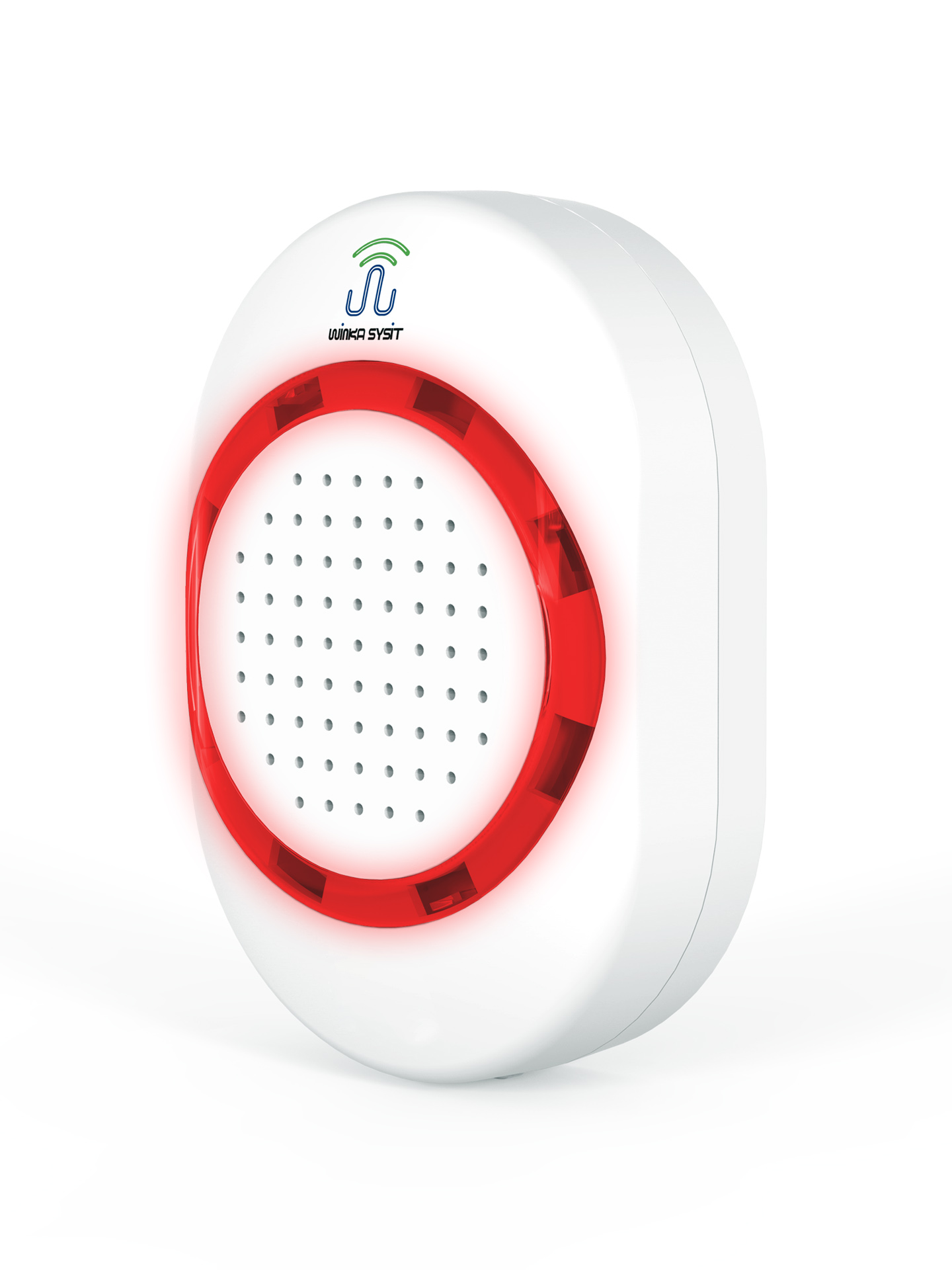
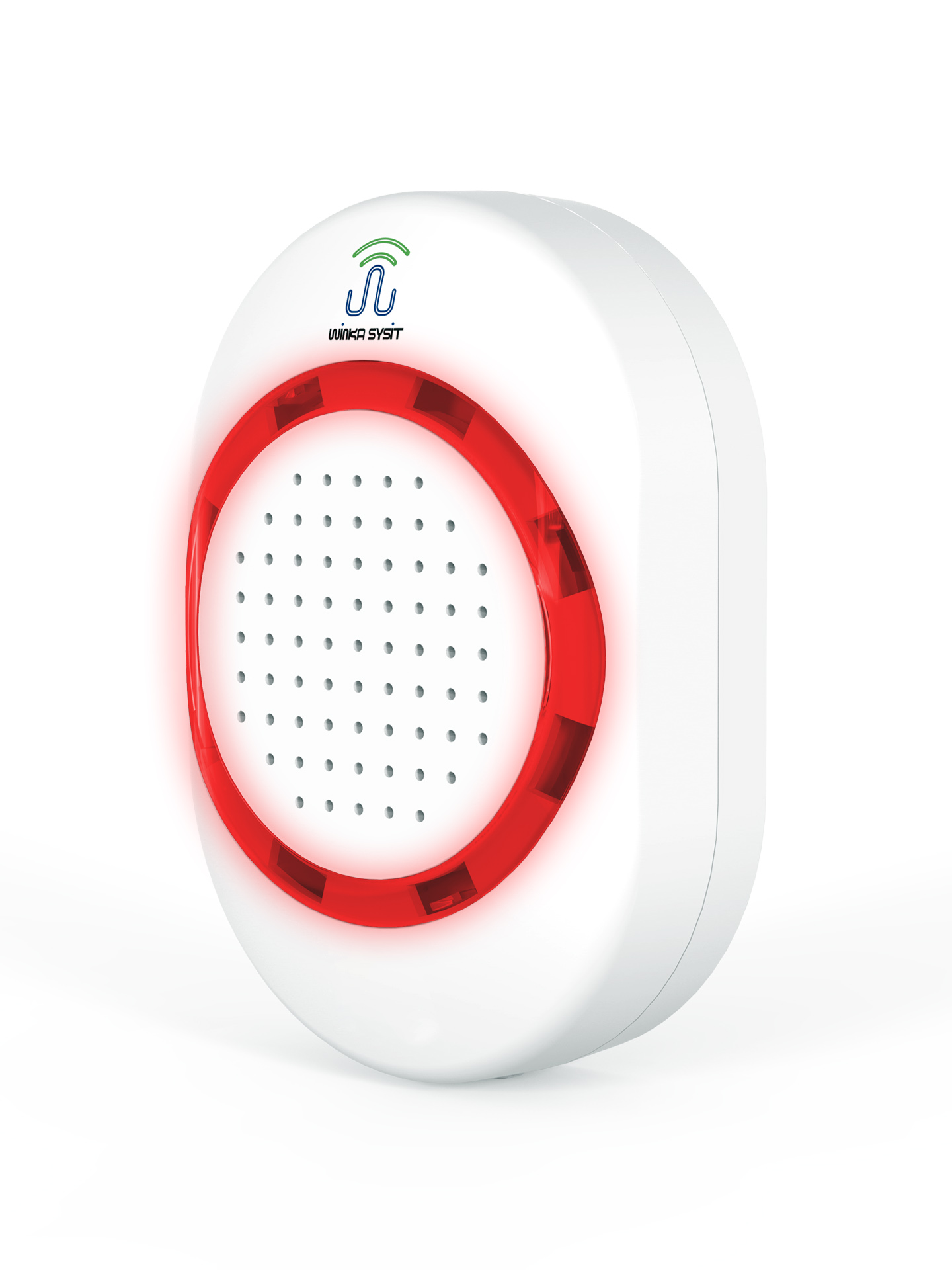
Name | Siren |
|---|
Short Description | The Siren can be triggered to sound an alarm and flash its super-bright LEDs when some event occurs. |
|---|
Long Description | The Siren can be triggered to sound an alarm and flash its super-bright LEDs when some event occurs. To ensure you never miss important alerts from your smart home system and keep your smart home safe. It can plugs into your wall outlet directly, and there be 5 different alert tones for a range of specific events. |
|---|
Brand | WINKA SYSIT |
|---|
Product Identifier | WK-0004 |
|---|
OEM Version | HW: 16 FW: 1.50 |
|---|
Hardware Platform | ZM5202 |
|---|
Z-Wave Version | 6.51.09 |
|---|
Library Type | SLAVE_ENHANCED_232 |
|---|
Device Type | Siren |
|---|
Role Type | ROLE_TYPE_SLAVE_ALWAYS_ON |
|---|
Manufacturer ID | 0x0331 |
|---|
Product Type ID | 0x0003 |
|---|
Product ID | 0x1DB1 |
|---|
User Icon | 0x0F00 |
|---|
Installer Icon | 0x0F00 |
|---|
Frequency Plans | EU: 869.85MHz, 868.40MHz |
|---|
Categories | Security Add-Ons |
|---|
Countries / Regions | European Union |
|---|
Supported Command Classes | Identifier | Name | Key | Version |
|---|
COMMAND_CLASS_POWERLEVEL | Powerlevel | 0x73 | 1 | COMMAND_CLASS_SWITCH_BINARY | Switch Binary | 0x25 | 1 | COMMAND_CLASS_BASIC | Basic | 0x20 | 1 | COMMAND_CLASS_CONFIGURATION | Configuration | 0x70 | 1 | COMMAND_CLASS_INDICATOR | Indicator | 0x87 | 1 | COMMAND_CLASS_SECURITY | Security S0 | 0x98 | 1 | COMMAND_CLASS_VERSION_V2 | Version V2 | 0x86 | 2 | COMMAND_CLASS_DEVICE_RESET_LOCALLY | Device Reset Locally | 0x5A | 1 | COMMAND_CLASS_ZWAVEPLUS_INFO_V2 | Z-Wave Plus Info V2 | 0x5E | 2 | COMMAND_CLASS_ASSOCIATION_V2 | Association V2 | 0x85 | 2 | COMMAND_CLASS_ASSOCIATION_GRP_INFO | Association Group Info | 0x59 | 1 | COMMAND_CLASS_NOTIFICATION_V8 | Notification V8 | 0x71 | 8 | COMMAND_CLASS_MANUFACTURER_SPECIFIC_V2 | Manufacturer Specific V2 | 0x72 | 2 |
|
|---|
Controlled Command Classes | Identifier | Name | Key | Version |
|---|
COMMAND_CLASS_BASIC | Basic | 0x20 | 1 |
|
|---|
Documents | Category | Description | File |
|---|
Manual_Primary_Lang | Product or Owner's Manual | |
|
|---|
Features | Feature | Values |
|---|
Supported Notification Types | |
|
|---|
Association Groups | Group Number | Maximum Nodes Supported | End Point ID | Description |
|---|
1 | 5 | 0 | Z-Wave Plus Lifeline. This group supporting command class lists as below:
COMMAND_CLASS_SWITCH_BINARY, SWITCH_BINARY_REPORT
COMMAND_CLASS_NOTIFICATION, NOTIFICATION_REPORT
COMMAND_CLASS_DEVICE_RESET_LOCALLY, DEVICE_RESET_LOCALLY_NOTIFICATION
| 2 | 5 | 0 | This group is controlling group, when the voltage of backup battery is low, diren will send a BASIC_SET = 0xFF to the nodes associated in group 2, This group supporting command class lists as below:
COMMAND_CLASS_BASIC BASIC_SET | 3 | 5 | 0 | This group is for power managerment notification report. when the pwoer source is changed, siren will send a notification report to nodes associated in group 3. This group supporting command class lists as below:
COMMAND_CLASS_NOTIFICATION NOTIFICATION_REPORT
| 4 | 5 | 0 | This group is for Siren status report. When siren is actived or inactived, it will send a notification report to nodes associated in group This group supporting command class lists as below:
COMMAND_CLASS_NOTIFICATION NOTIFICATION_REPORT
| 5 | 5 | 0 | This group is forbinary switch status report. When siren is actived or inactived, it will send a binary switch report to nodes associated in group This group supporting command class lists as below:
COMMAND_CLASS_SWITCH_BINARY SWITCH_BINARY_REPORT
|
|
|---|
Configuration Parameters | Parameter Number | Name | Description | Format | Size | Min Value | Max Value | Default Value | Parameter Values |
|---|
1 | Setting of alarm sound | This parameter is to set the sound sent by the alarm when giving an alarm and users can choose five different sound sources through this setting. | 0 | 1 | 0 | 0 | 1 | From | To | Description |
|---|
1 | 5 | The sounds indicated number |
| 3 | Alarm duration | This parameter can set the duration of the alarm function after activation. Unit of time is: seconds. Parameter description: 0- No alarm; 1 ~ 32766 – Alarm duration; 32767 – The alarm keeps sending alarm until the user shuts it down. | 0 | 2 | 0 | 0 | 300 | From | To | Description |
|---|
0 | 32767 | second. Alarm duration tiem. (Second) |
| 4 | Light alarm mode | This parameter can set whether to open different light flashing modes when the alarm is activated. 1- Turn off the light when an alarm is sent; 2- The light flashes slowly when an alarm is sent; 3- The light flashes fast when an alarm is sent; 4- The light flashes in the breathing light mode when an alarm is sent. | 0 | 1 | 0 | 0 | 4 | From | To | Description |
|---|
1 | 4 | Led Pattern Number |
| 5 | Switch Binary Report Disable | If the gateway supports Notification Command Class Version 6 and versions above, the Switch Binary Report function can be disable so as to reduce the data volume communicating with the gateway and thus improve the communication quality of the network.0 - disable; 1 - enable. | 0 | 1 | 0 | 0 | 0 | From | To | Description |
|---|
0 | 1 | 0 - Disable, 1 - Enable |
| 6 | Alarm Disable | This parameter can set the enabled and disabled of the alarm function. 0 – Disable the alarm function (i.e., the siren will not play sound or turn on led light when the alarm is triggered); 1 – Enable the alarm function. | 0 | 1 | 0 | 0 | 1 | From | To | Description |
|---|
0 | 1 | 0 - Disable, 1 - Enable |
|
|
|---|
Texts | ID | Description | Value |
|---|
1 | Inclusion | a) Ensure that the siren is powered up correctly.
b) Set Z-Wave Gateway entered inclusion mode.
c) Press the button on the siren for three times quickly within 1.5 seconds. Then the LED light will flash for 5
times with an interval of 500ms, which means that the siren has entered the inclusion mode and it is
waiting for the host to complete the configuration. | 3 | Learn Mode (adding another controller) | Keep pressing the button, and then power up the siren. The alarm will enter the factory test mode, in which all
the operations in this manual will be invalid to the siren and LED will keep flashing.
This operation will be valid only when no backup batteries are installed or the backup batteries have no power.
Exit from factory testing mode: Power off, and then power the siren on by un-pressing the button. And then it
will enter the normal working mode. | 2 | Exclusion | a) Ensure that the siren is powered up correctly.
b) Set Z-Wave Gateway entered exclusion mode.
c) Press the button on the siren for three times quickly within 1.5 seconds. Then the LED light will flash for 5
times with an interval of 500ms, which means that the alarm has entered the exclusion mode and it is
waiting for the host to complete the configuration. | 5 | Factory Reset | a) Ensure that the siren is powered up correctly.
b) Press the button and maintain this action for ten seconds, then release it after the LED light is on. Then the siren will erase all data and restore to the defaults.
Note: This mode can also erase the network information of the siren and make the device exit from the Z-Wave. Please use this procedure only when the network primary controller is missing or otherwise inoperable.
network that it has included. |
|
|---|
Supported Notification Types | Notification Type | Event / State |
|---|
Siren | (Refer to parameters): State idle | Siren | Siren status: Siren active | Siren | Unknown event/state |
|
|---|
Supports NWI | Yes |
|---|
Supports Explorer Frames | Yes |
|---|