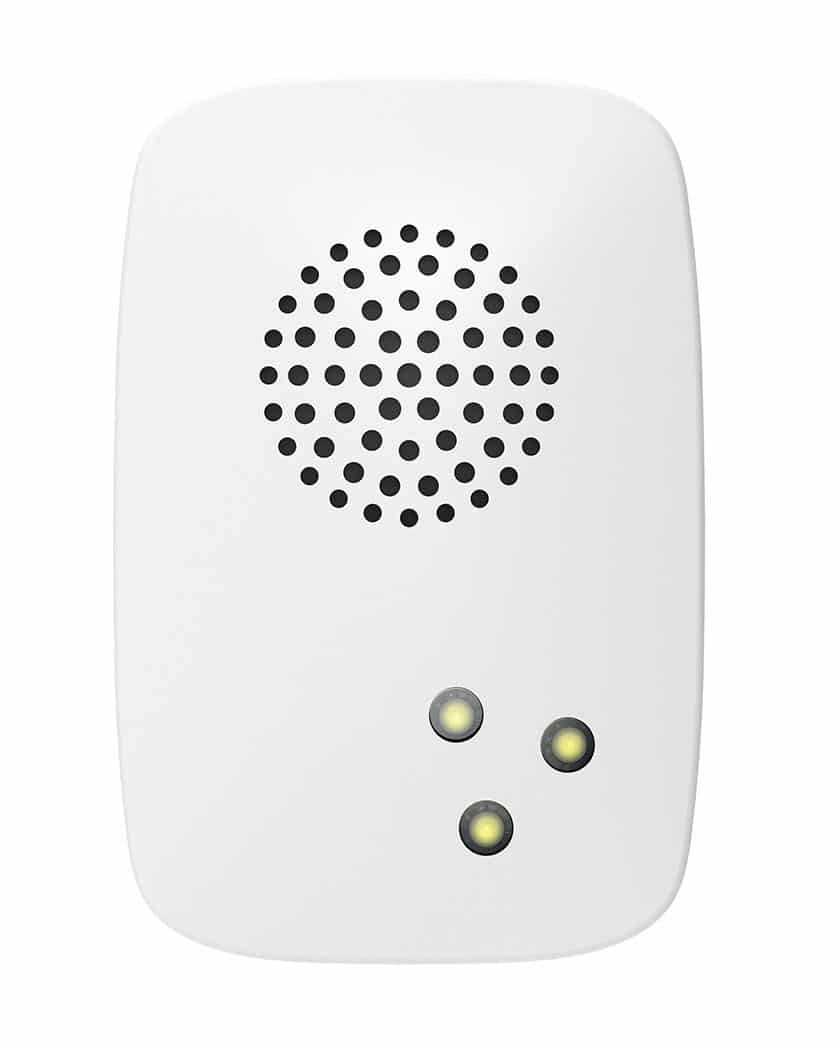
| Product Recognition | |
|---|
| Certification Number | ZC14-26030585 |
|---|
| Name | Siren 8 |
|---|
| Short Description | Aeotec Z-Wave Siren 8 |
|---|
| Description | Aeotec Siren 8 takes the best smart home technology and uses it to help you build a safe home.
Most smart home systems have a safety flaw: in an emergency they send your smartphone a push notification. That means that your safety, and your family’s safety, depends on everyone having a smart phone, and on those smart phones being turned on, and on the push notification being heard and read. In other words, your family’s safety depends on a lot of things going right just when a lot of things are going wrong.
Siren 8 is better than that. When an emergency is happening it lets you know. Its 105dB speaker system is always heard. Its super-bright LED system lights your path even when it’s dark. Its 4 hours backup battery means that Siren keeps on working even when your power is out or has been purposefully cut. Siren provides a smart home with the perfect security and safety features that it needs.
Those security and safety features are matched by smart features. Siren’s speaker system can access 5 different audio alerts, allowing your smart home to pick the alert best suited to the emergency. The speaker system’s volume can also be adjusted so that Siren is perfect for every space in every home. Best of all, Siren is simple to install. Plug Siren in, sync it to your smart home, and then enjoy the peace of mind that comes with knowing that your smart home is now a safe home. |
|---|
| Brand | Aeotec |
|---|
| Brand Owner | Aeotec Limited |
|---|
| Identifier | ZWA065-A |
|---|
| Product Line | Z-Wave Plus v2 line |
|---|
| Product URL | www.aeotec.com |
|---|
| OEM Version | HW: 65 FW: 01.01 |
|---|
| Hardware Platform | EFR32ZG23A |
|---|
| Z-Wave Version | 7.23.2 |
|---|
| Library Type | END_NODE_ENHANCED_232 |
|---|
| Device Type | Sound Switch DT |
|---|
| Role Type | ROLE_TYPE_END_NODE_ALWAYS_ON |
|---|
| Manufacturer ID | 0x0371 |
|---|
| Product Type ID | 0x0104 |
|---|
| Product ID | 0x0041 |
|---|
| User Icon | 0x0900 |
|---|
| Installer Icon | 0x0900 |
|---|
| Radio Range Z-Wave (m) | 40 |
|---|
| Radio Range Z-Wave LR (m) | 400 |
|---|
| Frequency Plans | US: 916.00MHz, 908.40MHz, US_LR: 912.00MHz, 920.00MHz |
|---|
| Categories | Security Systems |
|---|
| Countries / Regions | Argentina, Bahamas, Barbados, Bermuda, Bolivia, British Virgin Islands, Canada, Cayman Islands, Colombia, Guatemala, Haiti, Honduras, Jamaica, Mexico, Panama, Saint Kitts and Nevis, Suriname, Trinidad and Tobago, Turks and Caicos Islands, United States of America |
|---|
| Supported Command Classes | | Identifier | Name | Key | Version |
|---|
| COMMAND_CLASS_BASIC_V2 | Basic V2 | 0x20 | 2 | | COMMAND_CLASS_CONFIGURATION_V4 | Configuration V4 | 0x70 | 4 | | COMMAND_CLASS_NOTIFICATION_V8 | Notification V8 | 0x71 | 8 | | COMMAND_CLASS_SCENE_ACTIVATION | Scene Activation | 0x2B | 1 | | COMMAND_CLASS_SCENE_ACTUATOR_CONF | Scene Actuator Configuration | 0x2C | 1 | | COMMAND_CLASS_APPLICATION_STATUS | Application Status | 0x22 | 1 | | COMMAND_CLASS_ASSOCIATION_V2 | Association V2 | 0x85 | 2 | | COMMAND_CLASS_ASSOCIATION_GRP_INFO_V3 | Association Group Information (AGI) V3 | 0x59 | 3 | | COMMAND_CLASS_DEVICE_RESET_LOCALLY | Device Reset Locally | 0x5A | 1 | | COMMAND_CLASS_FIRMWARE_UPDATE_MD_V5 | Firmware Update Meta Data V5 | 0x7A | 5 | | COMMAND_CLASS_INDICATOR_V3 | Indicator V3 | 0x87 | 3 | | COMMAND_CLASS_MANUFACTURER_SPECIFIC_V2 | Manufacturer Specific V2 | 0x72 | 2 | | COMMAND_CLASS_MULTI_CHANNEL_ASSOCIATION_V3 | Multi Channel Association V3 | 0x8E | 3 | | COMMAND_CLASS_VERSION_V3 | Version V3 | 0x86 | 3 | | COMMAND_CLASS_ZWAVEPLUS_INFO_V2 | Z-Wave Plus Info V2 | 0x5E | 2 | | COMMAND_CLASS_SECURITY | Security 0 | 0x98 | 1 | | COMMAND_CLASS_SECURITY_2 | Security 2 | 0x9F | 1 | | COMMAND_CLASS_SUPERVISION | Supervision | 0x6C | 1 | | COMMAND_CLASS_TRANSPORT_SERVICE_V2 | Transport Service V2 | 0x55 | 2 | | COMMAND_CLASS_POWERLEVEL | Powerlevel | 0x73 | 1 | | COMMAND_CLASS_SOUND_SWITCH_V2 | Sound Switch V2 | 0x79 | 2 |
|
|---|
| S2 Classes | S2_AUTHENTICATED, S2_UNAUTHENTICATED |
|---|
| Documents | |
|---|
| Features | | Feature | Values |
|---|
| Color | | | Firmware Updatable | | Value |
|---|
| Updatable by Consumer by RF |
|
|
|---|
| Association Groups | | Group Number | Maximum Nodes Supported | End Point ID | Group Name | Profile |
|---|
| 1 | 5 | 0 | Lifeline | 0x0001 | | 2 | 5 | 0 | Retransmit | 0x2000 |
|
|---|
| Configuration Parameters | | Parameter Number | Name | Description | Format | Size | Min Value | Max Value | Default Value |
|---|
| 1 | Set the alarm duration in seconds | Set the alarm duration in seconds | 1 | 2 | 0 | 0 | 0x00B4 | | 2 | Set default tone id | Set default tone id | 1 | 1 | 0 | 0 | 0x01 | | 3 | Set default volume | Set default volume | 1 | 1 | 0 | 0 | 0x64 | | 4 | Enable button click to stop function | Enable button click to stop function | 3 | 1 | 0 | 0 | 0x03 | | 5 | Enable play sound when AC outage | Enable play sound when AC outage | 2 | 1 | 0 | 0 | 0x00 | | 6 | Stop alarm when AC reconnect | Stop alarm when AC reconnect | 2 | 1 | 0 | 0 | 0x00 | | 7 | Delay of (AC outage) alarm cancelation | Delay of (AC outage) alarm cancelation | 1 | 2 | 0 | 0 | 0x0000 | | 8 | Enable LED when siren alarm | Enable LED when siren alarm | 2 | 1 | 0 | 0 | 0x01 | | 9 | Enable tone when Siren alarm | Enable tone when Siren alarm | 2 | 1 | 0 | 0 | 0x01 | | 10 | Set level of light pattern | Set level of light pattern | 1 | 1 | 0 | 0 | 0x01 | | 11 | set led on together of light pattern | set led on together of light pattern | 2 | 1 | 0 | 0 | 0x01 | | 80 | Enable Association group report | Enable Association group report | 2 | 1 | 0 | 0 | 0x01 | | 252 | lock configuration setting | lock configuration setting | 2 | 1 | 0 | 0 | 0x00 |
|
|---|
| Texts | | ID | Description | Value |
|---|
| 8 | Where to find S2 DSK on product | The Z-Wave QR Code and PIN Code can be found on the back of the product. The DSK Code can be found on the packaging.
The same description can be found on page 4 of the manual. | | 1 | Classic Inclusion | 1. Turn your main Z-Wave controller into adding/ inclusion mode.
2. Click the Action Button on the product twice. | | 2 | Classic Exclusion | 1. Turn your main Z-Wave controller into removing/ exclusion mode.
2. Click the Action Button on the product twice. | | 5 | Factory Reset Procedure | Press and hold the Action Button for 12 seconds. |
|
|---|
| Supported Notification Types | | Notification Type | Event / State |
|---|
| Power Management | Power status: Power has been applied | | Power Management | Mains status: AC mains disconnected | | Power Management | Mains status: AC mains re-connected |
|
|---|
| Supports NWI | Yes |
|---|
| Supports Explorer Frames | Yes |
|---|
| Supports SmartStart | Yes |
|---|