Product Recognition | |
|---|
Certification Number | ZC10-19066526 |
|---|
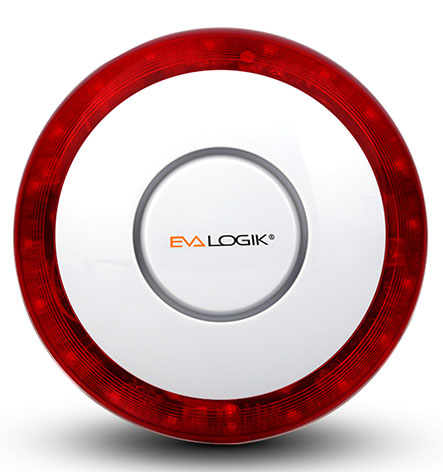
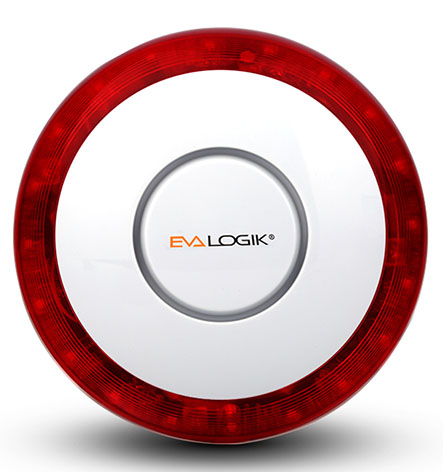
Name | Siren Box |
|---|
Short Description | The alarm conforms to the Z-Wave protocol and is used in home security |
|---|
Long Description | The alarm conforms to the Z-Wave protocol and is used in home security,He's going to make a big sound,Rotating light. |
|---|
Brand | EVA LOGIK |
|---|
Product Identifier | ZW15 |
|---|
OEM Version | HW: 1 FW: 20.15 |
|---|
Hardware Platform | ZM5202 |
|---|
Z-Wave Version | 6.51.06 |
|---|
Library Type | SLAVE_ROUTING |
|---|
Device Type | Siren |
|---|
Role Type | ROLE_TYPE_SLAVE_SLEEPING_LISTENING |
|---|
Manufacturer ID | 0x0312 |
|---|
Product Type ID | 0x4000 |
|---|
Product ID | 0x0F1C |
|---|
User Icon | 0x0F00 |
|---|
Installer Icon | 0x0F00 |
|---|
Frequency Plans | US: 916.00MHz, 908.40MHz |
|---|
Categories | Security Systems |
|---|
Countries / Regions | United States of America |
|---|
Supported Command Classes | Identifier | Name | Key | Version |
|---|
COMMAND_CLASS_POWERLEVEL | Powerlevel | 0x73 | 1 | COMMAND_CLASS_BATTERY | Battery | 0x80 | 1 | COMMAND_CLASS_SWITCH_BINARY | Switch Binary | 0x25 | 1 | COMMAND_CLASS_BASIC | Basic | 0x20 | 1 | COMMAND_CLASS_VERSION_V2 | Version V2 | 0x86 | 2 | COMMAND_CLASS_DEVICE_RESET_LOCALLY | Device Reset Locally | 0x5A | 1 | COMMAND_CLASS_ZWAVEPLUS_INFO_V2 | Z-Wave Plus Info V2 | 0x5E | 2 | COMMAND_CLASS_ASSOCIATION_V2 | Association V2 | 0x85 | 2 | COMMAND_CLASS_ASSOCIATION_GRP_INFO | Association Group Info | 0x59 | 1 | COMMAND_CLASS_MANUFACTURER_SPECIFIC_V2 | Manufacturer Specific V2 | 0x72 | 2 |
|
|---|
Documents | Category | Description | File |
|---|
Manual_Primary_Lang | Product or Owner's Manual | |
|
|---|
Features | Feature | Values |
|---|
Color | | Outdoor Use | |
|
|---|
Association Groups | Group Number | Maximum Nodes Supported | End Point ID | Description |
|---|
1 | 5 | 0 | Z-Wave Plus Lifeline |
|
|---|
Texts | ID | Description | Value |
|---|
5 | Factory Reset | 1. Press and hold ADD Button for at least 3 seconds while you insert batteries.
2. Use this procedure only in the event that the network primary controller is missing
or otherwise inoperable. | 1 | Inclusion | 1. Follow the instructions for your Z-Wave certified controller to include a device to
the Z-Wave network.
2. Once the controller is ready to include your device, triple click the ADD
Button to include it in the network.
3. Once your controller has confirmed that the device has been included, refresh the
Z-Wave network to optimize performance.
4. The device is associated in the same group when it included in setting process.
Now you can control your Z-Wave device according to groups, scenes, schedules
and automation programmed. | 2 | Exclusion | 1. Follow the instructions for your Z-Wave certified controller to exclude a device
from the Z-Wave network.
2. Once the controller is ready to Exclude your device, triple click the ADD Button
to exclude it from the network. |
|
|---|
Supports NWI | Yes |
|---|
Supports Explorer Frames | Yes |
|---|
Is Flirs | Yes |
|---|
Radio Range Z-Wave (m) | 40 |
|---|