Product Recognition | |
|---|
Certification Number | ZC10-17115855 |
|---|
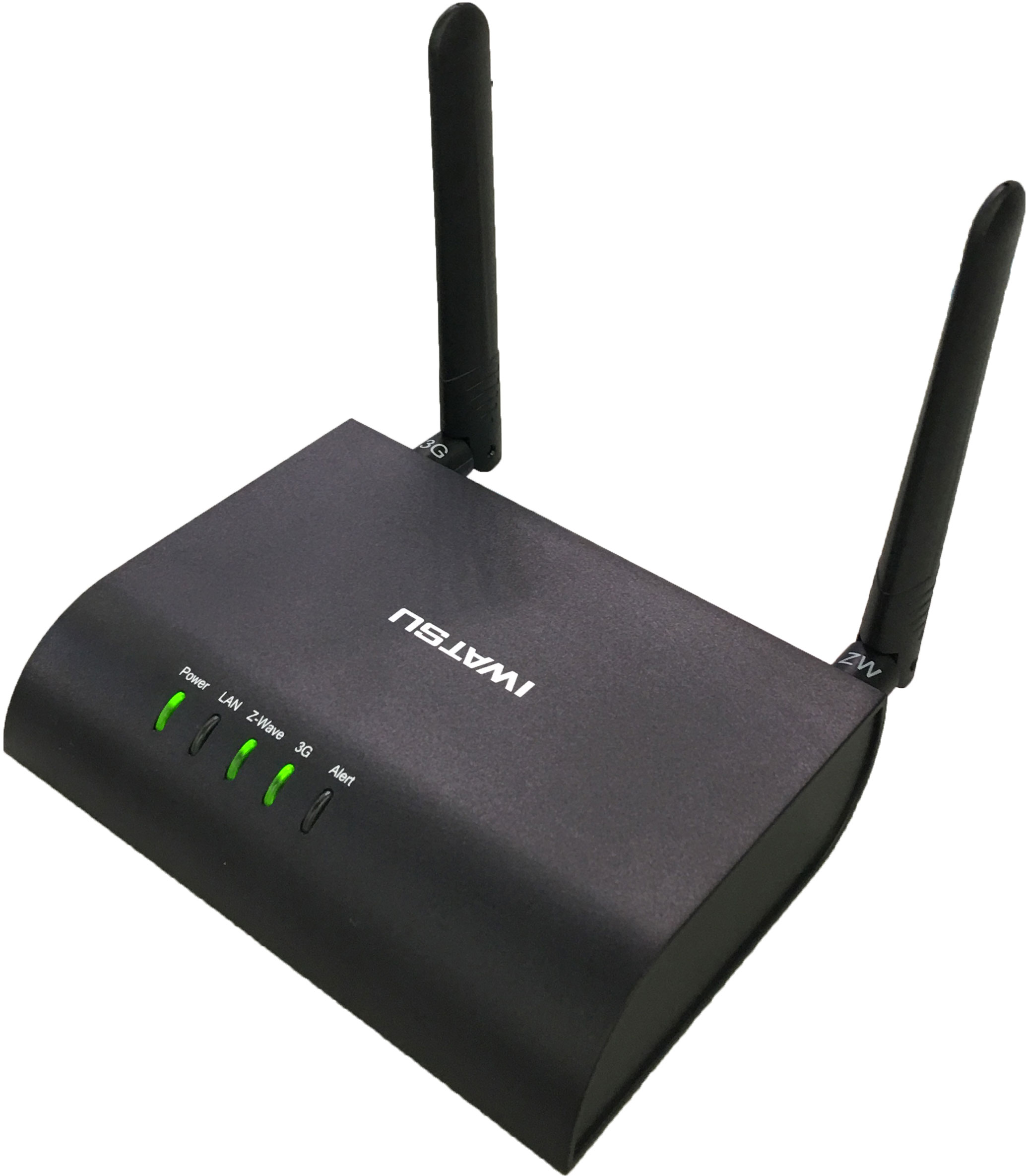
Name | Smart-BRIDGE C3 |
|---|
Short Description | Smart-BRIDGE C3 is a Z-Wave controller to enable interaction with homes, offices and buildings. |
|---|
Long Description | This product is a compact gateway with build-in 3G network which can be adopt /apply to Smart Home / Nursing home Facility. It compliance with various Z-Wave peripheral equipment such as Motion, Temperature, Humidity etc. for various IoT applications. |
|---|
Brand | Iwatsu |
|---|
Product Identifier | Smart-BRIDGE C3 |
|---|
OEM Version | HW: 1 FW: 4.61:01.10 |
|---|
Hardware Platform | ZM5101 |
|---|
Z-Wave Version | 6.71.01 |
|---|
Library Type | CONTROLLER_STATIC |
|---|
Device Type | Gateway |
|---|
Role Type | ROLE_TYPE_CONTROLLER_CENTRAL_STATIC |
|---|
Manufacturer ID | 0x0123 |
|---|
Product Type ID | 0x8001 |
|---|
Product ID | 0x0002 |
|---|
User Icon | 0x0500 |
|---|
Installer Icon | 0x0500 |
|---|
Frequency Plans | JP: 922.50MHz, 923.90MHz, 926.30MHz |
|---|
Categories | All Controllers, Gateway Controller |
|---|
Countries / Regions | Japan |
|---|
Supported Command Classes | Identifier | Name | Key | Version |
|---|
COMMAND_CLASS_POWERLEVEL | Powerlevel | 0x73 | 1 | COMMAND_CLASS_INCLUSION_CONTROLLER | Inclusion Controller | 0x74 | 1 | COMMAND_CLASS_APPLICATION_STATUS | Application Status | 0x22 | 1 | COMMAND_CLASS_CRC_16_ENCAP | CRC16 Encapsulation | 0x56 | 1 | COMMAND_CLASS_SECURITY | Security S0 | 0x98 | 1 | COMMAND_CLASS_TRANSPORT_SERVICE_V2 | Transport Service V2 | 0x55 | 2 | COMMAND_CLASS_VERSION_V2 | Version V2 | 0x86 | 2 | COMMAND_CLASS_DEVICE_RESET_LOCALLY | Device Reset Locally | 0x5A | 1 | COMMAND_CLASS_ZWAVEPLUS_INFO_V2 | Z-Wave Plus Info V2 | 0x5E | 2 | COMMAND_CLASS_ASSOCIATION_V2 | Association V2 | 0x85 | 2 | COMMAND_CLASS_SECURITY_2 | Security S2 | 0x9F | 1 | COMMAND_CLASS_SUPERVISION | Supervision | 0x6C | 1 | COMMAND_CLASS_MANUFACTURER_SPECIFIC_V2 | Manufacturer Specific V2 | 0x72 | 2 | COMMAND_CLASS_ASSOCIATION_GRP_INFO_V2 | Association Group Information V2 | 0x59 | 2 |
|
|---|
Controlled Command Classes | Identifier | Name | Key | Version |
|---|
COMMAND_CLASS_SENSOR_MULTILEVEL_V5 | Sensor Multilevel V5 | 0x31 | 5 | COMMAND_CLASS_SWITCH_BINARY_V2 | Switch Binary V2 | 0x25 | 2 | COMMAND_CLASS_INCLUSION_CONTROLLER | Inclusion Controller | 0x74 | 1 | COMMAND_CLASS_BATTERY | Battery | 0x80 | 1 | COMMAND_CLASS_BASIC | Basic | 0x20 | 1 | COMMAND_CLASS_CONFIGURATION | Configuration | 0x70 | 1 | COMMAND_CLASS_CRC_16_ENCAP | CRC16 Encapsulation | 0x56 | 1 | COMMAND_CLASS_SECURITY | Security S0 | 0x98 | 1 | COMMAND_CLASS_TRANSPORT_SERVICE_V2 | Transport Service V2 | 0x55 | 2 | COMMAND_CLASS_VERSION_V2 | Version V2 | 0x86 | 2 | COMMAND_CLASS_WAKE_UP_V2 | Wake Up V2 | 0x84 | 2 | COMMAND_CLASS_ZWAVEPLUS_INFO_V2 | Z-Wave Plus Info V2 | 0x5E | 2 | COMMAND_CLASS_ASSOCIATION_V2 | Association V2 | 0x85 | 2 | COMMAND_CLASS_MULTI_CHANNEL_V4 | Multi-Channel V4 | 0x60 | 4 | COMMAND_CLASS_SECURITY_2 | Security S2 | 0x9F | 1 | COMMAND_CLASS_SUPERVISION | Supervision | 0x6C | 1 | COMMAND_CLASS_MANUFACTURER_SPECIFIC_V2 | Manufacturer Specific V2 | 0x72 | 2 | COMMAND_CLASS_NOTIFICATION_V4 | Notification V4 | 0x71 | 4 | COMMAND_CLASS_MULTI_CHANNEL_ASSOCIATION_V2 | Multi Channel Association V2 | 0x8E | 2 | COMMAND_CLASS_ASSOCIATION_GRP_INFO_V2 | Association Group Information V2 | 0x59 | 2 |
|
|---|
S2 Classes | S2_UNAUTHENTICATED, S2_AUTHENTICATED, S2_ACCESS_CONTROL |
|---|
Documents | Category | Description | File |
|---|
Manual_Primary_Lang | Product or Owner's Manual | |
|
|---|
Features | Feature | Values |
|---|
Sensors | Value |
|---|
Air Temperature | Luminance | Humidity | Heart Rate | Respiratory Rate |
| Supported Notification Types | Value |
|---|
Smoke Alarm | Access Control | Home Security | Home Health |
|
|
|---|
Association Groups | Group Number | Maximum Nodes Supported | End Point ID | Description |
|---|
1 | 10 | 0 | Z-Wave Plus Lifeline |
|
|---|
Texts | ID | Description | Value |
|---|
23 | Controller Inclusion | To add a device to the Z-Wave network, press the hardware Z-WAVE SW of this equipment once in quick (no more than 1 second between). A button on the GUI is also present to start the inclusion(""NWI"" or ""Add"" button). | 24 | Controller Exclusion | To remove a device from the Z-Wave network, hold down the hardware Z-WAVE SW of this equipment (over 3 seconds). A button on the GUI is also present to start exclusion(""Start Exclusion"" button). | 3 | Learn Mode (adding another controller) | This equipment can be controlled via the GUI provided.To add this equipment into another Z-Wave network as a secondary controller or inclusion controller, click “Start Learn Mode” in the GUI provided. | 5 | Factory Reset | Hold down the hardware INIT SW (over 3 seconds). A button on the GUI is present to start the reset(""Resets the Chip"" button).If this controller is the primary controller for your network, resetting it will result in the nodes in your network being orphaned and it will be necessary after the reset to exclude and re-include all of the nodes in the network. If this controller is being used as a secondary controller in the network, use this procedure to reset this controller only in the event that the network primary controller is missing or otherwise inoperable. |
|
|---|
Supports NWI | Yes |
|---|
Supports Explorer Frames | Yes |
|---|
Radio Range Z-Wave (m) | 40 |
|---|