
| Product Recognition | |
|---|
| Certification Number | ZC10-16095207 |
|---|
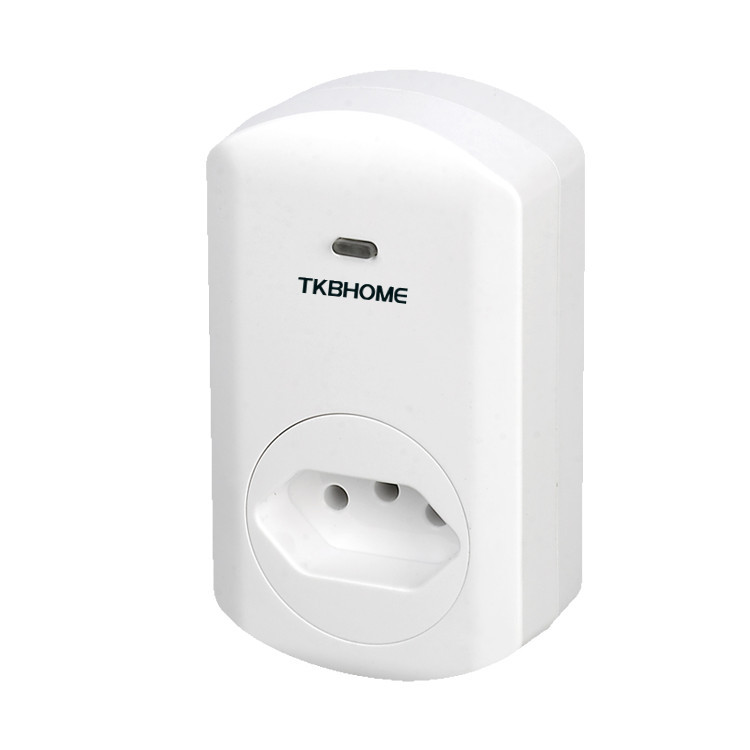
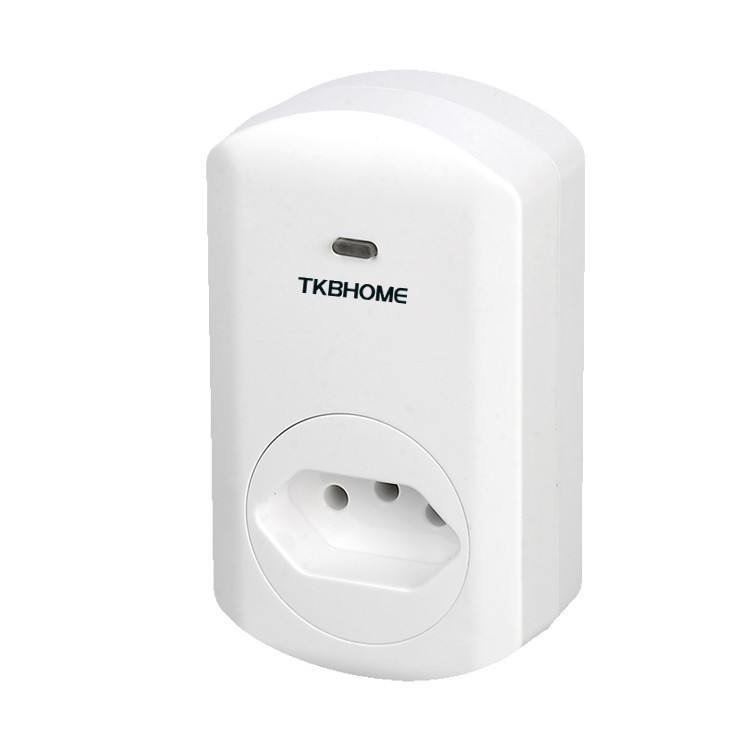
| Name | Smart dimmer plug in switch |
|---|
| Short Description | This dimmer socket is mainly for remote on/off or dim control of the connected load, and act as repeater to enlarge the signal |
|---|
| Long Description | This smart dimmer plug in switch in a transceiver which is a Z-Wave enabled device and is fully compatible with any Z-Wave enabled network. Z-Wave enabled devices displaying the Z-Wave logo can also be use with it regardless of the manufacturer. And ours can also be used in other manufacturer's Z-Wave enabled networks. Remote on/off and dimming control of the connected load is possible with other manufacturer's wireless controller. Each switch is degined to act as a repeater. Repeaters will re-transmit the RF signal to ensure the signal is received by its intended destination by routing the signal around obstacles and radio dead spots. |
|---|
| Brand | TKB Home |
|---|
| Product Identifier | TZ67BR |
|---|
| OEM Version | HW: 1 FW: 2.00 |
|---|
| Hardware Platform | ZM5202 |
|---|
| Z-Wave Version | 6.51.06 |
|---|
| Library Type | SLAVE_ENHANCED_232 |
|---|
| Device Type | Light Dimmer Switch |
|---|
| Role Type | ROLE_TYPE_SLAVE_ALWAYS_ON |
|---|
| Manufacturer ID | 0x0118 |
|---|
| Product Type ID | 0x0003 |
|---|
| Product ID | 0x0008 |
|---|
| User Icon | 0x0600 |
|---|
| Installer Icon | 0x0601 |
|---|
| Frequency Plans | ANZ: 919.80MHz, 921.40MHz |
|---|
| Categories | All Lighting Devices, Dimming Lighting Devices |
|---|
| Countries / Regions | Brazil |
|---|
| Supported Command Classes | | Identifier | Name | Key | Version |
|---|
| COMMAND_CLASS_SWITCH_MULTILEVEL | Switch Multilevel | 0x26 | 1 | | COMMAND_CLASS_POWERLEVEL | Powerlevel | 0x73 | 1 | | COMMAND_CLASS_SWITCH_ALL | Switch All | 0x27 | 1 | | COMMAND_CLASS_BASIC | Basic | 0x20 | 1 | | COMMAND_CLASS_CONFIGURATION | Configuration | 0x70 | 1 | | COMMAND_CLASS_VERSION_V2 | Version V2 | 0x86 | 2 | | COMMAND_CLASS_DEVICE_RESET_LOCALLY | Device Reset Locally | 0x5A | 1 | | COMMAND_CLASS_ZWAVEPLUS_INFO_V2 | Z-Wave Plus Info V2 | 0x5E | 2 | | COMMAND_CLASS_ASSOCIATION_V2 | Association V2 | 0x85 | 2 | | COMMAND_CLASS_ASSOCIATION_GRP_INFO | Association Group Info | 0x59 | 1 | | COMMAND_CLASS_FIRMWARE_UPDATE_MD_V2 | Firmware Update Meta-Data V2 | 0x7A | 2 | | COMMAND_CLASS_MANUFACTURER_SPECIFIC_V2 | Manufacturer Specific V2 | 0x72 | 2 |
|
|---|
| Documents | |
|---|
| Features | | Feature | Values |
|---|
| Color | | | Electric Load Type | | | Firmware Updatable | | Value |
|---|
| Updatable by Professional/Technician |
| | Switch Load Capacity Watts | | | Switch Type | |
|
|---|
| Association Groups | | Group Number | Maximum Nodes Supported | End Point ID | Description |
|---|
| 1 | 5 | 0 | This dimmer plug in switch can be asscoiated by 5 devices |
|
|---|
| Texts | | ID | Description | Value |
|---|
| 1 | Inclusion | 1. have your Z-Wave controller enter into Inclusion mode
2. press the dimmer socket button three times within 1.5 seconds | | 2 | Exclusion | 1. have your Z-Wave controller enter into Exclusion mode
2. press the dimmer socket button three times within 1.5 seconds | | 5 | Factory Reset | 1. Press your dimmer socket button four times within 1.5 seconds
2. the fourth time press and hold on the socket button for 5 seconds until socket LED button off
3. Use the ""RESET"" procedure only in the event that the network primary controller is missing or otherwise inoperable |
|
|---|
| Supports NWI | Yes |
|---|
| Supports Explorer Frames | Yes |
|---|