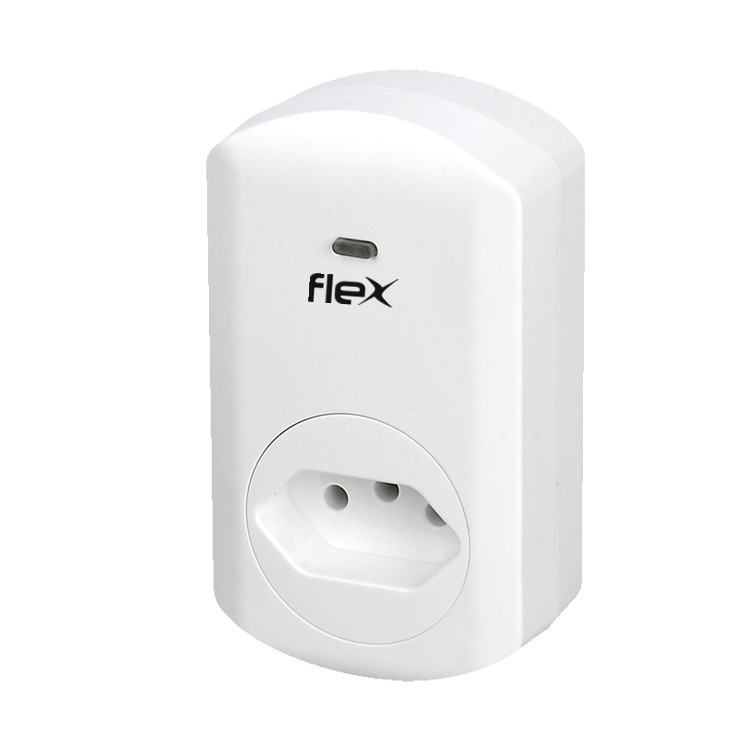
Product Recognition | |
|---|
Certification Number | ZC10-17055611 |
|---|
Name | Smart dimmer |
|---|
Short Description | This dimmer socket is mainly for remote on/off or dim control of the connected load, and act as repeater to enlarge the signal |
|---|
Long Description | This smart dimmer plug in switch in a transceiver which is a Z-Wave enabled device and is fully compatible with any Z-Wave enabled network. Z-Wave enabled devices displaying the Z-Wave logo can also be use with it regardless of the manufacturer. And ours can also be used in other manufacturer's Z-Wave enabled networks. Remote on/off and dimming control of the connected load is possible with other manufacturer's wireless controller. Each switch is degined to act as a repeater. Repeaters will re-transmit the RF signal to ensure the signal is received by its intended destination by routing the signal around obstacles and radio dead spots. |
|---|
Brand | FLEX AUTOMATION |
|---|
Product Identifier | FX-D67A |
|---|
OEM Version | HW: 1 FW: 2.00 |
|---|
Hardware Platform | ZM5202 |
|---|
Z-Wave Version | 6.51.06 |
|---|
Library Type | SLAVE_ENHANCED_232 |
|---|
Device Type | Light Dimmer Switch |
|---|
Role Type | ROLE_TYPE_SLAVE_ALWAYS_ON |
|---|
Manufacturer ID | 0x004F |
|---|
Product Type ID | 0x0003 |
|---|
Product ID | 0x0008 |
|---|
User Icon | 0x0600 |
|---|
Installer Icon | 0x0601 |
|---|
Frequency Plans | ANZ: 919.80MHz, 921.40MHz |
|---|
Categories | All Lighting Devices, Dimming Lighting Devices |
|---|
Countries / Regions | Brazil |
|---|
Supported Command Classes | Identifier | Name | Key | Version |
|---|
COMMAND_CLASS_SWITCH_MULTILEVEL | Switch Multilevel | 0x26 | 1 | COMMAND_CLASS_POWERLEVEL | Powerlevel | 0x73 | 1 | COMMAND_CLASS_SWITCH_ALL | Switch All | 0x27 | 1 | COMMAND_CLASS_BASIC | Basic | 0x20 | 1 | COMMAND_CLASS_CONFIGURATION | Configuration | 0x70 | 1 | COMMAND_CLASS_VERSION_V2 | Version V2 | 0x86 | 2 | COMMAND_CLASS_DEVICE_RESET_LOCALLY | Device Reset Locally | 0x5A | 1 | COMMAND_CLASS_ZWAVEPLUS_INFO_V2 | Z-Wave Plus Info V2 | 0x5E | 2 | COMMAND_CLASS_ASSOCIATION_V2 | Association V2 | 0x85 | 2 | COMMAND_CLASS_ASSOCIATION_GRP_INFO | Association Group Info | 0x59 | 1 | COMMAND_CLASS_FIRMWARE_UPDATE_MD_V2 | Firmware Update Meta-Data V2 | 0x7A | 2 | COMMAND_CLASS_MANUFACTURER_SPECIFIC_V2 | Manufacturer Specific V2 | 0x72 | 2 |
|
|---|
Documents | Category | Description | File |
|---|
Manual_Primary_Lang | Product or Owner's Manual | |
|
|---|
Features | Feature | Values |
|---|
Color | | Electric Load Type | | Firmware Updatable | Value |
|---|
Updatable by Professional/Technician |
| Switch Load Capacity Watts | | Switch Type | |
|
|---|
Association Groups | Group Number | Maximum Nodes Supported | End Point ID | Description |
|---|
1 | 5 | 0 | This dimmer plug in switch can be asscoiated by 5 devices |
|
|---|
Configuration Parameters | Parameter Number | Name | Description | Format | Size | Min Value | Max Value | Default Value | Parameter Values |
|---|
1 | Change the state of indicator light | Default status of socket LED is on as indicator when the load is off | 0 | 1 | 0 | 0 | 1 | From | To | Description |
|---|
0 | 1 | 0 means night light mode ,1 means night light off |
| 2 | Memory function | Default with memory: the socket status is same as before when power on | 0 | 1 | 0 | 0 | 1 | From | To | Description |
|---|
0 | 1 | 0 means no memory function, 1 means memory function |
|
|
|---|
Texts | ID | Description | Value |
|---|
1 | Inclusion | 1. have your Z-Wave controller enter into Inclusion mode
2. press the dimmer socket button three times within 1.5 seconds | 2 | Exclusion | 1. have your Z-Wave controller enter into Exclusion mode
2. press the dimmer socket button three times within 1.5 seconds | 5 | Factory Reset | 1. Press your dimmer socket button four times within 1.5 seconds
2. the fourth time press and hold on the socket button for 5 seconds until socket LED button off
3. Use the ""RESET"" procedure only in the event that the network primary controller is missing or otherwise inoperable |
|
|---|
Supports NWI | Yes |
|---|
Supports Explorer Frames | Yes |
|---|