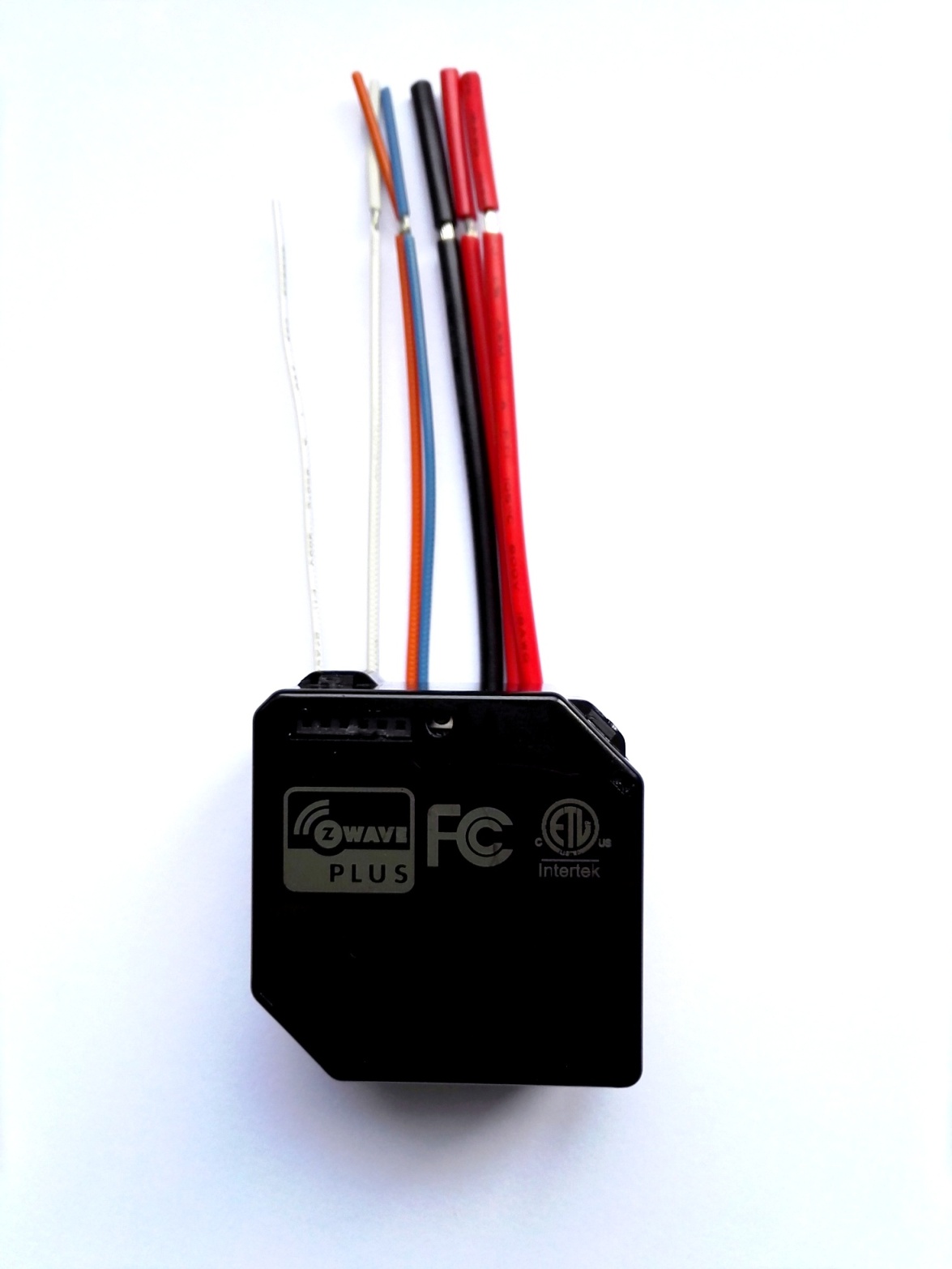
| Product Recognition | |
|---|
| Certification Number | ZC10-17035461 |
|---|
| Name | Smart Dual Relay Switch Module |
|---|
| Short Description | The ZWN-RSM2 Switch Module have two channels switch ,that is a component of lighting control system, |
|---|
| Long Description | The ZWN-RSM2 Switch Module have two channels switch ,that is a component of lighting control system, it can not be used separately but should turn an existing switch into a Z-Wave switch. This ZWN-RSM2 module is a Z-Wave enabled device and is fully compatible with other Z-Wave certified device from other manufacturers. In a Z-Wave network, each device is designed to act as a wireless repeater. Once the ZWN-RSM2 module is installed and setup with in your wall, it will retransmit the RF signal from one device to another until the intended device to intended device is reached. This ensures that the signal is received by its intended destination |
|---|
| Brand | Enerwave Green Automation |
|---|
| Product Identifier | ZWN-RSM2 |
|---|
| OEM Version | HW: 1 FW: 5.11 |
|---|
| Hardware Platform | ZM5202 |
|---|
| Z-Wave Version | 6.51.09 |
|---|
| Library Type | SLAVE_ROUTING |
|---|
| Device Type | On/Off Power Switch |
|---|
| Role Type | ROLE_TYPE_SLAVE_ALWAYS_ON |
|---|
| Manufacturer ID | 0x011A |
|---|
| Product Type ID | 0x0111 |
|---|
| Product ID | 0x0605 |
|---|
| User Icon | 0x0700 |
|---|
| Installer Icon | 0x0700 |
|---|
| Frequency Plans | US: 916.00MHz, 908.40MHz |
|---|
| Categories | All Lighting Devices, On/Off Switches/Devices |
|---|
| Countries / Regions | United States of America |
|---|
| Supported Command Classes | | Identifier | Name | Key | Version |
|---|
| COMMAND_CLASS_POWERLEVEL | Powerlevel | 0x73 | 1 | | COMMAND_CLASS_MULTI_CHANNEL_ASSOCIATION_V3 | Multi-Channel Association V3 | 0x8E | 3 | | COMMAND_CLASS_SWITCH_ALL | Switch All | 0x27 | 1 | | COMMAND_CLASS_SWITCH_BINARY | Switch Binary | 0x25 | 1 | | COMMAND_CLASS_BASIC | Basic | 0x20 | 1 | | COMMAND_CLASS_VERSION_V2 | Version V2 | 0x86 | 2 | | COMMAND_CLASS_DEVICE_RESET_LOCALLY | Device Reset Locally | 0x5A | 1 | | COMMAND_CLASS_ZWAVEPLUS_INFO_V2 | Z-Wave Plus Info V2 | 0x5E | 2 | | COMMAND_CLASS_ASSOCIATION_V2 | Association V2 | 0x85 | 2 | | COMMAND_CLASS_ASSOCIATION_GRP_INFO | Association Group Info | 0x59 | 1 | | COMMAND_CLASS_MULTI_CHANNEL_V4 | Multi-Channel V4 | 0x60 | 4 | | COMMAND_CLASS_MANUFACTURER_SPECIFIC_V2 | Manufacturer Specific V2 | 0x72 | 2 |
|
|---|
| Documents | |
|---|
| Features | | Feature | Values |
|---|
| Switch Load Capacity Current | | | Switch Type | |
|
|---|
| Association Groups | | Group Number | Maximum Nodes Supported | End Point ID | Description |
|---|
| 1 | 1 | 0 | Z-Wave Plus Lifeline:Send device reset locally notification;
Switch Binary Report | | 3 | 3 | 0 | StatusReport_EP1: Switch Binary Report | | 2 | 3 | 0 | StatusReport_EP1: Switch Binary Report |
|
|---|
| Texts | | ID | Description | Value |
|---|
| 1 | Inclusion | When the controller is in add mode,Press and release the program button of ZWN-RSM2 module,or Flick 3 times of the connected switch with Aux1 line(or Aux 2 line) in 1.5 second. Then the controller will add the module into current Z-Wave network. | | 2 | Exclusion | When the controller is in remove mode,Press and release the program button of ZWN-RSM2 module, or Flick 3 times of the connected switch with Aux1 line (or Aux2 line) in 1.5 second. Then the controller will remove the module from current Z-Wave network. | | 5 | Factory Reset | Once program button is pressed and hold for 10 second, the device will send a device reset locally notification to controller. Then clear all of information for the network, and restore factory defaults, and reset the module. Use this procedure only in the event that the network primary controller is missing or otherwise inoperable. |
|
|---|
| Supports NWI | Yes |
|---|
| Supports Explorer Frames | Yes |
|---|