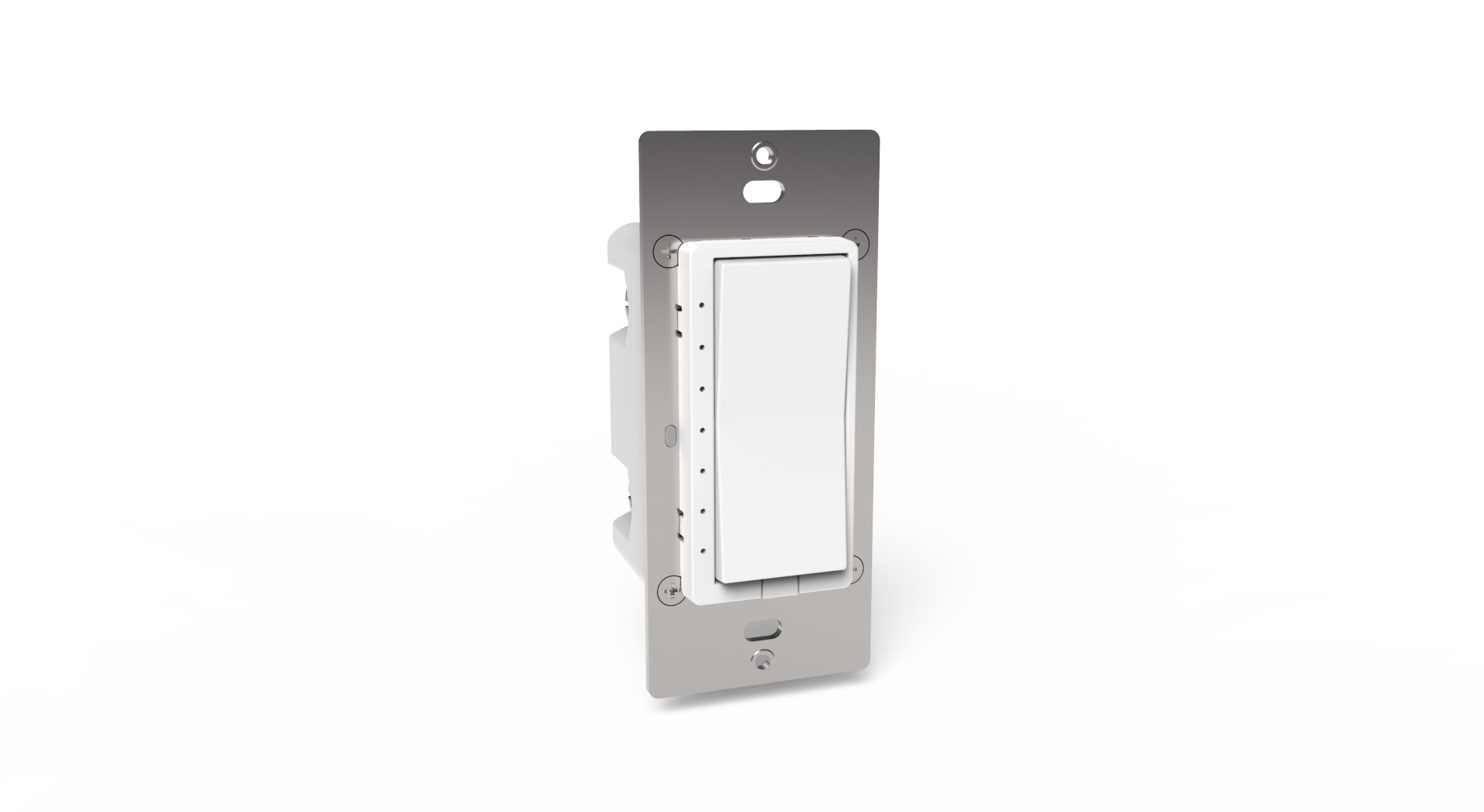
Product Recognition | |
|---|
Certification Number | ZC14-22120183 |
|---|
Name | Smart In Wall Dimmer & Switch |
|---|
Short Description | HS-WX300 is a Z-Wave™ in-wall light switch that may be configured to operate as either a dimmer switch or an on/off switch. |
|---|
Long Description | HS-WX300 is a Z-Wave™ in-wall light switch that may be configured to operate as either a dimmer switch or an on/off switch. It may be installed with or without a neutral wire and it works with both wired and wireless companion switches in 3-way circuit configurations. This switch has been designed, tested and certified for use in the United States and Canada. |
|---|
Brand | HomeSeer |
|---|
Product Identifier | HS-WX300-R2 |
|---|
Product Line | HS-WX300 |
|---|
OEM Version | HW: 02 FW: 02.01 |
|---|
Hardware Platform | EFR32ZG23A |
|---|
Z-Wave Version | 7.18.1 |
|---|
Library Type | END_NODE_ENHANCED_232 |
|---|
Device Type | Multilevel Switch DT |
|---|
Role Type | ROLE_TYPE_SLAVE_ALWAYS_ON |
|---|
Manufacturer ID | 0x000C |
|---|
Product Type ID | 0x4447 |
|---|
Product ID | 0x4036 |
|---|
User Icon | 0x0600 |
|---|
Installer Icon | 0x0600 |
|---|
Frequency Plans | US: 916.00MHz, 908.40MHz |
|---|
Categories | All Lighting Devices, On/Off Switches/Devices, Dimming Lighting Devices, Lighting Accessories |
|---|
Countries / Regions | United States of America |
|---|
Supported Command Classes | Identifier | Name | Key | Version |
|---|
COMMAND_CLASS_ASSOCIATION_V2 | Association V2 | 0x85 | 2 | COMMAND_CLASS_ASSOCIATION_GRP_INFO_V3 | Association Group Information (AGI) V3 | 0x59 | 3 | COMMAND_CLASS_DEVICE_RESET_LOCALLY | Device Reset Locally | 0x5A | 1 | COMMAND_CLASS_FIRMWARE_UPDATE_MD_V5 | Firmware Update Meta Data V5 | 0x7A | 5 | COMMAND_CLASS_INDICATOR_V3 | Indicator V3 | 0x87 | 3 | COMMAND_CLASS_MANUFACTURER_SPECIFIC_V2 | Manufacturer Specific V2 | 0x72 | 2 | COMMAND_CLASS_MULTI_CHANNEL_ASSOCIATION_V3 | Multi Channel Association V3 | 0x8E | 3 | COMMAND_CLASS_VERSION_V3 | Version V3 | 0x86 | 3 | COMMAND_CLASS_ZWAVEPLUS_INFO_V2 | Z-Wave Plus Info V2 | 0x5E | 2 | COMMAND_CLASS_SECURITY_2 | Security 2 | 0x9F | 1 | COMMAND_CLASS_SUPERVISION | Supervision | 0x6C | 1 | COMMAND_CLASS_TRANSPORT_SERVICE_V2 | Transport Service V2 | 0x55 | 2 | COMMAND_CLASS_POWERLEVEL | Powerlevel | 0x73 | 1 | COMMAND_CLASS_CENTRAL_SCENE_V3 | Central Scene V3 | 0x5B | 3 | COMMAND_CLASS_SWITCH_MULTILEVEL_V4 | Multilevel Switch V4 | 0x26 | 4 | COMMAND_CLASS_BASIC_V2 | Basic V2 | 0x20 | 2 | COMMAND_CLASS_CONFIGURATION_V4 | Configuration V4 | 0x70 | 4 |
|
|---|
S2 Classes | S2_AUTHENTICATED |
|---|
Documents | Category | Description | File |
|---|
Manual_English | Online version of the same file: https://docs.homeseer.com/products/lighting/hs-wx300/hs-wx300-user-guide | |
|
|---|
Features | Feature | Values |
|---|
Color | | Electric Load Type | Value |
|---|
Incandescent | LED | Dimmable LED | Dimmable Fluorescent |
| Firmware Updatable | Value |
|---|
Updatable by Consumer by RF |
| Neutral Wire Required | | Outdoor Use | | Z-Wave Scene Type | Value |
|---|
Scene & Central Scene |
| Switch Load Capacity Watts | Value |
|---|
Dimmable LED/CFL: 300W, Incandescent: 600W |
|
|
|---|
Association Groups | Group Number | Maximum Nodes Supported | End Point ID | Group Name | Profile |
|---|
1 | 5 | 0 | Lifeline | 0x0001 | 2 | 5 | 0 | On/Off/Dim | 0x2001 |
|
|---|
Configuration Parameters | Parameter Number | Name | Description | Format | Size | Min Value | Max Value | Default Value |
|---|
3 | LED Light Mode | Set LED operation (in normal mode | 1 | 1 | 0 | 0 | 0x00 | 4 | Invert Buttons | Set paddle load orientation | 1 | 1 | 0 | 0 | 0x00 | 5 | Lowest Dim Level | Set lowest dimming threshold | 1 | 1 | 0 | 0 | 0x01 | 6 | Disable Multitap | Toggle Central Scene and multi-tap functions | 1 | 1 | 0 | 0 | 0x00 | 11 | Remote Ramp Rate | Set ramp rate for remote control 0=instant on | 1 | 1 | 0 | 0 | 0x03 | 23 | LED3 Status Color | Set the led3 color in status mode | 1 | 1 | 0 | 0 | 0x00 | 24 | LED4 Status Color | Set the led4 color in status mode | 1 | 1 | 0 | 0 | 0x00 | 25 | LED5 Status Color | Set the led5 color in status mode | 1 | 1 | 0 | 0 | 0x00 | 31 | Enable LED Blink | Set LEDs to blink in Status mode | 1 | 1 | 0 | 0 | 0x00 |
|
|---|
Texts | ID | Description | Value |
|---|
8 | Where to find S2 DSK on product | *QR Code is located on the HS-WX300 metal yoke under the switch paddle. | 1 | Classic Inclusion | Follow this 2-step procedure to add (or remove) your new HomeSeer switch to (or from) your Z-Wave network:
1. Put your Z-Wave controller into inclusion (or exclusion) mode. Consult your controller’s manual if you’re unsure how to do this.
2. In rapid succession, tap the bottom paddle 2 times, then press & hold the bottom paddle for 3 seconds (tap-tap-press & hold). This
will initiate the inclusion (or exclusion) process. Note: The switch will default to dimmer mode after Z-Wave exclusion | 2 | Classic Exclusion | Follow this 2-step procedure to add (or remove) your new HomeSeer switch to (or from) your Z-Wave network:
1. Put your Z-Wave controller into inclusion (or exclusion) mode. Consult your controller’s manual if you’re unsure how to do this.
2. In rapid succession, tap the bottom paddle 2 times, then press & hold the bottom paddle for 3 seconds (tap-tap-press & hold). This
will initiate the inclusion (or exclusion) process. Note: The switch will default to dimmer mode after Z-Wave exclusion | 5 | Factory Reset Procedure | To be used only in the event that the network primary controller is lost or otherwise inoperable.
In rapid succession, tap the top paddle 3 times, then tap the bottom paddle 3 times. If all LEDs flash white 5 times, factory reset was successful. If not, repeat this procedure.
Note: As this must be done very quickly, we recommend using 2 fingers for this operation; one on each paddle!
Note: The switch will default to 3-wire mode and dimmer mode after factory reset. | 6 | Other Special Features | Changing Wire Mode
HS-WX300 may be installed with a neutral wire (3-wire mode) or without a neutral wire (2-wire mode). Selecting the correct wire mode will
yield the best results, especially if the switch is configured as a dimmer. By default, 3-wire mode is enabled. To change the wire mode (at
the switch):
1. Turn the power off
2. In rapid succession, tap the top paddle 2 times, then press & hold the top paddle for 3 seconds (tap-tap-press & hold)
3. Observe the behavior of the LEDs
If the bottom 3 LEDs flash white 3 times, HS-WX300 is configured for 3-wire mode
If the bottom 2 LEDs flash white 2 times, HS-WX300 is configured for 2-wire mode
Note: Wire mode may also be changed by the hub using Z-Wave parameter 32. See the Z-Wave Parameters section at the end of this
user guide. |
|
|---|
Supports NWI | Yes |
|---|
Supports Explorer Frames | Yes |
|---|
Supports SmartStart | Yes |
|---|
Radio Range Z-Wave (m) | 40 |
|---|