Product Recognition | |
|---|
Certification Number | ZC10-19086728 |
|---|
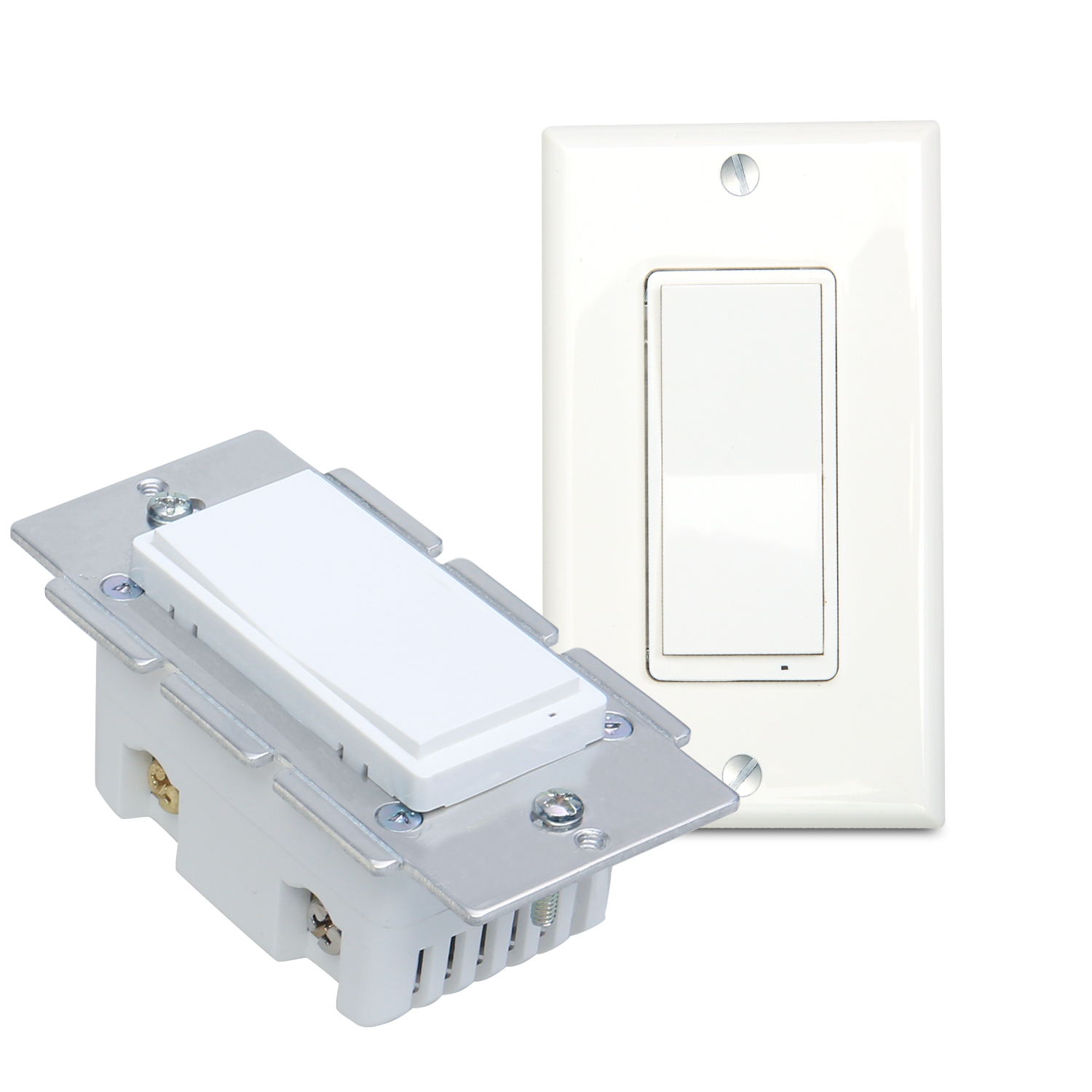
Name | Smart On/Off Switch |
|---|
Short Description | This product can be operated in any Z-Wave network with other Z-Wave certified devices from other manufacturers.
All non-battery operated nodes within the network will act as repeaters regardless of vendor to increase reliability of the network. |
|---|
Long Description | This product can be operated in any Z-Wave network with other Z-Wave certified devices from other manufacturers.
All non-battery operated nodes within the network will act as repeaters regardless of vendor to increase reliability of the network.
Each module is designed to act as a repeater,which will re-transmit a radio frequency (RF) signal by routing the signal around obstacles and radio dead spots to ensure that the signal is received at its intended destination.
MS10Z is a security enabled Z-Wave plus device. A security Enabled Z-Wave Plus Controller must be used in order to fully utilize the product. |
|---|
Brand | Minoston |
|---|
Product Identifier | MS10Z |
|---|
Product Line | Line A |
|---|
OEM Version | HW: 1 FW: 1.00 |
|---|
Hardware Platform | ZM5202 |
|---|
Z-Wave Version | 6.81.03 |
|---|
Library Type | SLAVE_ENHANCED_232 |
|---|
Device Type | On/Off Power Switch |
|---|
Role Type | ROLE_TYPE_SLAVE_ALWAYS_ON |
|---|
Manufacturer ID | 0x0312 |
|---|
Product Type ID | 0xFF01 |
|---|
Product ID | 0xFF03 |
|---|
User Icon | 0x0704 |
|---|
Installer Icon | 0x0700 |
|---|
Frequency Plans | US: 916.00MHz, 908.40MHz |
|---|
Categories | All Lighting Devices, On/Off Switches/Devices |
|---|
Countries / Regions | United States of America |
|---|
Supported Command Classes | Identifier | Name | Key | Version |
|---|
COMMAND_CLASS_FIRMWARE_UPDATE_MD_V4 | Firmware Update Meta-Data V4 | 0x7A | 4 | COMMAND_CLASS_POWERLEVEL | Powerlevel | 0x73 | 1 | COMMAND_CLASS_MULTI_CHANNEL_ASSOCIATION_V3 | Multi-Channel Association V3 | 0x8E | 3 | COMMAND_CLASS_SWITCH_BINARY | Switch Binary | 0x25 | 1 | COMMAND_CLASS_CONFIGURATION | Configuration | 0x70 | 1 | COMMAND_CLASS_TRANSPORT_SERVICE_V2 | Transport Service V2 | 0x55 | 2 | COMMAND_CLASS_DEVICE_RESET_LOCALLY | Device Reset Locally | 0x5A | 1 | COMMAND_CLASS_ZWAVEPLUS_INFO_V2 | Z-Wave Plus Info V2 | 0x5E | 2 | COMMAND_CLASS_ASSOCIATION_V2 | Association V2 | 0x85 | 2 | COMMAND_CLASS_ASSOCIATION_GRP_INFO | Association Group Info | 0x59 | 1 | COMMAND_CLASS_BASIC_V2 | Basic V2 | 0x20 | 2 | COMMAND_CLASS_SECURITY_2 | Security S2 | 0x9F | 1 | COMMAND_CLASS_VERSION_V3 | Version V3 | 0x86 | 3 | COMMAND_CLASS_CENTRAL_SCENE_V3 | Central Scene V3 | 0x5B | 3 | COMMAND_CLASS_SUPERVISION | Supervision | 0x6C | 1 | COMMAND_CLASS_MANUFACTURER_SPECIFIC_V2 | Manufacturer Specific V2 | 0x72 | 2 |
|
|---|
Controlled Command Classes | Identifier | Name | Key | Version |
|---|
COMMAND_CLASS_BASIC_V2 | Basic V2 | 0x20 | 2 |
|
|---|
S2 Classes | S2_UNAUTHENTICATED |
|---|
Documents | Category | Description | File |
|---|
Manual_English | Product Manual in English | | Manual_Primary_Lang | Product Manual | |
|
|---|
Features | Feature | Values |
|---|
Z-Wave Scene Type | | Switch Type | | Electric Load Type | Value |
|---|
Incandescent | Fluorescent | LED |
| Switch Load Capacity Current | | Switch Load Capacity Watts | | Color | | Firmware Updatable | Value |
|---|
Updatable by Consumer by RF |
|
|
|---|
Association Groups | Group Number | Maximum Nodes Supported | End Point ID | Group Name | Description |
|---|
2 | 5 | 0 | basic set command | basic set command | 1 | 1 | 0 | Lifeline | Z-Wave Plus Lifeline |
|
|---|
Configuration Parameters | Parameter Number | Name | Description | Format | Size | Min Value | Max Value | Default Value | Parameter Values |
|---|
5 | Enable Auto Turn-ON Timer | Enable Auto Turn-ON Timer | 0 | 1 | 0 | 0 | 0 | From | To | Description |
|---|
0 | 0 | timer disabled | 1 | 1 | timer enabled |
| 6 | Auto Turn-ON Timer | Auto Turn-ON Timer | 0 | 4 | 0 | 0 | 60 | From | To | Description |
|---|
1 | 65535 | Auto Turn-ON Timer |
| 8 | Restores state after power failure | Restores state after power failure | 0 | 1 | 0 | 0 | 2 | From | To | Description |
|---|
0 | 0 | Output OFF | 1 | 1 | Output ON | 2 | 2 | The state before a power outage |
| 9 | Enable or Disable local control | Enable or Disable local control | 0 | 1 | 0 | 0 | 1 | From | To | Description |
|---|
0 | 0 | disable | 1 | 1 | enable |
| 1 | Locally Button function | Locally Button function | 0 | 1 | 0 | 0 | 0 | From | To | Description |
|---|
0 | 0 | Up Button ON,Down Button OFF | 1 | 1 | Up Button OFF,Down Button ON | 2 | 2 | Up Button ON/OFF,Down Button ON/OFF |
| 2 | Status LED Configuration | Status LED Configuration | 0 | 1 | 0 | 0 | 0 | From | To | Description |
|---|
0 | 0 | Output and the LED are in the different state. | 1 | 1 | Output and the LED are in the same state. | 2 | 2 | LED Always OFF | 3 | 3 | LED Always ON |
| 3 | Enable Auto Turn-Off Time | Enable Auto Turn-Off Time | 0 | 1 | 0 | 0 | 0 | From | To | Description |
|---|
0 | 0 | timer disabled | 1 | 1 | timer enabled |
| 4 | Auto Turn-Off Time | Auto Turn-Off Time | 0 | 4 | 0 | 0 | 60 | From | To | Description |
|---|
1 | 65535 | Auto Turn-Off Time |
|
|
|---|
Texts | ID | Description | Value |
|---|
24 | Controller Classic Exclusion | 1. Follow the instructions for your Z-Wave certified controller to exclude
a device from the Z-Wave network.
2. Once the controller is ready to Exclude your device, press up and
release for threes times the front button to exclude it from the network. | 2 | Classic Exclusion | Remove the MS10Z from the existing Z-Wave home control network with your primary controller.
---Refer to your primary controller instructions to process the inclusion / exclusion setup procedure.
---When prompted by your primary controller, click the Up or Down button three times in one second.
Include MS10Z to/from a Z-Wave Gateway with supporting Security.The MS10Z can support the Primary Controller that implemented the security S2. | 5 | Factory Reset Procedure | Press click Z-Wave button 3 times quickly, and hold for at least 10 seconds at the third time to restore the device to the factory
Node:Please use this procedure only when the network primary controller is missing or otherwise inoperable. | 1 | Classic Inclusion | ADD the MS10Z from the existing Z-Wave home control network with your primary controller.
---Refer to your primary controller instructions to process the inclusion / exclusion setup procedure.
---When prompted by your primary controller, click the Up or Down button three times in one second.
Include MS10Z to/from a Z-Wave Gateway with supporting Security.The MS10Z can support the Primary Controller that implemented the security S2. | 23 | Controller Classic Inclusion | 1. Follow the instructions for your Z-Wave certified controller to include
a device to the Z-Wave network.
2. Once the controller is ready to include your device, press up and
Release for threes times the toggle to include it in the network.
3. Once your controller has confirmed that the device has been included, refresh the
Z-Wave network to optimize performance.
4. The device is associated in the same group when it included in setting process.
Now you can control your Z-Wave device according to groups, scenes, schedules
and automation programmed. |
|
|---|
Supports NWI | Yes |
|---|
Supports Explorer Frames | Yes |
|---|
Radio Range Z-Wave (m) | 40 |
|---|

.jpg)