| Product Recognition | |
|---|
| Certification Number | ZC10-16055090 |
|---|
| Name | Smart Plug |
|---|
| Short Description | Smart Plug |
|---|
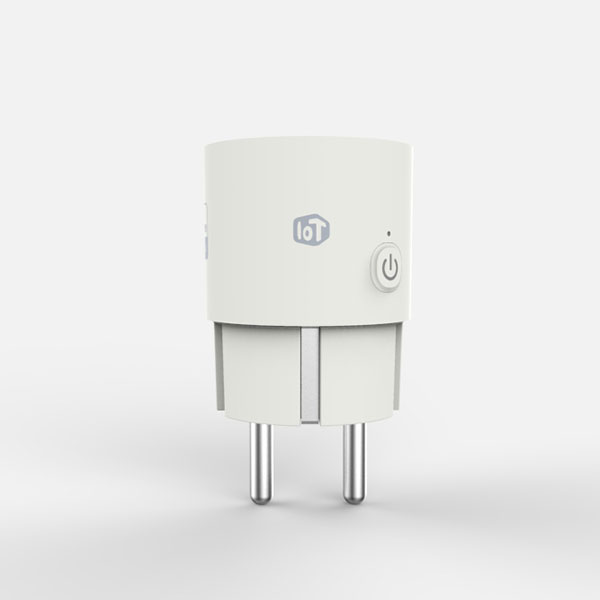
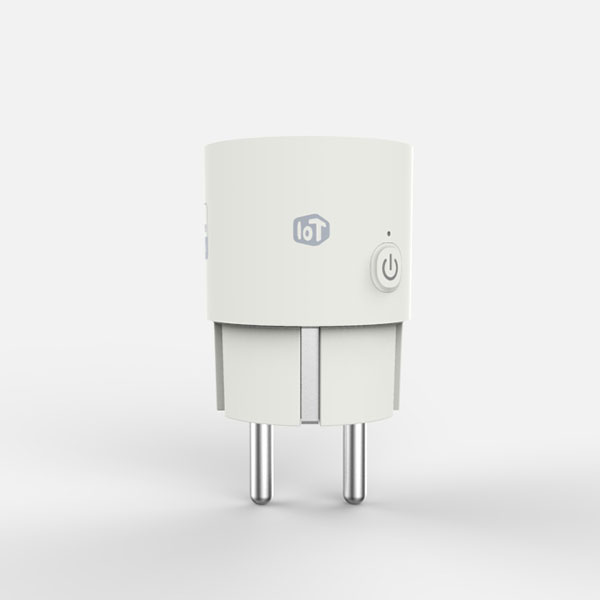
| Long Description | Smart-Plug plugs in between any appliance and the AC outlet. It measures its power consumption & sends that information to your smartphone. It can also control power source connected with appliance manually and remotely using smartphone. |
|---|
| Brand | LG Uplus |
|---|
| Product Identifier | SPES-02 |
|---|
| OEM Version | HW: 1 FW: 27.10 |
|---|
| Hardware Platform | ZM5202 |
|---|
| Z-Wave Version | 6.51.07 |
|---|
| Library Type | SLAVE_ENHANCED_232 |
|---|
| Device Type | On/Off Power Switch |
|---|
| Role Type | ROLE_TYPE_SLAVE_ALWAYS_ON |
|---|
| Manufacturer ID | 0x0247 |
|---|
| Product Type ID | 0x0042 |
|---|
| Product ID | 0x0001 |
|---|
| User Icon | 0700 |
|---|
| Installer Icon | 0700 |
|---|
| Frequency Plans | KR: 920.90MHz, 921.70MHz, 923.10MHz |
|---|
| Categories | Energy Meters, All Lighting Devices, On/Off Switches/Devices |
|---|
| Countries / Regions | Republic of Korea |
|---|
| Documents | |
|---|
| Features | | Feature | Values |
|---|
| Firmware Updatable | | Value |
|---|
| Updatable by Manufacturer |
| | Switch Load Capacity Watts | | | Supported Meter Type | | | Switch Type | |
|
|---|
| Association Groups | | Group Number | Maximum Nodes Supported | End Point ID | Description |
|---|
| 1 | 5 | 0 | Z-Wave Plus Lifeline |
|
|---|
| Configuration Parameters | | Parameter Number | Name | Description | Format | Size | Min Value | Max Value | Default Value | Parameter Values |
|---|
| 1 | standby power | First 3 Bytes : Standby Power Setting Value Last 1 Byte : Standby Power Enable/Disable | 0 | 4 | 0 | 0 | 0 | | From | To | Description |
|---|
| 256001 | 256001 | standby power enable with 10.00 watt | | 0 | 0 | standby power disable |
| | 2 | meter transmit | Periodic Measurement Value Transmission Enable/Disable | 0 | 1 | 0 | 0 | 1 | | From | To | Description |
|---|
| 0 | 0 | Periodic Measurement Value Transmission Disable | | 1 | 1 | Periodic Measurement Value Transmission Enable |
| | 3 | power accumulation mode | Power Accumulation Stop / Start | 0 | 1 | 0 | 0 | 1 | | From | To | Description |
|---|
| 0 | 0 | Power Accumulation Stop | | 1 | 1 | Power Accumulation Start |
| | 5 | meter transmit interval | Periodic Measurement Value Transmission Interval Minimum time interval : 10minutes | 0 | 1 | 0 | 0 | 6 | | From | To | Description |
|---|
| 1 | 144 | 1 = 10min, 144 = 1440 min |
| | 4 | device usage | Connected Device Use / Not Use | 0 | 1 | 0 | 0 | 0 | | From | To | Description |
|---|
| 1 | 1 | Connected Device Use | | 0 | 0 | Connected Device Not Use |
|
|
|---|
| Texts | | ID | Description | Value |
|---|
| 1 | Inclusion | 1. Put your Z-Wave controller into inclusion mode.
2. Plug the SmatPlug into the power outlet.
3. Press and hold on/off button about 5 seconds.
4. Orange LED will be flashing about 2 seconds, then inclusion process will be start.
5. Wait until inclusion will be done. | | 2 | Exclusion | 1. Put your Z-Wave controller into exclusion mode
2. Plug the SmatPlug into the power outlet.
3. Press and hold on/off button about 5 seconds.
4. Orange LED will be flashing about 2 seconds, then exclusion process will be start.
5. Wait until exclusion will be done. | | 5 | Factory Reset | Please use this procedure only when the network primary controller is missing or otherwise inoperable.
1. Plug the SmatPlug into the power outlet.
2. Press and hold on/off button about 10 seconds.
3. Orange LED will be flashing about 2 seconds, then factory reset process will be start. |
|
|---|
| Supported / Controlled Meter Types | | Meter Type | Rate Type | Description |
|---|
| Electric meter | Import | Electric Meter Consumption |
|
|---|
| Supports NWI | Yes |
|---|
| Supports Explorer Frames | Yes |
|---|