
Product Recognition | |
|---|---|
Certification Number | ZC10-15100001 |
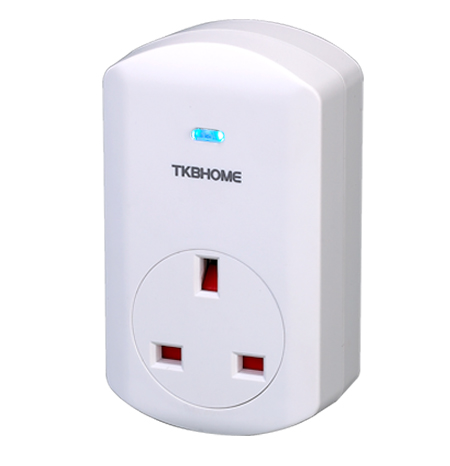
Name | Smart Plug in Switch |
Short Description | When you use this ON/OFF plug-in switch, just put it in the outlet, add it to the Z-Wave controller, download APP, you can use it to control an appliance with max. load 3500W on/off via smart phone. |
Long Description | 1. This plug-in ON/OFF switch in a transceiver which is a Z-Wave enabled device and is fully compatible with any Z-Wave enabled network.
2. Each socket is designed to act as a repeater. Repeaters will re-transmit the RF signal to ensure the signal to ensure that the signal is received by its intended destination.
3. You can use the button in the socket to include/exclude, manually on/off or act as a indicator. You can use it to turn on/off appliance remotely via smart phone or computer. |
Brand | TKB Home |
Product Identifier | TZ68E |
OEM Version | 01 |
Hardware Platform | ZM5202 |
Z-Wave Version | 6.51.06 |
Library Type | SLAVE_ENHANCED_232 |
Device Type | On/Off Power Switch |
Role Type | ROLE_TYPE_SLAVE_ALWAYS_ON |
Manufacturer ID | 0x0118 |
Product Type ID | 0x0003 |
Product ID | 0x0004 |
Frequency Plans | EU: 869.85MHz, 868.40MHz |
Categories | All Lighting Devices, On/Off Switches/Devices |
Countries / Regions | European Union |
Documents | |
Association Groups | |
Texts | |
Supports NWI | Yes |
Supports Explorer Frames | Yes |
Radio Range Z-Wave (m) | 40 |