Product Recognition | |
|---|
Certification Number | ZC10-19046432 |
|---|
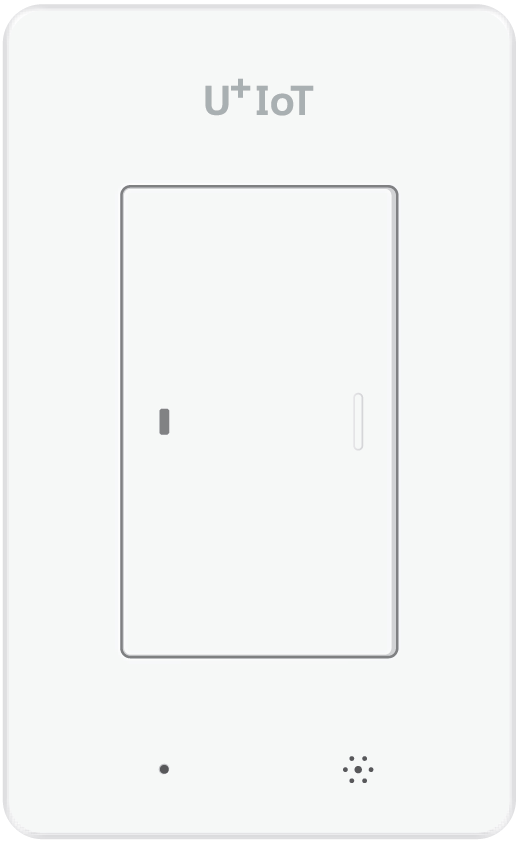
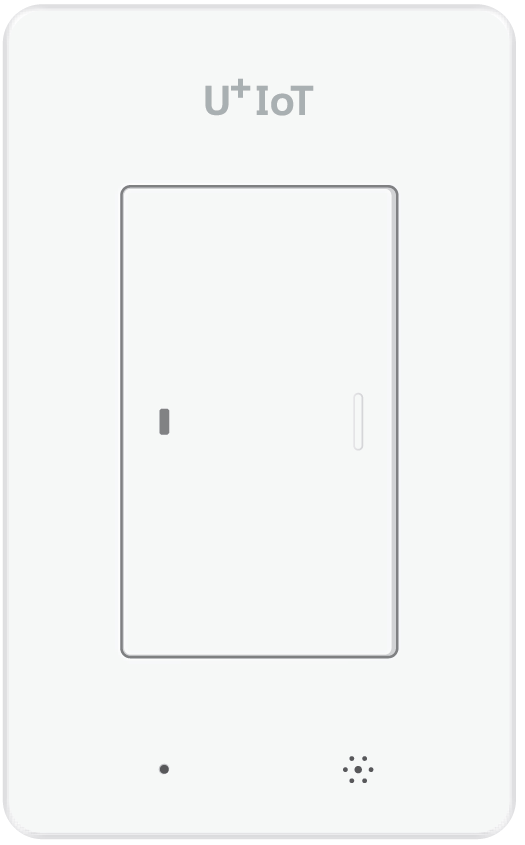
Name | Smart Switch |
|---|
Short Description | This device is a smart light switch using 1 wire AC line. |
|---|
Long Description | This device is a smart light switch using 1 wire AC line.
You can control the light from the remote.
Input AC power : 220V
this has one button. |
|---|
Brand | LG U+ IoT@Home |
|---|
Product Identifier | SSD-105 |
|---|
OEM Version | HW: 3 FW: 39.47 |
|---|
Hardware Platform | ZM5101 |
|---|
Z-Wave Version | 6.81.03 |
|---|
Library Type | SLAVE_ENHANCED_232 |
|---|
Device Type | On/Off Power Switch |
|---|
Role Type | ROLE_TYPE_SLAVE_SLEEPING_LISTENING |
|---|
Manufacturer ID | 0x018C |
|---|
Product Type ID | 0x0057 |
|---|
Product ID | 0x0001 |
|---|
User Icon | 0x0700 |
|---|
Installer Icon | 0x0700 |
|---|
Frequency Plans | KR: 920.90MHz, 921.70MHz, 923.10MHz |
|---|
Categories | All Lighting Devices, On/Off Switches/Devices |
|---|
Countries / Regions | Republic of Korea |
|---|
Supported Command Classes | Identifier | Name | Key | Version |
|---|
COMMAND_CLASS_SENSOR_MULTILEVEL_V5 | Sensor Multilevel V5 | 0x31 | 5 | COMMAND_CLASS_POWERLEVEL | Powerlevel | 0x73 | 1 | COMMAND_CLASS_BATTERY | Battery | 0x80 | 1 | COMMAND_CLASS_SWITCH_BINARY | Switch Binary | 0x25 | 1 | COMMAND_CLASS_BASIC | Basic | 0x20 | 1 | COMMAND_CLASS_CONFIGURATION | Configuration | 0x70 | 1 | COMMAND_CLASS_SECURITY | Security S0 | 0x98 | 1 | COMMAND_CLASS_TRANSPORT_SERVICE_V2 | Transport Service V2 | 0x55 | 2 | COMMAND_CLASS_VERSION_V2 | Version V2 | 0x86 | 2 | COMMAND_CLASS_DEVICE_RESET_LOCALLY | Device Reset Locally | 0x5A | 1 | COMMAND_CLASS_ZWAVEPLUS_INFO_V2 | Z-Wave Plus Info V2 | 0x5E | 2 | COMMAND_CLASS_ASSOCIATION_V2 | Association V2 | 0x85 | 2 | COMMAND_CLASS_ASSOCIATION_GRP_INFO | Association Group Info | 0x59 | 1 | COMMAND_CLASS_MULTI_CHANNEL_V4 | Multi-Channel V4 | 0x60 | 4 | COMMAND_CLASS_SECURITY_2 | Security S2 | 0x9F | 1 | COMMAND_CLASS_MANUFACTURER_SPECIFIC | Manufacturer Specific | 0x72 | 1 | COMMAND_CLASS_SUPERVISION | Supervision | 0x6C | 1 | COMMAND_CLASS_FIRMWARE_UPDATE_MD_V2 | Firmware Update Meta-Data V2 | 0x7A | 2 | COMMAND_CLASS_NOTIFICATION_V4 | Notification V4 | 0x71 | 4 |
|
|---|
S2 Classes | S2_UNAUTHENTICATED |
|---|
Documents | Category | Description | File |
|---|
Manual_Primary_Lang | Product or Owner's Manual | |
|
|---|
Features | Feature | Values |
|---|
Switch Load Capacity Current | | Switch Load Capacity Volt-Ampere | | Switch Load Capacity Watts | | Switch Type | Value |
|---|
Push Button with Indicator |
| Color | | Electric Load Type | Value |
|---|
Incandescent | Fluorescent | LED |
| Firmware Updatable | Value |
|---|
Updatable by Manufacturer Representative |
| Outdoor Use | | Sensors | | Supported Notification Types | |
|
|---|
Association Groups | Group Number | Maximum Nodes Supported | End Point ID | Description |
|---|
2 | 5 | 0 | OnOff Noti EP 1
Porfile Notification = 0x71
Command Class
- Notification Report | 1 | 5 | 0 | Z-Wave Plus Lifeline,
Profile General = 0x00
Profile General Lifeline = 0x01
Command Class
- Device Reset Locally Notification
- Notification Report
- Multilevel Sensor Report
- Version Report
- Configuration Report
- Battery Report |
|
|---|
Configuration Parameters | Parameter Number | Name | Description | Format | Size | Min Value | Max Value | Default Value | Parameter Values |
|---|
1 | change report cycle | This parameter determines the period in which the temperature and humidity values are transmitted. default Value : 0x258 (integer 600 --> 10 minutes) | 0 | 2 | 0 | 0 | 600 | From | To | Description |
|---|
60 | 3600 | If value is 0x258, The device reports temperature and humidity every 10 minutes. |
|
|
|---|
Texts | ID | Description | Value |
|---|
1 | Inclusion | After mounting the UZB controller to your PC and running the PC Controller program, click the Add button in the PC Controller program. Press the button on the Smart Power Strip for more than five seconds after you plug the Smart Power Strip into a power outlet and it will include to the network controller, while flashing the red button on the LED Smart Power Strip. | 2 | Exclusion | After mounting the UZB controller to your PC and run the PC Controller program you can click the Remove button in the PC Controller program. Press the button on the Smart Power Strip for more than five seconds after you plug the Smart Power Strip into a power outlet will Exclusion in the network controller, while the flashing red button LED Smart Power Strip. | 4 | Device Wake-Up | To wake up this device, either press the switch button or try remote control. | 6 | Additional Special Features | The device measures ambient temperature and humidity and reports periodically.
The cycle can be changed through the Configuration Command Class. | 5 | Factory Reset | With the device powered, press and hold the third button for 10 seconds.
The LED of the button will flash red after 5 seconds, it will turn green, then it will flash red again. Then release the button.
After a few moments, the entire LED is blinking and the green LED stops flashing.
Please use the procedure only in the event that the network primary controller is missing or otherwise inoperable. |
|
|---|
Supported Notification Types | Notification Type | Event / State |
|---|
Heat Alarm | (Refer to parameters): State idle |
|
|---|
Supported Multilevel Sensors | Multilevel Sensor Type |
|---|
Humidity |
|
|---|
Supports NWI | Yes |
|---|
Supports Explorer Frames | Yes |
|---|
Is Flirs | Yes |
|---|
Radio Range Z-Wave (m) | 40 |
|---|