Product Recognition | |
|---|
Certification Number | ZC10-17025417 |
|---|
Name | SmartCode 888 |
|---|
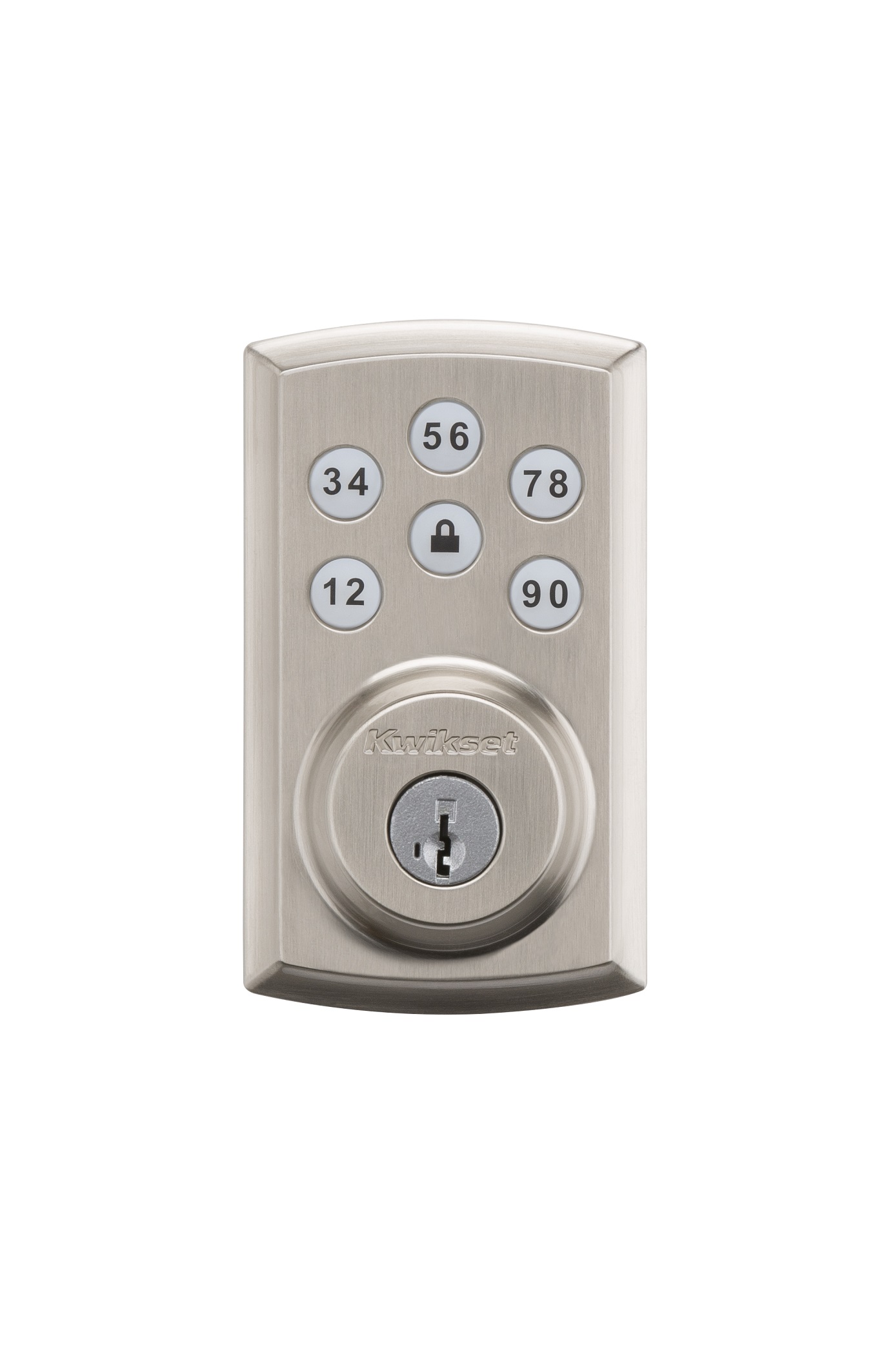
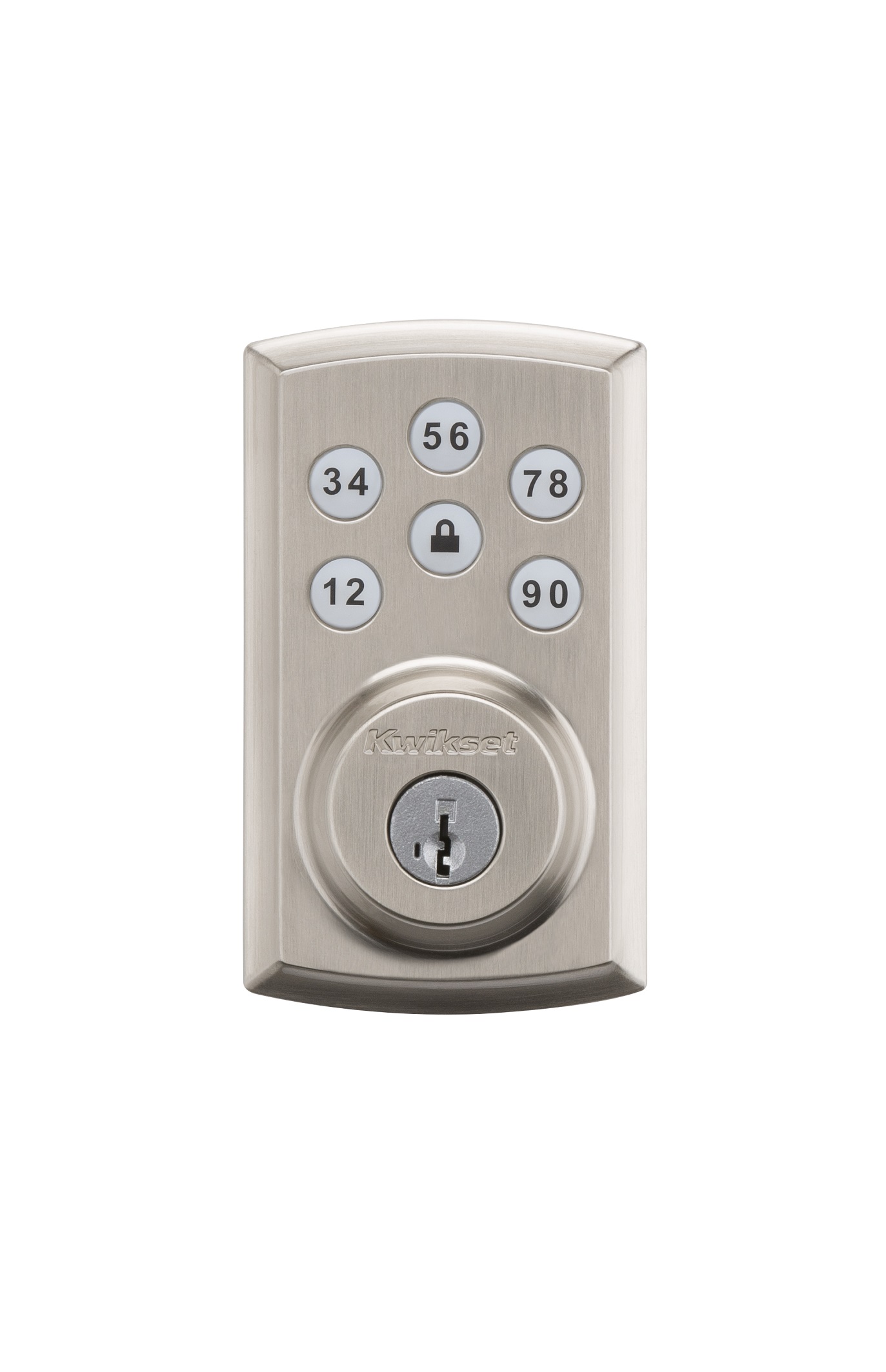
Short Description | SmartCode 888 Touchpad Electronic Deadbolt |
|---|
Long Description | Kwikset®, the leader in residential security, introduces the SmartCode™ 888 Touchpad Electronic Deadbolt with Z-Wave.
Backlit keypad with One touch locking
30 user codes
BHMA grade 3 certified
Full 128-bit encryption security
Drill and pick resistant backup keyway
SmartKey: Re-key the lock in seconds |
|---|
Brand | Kwikset |
|---|
Product Identifier | 888 |
|---|
OEM Version | HW: 5 FW: 4.79:65.06 |
|---|
Hardware Platform | ZM5101 |
|---|
Z-Wave Version | 6.51.08 |
|---|
Library Type | SLAVE_ENHANCED_232 |
|---|
Device Type | Door Lock - Keypad |
|---|
Role Type | ROLE_TYPE_SLAVE_SLEEPING_LISTENING |
|---|
Manufacturer ID | 0x0090 |
|---|
Product Type ID | 0x0003 |
|---|
Product ID | 0x0541 |
|---|
User Icon | 0x0300 |
|---|
Installer Icon | 0x0300 |
|---|
Frequency Plans | US: 916.00MHz, 908.40MHz |
|---|
Categories | Locks |
|---|
Countries / Regions | United States of America |
|---|
Supported Command Classes | Identifier | Name | Key | Version |
|---|
COMMAND_CLASS_POWERLEVEL | Powerlevel | 0x73 | 1 | COMMAND_CLASS_USER_CODE | User Code | 0x63 | 1 | COMMAND_CLASS_DOOR_LOCK_V2 | Door Lock V2 | 0x62 | 2 | COMMAND_CLASS_BATTERY | Battery | 0x80 | 1 | COMMAND_CLASS_BASIC | Basic | 0x20 | 1 | COMMAND_CLASS_CONFIGURATION | Configuration | 0x70 | 1 | COMMAND_CLASS_SECURITY | Security S0 | 0x98 | 1 | COMMAND_CLASS_VERSION_V2 | Version V2 | 0x86 | 2 | COMMAND_CLASS_DEVICE_RESET_LOCALLY | Device Reset Locally | 0x5A | 1 | COMMAND_CLASS_ZWAVEPLUS_INFO_V2 | Z-Wave Plus Info V2 | 0x5E | 2 | COMMAND_CLASS_ASSOCIATION_V2 | Association V2 | 0x85 | 2 | COMMAND_CLASS_ASSOCIATION_GRP_INFO | Association Group Info | 0x59 | 1 | COMMAND_CLASS_FIRMWARE_UPDATE_MD_V3 | Firmware Update Meta-Data V3 | 0x7A | 3 | COMMAND_CLASS_MANUFACTURER_SPECIFIC_V2 | Manufacturer Specific V2 | 0x72 | 2 | COMMAND_CLASS_NOTIFICATION_V4 | Notification V4 | 0x71 | 4 | COMMAND_CLASS_ANTITHEFT_V2 | Anti-Theft V2 | 0x5D | 2 |
|
|---|
Documents | Category | Description | File |
|---|
Manual_Primary_Lang | Product or Owner's Manual | |
|
|---|
Features | Feature | Values |
|---|
Battery Quantity | | Battery Type | | Communications Protocol | | Door Lock Type | | Firmware Updatable | Value |
|---|
Updatable by Consumer by RF |
|
|
|---|
Association Groups | Group Number | Maximum Nodes Supported | End Point ID | Description |
|---|
2 | 5 | 0 | This group will provide all Notification reports via the Command Class Notification that can be generated by the lock. This group allows other controllers, other than the lifeline, to receive these types of unsolicited messages as well. | 1 | 1 | 0 | Z-Wave Plus Lifeline
Supports the following types of unsolicited messages:
Battery Report - sends periodic battery reports containing the battery percentage.
Door Lock Operation Report - upon power up, this message will be sent to allow the controller to sync up with the current lock status.
Notification Report - many notification types will be sent for status and alarms. The following notification types are supported: Access Control (V2), Home Security (V2), and Power Management (V2).
Device Reset Locally Notification - this message will be sent to notify the smart home controller that the lock is resetting back to factory defaults and will be leaving the network. |
|
|---|
Configuration Parameters | Parameter Number | Name | Description | Format | Size | Min Value | Max Value | Default Value | Parameter Values |
|---|
47 | Motor Load Test | The configuration parameter 47 uses 1 byte that will allow the user to get / set the value to enable or disable the motor load alarm. Setting this byte to 0 will disable the alarm, whereas setting this byte to 1 will enable the alarm. If a motor load alarm has been activated and the alarm has been enabled, the alarm will be sent via the Power Management group in the Notification Command Class as a Load Error (0x09). | 0 | 1 | 0 | 0 | 0 | From | To | Description |
|---|
0 | 0 | do not run test | 1 | 1 | enable test to run |
|
|
|---|
Texts | ID | Description | Value |
|---|
1 | Inclusion | Initiate the process to add the lock to your system at your smart home controller.
When prompted by your smart home system to add the lock, press button “A” on the lock interior one time. The red LED will illuminate when the lock enters Add Mode.
Please allow time for the controller to add the lock to your system. | 2 | Exclusion | Follow your smart home system’s instructions to remove the lock from the network. When prompted by the system, press button A” on the lock interior once. The red LED will illuminate when the lock enters Remove mode. | 4 | Device Wake-Up | Even though the lock is sleeping, all buttons are active and can be used to initiate any lock activity.
For the RF side, it will wake up every 1 second to check if there are any requests from your smart home controller. | 5 | Factory Reset | A factory reset will delete all user codes associated with the lock and will remove itself from your smart home system.
Please only perform a factory reset when the primary controller is missing or inoperable.
To perform a factory reset, please perform the following:
1. Remove the battery pack
2. Press and HOLD the Program button while reinserting the battery pack.
3. Keep holding the button for 30 seconds until the lock beeps and the status LED flashes red.
4. Press the Program button once more. The status LED will flash green and red several times.
5. After a few seconds, the lock will initiate the door handing process. |
|
|---|
Supports NWI | Yes |
|---|
Supports Explorer Frames | Yes |
|---|
Is Flirs | Yes |
|---|