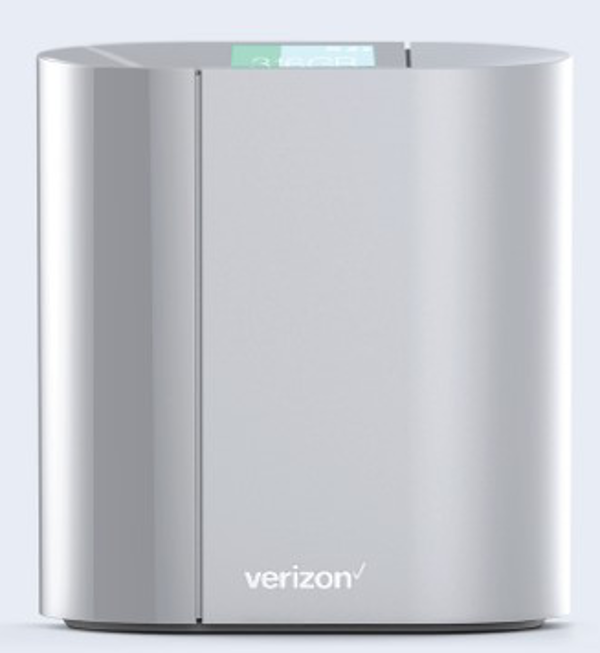
| Product Recognition | |
|---|
| Certification Number | ZC10-17045542 |
|---|
| Name | SmartHub |
|---|
| Short Description | LTE Gateway, router, and Wi-Fi Access Point providing users with data, voice, and home automation control services. |
|---|
| Long Description | LTE Gateway, router, and Wi-Fi Access Point providing users with data, voice, and home automation control services. |
|---|
| Brand | Verizon |
|---|
| Product Identifier | MBHA10 |
|---|
| OEM Version | HW: 1 FW: 4.33:01.31 |
|---|
| Hardware Platform | SD3503 |
|---|
| Z-Wave Version | 6.61.00 |
|---|
| Library Type | CONTROLLER_BRIDGE |
|---|
| Device Type | Central Controller |
|---|
| Role Type | ROLE_TYPE_CONTROLLER_CENTRAL_STATIC |
|---|
| Manufacturer ID | 0x0240 |
|---|
| Product Type ID | 0x0002 |
|---|
| Product ID | 0x0001 |
|---|
| User Icon | 0x0100 |
|---|
| Installer Icon | 0x0100 |
|---|
| Frequency Plans | US: 916.00MHz, 908.40MHz |
|---|
| Categories | All Controllers, Gateway Controller |
|---|
| Countries / Regions | United States of America |
|---|
| Supported Command Classes | | Identifier | Name | Key | Version |
|---|
| COMMAND_CLASS_POWERLEVEL | Powerlevel | 0x73 | 1 | | COMMAND_CLASS_APPLICATION_STATUS | Application Status | 0x22 | 1 | | COMMAND_CLASS_CRC_16_ENCAP | CRC16 Encapsulation | 0x56 | 1 | | COMMAND_CLASS_SECURITY | Security S0 | 0x98 | 1 | | COMMAND_CLASS_VERSION_V2 | Version V2 | 0x86 | 2 | | COMMAND_CLASS_DEVICE_RESET_LOCALLY | Device Reset Locally | 0x5A | 1 | | COMMAND_CLASS_ZWAVEPLUS_INFO_V2 | Z-Wave Plus Info V2 | 0x5E | 2 | | COMMAND_CLASS_ASSOCIATION_V2 | Association V2 | 0x85 | 2 | | COMMAND_CLASS_ASSOCIATION_GRP_INFO | Association Group Info | 0x59 | 1 | | COMMAND_CLASS_MANUFACTURER_SPECIFIC | Manufacturer Specific | 0x72 | 1 | | COMMAND_CLASS_MULTI_CMD | Multi-Command | 0x8F | 1 |
|
|---|
| Controlled Command Classes | | Identifier | Name | Key | Version |
|---|
| COMMAND_CLASS_SWITCH_MULTILEVEL | Switch Multilevel | 0x26 | 1 | | COMMAND_CLASS_SENSOR_ALARM | Sensor Alarm | 0x9C | 1 | | COMMAND_CLASS_DOOR_LOCK | Door Lock | 0x62 | 1 | | COMMAND_CLASS_POWERLEVEL | Powerlevel | 0x73 | 1 | | COMMAND_CLASS_USER_CODE | User Code | 0x63 | 1 | | COMMAND_CLASS_MULTI_CHANNEL_ASSOCIATION_V3 | Multi-Channel Association V3 | 0x8E | 3 | | COMMAND_CLASS_CLOCK | Clock | 0x81 | 1 | | COMMAND_CLASS_BATTERY | Battery | 0x80 | 1 | | COMMAND_CLASS_SWITCH_BINARY | Switch Binary | 0x25 | 1 | | COMMAND_CLASS_BASIC | Basic | 0x20 | 1 | | COMMAND_CLASS_CONFIGURATION | Configuration | 0x70 | 1 | | COMMAND_CLASS_CRC_16_ENCAP | CRC16 Encapsulation | 0x56 | 1 | | COMMAND_CLASS_SECURITY | Security S0 | 0x98 | 1 | | COMMAND_CLASS_SENSOR_BINARY_V2 | Sensor Binary V2 | 0x30 | 2 | | COMMAND_CLASS_SENSOR_MULTILEVEL_V7 | Sensor Multilevel V7 | 0x31 | 7 | | COMMAND_CLASS_THERMOSTAT_MODE_V2 | Thermostat Mode V2 | 0x40 | 2 | | COMMAND_CLASS_THERMOSTAT_SETPOINT_V2 | Thermostat Setpoint V2 | 0x43 | 2 | | COMMAND_CLASS_VERSION_V2 | Version V2 | 0x86 | 2 | | COMMAND_CLASS_WAKE_UP_V2 | Wake Up V2 | 0x84 | 2 | | COMMAND_CLASS_DEVICE_RESET_LOCALLY | Device Reset Locally | 0x5A | 1 | | COMMAND_CLASS_ZWAVEPLUS_INFO_V2 | Z-Wave Plus Info V2 | 0x5E | 2 | | COMMAND_CLASS_ASSOCIATION_V2 | Association V2 | 0x85 | 2 | | COMMAND_CLASS_ASSOCIATION_GRP_INFO | Association Group Info | 0x59 | 1 | | COMMAND_CLASS_MULTI_CHANNEL_V4 | Multi-Channel V4 | 0x60 | 4 | | COMMAND_CLASS_NOTIFICATION_V5 | Notification V5 | 0x71 | 5 | | COMMAND_CLASS_MANUFACTURER_SPECIFIC | Manufacturer Specific | 0x72 | 1 | | COMMAND_CLASS_SWITCH_COLOR | Switch Color | 0x33 | 1 | | COMMAND_CLASS_METER_PULSE | Meter Pulse | 0x35 | 1 | | COMMAND_CLASS_METER_V4 | Meter V4 | 0x32 | 4 | | COMMAND_CLASS_MULTI_CMD | Multi-Command | 0x8F | 1 |
|
|---|
| Documents | |
|---|
| Features | | Feature | Values |
|---|
| Battery Type | | | Battery Quantity | | | Sensors | | Value |
|---|
| Air Temperature | | Moisture | | Carbon Monoxide |
| | Supported Notification Types | | Value |
|---|
| Smoke Alarm | | CO Alarm | | CO2 Alarm | | Heat Alarm | | Water Alarm | | Access Control | | Home Security | | Power Management | | System | | Emergency Alarm | | Clock | | Appliance | | Home Health | | Gas Alarm |
|
|
|---|
| Association Groups | | Group Number | Maximum Nodes Supported | End Point ID | Description |
|---|
| 1 | 1 | 0 | Z-Wave Plus Lifeline |
|
|---|
| Texts | | ID | Description | Value |
|---|
| 24 | Controller Exclusion | Click on Advanced Network Settings
Use “Exclude” button in gateway user interface
Remove a Z-Wave device from the current Z-Wave network | | 23 | Controller Inclusion | Click on Advanced Network Settings
Use “Discover” button in gateway user interface
Add a Z-Wave device to the current Z-Wave network
Devices added with the device manager will be configured in the following
way and in the following order:
•Z-Wave inclusion
•Z-Wave secure inclusion, if the device being added supports the
Security command class
•Configuration/interview of certain command classes that are
supported by the device being included
•Return routes assignment to primary controller
•
To copy network data to another controller click the DISCOVER button
and put the other controller in learn mode. This is typically done to
transfer information about newly joined devices to other controllers. | | 3 | Learn Mode (adding another controller) | Click on Advanced Network Settings
Use “Learn Mode” button in gateway user interface
Controller learn mode is used to perform the following actions:
•Add controller to another Z-Wave network
•Remove controller from its current Z-Wave network
•Transfer SIS role from current primary controller to this controller.
•Receive network information from primary controller, if controller
is an inclusion or secondary controller in the current Z-Wave
network | | 5 | Factory Reset | Please use this procedure only when the network primary controller is missing or otherwise inoperable.
Click on Advanced Network Settings
Use “Controller Reset” button in gateway user interface
Reset Z-Wave module to default settings. This will effectively delete the current Z-Wave network and create a new one. All your devices will be deleted and it will be necessary to remove them prior to adding them to another Z-Wave network. |
|
|---|
| Supports NWI | Yes |
|---|
| Supports Explorer Frames | Yes |
|---|