
Product Recognition | |
|---|---|
Certification Number | ZC10-18096229 |
Name | Smartlock |
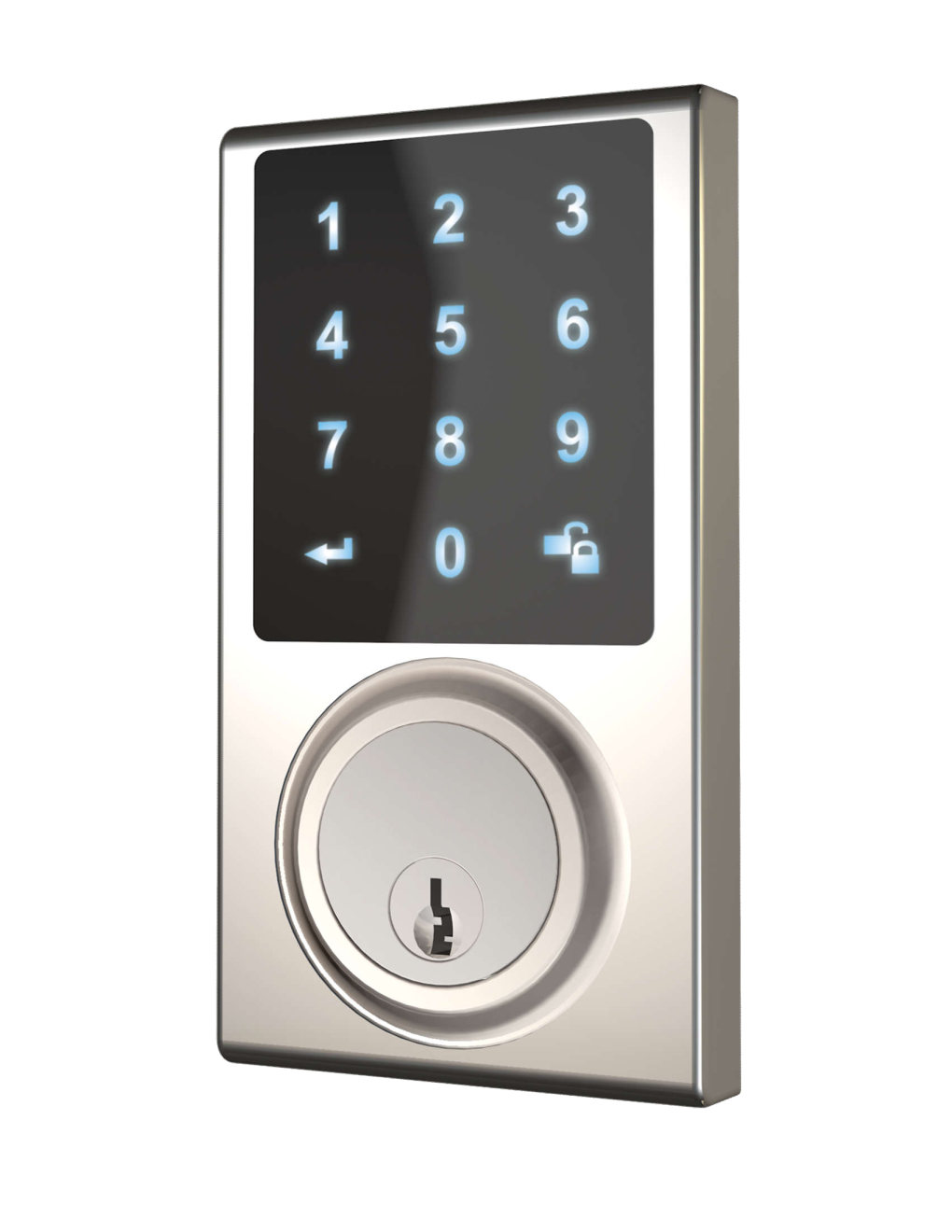
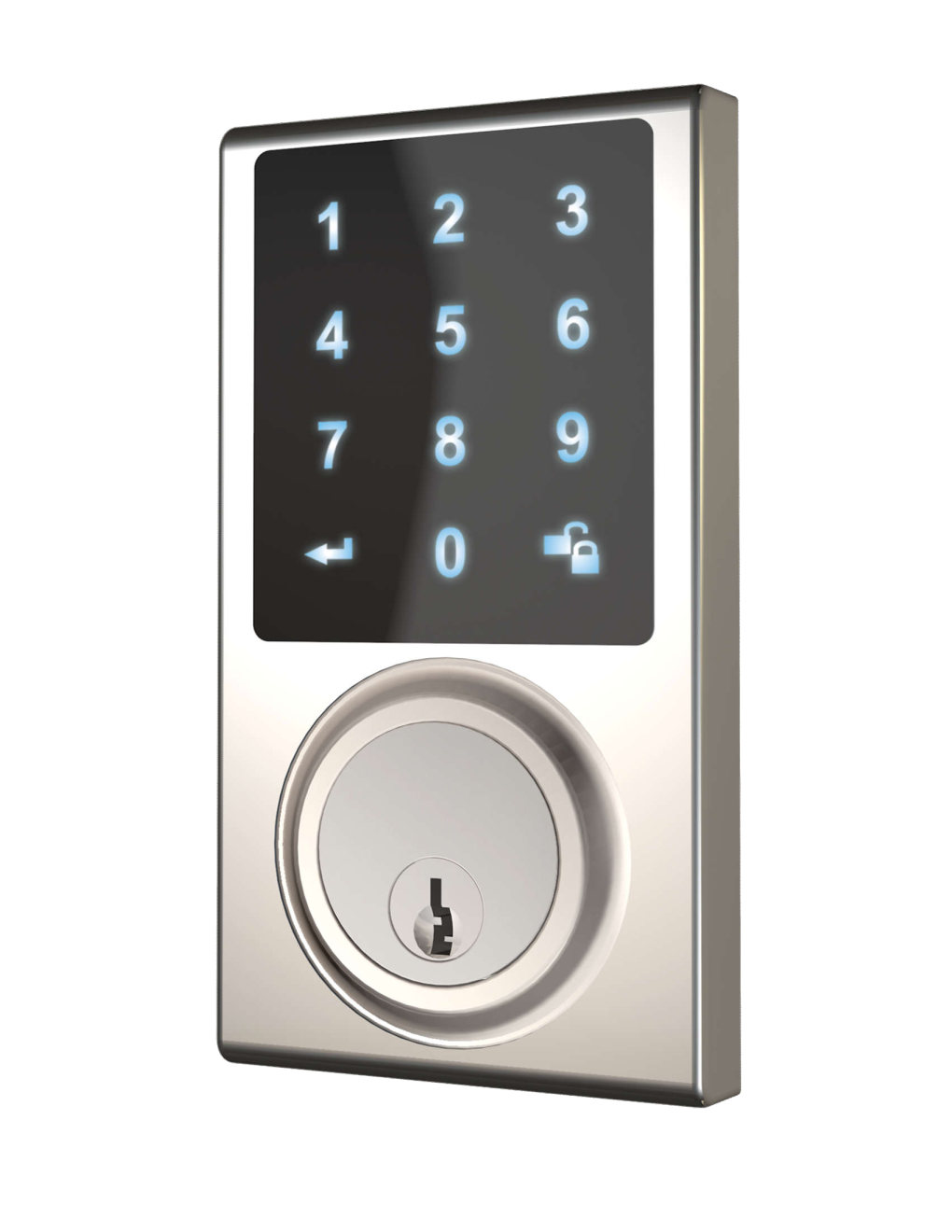
Short Description | Delaney Hardware’s ZW300 Touchscreen Smartlock offers convenience and security for residential entry doors. Entry is made via touchscreen code, mobile app, or mechanical key. |
Long Description | Delaney Hardware’s ZW300 Touchscreen Smartlock offers convenience and security for residential entry doors. Entry is made via touchscreen code, mobile app, or mechanical key. With Delaney’s smart home control app, a homeowner can manage who is entering their home from anywhere.
• ANSI Grade 3 lock with motor-driven deadbolt
• Keypad accommodates thirty user codes of four to eight digits, and a single-use code, with code-probing prevention and disablement after five attempts (warned with beeps and LED and then 45-seconds downtime)
• Delaney app utilizes Z-Wave Plus via 128-bit AES encryption, mesh networking technology, and history log. It integrates with other Z-Wave devices such as doorbells with cameras, door and window sensors, outlet controls, heat and smoke sensors, thermostats, and water leak sensors via a security-enabled Z-Wave hub, which conveniently connects through your home WiFi, or plugs into your modem.
• Configurable auto-locking (from 10-99 seconds)
• Vacation mode with time-configurable deactivation during which all user codes are disabled such that only the mechanical key.
• ANSI A156.25 compliance (water, dust, corrosion resistance)
• Easy installation in standard doors with just a screwdriver (no hard wiring) |
Brand | Delaney Hardware |
Product Identifier | ZW300 |
OEM Version | HW: 1 FW: 1.02:01.00 |
Hardware Platform | ZM5101 |
Z-Wave Version | 6.71.01 |
Library Type | SLAVE_ENHANCED_232 |
Device Type | Door Lock - Keypad |
Role Type | ROLE_TYPE_SLAVE_SLEEPING_LISTENING |
Manufacturer ID | 0x040D |
Product Type ID | 0x0003 |
Product ID | 0x0001 |
User Icon | 0x0300 |
Installer Icon | 0x0300 |
Frequency Plans | US: 916.00MHz, 908.40MHz |
Categories | Locks |
Countries / Regions | United States of America |
Supported Command Classes | |
S2 Classes | S2_ACCESS_CONTROL |
Documents | |
Features | |
Association Groups | |
Texts | |
Supports NWI | Yes |
Supports Explorer Frames | Yes |
Is Flirs | Yes |
Radio Range Z-Wave (m) | 40 |