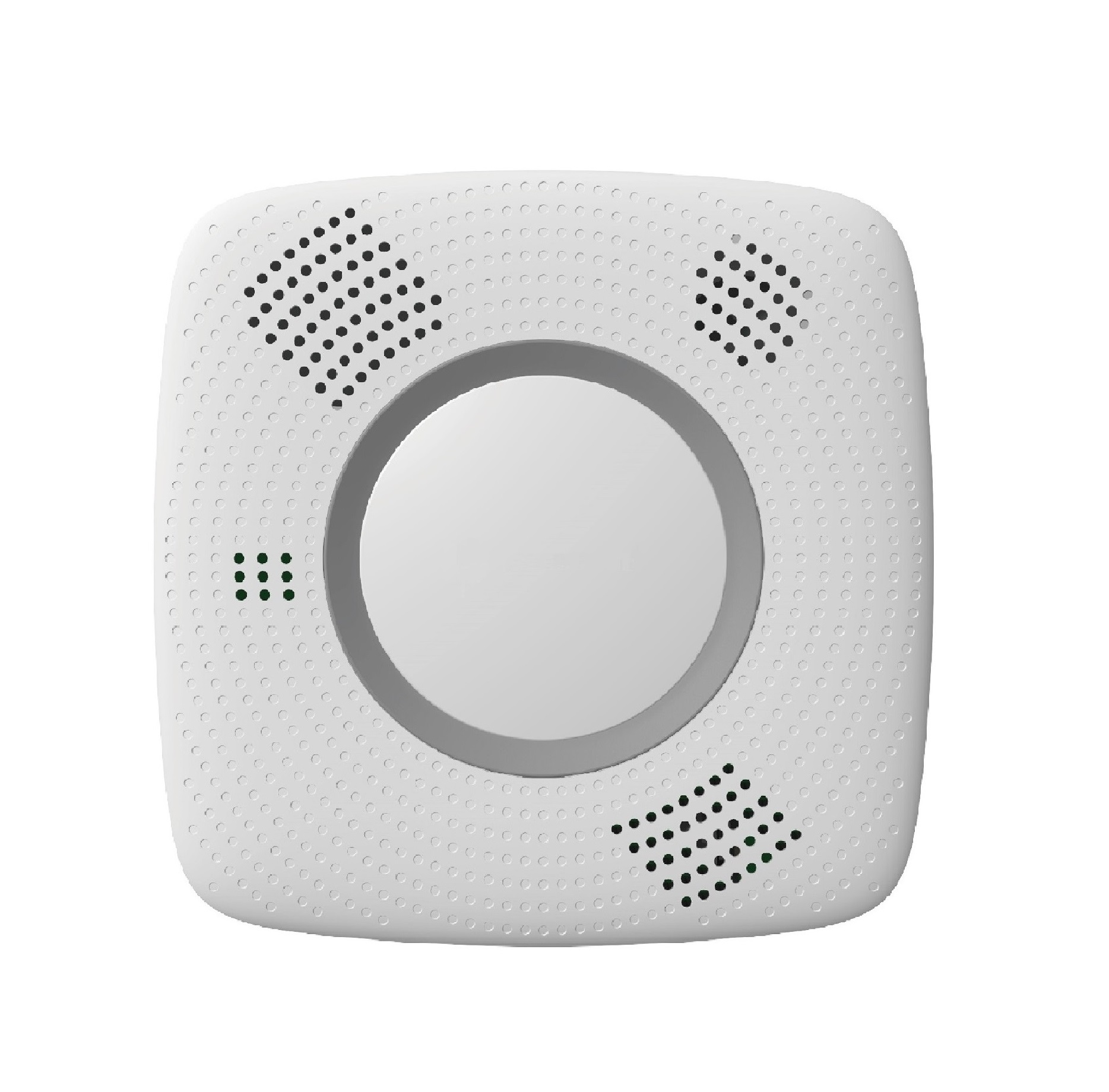
Product Recognition | |
|---|
Certification Number | ZC10-19126806 |
|---|
Name | Smoke and Carbon Monoxide Detector |
|---|
Short Description | SDCO-1-ZW is a Z-Wave Smoke and Carbon Monoxide Detector with temperature, humidity, and heat detection, as well as voice prompts and allows access to the “S2 Unauthenticated” class. |
|---|
Long Description | SDCO-1-ZW is capable of sending wireless signals to the Z-Wave gateway/control panel upon detection of smoke particles or Carbon Monoxide. The device is also serially connected with other sensors in the Z-Wave gateway to serve as an extra siren. When any other sensor in the Z-Wave network is activated and sends an alarm signal, the Smoke Detector will also raise alarm with its built-in buzzer as a siren to help sound warning (for serial connection models). |
|---|
Brand | Climax Technology |
|---|
Product Identifier | SDCO-1 |
|---|
Product Line | Z-Wave Accessories |
|---|
OEM Version | HW: 255 FW: 3.08 |
|---|
Hardware Platform | ZM5202 |
|---|
Z-Wave Version | 6.81.03 |
|---|
Library Type | SLAVE_ENHANCED_232 |
|---|
Device Type | Notification Sensor |
|---|
Role Type | ROLE_TYPE_SLAVE_SLEEPING_LISTENING |
|---|
Manufacturer ID | 0x018E |
|---|
Product Type ID | 0x0003 |
|---|
Product ID | 0x0014 |
|---|
User Icon | 0x0C01 |
|---|
Installer Icon | 0x0C01 |
|---|
Frequency Plans | EU: 869.85MHz, 868.40MHz |
|---|
Categories | Sensors |
|---|
Countries / Regions | European Union |
|---|
Supported Command Classes | Identifier | Name | Key | Version |
|---|
COMMAND_CLASS_FIRMWARE_UPDATE_MD_V4 | Firmware Update Meta-Data V4 | 0x7A | 4 | COMMAND_CLASS_POWERLEVEL | Powerlevel | 0x73 | 1 | COMMAND_CLASS_MULTI_CHANNEL_ASSOCIATION_V3 | Multi-Channel Association V3 | 0x8E | 3 | COMMAND_CLASS_BATTERY | Battery | 0x80 | 1 | COMMAND_CLASS_TRANSPORT_SERVICE_V2 | Transport Service V2 | 0x55 | 2 | COMMAND_CLASS_DEVICE_RESET_LOCALLY | Device Reset Locally | 0x5A | 1 | COMMAND_CLASS_ZWAVEPLUS_INFO_V2 | Z-Wave Plus Info V2 | 0x5E | 2 | COMMAND_CLASS_ASSOCIATION_V2 | Association V2 | 0x85 | 2 | COMMAND_CLASS_ASSOCIATION_GRP_INFO | Association Group Info | 0x59 | 1 | COMMAND_CLASS_NOTIFICATION_V8 | Notification V8 | 0x71 | 8 | COMMAND_CLASS_SECURITY_2 | Security S2 | 0x9F | 1 | COMMAND_CLASS_SENSOR_MULTILEVEL_V11 | Sensor Multilevel V11 | 0x31 | 11 | COMMAND_CLASS_VERSION_V3 | Version V3 | 0x86 | 3 | COMMAND_CLASS_SUPERVISION | Supervision | 0x6C | 1 | COMMAND_CLASS_MANUFACTURER_SPECIFIC_V2 | Manufacturer Specific V2 | 0x72 | 2 |
|
|---|
Controlled Command Classes | Identifier | Name | Key | Version |
|---|
COMMAND_CLASS_BASIC_V2 | Basic V2 | 0x20 | 2 |
|
|---|
S2 Classes | S2_UNAUTHENTICATED |
|---|
Documents | Category | Description | File |
|---|
Manual_Primary_Lang | Product Manual | |
|
|---|
Features | Feature | Values |
|---|
Battery Quantity | | Battery Type | |
|
|---|
Association Groups | Group Number | Maximum Nodes Supported | End Point ID | Group Name | Profile | Description |
|---|
1 | 1 | 0 | Lifeline | 0x0000 | Battery CC (COMMAND_CLASS_BATTERY)
Notification CC,V8 (COMMAND_CLASS_NOTIFICATION)
Sensor Multilevel CC, V11 (COMMAND_CLASS_SENSOR_MULTILEVEL)
Device Reset Locally CC (COMMAND_CLASS_DEVICE_RESET_LOCALLY) | 2 | 1 | 0 | Basic set | 0x0000 | When the Smoke Detector is active, it will send Basic Set (0xFF) in Group 2. When the Smoke Detector is restored, it will send Basic Set (0x00) in Group 2. |
|
|---|
Texts | ID | Description | Value |
|---|
2 | Classic Exclusion | The SDCO must be removed from existing Z-Wave network before being included into another.
1. Put the Z-Wave gateway or control panel into Exclusion mode (please refer to the Z-Wave gateway or control panel manual).
2. Within 1.5 seconds, press the button 3 times and the SDCO will be removed from the Z-Wave network. | 5 | Factory Reset Procedure | (Only use factory reset when network Control Panel/Gateway is missing or inoperable).
1. Press and hold the button of the SDCO for 20 seconds. Release the button when you hear 3 beeps to perform factory reset. | 4 | Wake-Up Procedure | The role type of SDCO-1 is Listening Slave Sleep (LSS). | 1 | Classic Inclusion | 1. Press down on the red tab and insert three new batteries into the compartment. The red tab needs to be in horizontal position underneath the batteries. This is to prevent users from using the SDCO without inserting batteries.
2. Replace the battery compartment cover and turn the SDCO over. You will hear “Welcome, Smoke Alarm and Carbon Monoxide Detector”, indicating it is ready for further setup (for serial connected models only).
3. The SDCO allows users to set up a location prompt for an area, to view the full list of locations and setup instructions, please refer to “Voice Prompt” Section for details. It is recommended to perform warm-up and calibration process before including your device into the Z-Wave coordinator.
1. Put the Z-Wave gateway or control panel into Inclusion mode (please refer to the Z-Wave gateway or control panel manual).
2. Within 1.5 seconds, press the button 3 times. The SDCO will emit a 2-tone beep.
3. Refer to the operation manual of the Z-Wave gateway or control panel to complete the inclusion process.
4. If the sensor has already been included into another Z-Wave Gateway/Control Panel, or if the sensor is unable to be included into the current Z-Wave Gateway/Control Panel, please exclude it first (see Exclusion) before attempting to include it into the current Z-Wave Gateway/Control Panel. |
|
|---|
Supported Notification Types | Notification Type | Event / State |
|---|
Smoke Alarm | (Refer to parameters): State idle | Smoke Alarm | Sensor status: Smoke detected | Smoke Alarm | Alarm status: Smoke alarm test | Smoke Alarm | Alarm status: Alarm silenced | CO Alarm | (Refer to parameters): State idle | CO Alarm | Sensor status: Carbon monoxide detected | CO Alarm | Alarm status: Alarm silenced | Heat Alarm | (Refer to parameters): State idle | Heat Alarm | Heat sensor status: Overheat detected | Heat Alarm | Alarm status: Alarm silenced |
|
|---|
Supported Multilevel Sensors | Multilevel Sensor Type |
|---|
Air temperature | Humidity |
|
|---|
Supports NWI | Yes |
|---|
Supports Explorer Frames | Yes |
|---|
Is Flirs | Yes |
|---|
Radio Range Z-Wave (m) | 40 |
|---|

.jpg)