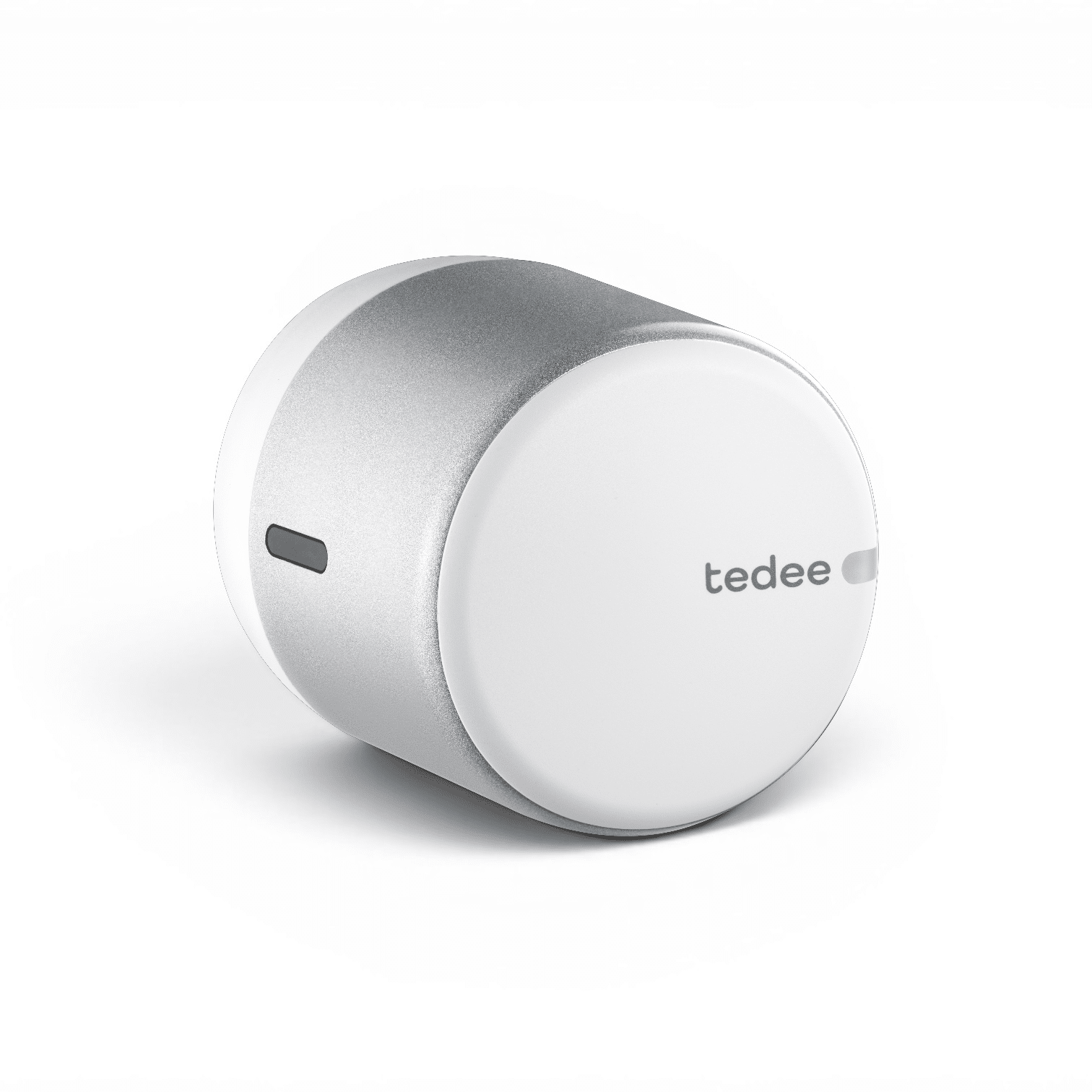
Product Recognition | |
|---|
Certification Number | ZC14-26080631 |
|---|
Name | Tedee GO2 Z-Wave |
|---|
Short Description | Retrofit smart lock built for wireless integration with Z-Wave®-based smart home and alarm installations. |
|---|
Description | Tedee GO2 Z-Wave is a retrofit smart lock built for local wireless integration with Z-Wave®-based smart home and alarm installations. Daily locking, unlocking, access management, and automation run entirely through your Z-Wave controller – no separate Tedee app, account, or proprietary configuration required for everyday use. It installs in minutes on existing double-clutch Euro-profile cylinders, or using a wide range of Tedee-compatible hardware adapters. It runs on three CR123A batteries, and reports battery level and low-battery alerts to your Z-Wave controller. Pair it with Tedee Keypad PRO for PIN-based access, handled through the Z-Wave integration. |
|---|
Brand | Tedee |
|---|
Brand Owner | Tedee Sp. z o.o. |
|---|
Identifier | TLV2.0Z |
|---|
Product Line | Tedee GO2 |
|---|
OEM Version | HW: 01 FW: 01.05:03.01:01.05 |
|---|
Hardware Platform | EFR32ZG28B |
|---|
Z-Wave Version | 7.24.2 |
|---|
Library Type | END_NODE_ENHANCED_232 |
|---|
Device Type | Lock DT |
|---|
Role Type | ROLE_TYPE_END_NODE_SLEEPING_LISTENING |
|---|
Manufacturer ID | 0x042E |
|---|
Product Type ID | 0x0004 |
|---|
Product ID | 0x0001 |
|---|
User Icon | 0x0300 |
|---|
Installer Icon | 0x0300 |
|---|
Radio Range Z-Wave (m) | 40 |
|---|
Radio Range Z-Wave LR (m) | 400 |
|---|
Frequency Plans | EU: 869.85MHz, 868.40MHz, EU_LR: 864.00MHz, 866.00MHz |
|---|
Categories | Locks |
|---|
Countries / Regions | Armenia, Bahrain, European Union, Cyprus, Moldova, Egypt, French Guiana, Georgia, Iraq, Jordan, Kazakhstan, Kuwait, Lebanon, Libya, Maldives, Mauritius, Nigeria, Oman, Philippines, Qatar, Saudi Arabia, South Africa, Turkmenistan, United Arab Emirates, ZU, Yemen |
|---|
Supported Command Classes | Identifier | Name | Key | Version |
|---|
COMMAND_CLASS_ASSOCIATION_V2 | Association V2 | 0x85 | 2 | COMMAND_CLASS_ASSOCIATION_GRP_INFO_V3 | Association Group Information (AGI) V3 | 0x59 | 3 | COMMAND_CLASS_DEVICE_RESET_LOCALLY | Device Reset Locally | 0x5A | 1 | COMMAND_CLASS_FIRMWARE_UPDATE_MD_V5 | Firmware Update Meta Data V5 | 0x7A | 5 | COMMAND_CLASS_INDICATOR_V3 | Indicator V3 | 0x87 | 3 | COMMAND_CLASS_MANUFACTURER_SPECIFIC_V2 | Manufacturer Specific V2 | 0x72 | 2 | COMMAND_CLASS_MULTI_CHANNEL_ASSOCIATION_V3 | Multi Channel Association V3 | 0x8E | 3 | COMMAND_CLASS_VERSION_V3 | Version V3 | 0x86 | 3 | COMMAND_CLASS_ZWAVEPLUS_INFO_V2 | Z-Wave Plus Info V2 | 0x5E | 2 | COMMAND_CLASS_SECURITY_2 | Security 2 | 0x9F | 1 | COMMAND_CLASS_SUPERVISION | Supervision | 0x6C | 1 | COMMAND_CLASS_TRANSPORT_SERVICE_V2 | Transport Service V2 | 0x55 | 2 | COMMAND_CLASS_POWERLEVEL | Powerlevel | 0x73 | 1 | COMMAND_CLASS_DOOR_LOCK_V4 | Door Lock V4 | 0x62 | 4 | COMMAND_CLASS_BASIC_V2 | Basic V2 | 0x20 | 2 | COMMAND_CLASS_SECURITY | Security 0 | 0x98 | 1 | COMMAND_CLASS_BATTERY | Battery | 0x80 | 1 | COMMAND_CLASS_USER_CODE_V2 | User Code V2 | 0x63 | 2 | COMMAND_CLASS_NOTIFICATION_V8 | Notification V8 | 0x71 | 8 | COMMAND_CLASS_SCHEDULE_ENTRY_LOCK_V3 | Schedule Entry Lock V3 | 0x4E | 3 | COMMAND_CLASS_TIME_V2 | Time V2 | 0x8A | 2 | COMMAND_CLASS_TIME_PARAMETERS | Time Parameters | 0x8B | 1 | COMMAND_CLASS_CONFIGURATION_V4 | Configuration V4 | 0x70 | 4 |
|
|---|
S2 Classes | S2_ACCESS_CONTROL |
|---|
Documents | Category | File |
|---|
Installer_Guide | | Manual_English | |
|
|---|
Features | Feature | Values |
|---|
Battery Quantity | | Battery Type | | Communications Protocol | Value |
|---|
Manufacturer Proprietary Protocol |
| Door Lock Type | | Firmware Updatable | Value |
|---|
Updatable by Consumer by RF |
|
|
|---|
Association Groups | Group Number | Maximum Nodes Supported | End Point ID | Group Name | Profile |
|---|
1 | 5 | 0 | Lifeline | 0x0001 |
|
|---|
Configuration Parameters | Parameter Number | Name | Description | Format | Read-only | Size | Min Value | Max Value | Default Value |
|---|
1 | Keypad paired | Tedee Keypad pairing status: 0 unpaired, 1 paired | 1 | Yes | 1 | 0 | 0 | 0x00 | 2 | Keypad battery | Tedee Keypad battery level in percent: 0 unavailable/unknown, 1-100 percent | 1 | Yes | 1 | 0 | 0 | 0x00 | 3 | Pull spring calibrated | Pull spring calibration status: 0 not calibrated, 1 calibrated | 1 | Yes | 1 | 0 | 0 | 0x00 | 4 | Button open enable | Allow the lock's physical button to open (unlock) the lock: 0 disabled, 1 enabled | 1 | | 1 | 0 | 0 | 0x01 | 5 | Button close enable | Allow the lock's physical button to close (lock) the lock: 0 disabled, 1 enabled | 1 | | 1 | 0 | 0 | 0x01 |
|
|---|
Texts | ID | Description | Value |
|---|
8 | Where to find S2 DSK on product | Integration with a Z-Wave controller hub can use either the QR code and 5-digit PIN printed on the round sticker under the device's removable cover, or the full DSK, QR code, and PIN printed on the large white sticker on the included cardboard Allen key holder. | 1 | Classic Inclusion | 1. Set your Z-Wave controller app to inclusion mode.
2. Put the lock into Commissioning Mode by triple-clicking the lock button.
When the lock enters learning mode, the blue LED starts blinking.
3. If requested by the controller, enter the 5-digit PIN printed on the sticker underneath the body cover, or as the first five underlined digits of the DSK, as indicated on the Allen-key holder card.
4. The controller app confirms the inclusion.
Proceed to smart lock calibration, which is initiated automatically. | 2 | Classic Exclusion | 1. Using the Z-Wave controller, go to the list of devices and find the smart lock.
2. If available, open Device information or a similar screen and look for Delete, Remove device, or Exclusion. The controller will enter exclusion mode.
3. Put the lock into Commissioning Mode by triple-clicking the lock button.
When the lock enters learning mode, the blue LED starts blinking.
4.Your Z-Wave control panel should confirm the exclusion.
If Tedee GO2 Z-Wave was previously added using SmartStart and you do not want it to rejoin that installation, also delete its SmartStart entry from the controller after exclusion. | 5 | Factory Reset Procedure | You may perform the smart lock’s factory reset in case of technical problems or when required by a service procedure. A factory reset clears the device-side network information and settings stored in the lock, including the pairing with Tedee Keypad PRO.
Please use this procedure only when the network’s primary controller is missing or otherwise inoperable.
To perform a factory reset on Tedee GO2 Z-Wave:
1. Take the smart lock off the door lock after loosening the screws.
2. Place the device button-side up on a flat surface.
3. Press and hold the button until the red LED lights up. Release the button.
After the LED blinks with three red flashes, the device has been restored to factory settings. | 6 | Other Special Features | Tedee Keypad PRO can be connected to Tedee GO2 Z-Wave at any time. After pairing the devices, PIN codes are created and managed entirely through your Z-Wave controller. The keypad serves as an input device only – the controller assigns PINs to the lock, and the lock validates them locally. |
|
|---|
Supported Notification Types | Notification Type | Event / State |
|---|
Access Control | Manual lock operation | Access Control | Manual unlock operation | Access Control | RF lock operation | Access Control | RF unlock operation | Access Control | Keypad lock operation | Access Control | Lock state: Lock jammed | Access Control | Keypad unlock operation | Access Control | All user codes deleted | Access Control | Single user code deleted | Access Control | New user code added | Access Control | New user code not added due to duplicate code | Home Security | Tampering, invalid code |
|
|---|
Supports NWI | Yes |
|---|
Supports Explorer Frames | Yes |
|---|
Is Flirs | Yes |
|---|
Supports SmartStart | Yes |
|---|