
| Product Recognition | |
|---|
| Certification Number | ZC10-15125004 |
|---|
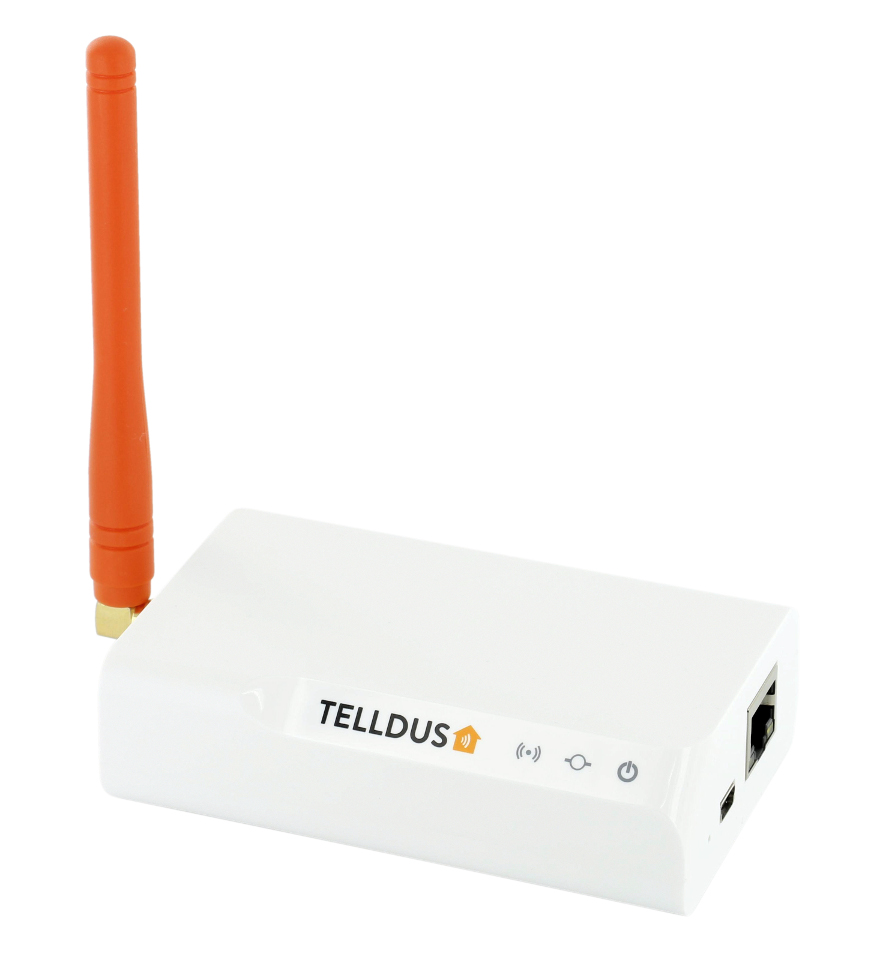
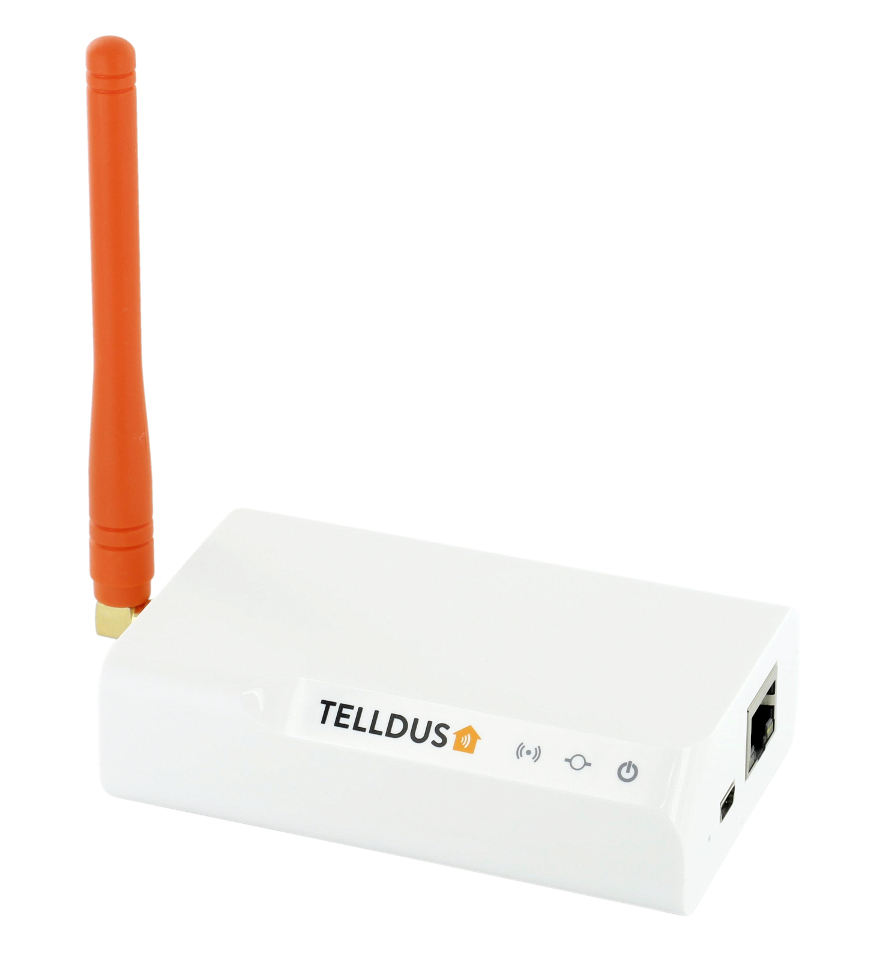
| Name | TellStick ZNet Lite |
|---|
| Short Description | Z-Wave Gateway |
|---|
| Long Description | Personalise your experience and set up your very own smart home. With this gateway at the centre and adding other devices, your home will be smarter than ever before.
This Z-Wave gateway with built-in 433 MHz transmitter combines the best of two worlds. Z-Wave provides high reliability, long range and two-way communication while 433 MHz provides broad compatibility.
All configuration for the gateway is made in our cloud service, Telldus Live!. Schedules can be made at fixed times or depending on the sunrise and sunset. Event enabled control from incoming signals or sensors allows you to automate your home for real. The additional service Telldus Live! Pro gives you additional features, such as the ability to receive an e-mail or SMS when things happen in your system, such as data from a thermo or motion sensor. Schedules and Events runs locally on TellStick ZNet Lite even if internet is not available. The smartphone app Telldus Live! Mobile makes it possible to use your mobile phone as a remote control to the devices in your home, wherever you are in the world. |
|---|
| Brand | Telldus |
|---|
| Product Identifier | TZNetLite |
|---|
| OEM Version | HW: 1 FW: 1.00:01.00 |
|---|
| Hardware Platform | ZM5304 |
|---|
| Z-Wave Version | 6.51.06 |
|---|
| Library Type | CONTROLLER_STATIC |
|---|
| Device Type | Gateway |
|---|
| Role Type | ROLE_TYPE_CONTROLLER_CENTRAL_STATIC |
|---|
| Manufacturer ID | 0x0176 |
|---|
| Product Type ID | 0x0001 |
|---|
| Product ID | 0x0002 |
|---|
| User Icon | 0x0500 |
|---|
| Installer Icon | 0x0500 |
|---|
| Frequency Plans | EU: 869.85MHz, 868.40MHz |
|---|
| Categories | All Controllers, Gateway Controller |
|---|
| Countries / Regions | European Union |
|---|
| Controlled Command Classes | | Identifier | Name | Key | Version |
|---|
| COMMAND_CLASS_SWITCH_MULTILEVEL | Switch Multilevel | 0x26 | 1 | | COMMAND_CLASS_ASSOCIATION_GROUP_INFORMATION | Association Group Information V1 | 0x59 | 0 | | COMMAND_CLASS_NO_OPERATION | No Operation | 0x00 | 1 | | COMMAND_CLASS_PROTECTION_V2 | Protection V2 | 0x75 | 2 | | COMMAND_CLASS_MULTI_CHANNEL_ASSOCIATION_V3 | Multi-Channel Association V3 | 0x8E | 3 | | COMMAND_CLASS_BATTERY | Battery | 0x80 | 1 | | COMMAND_CLASS_BASIC | Basic | 0x20 | 1 | | COMMAND_CLASS_CONFIGURATION | Configuration | 0x70 | 1 | | COMMAND_CLASS_CRC_16_ENCAP | CRC16 Encapsulation | 0x56 | 1 | | COMMAND_CLASS_SECURITY | Security S0 | 0x98 | 1 | | COMMAND_CLASS_VERSION_V2 | Version V2 | 0x86 | 2 | | COMMAND_CLASS_WAKE_UP_V2 | Wake Up V2 | 0x84 | 2 | | COMMAND_CLASS_ZWAVEPLUS_INFO_V2 | Z-Wave Plus Info V2 | 0x5E | 2 | | COMMAND_CLASS_ASSOCIATION_V2 | Association V2 | 0x85 | 2 | | COMMAND_CLASS_MULTI_CHANNEL_V4 | Multi-Channel V4 | 0x60 | 4 | | COMMAND_CLASS_MANUFACTURER_SPECIFIC_V2 | Manufacturer Specific V2 | 0x72 | 2 | | COMMAND_CLASS_METER_V2 | Meter V2 | 0x32 | 2 |
|
|---|
| Documents | | Category | Description | File |
|---|
| Manual_Primary_Lang | Product or Owner's Manual | Manual.pdf |
|
|---|
| Association Groups | | Group Number | Maximum Nodes Supported | End Point ID | Description |
|---|
| 1 | 1 | 0 | Z-Wave Plus Lifeline |
|
|---|
| Texts | | ID | Description | Value |
|---|
| 23 | Controller Inclusion | Navigate to the device page in Telldus Live!.
http://live.telldus.com/device/index
Click on the + icon
Select the Z-Wave logo and follow on-screen instructions. | | 24 | Controller Exclusion | Click the device that should be removed.
Click Edit device.
Click Exclude device.
If the device is not included in the network or you don't have any devices:
Navigate to the profile page in Telldus Live!.
http://live.telldus.com/profile/index
Click on the gateway
Click Change settings
Click Z-Wave settings
Click Exclude any device
Check the manual for the specific product how to exclude the device. | | 3 | Learn Mode (adding another controller) | Navigate to the profile page in Telldus Live!.
http://live.telldus.com/profile/index
Click on the gateway
Click Change settings
Click Z-Wave settings
Set the primary controller into add mode.
Click “Start learn mode”.
TellStick ZNet Lite will now be included into the other Z-Wave network. | | 5 | Factory Reset | Navigate to the profile page in Telldus Live!.
http://live.telldus.com/profile/index
Click on the location
Click Change settings
Click Z-Wave settings
Click Reset controller
Please note! Only use the reset procedure when the primary controller is missing or inoperable. |
|
|---|
| Supports NWI | Yes |
|---|
| Supports Explorer Frames | Yes |
|---|