| Product Recognition | |
|---|
| Certification Number | ZC10-15060009 |
|---|
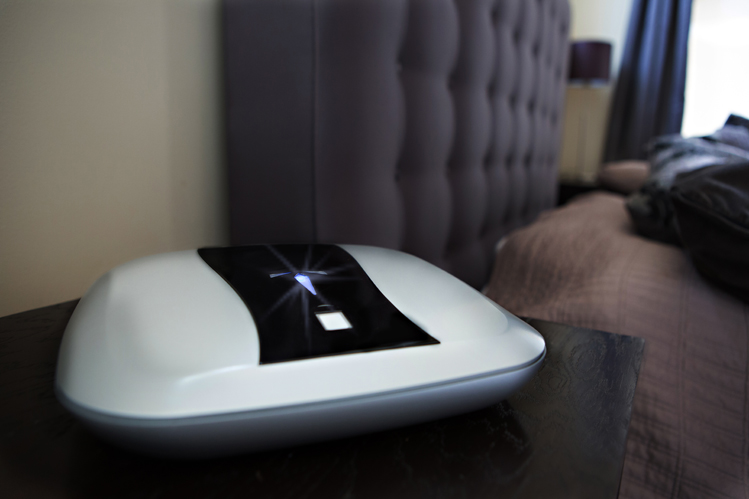
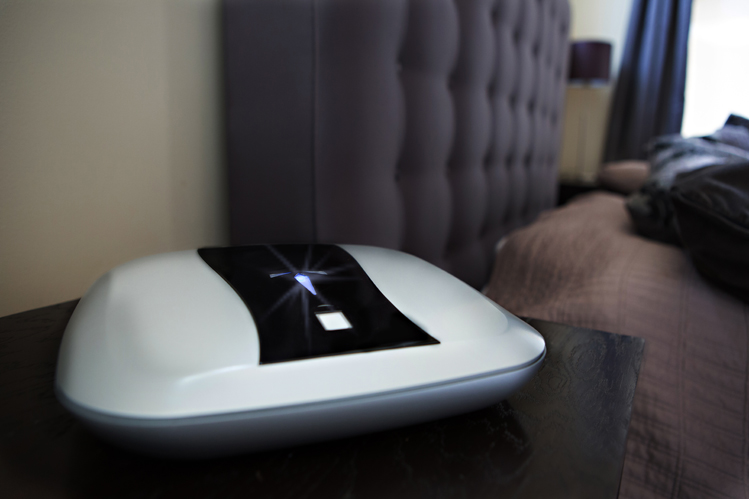
| Name | The Quickbox - Home Edition |
|---|
| Short Description | The Quickbox is the perfect protection for your personal belongings such as jewelry, heirlooms, currency travel documents and much more! The Quickbox has cutting edge technology, state-of-the-art design, and incredible features that allows quick access to your valuables a reality. |
|---|
| Long Description | TThe Quickbox is the perfect protection for your personal belongings such as jewelry, heirlooms, currency travel documents and much more! The Quickbox has cutting edge technology, state-of-the-art design, and incredible features that allows quick access to your valuables a reality.
The Z-wave technology integration coupled with the RF + Biometrics allows for monitoring of your possessions right on your handheld devices. The QuickBox accentuates the protection of your belongings inside the home. Aircraft strength aluminum alloy provides added strength to the Quickbox.
Product Features:
360° Biometric fingerprint scanner
NFC Scanner
Aircraft strength aluminum alloy shell
Internal motion/vibration sensor with audible alarm
2 USB ports for charging devices or connecting accessories
Z-wave enabled technology |
|---|
| Brand | Safetech Products |
|---|
| Product Identifier | QBBIOZW |
|---|
| OEM Version | 02 |
|---|
| Hardware Platform | ZM5202 |
|---|
| Z-Wave Version | 6.51.06 |
|---|
| Library Type | SLAVE_ENHANCED_232 |
|---|
| Device Type | Notification Sensor |
|---|
| Role Type | ROLE_TYPE_SLAVE_ALWAYS_ON |
|---|
| Manufacturer ID | 0x023C |
|---|
| Product Type ID | 0x0001 |
|---|
| Product ID | 0x0001 |
|---|
| Frequency Plans | US: 916.00MHz, 908.40MHz |
|---|
| Categories | Security Add-Ons |
|---|
| Countries / Regions | United States of America |
|---|
| Controlled Command Classes | | Identifier | Name | Key | Version |
|---|
| COMMAND_CLASS_BASIC | Basic | 0x20 | 1 |
|
|---|
| Documents | |
|---|
| Association Groups | | Group Number | Maximum Nodes Supported | End Point ID | Description |
|---|
| 1 | 5 | 0 | Group 1 ("Lifeline") sends Device Reset reports and tampering notifications when The Quickbox alarm state has changed. | | 2 | 5 | 0 | Group 2 ("Tamper alarm") sends tampering notifications when The Quickbox alarm state changes. (same as lifeline) | | 3 | 5 | 0 | Group 3 ("Basic set") sends Basic Set commands when The Quickbox alarm state changes. |
|
|---|
| Texts | | ID | Description | Value |
|---|
| 1 | Inclusion | Adding The Quickbox to your Z-Wave network (Inclusion):
Prepare your Z-Wave controller to add a device to the network (refer to your controller's user manual.) Push the Z-Wave button on The Quickbox. | | 2 | Exclusion | Removing The Quickbox from your Z-Wave network (Exclusion):
Prepare your Z-Wave controller to remove a device from the network (refer to your controller's user manual) Push the Z-Wave button on The Quickbox. | | 5 | Factory Reset | Manual Reset:
To reset The Quickbox Z-Wave settings to its factory defaults, hold the Z-Wave button for 5 seconds. Use the reset procedure only when the primary controller is missing or inoperable. |
|
|---|
| Supports NWI | Yes |
|---|
| Supports Explorer Frames | Yes |
|---|