Product Recognition | |
|---|
Certification Number | ZC10-20016853 |
|---|
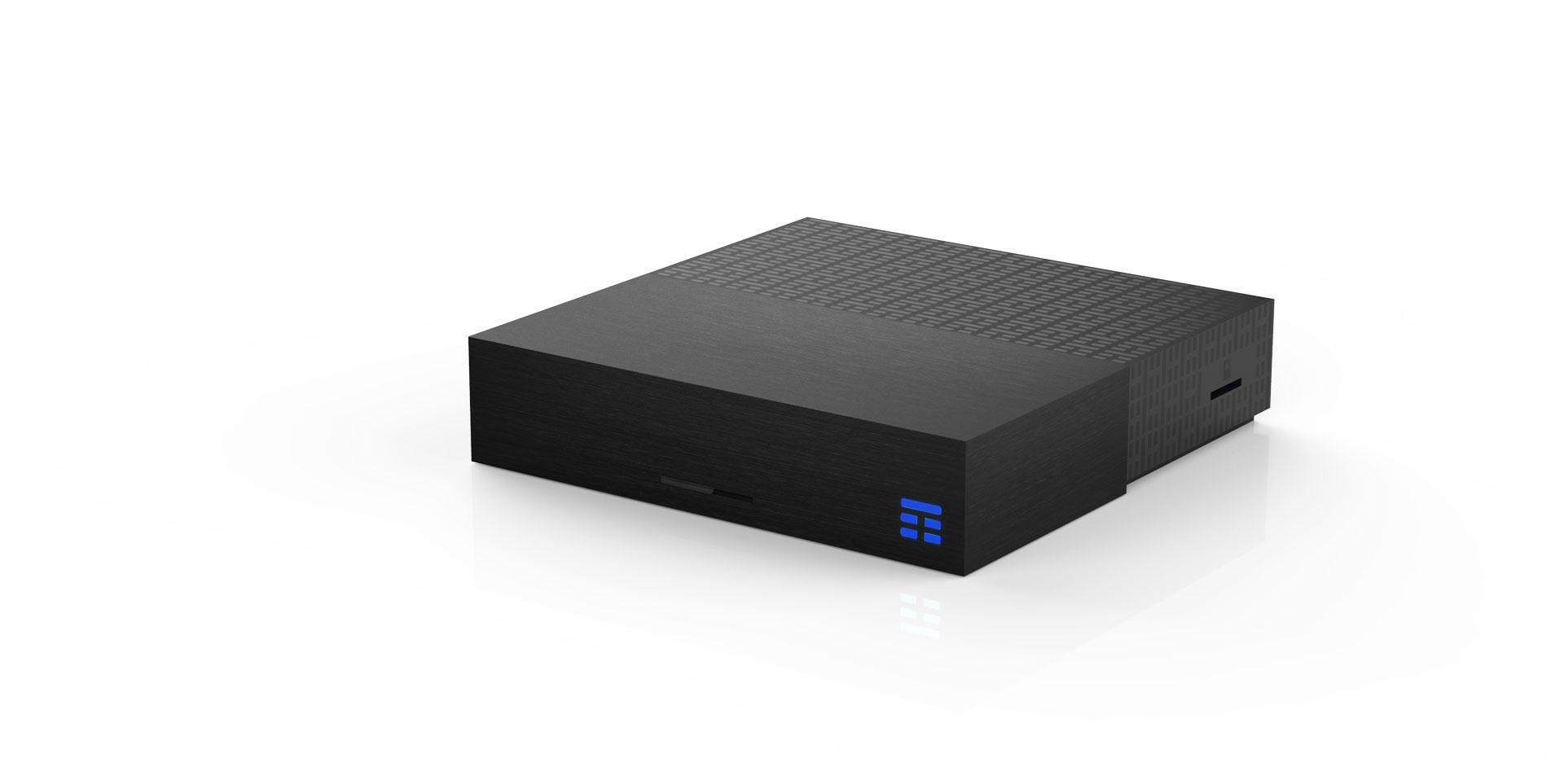
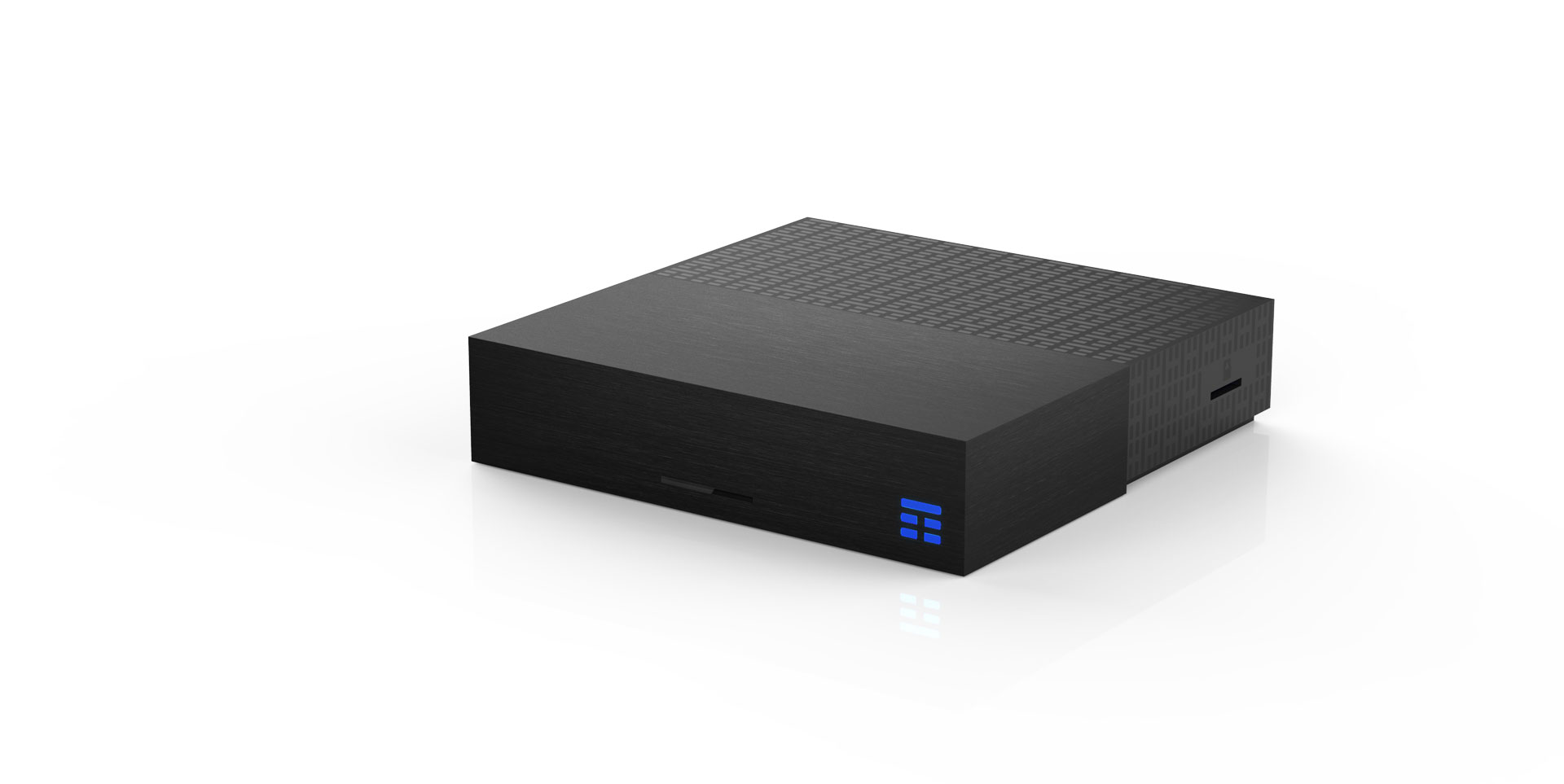
Name | TIM_BOX |
|---|
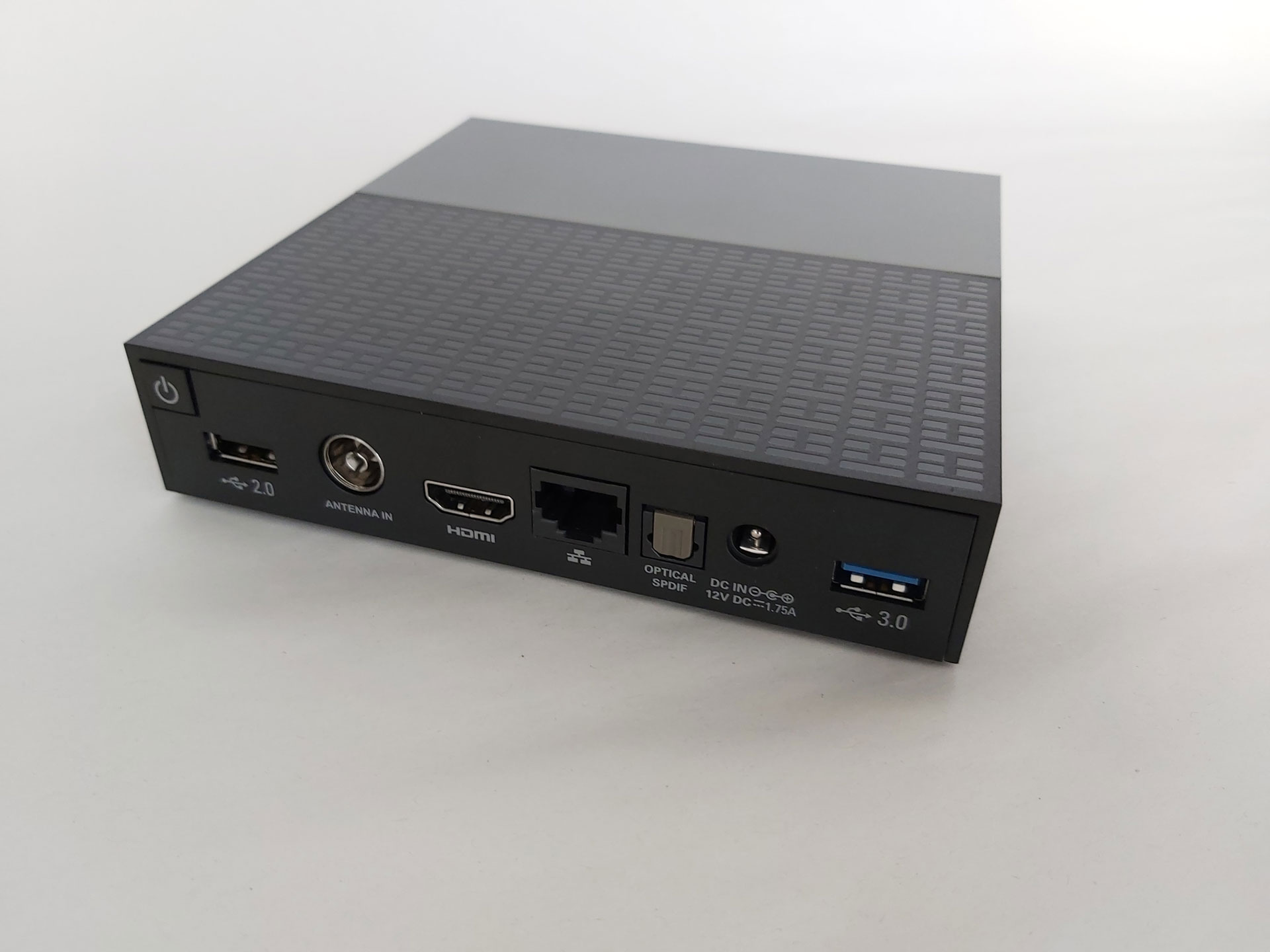
Short Description | Android set top box and smart home hub with WiFi/LAN, Z-Wave, Bluetooth connectivity to access to TIM multimedia services and video partners and to remotely control IoT connected devices. |
|---|
Long Description | TIM Box is an Android set top box with WiFi/LAN, Z-Wave, Bluetooth connectivity to access TIM multimedia services and video partners.
TIM Box is also a smart home hub which allows you to remotely control IoT connected devices: IP cams, motion sensors, flood sensors, door/window sensors, temperature and humidity detectors, smart plugs, thermostatic valves and other compatible devices.
All these smart objects can be managed within a single app, IoTIM, which allows them to interact with each other, from your smartphone or Android TV. |
|---|
Brand | TIM |
|---|
Product Identifier | UZW4010TIM2 |
|---|
Product Line | TIMBOX |
|---|
OEM Version | HW: 2 FW: 5.34:02.61:01.00:01.00 |
|---|
Hardware Platform | SD3503 |
|---|
Z-Wave Version | 6.71.01 |
|---|
Library Type | CONTROLLER_BRIDGE |
|---|
Device Type | Central Controller |
|---|
Role Type | ROLE_TYPE_CONTROLLER_CENTRAL_STATIC |
|---|
Manufacturer ID | 0x039B |
|---|
Product Type ID | 0x0001 |
|---|
Product ID | 0x0013 |
|---|
User Icon | 0x0500 |
|---|
Installer Icon | 0x0500 |
|---|
Frequency Plans | EU: 869.85MHz, 868.40MHz |
|---|
Categories | All Controllers, Gateway Controller |
|---|
Countries / Regions | European Union |
|---|
Supported Command Classes | Identifier | Name | Key | Version |
|---|
COMMAND_CLASS_POWERLEVEL | Powerlevel | 0x73 | 1 | COMMAND_CLASS_NETWORK_MANAGEMENT_INSTALLATION_MAINTENANCE | Network Management Installation and Maintenance | 0x67 | 1 | COMMAND_CLASS_INCLUSION_CONTROLLER | Inclusion Controller | 0x74 | 1 | COMMAND_CLASS_NETWORK_MANAGEMENT_INCLUSION_VERSION_2 | Network Management Inclusion V2 | 0x34 | 0 | COMMAND_CLASS_APPLICATION_STATUS | Application Status | 0x22 | 1 | COMMAND_CLASS_CRC_16_ENCAP | CRC16 Encapsulation | 0x56 | 1 | COMMAND_CLASS_SECURITY | Security S0 | 0x98 | 1 | COMMAND_CLASS_TRANSPORT_SERVICE_V2 | Transport Service V2 | 0x55 | 2 | COMMAND_CLASS_VERSION_V2 | Version V2 | 0x86 | 2 | COMMAND_CLASS_DEVICE_RESET_LOCALLY | Device Reset Locally | 0x5A | 1 | COMMAND_CLASS_ZWAVEPLUS_INFO_V2 | Z-Wave Plus Info V2 | 0x5E | 2 | COMMAND_CLASS_ASSOCIATION_V2 | Association V2 | 0x85 | 2 | COMMAND_CLASS_FIRMWARE_UPDATE_MD_V5 | Firmware Update Meta-Data V5 | 0x7A | 5 | COMMAND_CLASS_ASSOCIATION_GRP_INFO_V3 | Association Group Information V3 | 0x59 | 3 | COMMAND_CLASS_NETWORK_MANAGEMENT_PROXY_V2 | Network Management Proxy V2 | 0x52 | 2 | COMMAND_CLASS_SECURITY_2 | Security S2 | 0x9F | 1 | COMMAND_CLASS_NETWORK_MANAGEMENT_BASIC_V2 | Network Management Basic V2 | 0x4D | 2 | COMMAND_CLASS_SUPERVISION | Supervision | 0x6C | 1 | COMMAND_CLASS_MANUFACTURER_SPECIFIC_V2 | Manufacturer Specific V2 | 0x72 | 2 |
|
|---|
Controlled Command Classes | Identifier | Name | Key | Version |
|---|
COMMAND_CLASS_SENSOR_BINARY | Sensor Binary | 0x30 | 1 | COMMAND_CLASS_ZIP_V3 | Z/IP V3 | 0x23 | 3 | COMMAND_CLASS_NETWORK_MANAGEMENT_INSTALLATION_MAINTENANCE | Network Management Installation and Maintenance | 0x67 | 1 | COMMAND_CLASS_NETWORK_MANAGEMENT_INCLUSION_VERSION_2 | Network Management Inclusion V2 | 0x34 | 0 | COMMAND_CLASS_MULTI_CHANNEL_ASSOCIATION_V3 | Multi-Channel Association V3 | 0x8E | 3 | COMMAND_CLASS_SWITCH_BINARY | Switch Binary | 0x25 | 1 | COMMAND_CLASS_CRC_16_ENCAP | CRC16 Encapsulation | 0x56 | 1 | COMMAND_CLASS_SECURITY | Security S0 | 0x98 | 1 | COMMAND_CLASS_SENSOR_MULTILEVEL_V7 | Sensor Multilevel V7 | 0x31 | 7 | COMMAND_CLASS_VERSION_V2 | Version V2 | 0x86 | 2 | COMMAND_CLASS_WAKE_UP_V2 | Wake Up V2 | 0x84 | 2 | COMMAND_CLASS_ZIP_ND | Z/IP-ND | 0x58 | 1 | COMMAND_CLASS_DEVICE_RESET_LOCALLY | Device Reset Locally | 0x5A | 1 | COMMAND_CLASS_ZWAVEPLUS_INFO_V2 | Z-Wave Plus Info V2 | 0x5E | 2 | COMMAND_CLASS_ASSOCIATION_V2 | Association V2 | 0x85 | 2 | COMMAND_CLASS_MULTI_CHANNEL_V4 | Multi-Channel V4 | 0x60 | 4 | COMMAND_CLASS_NETWORK_MANAGEMENT_PROXY_V2 | Network Management Proxy V2 | 0x52 | 2 | COMMAND_CLASS_METER | Meter | 0x32 | 1 | COMMAND_CLASS_BASIC_V2 | Basic V2 | 0x20 | 2 | COMMAND_CLASS_SECURITY_2 | Security S2 | 0x9F | 1 | COMMAND_CLASS_NETWORK_MANAGEMENT_BASIC_V2 | Network Management Basic V2 | 0x4D | 2 | COMMAND_CLASS_ZIP_GATEWAY | Z/IP Gateway | 0x5F | 1 | COMMAND_CLASS_SUPERVISION | Supervision | 0x6C | 1 | COMMAND_CLASS_MANUFACTURER_SPECIFIC_V2 | Manufacturer Specific V2 | 0x72 | 2 |
|
|---|
S2 Classes | S2_UNAUTHENTICATED, S2_AUTHENTICATED, S2_ACCESS_CONTROL |
|---|
Documents | Category | Description | File |
|---|
Adv_Manual | Advanced Information Product Manual | | Manual_Primary_Lang | Product Manual in English | |
|
|---|
Association Groups | Group Number | Maximum Nodes Supported | End Point ID | Group Name | Description |
|---|
1 | 1 | 0 | Lifeline | Z-Wave plus lifeline |
|
|---|
Texts | ID | Description | Value |
|---|
8 | Where to find S2 DSK on product | Security S2 DSK can only be retrieved through postman API (www.getpostman.com) using Start Learning Mode command | 23 | Controller Classic Inclusion | With the Start Learning server method it is possible to start the S0 inclusion process for a Z-Wave device. In this way, the controller is ready to get the add requests coming from devices.
With the Start Learning S2 server method it is possible to start the S2 inclusion process for a Z-Wave device. In this way, the controller is ready to get the add requests coming from devices. In this case, it is mandatory to insert first five DSK digits about the device to be added. | 24 | Controller Classic Exclusion | With the Start Removing server method it is possible to start the exclusion process for a Z-Wave device. In this way, the controller is ready to get the remove requests coming from devices. | 3 | Controller Learn Mode | With the Start Learning Mode server method (provided via Controller API) it is possible to put the STB in learn mode in order to include or exclude it as an inclusion/secondary controller. | 10 | Controller Replication | Controller Replication can be achieved through postman API using a Start Learning Mode command | 5 | Factory Reset Procedure | With the Factory Reset server method it is possible to clear TIM Box device list. This cause z-wave devices removal from mobile and STB application but not their reset. To complete device reset, it is necessary to reset all z-wave devices physically. |
|
|---|
Supported / Controlled Meter Types | Meter Type | Rate Type | Description |
|---|
Heating meter | Export | Heating Meter Production |
|
|---|
Supports NWI | Yes |
|---|
Supports Explorer Frames | Yes |
|---|
Radio Range Z-Wave (m) | 40 |
|---|