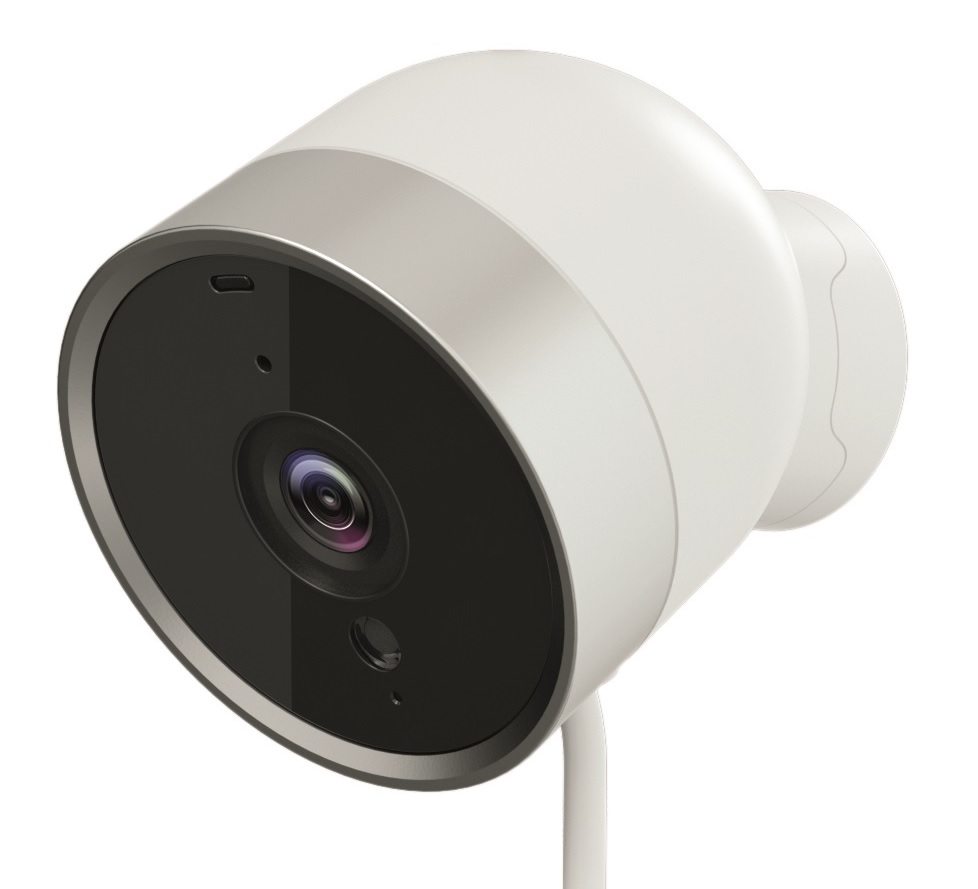
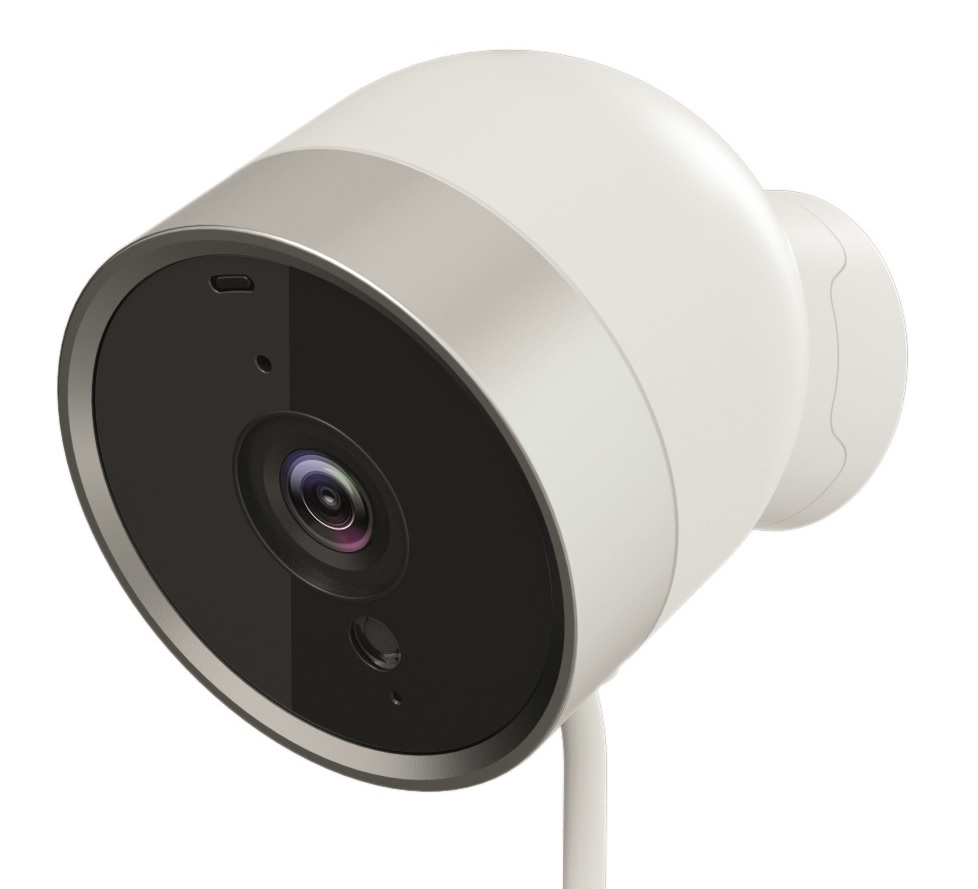
Product Recognition | |
|---|
Certification Number | ZC10-18025993 |
|---|
Name | TOASTCAM |
|---|
Short Description | ToastCAM is a cloud-based digital network camera. |
|---|
Long Description | ToastCAM is a cloud-based digital network camera. It is equipped with a wide range of functions including alarm monitoring, motion detection, night vision, recording and replay of video and audio.
It is also an intelligent gateway controller, it includes a Z-Wave Controller so integrates the other wireless wireless devices and sensors. All non-battery operated nodes within the network will act as repeaters regardless of vendor to increase reliability of the network. |
|---|
Brand | TOASTCAM |
|---|
Product Identifier | V3 / NE350 |
|---|
OEM Version | HW: 1 FW: 5.14:02.61:01.00:01.00 |
|---|
Hardware Platform | ZM5101 |
|---|
Z-Wave Version | 6.81.00 |
|---|
Library Type | CONTROLLER_BRIDGE |
|---|
Device Type | Gateway |
|---|
Role Type | ROLE_TYPE_CONTROLLER_CENTRAL_STATIC |
|---|
Manufacturer ID | 0x0361 |
|---|
Product Type ID | 0x0003 |
|---|
Product ID | 0x0008 |
|---|
User Icon | 0x0500 |
|---|
Installer Icon | 0x0500 |
|---|
Frequency Plans | KR: 920.90MHz, 921.70MHz, 923.10MHz |
|---|
Categories | All Controllers, Gateway Controller |
|---|
Countries / Regions | Republic of Korea |
|---|
Supported Command Classes | Identifier | Name | Key | Version |
|---|
COMMAND_CLASS_POWERLEVEL | Powerlevel | 0x73 | 1 | COMMAND_CLASS_INCLUSION_CONTROLLER | Inclusion Controller | 0x74 | 1 | COMMAND_CLASS_APPLICATION_STATUS | Application Status | 0x22 | 1 | COMMAND_CLASS_SECURITY | Security S0 | 0x98 | 1 | COMMAND_CLASS_TRANSPORT_SERVICE_V2 | Transport Service V2 | 0x55 | 2 | COMMAND_CLASS_VERSION_V2 | Version V2 | 0x86 | 2 | COMMAND_CLASS_DEVICE_RESET_LOCALLY | Device Reset Locally | 0x5A | 1 | COMMAND_CLASS_ZWAVEPLUS_INFO_V2 | Z-Wave Plus Info V2 | 0x5E | 2 | COMMAND_CLASS_ASSOCIATION_V2 | Association V2 | 0x85 | 2 | COMMAND_CLASS_ASSOCIATION_GRP_INFO_V3 | Association Group Information V3 | 0x59 | 3 | COMMAND_CLASS_SECURITY_2 | Security S2 | 0x9F | 1 | COMMAND_CLASS_MANUFACTURER_SPECIFIC_V2 | Manufacturer Specific V2 | 0x72 | 2 | COMMAND_CLASS_MULTI_CMD | Multi-Command | 0x8F | 1 |
|
|---|
Controlled Command Classes | Identifier | Name | Key | Version |
|---|
COMMAND_CLASS_SENSOR_MULTILEVEL_V5 | Sensor Multilevel V5 | 0x31 | 5 | COMMAND_CLASS_SWITCH_BINARY_V2 | Switch Binary V2 | 0x25 | 2 | COMMAND_CLASS_MULTI_CHANNEL_ASSOCIATION_V3 | Multi-Channel Association V3 | 0x8E | 3 | COMMAND_CLASS_BATTERY | Battery | 0x80 | 1 | COMMAND_CLASS_CRC_16_ENCAP | CRC16 Encapsulation | 0x56 | 1 | COMMAND_CLASS_SECURITY | Security S0 | 0x98 | 1 | COMMAND_CLASS_VERSION_V2 | Version V2 | 0x86 | 2 | COMMAND_CLASS_WAKE_UP_V2 | Wake Up V2 | 0x84 | 2 | COMMAND_CLASS_ZWAVEPLUS_INFO_V2 | Z-Wave Plus Info V2 | 0x5E | 2 | COMMAND_CLASS_ASSOCIATION_V2 | Association V2 | 0x85 | 2 | COMMAND_CLASS_MULTI_CHANNEL_V4 | Multi-Channel V4 | 0x60 | 4 | COMMAND_CLASS_ASSOCIATION_GRP_INFO_V3 | Association Group Information V3 | 0x59 | 3 | COMMAND_CLASS_METER | Meter | 0x32 | 1 | COMMAND_CLASS_NOTIFICATION_V5 | Notification V5 | 0x71 | 5 | COMMAND_CLASS_BASIC_V2 | Basic V2 | 0x20 | 2 | COMMAND_CLASS_SECURITY_2 | Security S2 | 0x9F | 1 | COMMAND_CLASS_ZIP_GATEWAY | Z/IP Gateway | 0x5F | 1 | COMMAND_CLASS_SUPERVISION | Supervision | 0x6C | 1 | COMMAND_CLASS_MANUFACTURER_SPECIFIC_V2 | Manufacturer Specific V2 | 0x72 | 2 |
|
|---|
S2 Classes | S2_UNAUTHENTICATED, S2_AUTHENTICATED, S2_ACCESS_CONTROL |
|---|
Documents | Category | Description | File |
|---|
Manual_Primary_Lang | Product or Owner's Manual | |
|
|---|
Features | Feature | Values |
|---|
Color | | Communications Protocol | | Sensors | Value |
|---|
Air Temperature | Humidity |
| Supported Notification Types | Value |
|---|
Access Control | Home Security |
| Communications Connections | Value |
|---|
Ethernet (Wired) | Ethernet (Wireless/WiFi) | Bluetooth | USB (Universal Serial Bus) |
| Controller Supports Multiple Networks | | Firmware Updatable | Value |
|---|
Updatable by Consumer via Internet |
| IP (Ingress Protection) Rated | | Outdoor Use | |
|
|---|
Association Groups | Group Number | Maximum Nodes Supported | End Point ID | Description |
|---|
1 | 5 | 0 | Z-Wave Plus Lifeline |
|
|---|
Texts | ID | Description | Value |
|---|
23 | Controller Inclusion | Pressing the ""ADD NEW DEVICE"" button will let camera into inclusion mode 30 seconds. User can now trigger the device's node information frame to add to the camera's z-wave network.
With Z-Wave Security 2, user needs to accept or modify the security class settings. It is recommended that the user not change the security class settings.
Additionally for Security 2 Class 1 and 2 devices, the user needs to key in the 1st 5 digits of the DSK. | 24 | Controller Exclusion | Pressing the ""REMOVE DEVICE button will let camera into exclusion mode 30 seconds. User can now trigger the device's node information frame to remove device from any z-wave network. | 5 | Factory Reset | This is the Z-Wave Set Default network operation and it pops up a confirmation prompt. If this controller is the primary controller for your network, resetting it will result in the nodes in your network being orphaned and it will be necessary after the reset to exclude and re-include all of the nodes in the
network. If this controller is being used as a secondary controller in the network, use this procedure to reset this controller only in the event that the network primary controller is missing or otherwise inoperable. | 3 | Learn Mode (adding another controller) | This performs the Z-Wave Set Learn Mode network operation. This can only be performed when Z-Ware is not in a network and will typically make Z-Ware an Inclusion or Secondary Controller, in which case, some of its facilities will not be available. To complete an S2 inclusion, the DSK may need to be entered on the including Controller.
Note that this function may let camera works as ""secondary controller"" or ""inclusion controller"" in another existing network, just start inclusion mode or controller shift on another controller, then start camera learn mode, after inclusion, camera will replicate node information from another controller.
Since our design is based on ""primary controller"", we recommend that you just use our camera as ""primary controller"". |
|
|---|
Supports NWI | Yes |
|---|
Supports Explorer Frames | Yes |
|---|
Radio Range Z-Wave (m) | 40 |
|---|