Product Recognition | |
|---|
Certification Number | ZC10-24047127 |
|---|
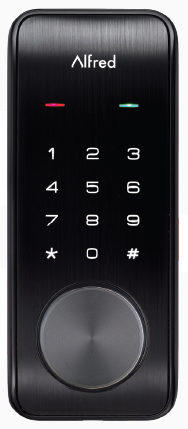
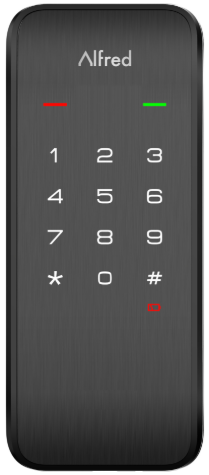
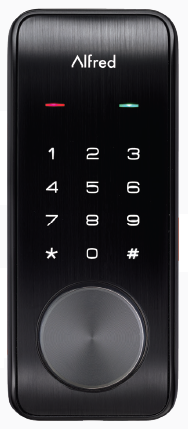
Name | Touchscreen Digital Deadbolt |
|---|
Short Description | Z-Wave Controled mortise Door Lock with keypad and fingerprint scanne |
|---|
Long Description | Lock and unlock your door anywhere and anytime by integrate your lock into your Z-Wave home automation or security system for ultimate convenience. Features Bluetooth technology for added convenience with auto-unlock. |
|---|
Brand | Alfred |
|---|
Product Identifier | DB2-B |
|---|
Product Line | Z-Wave Plus |
|---|
OEM Version | HW: 1 FW: 3.06:01.32 |
|---|
Hardware Platform | ZM5202 |
|---|
Z-Wave Version | 6.71.03 |
|---|
Library Type | SLAVE_ENHANCED_232 |
|---|
Device Type | Door Lock - Keypad |
|---|
Role Type | ROLE_TYPE_SLAVE_SLEEPING_LISTENING |
|---|
Manufacturer ID | 0x0465 |
|---|
Product Type ID | 0x0003 |
|---|
Product ID | 0x0001 |
|---|
User Icon | 0x0300 |
|---|
Installer Icon | 0x0300 |
|---|
Frequency Plans | US: 916.00MHz, 908.40MHz |
|---|
Categories | Locks |
|---|
Countries / Regions | United States of America |
|---|
Supported Command Classes | Identifier | Name | Key | Version |
|---|
COMMAND_CLASS_LANGUAGE | Language | 0x89 | 1 | COMMAND_CLASS_POWERLEVEL | Powerlevel | 0x73 | 1 | COMMAND_CLASS_USER_CODE | User Code | 0x63 | 1 | COMMAND_CLASS_DOOR_LOCK_V2 | Door Lock V2 | 0x62 | 2 | COMMAND_CLASS_BATTERY | Battery | 0x80 | 1 | COMMAND_CLASS_TIME | Time | 0x8A | 1 | COMMAND_CLASS_TIME_PARAMETERS | Time Parameters | 0x8B | 1 | COMMAND_CLASS_SECURITY_2 | Security 2 | 0x9F | 1 | COMMAND_CLASS_SECURITY | Security 0 | 0x98 | 1 | COMMAND_CLASS_TRANSPORT_SERVICE_V2 | Transport Service V2 | 0x55 | 2 | COMMAND_CLASS_DEVICE_RESET_LOCALLY | Device Reset Locally | 0x5A | 1 | COMMAND_CLASS_ZWAVEPLUS_INFO_V2 | Z-Wave Plus Info V2 | 0x5E | 2 | COMMAND_CLASS_ASSOCIATION_V2 | Association V2 | 0x85 | 2 | COMMAND_CLASS_FIRMWARE_UPDATE_MD_V4 | Firmware Update Meta Data V4 | 0x7A | 4 | COMMAND_CLASS_NOTIFICATION_V8 | Notification V8 | 0x71 | 8 | COMMAND_CLASS_VERSION_V3 | Version V3 | 0x86 | 3 | COMMAND_CLASS_SUPERVISION | Supervision | 0x6C | 1 | COMMAND_CLASS_MANUFACTURER_SPECIFIC_V2 | Manufacturer Specific V2 | 0x72 | 2 | COMMAND_CLASS_ASSOCIATION_GRP_INFO_V2 | Association Group Information V2 | 0x59 | 2 |
|
|---|
S2 Classes | S2_ACCESS_CONTROL |
|---|
Documents | Category | Description | File |
|---|
Manual_Primary_Lang | Product Manual | | Adv_Manual | Advanced Information Product Manual | |
|
|---|
Features | Feature | Values |
|---|
Battery Quantity | | Battery Type | | Door Lock Type | Value |
|---|
Deadbolt Motor Attachment |
| Firmware Updatable | Value |
|---|
Updatable by Consumer by RF |
|
|
|---|
Association Groups | Group Number | Maximum Nodes Supported | End Point ID | Group Name | Profile | Description |
|---|
1 | 5 | 0 | Lifeline | 0x0001 | Z-Wave Plus Lifeline association group |
|
|---|
Texts | ID | Description | Value |
|---|
8 | Where to find S2 DSK on product | ZWave DSK in Z-Wave Plus System Integrators Guide V5.2.pdf | 1 | Classic Inclusion | in Z-Wave Plus System Integrators Guide V5.2.pdf | 2 | Classic Exclusion | in Z-Wave Plus System Integrators Guide V5.2.pdf | 4 | Wake-Up Procedure | Remove battery cover and batteries.
Remove and/or insert network module.
Re install batteries and battery cover. | 5 | Factory Reset Procedure | Open the door and keep the lock in "unlock" status
Open battery box and find the reset button.
Use a sharp thing to press and hold the reset button.
Keep holding the reset button and remove a battery from battery box then replace it.
Keep holding the reset button until hearing voice guide.Keep holding the reset button until hearing voice guide. |
|
|---|
Supported Notification Types | Notification Type | Event / State |
|---|
Access Control | Manual lock operation | Access Control | Manual unlock operation | Access Control | Lock state: Lock jammed | Access Control | All user codes deleted | Access Control | Single user code deleted | Access Control | New user code added | Access Control | New user code not added due to duplicate code | Access Control | Manually enter user access code exceeds code limit |
|
|---|
Supports NWI | Yes |
|---|
Supports Explorer Frames | Yes |
|---|
Is Flirs | Yes |
|---|
Radio Range Z-Wave (m) | 40 |
|---|