| Product Recognition | |
|---|
| Certification Number | ZC10-15070013 |
|---|
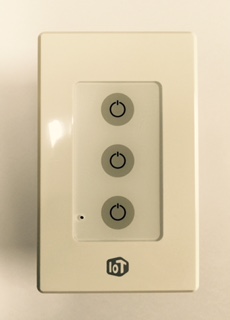
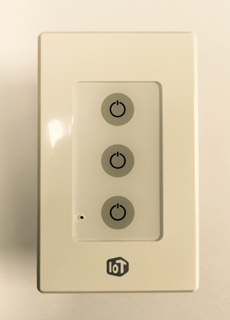
| Name | U+ Switch |
|---|
| Short Description | Remote monitoring and control of Light |
|---|
| Long Description | U+ Switch enables Light ON/OFF remotely with capacitive touch buttons and wireless connection(Z-Wave) |
|---|
| Brand | IoT@home |
|---|
| Product Identifier | SSE-301 |
|---|
| OEM Version | 01 |
|---|
| Hardware Platform | ZM5101 |
|---|
| Z-Wave Version | 6.51.06 |
|---|
| Library Type | SLAVE_ENHANCED_232 |
|---|
| Device Type | On/Off Power Switch |
|---|
| Role Type | ROLE_TYPE_SLAVE_ALWAYS_ON |
|---|
| Manufacturer ID | 0x0233 |
|---|
| Product Type ID | 0x0049 |
|---|
| Product ID | 0x0001 |
|---|
| Frequency Plans | KR: 920.90MHz, 921.70MHz, 923.10MHz |
|---|
| Categories | All Lighting Devices, On/Off Switches/Devices |
|---|
| Countries / Regions | Republic of Korea |
|---|
| Documents | |
|---|
| Association Groups | | Group Number | Maximum Nodes Supported | End Point ID | Description |
|---|
| 2 | 6 | 0 | Z-Wave Plus Lifeline |
|
|---|
| Texts | | ID | Description | Value |
|---|
| 1 | Inclusion | 1) Prepare the controller for enabling inclusion
2) Keep touching the lamp low button, then after 5 seconds elapsed, 3 beep sounds can be heard. At that time, withdraw touching the button and then inclusion will be commenced. | | 2 | Exclusion | 1) Make sure the switch is in inclusion mode.
2) Keep touching the lamp low button, then after 5 seconds elapsed, 3 beep sounds can be heard. At that time, withdraw touching the button and then exclusion will be started. | | 5 | Factory Reset | (* Use this procedure only when the network primary controller is missing or otherwise inoperable.)
1) Hold the low touch button for 10 seconds
- Keep holding the button, then at 5 second, 3 beeps will come out, and keep holding
- 10 seconds later, 5 beep sounds can be heard, and then withdraw touching the low button, so that factory reset should be started.
2) After factory reset is done, all the lamps will be turned off and all variables will be initialized to default values. | | 4 | Device Wake-Up | Light Switch is always wake up status. |
|
|---|
| Supports NWI | Yes |
|---|
| Supports Explorer Frames | Yes |
|---|