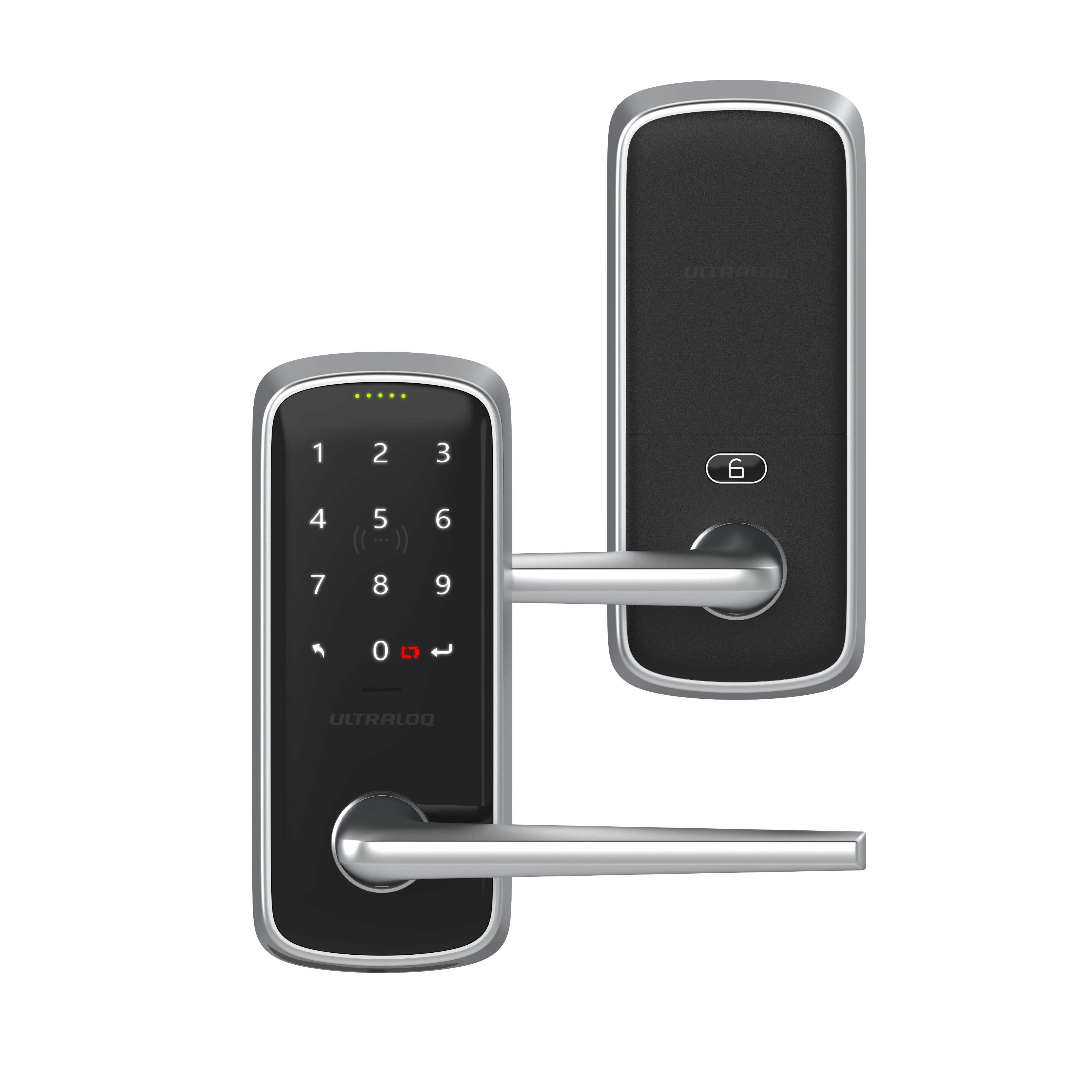
Product Recognition | |
|---|
Certification Number | ZC14-25050521 |
|---|
Name | ULTRALOQ Latch7 Z-Wave Smart Lock |
|---|
Short Description | Control your Ultraloq Smart Lock remotely with a smartphone app via Z-Wave: lock/unlock, share access, and view entry logs. It offers 8-in-1 keyless entry, including an anti-peep keypad. It is compatible with Z-Wave Plus, Home Assistant, Apple Watch, and voice control via Alexa/Google Assistant. It auto-locks upon door closing and unlocks when you approach. Built to exceed security standards, it's weatherproof and easy to DIY install. Ultraloq backs it with warranties and is trusted by over 1 million users. |
|---|
Description | Control Your Ultraloq Smart Lock Anytime, Anywhere: Lock, unlock, share access, and see a Log of who entered and exactly when using a smartphone App with Z-Wave. Share the code remotely with your family, guests, or service people for permanent access on specific dates or periods of time.
Smart Auto Lock and Auto Unlock: Smart Lock automatically locks if your door closes with the door sensor and unlocks when you arrive at your door with your smartphone in your pocket.
Certified Highest Security and Durability: Proven for up to 35 times the strength of standard residential locks, along with a 7 times longer lifespan.IP65 rated, dust and weatherproof external Smart Lock built to withstand heat and cold. DIY Installation: Replace your current deadbolt with just a screwdriver. Backed by Ultraloq, the world’s leading smart lock brand with more than 1 million happy American users. Plus lifetime mechanical warranty and 18 months electronic warranty. |
|---|
Brand | ULTRALOQ |
|---|
Identifier | LATCH7-ZWAVE |
|---|
Product Line | ultraloq.com |
|---|
OEM Version | HW: 01 FW: 01.00:03.00 |
|---|
Hardware Platform | EFR32ZG28A |
|---|
Z-Wave Version | 7.23.0 |
|---|
Library Type | END_NODE_ENHANCED_232 |
|---|
Device Type | Lock DT |
|---|
Role Type | ROLE_TYPE_END_NODE_SLEEPING_LISTENING |
|---|
Manufacturer ID | 0x0452 |
|---|
Product Type ID | 0x0004 |
|---|
Product ID | 0x0003 |
|---|
User Icon | 0x0300 |
|---|
Installer Icon | 0x0300 |
|---|
Radio Range Z-Wave (m) | 40 |
|---|
Frequency Plans | US: 916.00MHz, 908.40MHz |
|---|
Categories | Locks |
|---|
Countries / Regions | United States of America |
|---|
Supported Command Classes | Identifier | Name | Key | Version |
|---|
COMMAND_CLASS_BASIC_V2 | Basic V2 | 0x20 | 2 | COMMAND_CLASS_DOOR_LOCK_V4 | Door Lock V4 | 0x62 | 4 | COMMAND_CLASS_NOTIFICATION_V8 | Notification V8 | 0x71 | 8 | COMMAND_CLASS_USER_CODE | User Code | 0x63 | 1 | COMMAND_CLASS_ASSOCIATION_V2 | Association V2 | 0x85 | 2 | COMMAND_CLASS_ASSOCIATION_GRP_INFO_V3 | Association Group Information (AGI) V3 | 0x59 | 3 | COMMAND_CLASS_BATTERY | Battery | 0x80 | 1 | COMMAND_CLASS_DEVICE_RESET_LOCALLY | Device Reset Locally | 0x5A | 1 | COMMAND_CLASS_FIRMWARE_UPDATE_MD_V5 | Firmware Update Meta Data V5 | 0x7A | 5 | COMMAND_CLASS_INDICATOR_V3 | Indicator V3 | 0x87 | 3 | COMMAND_CLASS_MANUFACTURER_SPECIFIC_V2 | Manufacturer Specific V2 | 0x72 | 2 | COMMAND_CLASS_MULTI_CHANNEL_ASSOCIATION_V3 | Multi Channel Association V3 | 0x8E | 3 | COMMAND_CLASS_VERSION_V3 | Version V3 | 0x86 | 3 | COMMAND_CLASS_ZWAVEPLUS_INFO_V2 | Z-Wave Plus Info V2 | 0x5E | 2 | COMMAND_CLASS_SECURITY | Security 0 | 0x98 | 1 | COMMAND_CLASS_SECURITY_2 | Security 2 | 0x9F | 1 | COMMAND_CLASS_SUPERVISION | Supervision | 0x6C | 1 | COMMAND_CLASS_TRANSPORT_SERVICE_V2 | Transport Service V2 | 0x55 | 2 | COMMAND_CLASS_POWERLEVEL | Powerlevel | 0x73 | 1 |
|
|---|
S2 Classes | S2_ACCESS_CONTROL |
|---|
Documents | Category | File |
|---|
Manual_English | |
|
|---|
Features | Feature | Values |
|---|
Battery Quantity | | Battery Type | | Communications Protocol | Value |
|---|
Manufacturer's Open/Documented Protocol |
| Door Lock Type | | Firmware Updatable | Value |
|---|
Updatable by Consumer by RF |
| IP (Ingress Protection) Rated | |
|
|---|
Association Groups | Group Number | Maximum Nodes Supported | End Point ID | Group Name | Profile |
|---|
1 | 5 | 0 | Lifeline | 0x0001 |
|
|---|
Texts | ID | Description | Value |
|---|
1 | Classic Inclusion | 1. Initiate the process to add the lock to your system at your smart home controller. Refer to
your smart home system instructions for more information.
2. If prompted by your smart home system to add the lock. Hold the "Enter" button for 3
seconds, hear 2 beeps and a flashing blue light, internal LED Flashing Green light. The lock
now enters setup mode.
3. Follow the prompts, scan the QR code located on the better cover, or enter the 5-digit PIN
code.
Note: Please complete the preparation within 30 seconds. If you miss it, please press the
ULTRALOQ button again to enter. | 5 | Factory Reset Procedure | 4.4 How to factory reset
Please use this procedure only when the network’s primary controller is missing or otherwise inoperable.
Please use a Reset Needle to push the Reset Button located inside the battery compartment) for around 10 seconds until you hear one long beep and two short beeps. | 8 | Where to find S2 DSK on product | 4.1 Z-Wave DSK Location
1. You can find the QR code on the battery cover of your door lock.
2. You may also find the DSK in the user manual of each product.
Note: Please do not remove or damage them. | 2 | Classic Exclusion | 4.3 How to remove the product from the Z-Wave network
1. Follow the user guide of the hub to enter exclusion mode.
2. Operate on lock Enter "Exclusion mode": Hold the "ULTRALOQ" button for 3 seconds, hear 2 beeps and flashing blue light, internal LED Flashing Green light.
3. Remove from the hub. |
|
|---|
Supported Notification Types | Notification Type | Event / State |
|---|
Access Control | Manual lock operation | Access Control | Manual unlock operation | Access Control | RF lock operation | Access Control | RF unlock operation | Access Control | Keypad lock operation | Access Control | Keypad unlock operation | Access Control | Auto lock locked operation | Access Control | Lock state: Lock jammed | Access Control | All user codes deleted | Access Control | Single user code deleted | Access Control | New user code added | Access Control | New user code not added due to duplicate code | Access Control | Keypad state: Keypad temporary disabled | Home Security | Tampering, invalid code |
|
|---|
Supports NWI | Yes |
|---|
Supports Explorer Frames | Yes |
|---|
Is Flirs | Yes |
|---|
Supports SmartStart | Yes |
|---|