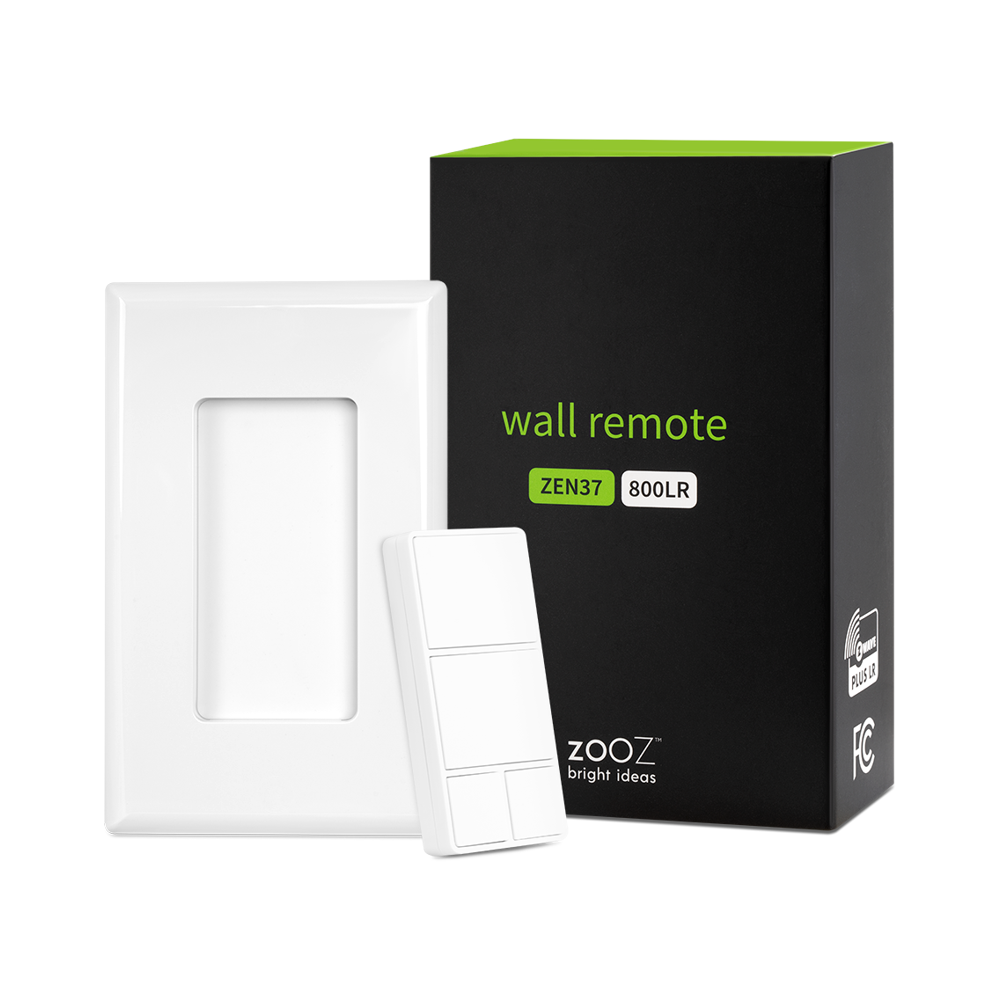
Product Recognition | |
|---|
Certification Number | ZC14-24060429 |
|---|
Name | Wall Remote |
|---|
Short Description | Control your connected devices and activate scenes from this handy 4-button Z-Wave Wall Remote. |
|---|
Long Description | PRODUCT HIGHLIGHTS:
Control other Z-Wave® devices and enable scenes with a click of a button
Standard paddle switch size & magnetic base
Install in your electrical switch box or mount anywhere on a wall with just adhesive tape
The latest 800 chip with S2 and SmartStart support
Rechargeable battery & USB charging port
SPECIFICATIONS:
Model Number: ZEN37 800LR
Z-Wave® Region: US/CA/MX
Power: 1 x LIR2032 rechargeable battery
Operating Temperature: 32 – 104° F
Range: Up to 250 feet (1300 feet with LR) line of sight
Installation and Use: Indoor Only |
|---|
Brand | Zooz |
|---|
Product Identifier | ZEN37 800LR |
|---|
Product Line | Remote Controls |
|---|
OEM Version | HW: 01 FW: 01.00 |
|---|
Hardware Platform | EFR32ZG23A |
|---|
Z-Wave Version | 7.19.3 |
|---|
Library Type | END_NODE_ENHANCED_232 |
|---|
Device Type | Central Scene DT |
|---|
Role Type | ROLE_TYPE_END_NODE_SLEEPING_REPORTING |
|---|
Manufacturer ID | 0x027A |
|---|
Product Type ID | 0x7000 |
|---|
Product ID | 0xF003 |
|---|
User Icon | 0x0A00 |
|---|
Installer Icon | 0x0A00 |
|---|
Frequency Plans | US_LR: 912.00MHz, 920.00MHz, US: 916.00MHz, 908.40MHz |
|---|
Categories | Handheld Controller, Entertainment Controller |
|---|
Countries / Regions | United States of America, Canada, Mexico |
|---|
Supported Command Classes | Identifier | Name | Key | Version |
|---|
COMMAND_CLASS_ASSOCIATION_V2 | Association V2 | 0x85 | 2 | COMMAND_CLASS_ASSOCIATION_GRP_INFO_V3 | Association Group Information (AGI) V3 | 0x59 | 3 | COMMAND_CLASS_DEVICE_RESET_LOCALLY | Device Reset Locally | 0x5A | 1 | COMMAND_CLASS_FIRMWARE_UPDATE_MD_V5 | Firmware Update Meta Data V5 | 0x7A | 5 | COMMAND_CLASS_INDICATOR_V3 | Indicator V3 | 0x87 | 3 | COMMAND_CLASS_MANUFACTURER_SPECIFIC_V2 | Manufacturer Specific V2 | 0x72 | 2 | COMMAND_CLASS_MULTI_CHANNEL_ASSOCIATION_V3 | Multi Channel Association V3 | 0x8E | 3 | COMMAND_CLASS_VERSION_V3 | Version V3 | 0x86 | 3 | COMMAND_CLASS_ZWAVEPLUS_INFO_V2 | Z-Wave Plus Info V2 | 0x5E | 2 | COMMAND_CLASS_SECURITY_2 | Security 2 | 0x9F | 1 | COMMAND_CLASS_SUPERVISION | Supervision | 0x6C | 1 | COMMAND_CLASS_TRANSPORT_SERVICE_V2 | Transport Service V2 | 0x55 | 2 | COMMAND_CLASS_POWERLEVEL | Powerlevel | 0x73 | 1 | COMMAND_CLASS_CENTRAL_SCENE_V3 | Central Scene V3 | 0x5B | 3 | COMMAND_CLASS_WAKE_UP_V2 | Wake Up V2 | 0x84 | 2 | COMMAND_CLASS_BATTERY | Battery | 0x80 | 1 | COMMAND_CLASS_CONFIGURATION_V4 | Configuration V4 | 0x70 | 4 | COMMAND_CLASS_NOTIFICATION_V8 | Notification V8 | 0x71 | 8 |
|
|---|
S2 Classes | S2_AUTHENTICATED, S2_UNAUTHENTICATED |
|---|
Documents | Category | Description | File |
|---|
Manual_English | Technical Certification Manual | |
|
|---|
Features | Feature | Values |
|---|
Battery Quantity | | Battery Type | | Color | | Firmware Updatable | Value |
|---|
Updatable by Consumer by RF |
| Z-Wave Scene Type | |
|
|---|
Association Groups | Group Number | Maximum Nodes Supported | End Point ID | Group Name | Profile |
|---|
1 | 5 | 0 | Lifeline | 0x0001 | 2 | 5 | 0 | Large button BASIC SET | 0x2001 | 3 | 5 | 0 | Small button BASIC SET | 0x2002 | 4 | 5 | 0 | Large button SWITCH_MULTILEVEL CHANGE | 0x2001 | 5 | 5 | 0 | Small button SWITCH_MULTILEVEL CHANGE | 0x2002 | 6 | 5 | 0 | Button 1 BASIC SET | 0x2003 | 7 | 5 | 0 | Button 2 BASIC SET | 0x2004 | 8 | 5 | 0 | Button 3 BASIC SET | 0x2005 | 9 | 5 | 0 | Button 4 BASIC SET | 0x2006 |
|
|---|
Configuration Parameters | Parameter Number | Name | Description | Format | Size | Min Value | Max Value | Default Value |
|---|
1 | Low Battery Threshold | Set threshold for Low Battery Report. | 1 | 1 | 0 | 0 | 0x05 | 2 | Button 1 Color | Color of button 1 when pressed | 1 | 1 | 0 | 0 | 0x00 | 3 | Button 2 Color | Color of button 2 when pressed | 1 | 1 | 0 | 0 | 0x01 | 4 | Button 3 Color | Color of button 3 when pressed | 1 | 1 | 0 | 0 | 0x02 | 5 | Button 4 Color | Color of button 4 when pressed | 1 | 1 | 0 | 0 | 0x03 | 6 | Indicator brightness | Set indicator brightness level | 1 | 1 | 0 | 0 | 0x05 | 7 | Rate for multilevel start | Rate for multilevel set association group | 1 | 1 | 0 | 0 | 0x05 |
|
|---|
Texts | ID | Description | Value |
|---|
8 | Where to find S2 DSK on product | Scan here for SmartStart inclusion (visual of the QR code on product with arrow) | 1 | Classic Inclusion | 1. Initiate inclusion (pairing) in the app (or web interface).
2. Click the top button 6 times quickly.
3. The LED indicator will blink blue during the process and light up green once added successfully. It will light up red if failed. | 2 | Classic Exclusion | 1. Bring the Wall Remote within direct range of your Z-Wave® hub.
2. Put the Z-Wave® hub into exclusion mode (not sure how to do that? ask@getzooz.com).
3. Click the middle button 6 times very quickly
4. Your hub will confirm exclusion and the device will disappear from your controller's device list. | 4 | Wake-Up Procedure | Click the lower left button 6 times as quickly as possible to wake the device up. The LED indicator will stay on solid blue during wake-up and will turn off when the device turns the Z-Wave® radio off again. | 5 | Factory Reset Procedure | When your network’s primary controller is missing or otherwise inoperable, you may need to reset the device to factory settings manually. In order to complete the process, make sure the device is powered, then click the bottom right small button 6 times quickly. The LED indicator will start blinking red, then immediately click the same button 6 more times. The LED indicator will stay red for 2 seconds. |
|
|---|
Supported Notification Types | Notification Type | Event / State |
|---|
Power Management | (Refer to parameters): State idle | Power Management | Battery load status: Battery is charging | Power Management | Battery level status: Battery is fully charged | Power Management | Battery level status: Charge battery soon | Power Management | Battery level status: Charge battery now |
|
|---|
Supports NWI | Yes |
|---|
Supports Explorer Frames | Yes |
|---|
Supports SmartStart | Yes |
|---|
Radio Range Z-Wave (m) | 40 |
|---|
Radio Range Z-Wave LR (m) | 400 |
|---|