Product Recognition | |
|---|
Certification Number | ZC10-16045053 |
|---|
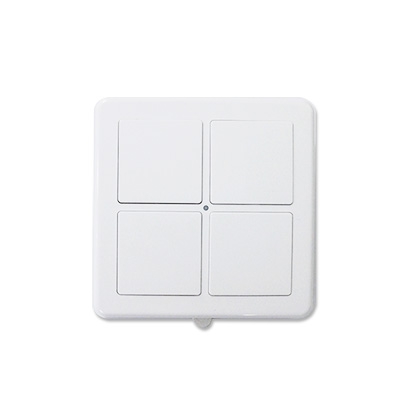
Name | Wall Remote |
|---|
Short Description | Portable Controller with Remote Control Function ... |
|---|
Long Description | Portable Controller with Wall Remote Control:
* Basic Set Mode: 4 buttons control 4 different groups.
* Central Scene Mode: 4 buttons control 4 different scenes.
* Support Shift Function to Primary Controller)
* Battery: CR2032 x 2 |
|---|
Brand | Vision |
|---|
Product Identifier | ZT1141EU-5 |
|---|
OEM Version | HW: 2 FW: 10.03 |
|---|
Hardware Platform | ZM5101 |
|---|
Z-Wave Version | 3.2X |
|---|
Library Type | CONTROLLER_PORTABLE |
|---|
Device Type | Remote Control - Simple |
|---|
Role Type | ROLE_TYPE_CONTROLLER_PORTABLE |
|---|
Manufacturer ID | 0x0109 |
|---|
Product Type ID | 0x1004 |
|---|
Product ID | 0x0402 |
|---|
User Icon | 1600 |
|---|
Installer Icon | 1600 |
|---|
Frequency Plans | EU: 869.85MHz, 868.40MHz |
|---|
Categories | All Controllers, Handheld Controller |
|---|
Countries / Regions | European Union |
|---|
Controlled Command Classes | Identifier | Name | Key | Version |
|---|
COMMAND_CLASS_BASIC | Basic | 0x20 | 1 | COMMAND_CLASS_CENTRAL_SCENE | Central Scene | 0x5B | 1 | COMMAND_CLASS_WAKE_UP_V2 | Wake Up V2 | 0x84 | 2 |
|
|---|
Documents | Category | Description | File |
|---|
Manual_Primary_Lang | Product or Owner's Manual | |
|
|---|
Association Groups | Group Number | Maximum Nodes Supported | End Point ID | Description |
|---|
1 | 5 | 0 | Z-Wave Plus Lifeline |
|
|---|
Texts | ID | Description | Value |
|---|
24 | Controller Exclusion | To “Exclude” from (removing from) an existing network: Put the Z-Wave™ Gateway or Controller into learn mode to remove the Wall Remote from your controller. Press button 1 and 4 together till the red LED flashes to be excluded. ZT1141 will go to sleep if removing is not successfully within 5 seconds. | 23 | Controller Inclusion | To “Include” into (adding into) an existing network: Put the Z-Wave™ Gateway or Controller into learn mode to add the Wall Remote into your controller. Press button 1 and 4 together till the red LED flashes to be included. ZT1141 will go to sleep if adding is not successfully within 5 seconds. | 3 | Learn Mode (adding another controller) | 1) Include other devices into Wall Remote's network:
* Wall Remote must be primary controller
* Press I/E button until green LED flashes
* Wall Remote will go back to sleep if no node info received within 10 seconds.
2) Exclude other devices from Wall Remote's network:
* Wall Remote must be the primary controller
* Press I/E button until red LED flashes.
* Wall Remote will go back to sleep if no node info received within 10 seconds. | 5 | Factory Reset | Press 4 buttons together for 10 seconds. The LED colors will turn red then turn green. (Green LED flashes 5 times quickly that means reset completely).
Remark: This is to be used only in the case of primary controller being inoperable or otherwise unavailable. |
|
|---|
Supports NWI | Yes |
|---|
Supports Explorer Frames | Yes |
|---|