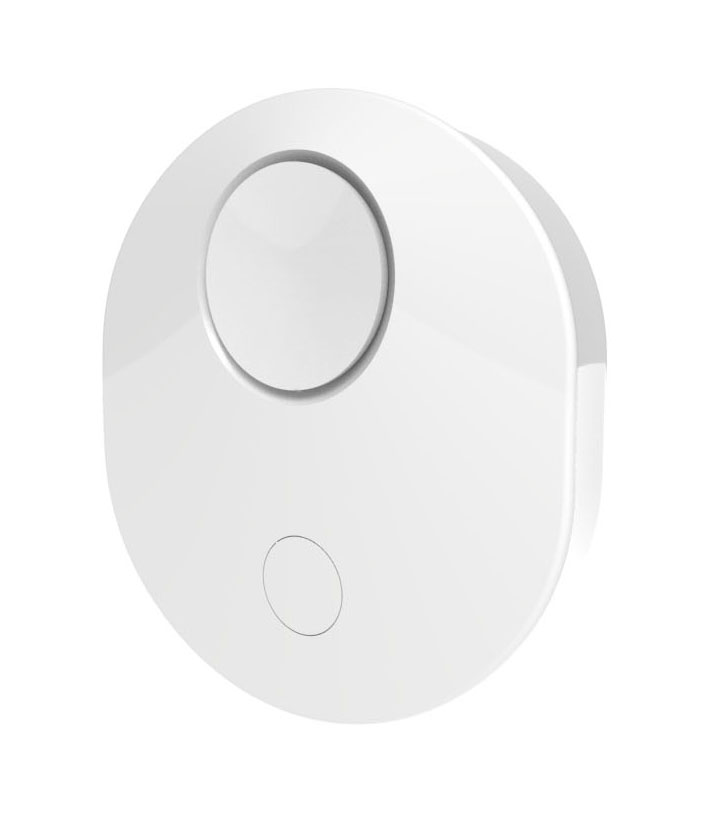
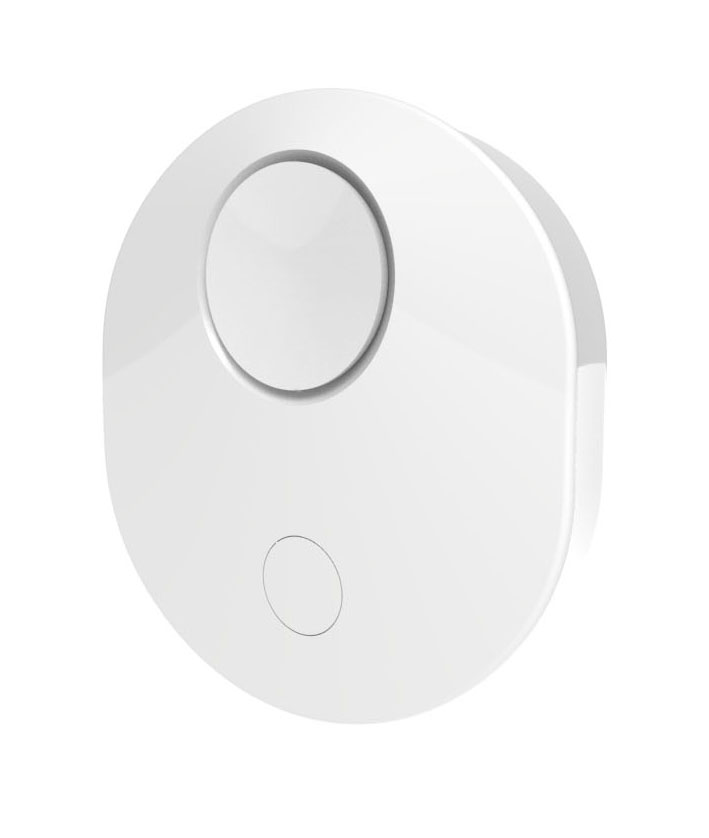
Product Recognition | |
|---|
Certification Number | ZC10-18096237 |
|---|
Name | Water Leak Detector |
|---|
Short Description | ZL-LD-100 is designed to detect and alert any water leaks in residential or commercial buildings. |
|---|
Long Description | ZL-LD-100 is designed to detect and alert any water leaks in residential or commercial buildings. ZL-LD-100 features an audible buzzer in addition to a wireless alert to your controller providing early notification of water leaks before major damage occurs.
- Water sensing cable may be placed anywhere where there is a risk of a leak, horizontal (floor, attic) or vertical (wall, along pipes), providing 3D capability to sense the leak.
- Senses as little as couple of drops of water (0.25ml – 0.5ml)
- Provides hundreds of times more coverage vs. traditional single point sensors that only detect leaks in a very localized area.
- Quickly senses water leaks (every 400msec with micro USB power supply, every 60 sec. with battery) before expensive damage occurs.
- LD-100 reports local temperature once every 60 minutes on battery, when using micro USB power supply it can be set using configuration parameter 3.
- Built-in audible buzzer sounds when water is detected.
- Includes 4-foot-long sensing cable that senses water on any part of the cable.
- Water sensing cable extend-able up to 150 feet with available extensions.
- Powered by 3 x AAA batteries (not included) or standard 5V micro USB power supply (not included). |
|---|
Brand | ZLINK |
|---|
Product Identifier | ZL-LD-100 |
|---|
OEM Version | HW: 255 FW: 50.06 |
|---|
Hardware Platform | ZM5101 |
|---|
Z-Wave Version | 6.81.01 |
|---|
Library Type | SLAVE_ENHANCED_232 |
|---|
Device Type | Notification Sensor |
|---|
Role Type | ROLE_TYPE_SLAVE_SLEEPING_REPORTING |
|---|
Manufacturer ID | 0x0315 |
|---|
Product Type ID | 0x0202 |
|---|
Product ID | 0x0001 |
|---|
User Icon | 0x0c05 |
|---|
Installer Icon | 0x0c05 |
|---|
Frequency Plans | US: 916.00MHz, 908.40MHz |
|---|
Categories | Sensors |
|---|
Countries / Regions | United States of America |
|---|
Supported Command Classes | Identifier | Name | Key | Version |
|---|
COMMAND_CLASS_SENSOR_BINARY | Sensor Binary | 0x30 | 1 | COMMAND_CLASS_FIRMWARE_UPDATE_MD_V4 | Firmware Update Meta-Data V4 | 0x7A | 4 | COMMAND_CLASS_POWERLEVEL | Powerlevel | 0x73 | 1 | COMMAND_CLASS_BATTERY | Battery | 0x80 | 1 | COMMAND_CLASS_SWITCH_BINARY | Switch Binary | 0x25 | 1 | COMMAND_CLASS_BASIC | Basic | 0x20 | 1 | COMMAND_CLASS_TRANSPORT_SERVICE_V2 | Transport Service V2 | 0x55 | 2 | COMMAND_CLASS_VERSION_V2 | Version V2 | 0x86 | 2 | COMMAND_CLASS_WAKE_UP_V2 | Wake Up V2 | 0x84 | 2 | COMMAND_CLASS_DEVICE_RESET_LOCALLY | Device Reset Locally | 0x5A | 1 | COMMAND_CLASS_ZWAVEPLUS_INFO_V2 | Z-Wave Plus Info V2 | 0x5E | 2 | COMMAND_CLASS_ASSOCIATION_V2 | Association V2 | 0x85 | 2 | COMMAND_CLASS_ASSOCIATION_GRP_INFO | Association Group Info | 0x59 | 1 | COMMAND_CLASS_NOTIFICATION_V8 | Notification V8 | 0x71 | 8 | COMMAND_CLASS_CONFIGURATION_V3 | Configuration V3 | 0x70 | 3 | COMMAND_CLASS_SECURITY_2 | Security S2 | 0x9F | 1 | COMMAND_CLASS_SENSOR_MULTILEVEL_V11 | Sensor Multilevel V11 | 0x31 | 11 | COMMAND_CLASS_SUPERVISION | Supervision | 0x6C | 1 | COMMAND_CLASS_MANUFACTURER_SPECIFIC_V2 | Manufacturer Specific V2 | 0x72 | 2 |
|
|---|
Controlled Command Classes | Identifier | Name | Key | Version |
|---|
COMMAND_CLASS_BASIC | Basic | 0x20 | 1 |
|
|---|
S2 Classes | S2_UNAUTHENTICATED, S2_AUTHENTICATED |
|---|
Documents | Category | Description | File |
|---|
Manual_Primary_Lang | Product or Owner's Manual | |
|
|---|
Features | Feature | Values |
|---|
Battery Quantity | | Supported Notification Types | | Battery Type | | Color | | Sensors | Value |
|---|
Air Temperature | Moisture |
| Firmware Updatable | Value |
|---|
Updatable by Consumer by RF |
| Outdoor Use | |
|
|---|
Association Groups | Group Number | Maximum Nodes Supported | End Point ID | Description |
|---|
1 | 5 | 0 | 1. BATTERY_REPORT
2. NOTIFICATION_REPORT
3. SENSOR_MULTILEVEL_REPORT
4. DEVICE_RESET_LOCALLY_NOTIFICATION
5. Z-Wave Plus Lifeline | 2 | 5 | 0 | Group 2: Basic Set, you can associate up to five Z-Wave devices to Group 2. LD-100 will send a Basic Set to the associated devices, for example, turning on lights or engaging the water auto shut-off valve, when water is detected. |
|
|---|
Configuration Parameters | Parameter Number | Name | Description | Format | Size | Min Value | Max Value | Default Value | Parameter Values |
|---|
2 | Water detection beep frequency | Parameter 2 is for the beep interval when on battery power and on USB power during the time water is detected. 0= every 10 minutes 1= every 5 minutes 2= every 30 minutes | 1 | 1 | 0 | 2 | 0 | From | To | Description |
|---|
0 | 2 | Parameter 2 is for the beep interval when on battery power and on line power during the time water is detected. 0= every 10 minutes 1= every 5 minutes 2= every 30 minutes |
| 4 | Notification buzzer | The buzzer may be disabled when detecting water on line power or battery, using parameter 4, the default value is set to enabled. | 1 | 1 | 0 | 1 | 1 | From | To | Description |
|---|
0 | 1 | The buzzer may be disabled when detecting water on line power or battery, using parameter 4, the default value is set to enabled. |
|
|
|---|
Texts | ID | Description | Value |
|---|
5 | Factory Reset | Use the manual reset procedure only in the event that the network primary controller is lost or otherwise inoperable.
Press and hold the Z-Wave button on the sensor body for 10 seconds. If successful, the LED will flash 5 times rapidly. | 4 | Device Wake-Up | When on battery power, the unit will stay awake for 5 minutes when the button is pressed to complete inclusion process. Once included, the unit will wake up every 60 seconds and detect for water.
Also, the unit will wake up every hour to report temperature to the controller. | 2 | Exclusion | Exclusion: Remove the device from your network by a Z-Wave certified controller. The device can be removed using the traditional method for Z-Wave as follows:
1. Place your controller into Exclusion mode by following the controller manufacturer's instructions.
2. When the controller is ready, single click the button of LD-100. The controller should indicate that the new device was removed successfully. If the controller shows it failed, repeat the procedure. | 1 | Inclusion | Inclusion: Add the device into your network by a Z-Wave certified controller. If the controller is SmartStart compatible, refer to the controller manufacturer app that allows the DSK code to be scanned, and scan the DSK code on the inside of the battery door or on the box. If your controller is not S2/ SmartStart compatible, the device can be added using the traditional method for Z-Wave as follows:
1. Place your controller into Inclusion (Add) mode by following the controller manufacturer's instructions.
2. When the controller is ready, single click the button of LD-100. The controller should indicate that the new device was added successfully. If the controller shows it failed, repeat the procedure. |
|
|---|
Supported Notification Types | Notification Type | Event / State |
|---|
Water Alarm | (Refer to parameters): State idle |
|
|---|
Supported Multilevel Sensors | Multilevel Sensor Type |
|---|
Air temperature | Moisture |
|
|---|
Supports NWI | Yes |
|---|
Supports Explorer Frames | Yes |
|---|
Supports SmartStart | Yes |
|---|
Radio Range Z-Wave (m) | 40 |
|---|