
| Product Recognition | |
|---|
| Certification Number | ZC10-17015404 |
|---|
| Name | Water Main Shut-Off |
|---|
| Short Description | Dome Water Main Shut-Off |
|---|
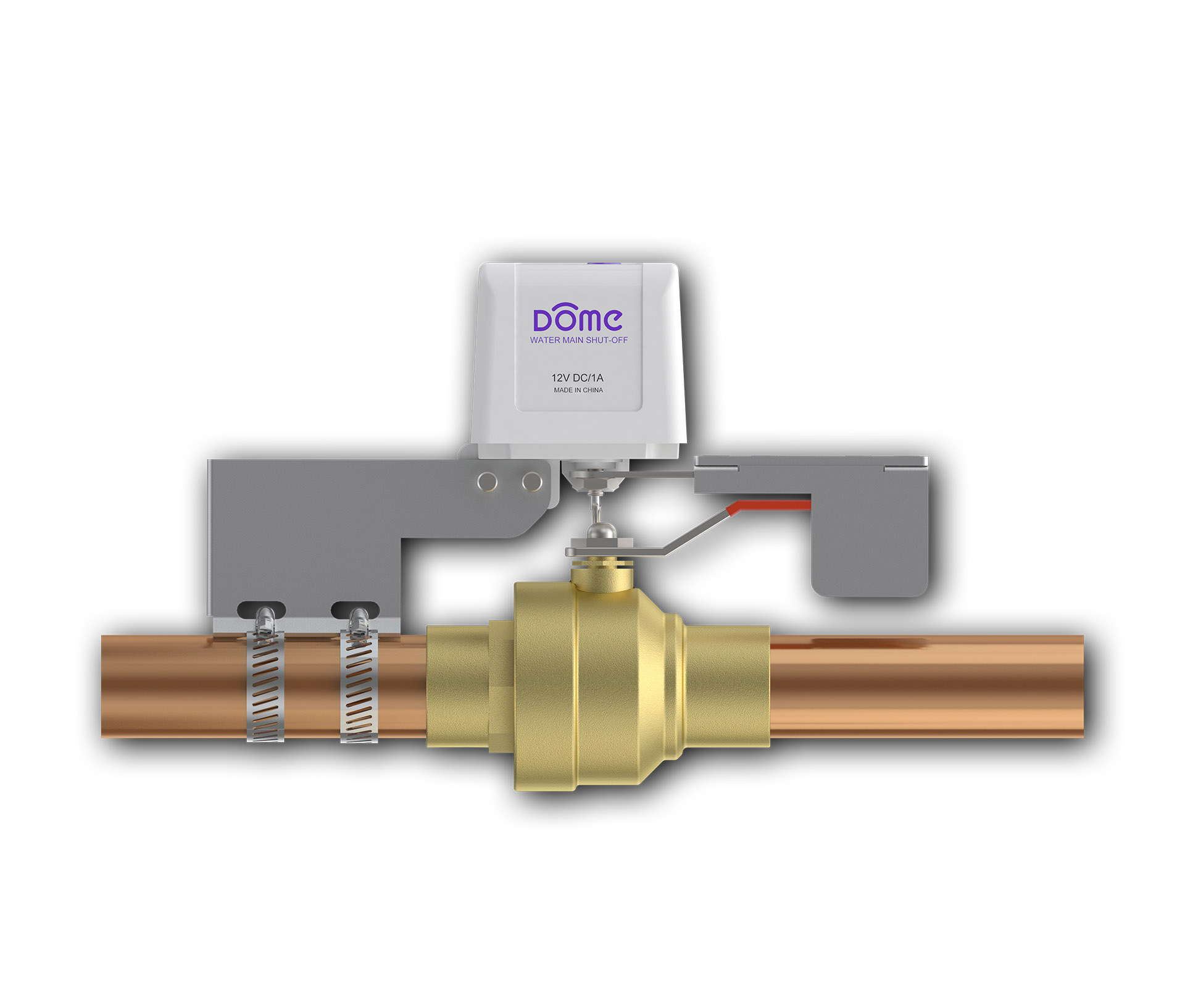
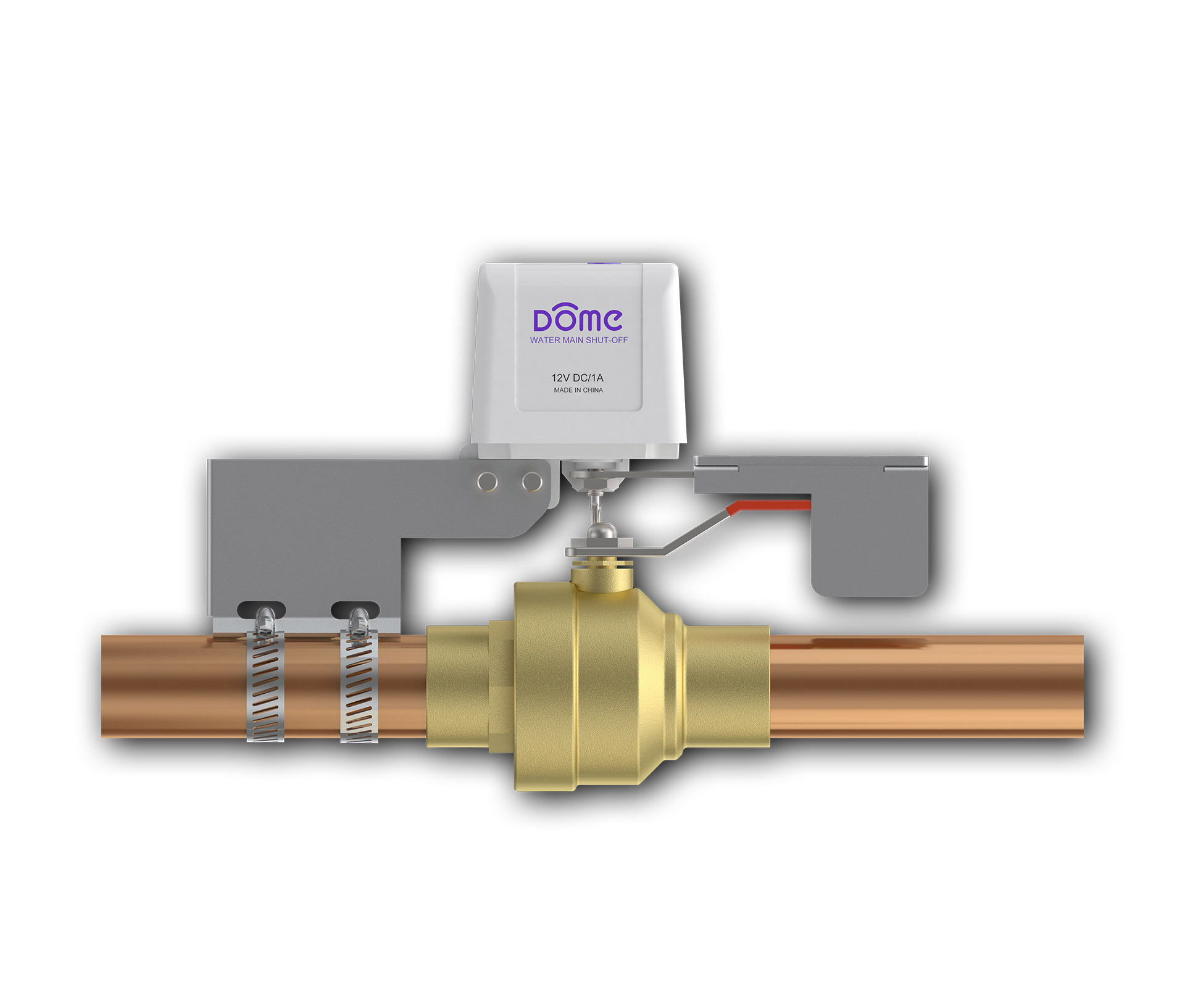
| Long Description | The Dome™ Home Automation DMWV1 Water Main Shut-off is designed to fit over existing ¼ turn ball-valves for pipes sized up to 1½ inch. No professional plumbing contractor is required- it can be installed by a homeowner with just a screwdriver. This device requires a Z-Wave Certified hub for operation. When configured with a Water Leak Sensor, the Water Main Shut-off can automatically cut off the supply to limit the damage. You can also remotely control the valve position using your smarthome system mobile app. Extra-long Z-Wave wireless range (up to 150 ft) allows you to place it where it’s needed without worrying if the signal is reaching your Z-Wave Hub. Also functions as Z-Wave signal extender. Dome™ DMWV1 Water Main Shut-off comes with a 1-year limited warranty. Measurements in inches: 2.5 x 3.5 x 6. Dome™ Home Automation Z-Wave devices give your family peace of mind and security you can count on. With Dome™, you’re always connected and always covered.
• Installs over existing valve without need of a plumber using just a screw driver. Works with ¼ turn ball-valves on pipes sized up to 1½ inch
• Open/Close valve control allowing for automatic water shut-off when leaks are detected as well as on demand control using your smarthome mobile app.
• Up to 150-foot range. Functions as Z-Wave signal extender
• Z-Wave Plus Certified. Requires a Z-Wave Certified Hub to operate |
|---|
| Brand | Dome |
|---|
| Product Identifier | DMWV1 |
|---|
| OEM Version | HW: 2 FW: 0.02 |
|---|
| Hardware Platform | ZM5202 |
|---|
| Z-Wave Version | 6.51.06 |
|---|
| Library Type | SLAVE_ROUTING |
|---|
| Device Type | Valve |
|---|
| Role Type | ROLE_TYPE_SLAVE_ALWAYS_ON |
|---|
| Manufacturer ID | 0x021F |
|---|
| Product Type ID | 0x0003 |
|---|
| Product ID | 0x0002 |
|---|
| User Icon | 0x1500 |
|---|
| Installer Icon | 0x1500 |
|---|
| Frequency Plans | US: 916.00MHz, 908.40MHz |
|---|
| Categories | Water Valves & Irrigation |
|---|
| Countries / Regions | United States of America |
|---|
| Supported Command Classes | | Identifier | Name | Key | Version |
|---|
| COMMAND_CLASS_POWERLEVEL | Powerlevel | 0x73 | 1 | | COMMAND_CLASS_SWITCH_BINARY | Switch Binary | 0x25 | 1 | | COMMAND_CLASS_BASIC | Basic | 0x20 | 1 | | COMMAND_CLASS_VERSION_V2 | Version V2 | 0x86 | 2 | | COMMAND_CLASS_DEVICE_RESET_LOCALLY | Device Reset Locally | 0x5A | 1 | | COMMAND_CLASS_ZWAVEPLUS_INFO_V2 | Z-Wave Plus Info V2 | 0x5E | 2 | | COMMAND_CLASS_ASSOCIATION_V2 | Association V2 | 0x85 | 2 | | COMMAND_CLASS_ASSOCIATION_GRP_INFO | Association Group Info | 0x59 | 1 | | COMMAND_CLASS_MANUFACTURER_SPECIFIC_V2 | Manufacturer Specific V2 | 0x72 | 2 |
|
|---|
| Documents | |
|---|
| Features | | Feature | Values |
|---|
| Switch Type | | Value |
|---|
| Push Button with Indicator |
| | Color | |
|
|---|
| Association Groups | | Group Number | Maximum Nodes Supported | End Point ID | Description |
|---|
| 1 | 5 | 0 | Group 1 is the “Lifeline” group, which can hold five devices. The Water Main Shut-Off sends this group a Binary Switch Report whenever it is turned on or off. The Water Main Shut-Off also sends this group a Device Reset Locally notification to remove itself from the Z-Wave network. |
|
|---|
| Texts | | ID | Description | Value |
|---|
| 2 | Exclusion | 1. Follow the instructions for your Z-Wave certified Controller to enter exclusion mode.
2. When prompted, press the “open/close” button on the Shut-Off quickly 3 times in a row. | | 5 | Factory Reset | Press and hold the open/close button for at least 10 seconds then release. The Shut-Off’s memory will be erased to factory settings. A flashing light indicates a successful factory reset. Beware that resetting your device will disconnect it from your system. Only do this if the controller is missing or otherwise unreachable! | | 1 | Inclusion | 1 For proper inclusion, bring the Water Main Shut-Off to the final location where it will be used. *
2 Follow the instructions for your Z-Wave controller to enter inclusion mode.
3 Make sure the Water Main Shut-Off is powered on, and when prompted by your controller, press the “open/close” button quickly 3 times in a row. The LED will stop blinking and stay on continuously upon successful inclusion.
*For non Z-Wave Plus networks, please consult the owner’s manual for your primary controller to determine the best method and location for adding the Water Main Shut-Off to your Z-Wave network. |
|
|---|
| Supports NWI | Yes |
|---|
| Supports Explorer Frames | Yes |
|---|