| Product Recognition | |
|---|
| Certification Number | ZC14-26010573 |
|---|
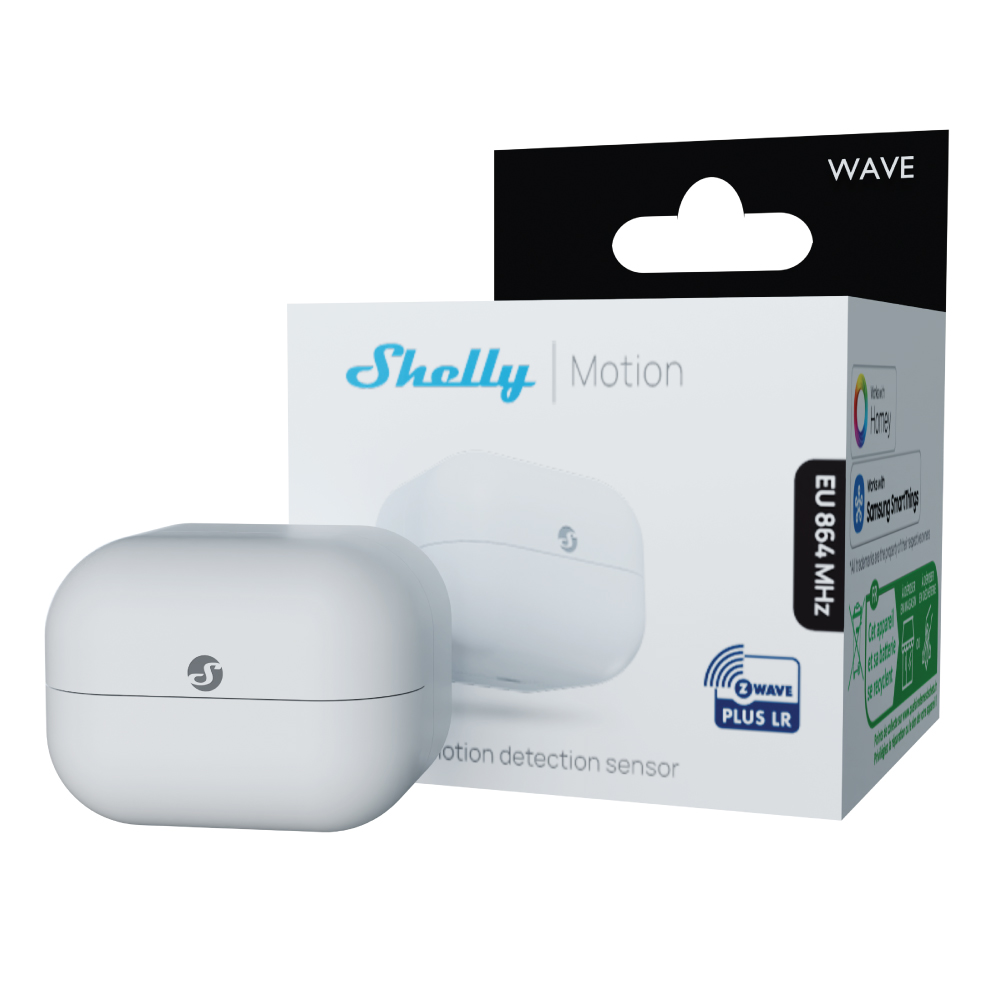
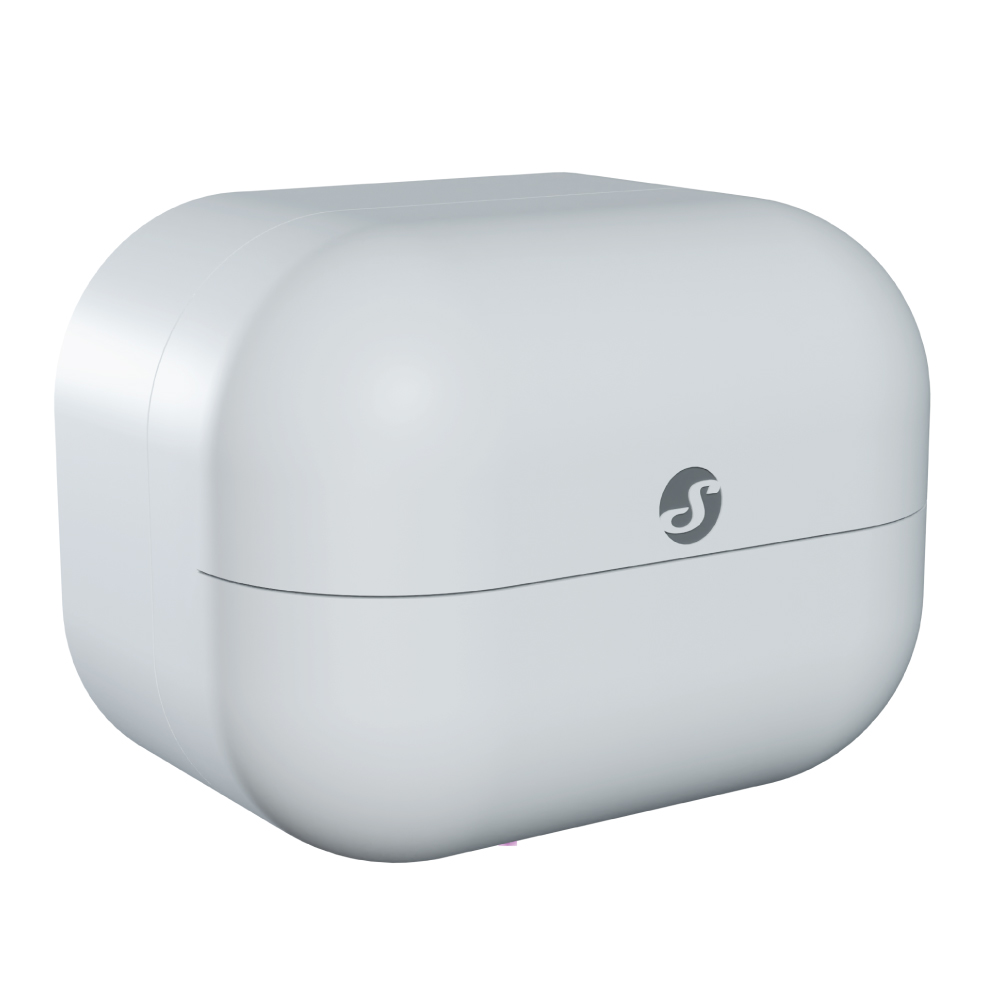
| Name | Wave Motion EU LR |
|---|
| Short Description | Battery-powered Z-Wave® Long Range motion sensor with alerts |
|---|
| Description | The Shelly Wave Motion brings reliable motion detection and smart automation to every home. Built with Z-Wave Long Range technology, it connects directly to Z-Wave hub and offers extended coverage across every space. In addition to motion detection, it includes an illumination sensor, allowing for smarter lighting control based on real-time brightness levels. Whether enhancing home security or reducing energy use, the Shelly Wave Motion gives users accurate data and dependable performance where and when they need it.
Key features:
Motion sensor
Illumination sensor
Battery operated (1xCR2477)
Longer battery life
Z-Wave frequency band: 864 MHz (ZWLR) & 868.4 MHz (Z-Wave Plus)
Latest technology: Z-Wave 800 Series
Automatic set-up with SmartStart
Security 2 Authenticated for the highest level of security
Over-the-air firmaware updates |
|---|
| Brand | Shelly |
|---|
| Brand Owner | Shelly Group Ltd. |
|---|
| Identifier | QLMO-003FEU |
|---|
| Product Line | Shelly Wave |
|---|
| Product URL | https://kb.shelly.cloud/knowledge-base/duplicate-of-shelly-wave-motion-eu-lr |
|---|
| OEM Version | HW: 01 FW: 11.13:03.00 |
|---|
| Hardware Platform | ZGM230SA |
|---|
| Z-Wave Version | 7.23.1 |
|---|
| Library Type | END_NODE_ENHANCED_232 |
|---|
| Device Type | Notification Sensor DT |
|---|
| Role Type | ROLE_TYPE_END_NODE_SLEEPING_REPORTING |
|---|
| Manufacturer ID | 0x0460 |
|---|
| Product Type ID | 0x0100 |
|---|
| Product ID | 0x0082 |
|---|
| User Icon | 0x0700 |
|---|
| Installer Icon | 0x0D00 |
|---|
| Radio Range Z-Wave (m) | 75 |
|---|
| Radio Range Z-Wave LR (m) | 700 |
|---|
| Frequency Plans | EU: 869.85MHz, 868.40MHz, EU_LR: 864.00MHz, 866.00MHz |
|---|
| Categories | Sensors, Motor Control |
|---|
| Countries / Regions | Armenia, Bahrain, European Union, Cyprus, Moldova, Egypt, French Guiana, Georgia, Iraq, Jordan, Kazakhstan, Kuwait, Lebanon, Libya, Maldives, Mauritius, Nigeria, Oman, Philippines, Qatar, Saudi Arabia, South Africa, Turkmenistan, United Arab Emirates, ZU, Yemen |
|---|
| Supported Command Classes | | Identifier | Name | Key | Version |
|---|
| COMMAND_CLASS_CONFIGURATION_V4 | Configuration V4 | 0x70 | 4 | | COMMAND_CLASS_SENSOR_MULTILEVEL_V11 | Multilevel Sensor V11 | 0x31 | 11 | | COMMAND_CLASS_NOTIFICATION_V8 | Notification V8 | 0x71 | 8 | | COMMAND_CLASS_ASSOCIATION_V2 | Association V2 | 0x85 | 2 | | COMMAND_CLASS_ASSOCIATION_GRP_INFO_V3 | Association Group Information (AGI) V3 | 0x59 | 3 | | COMMAND_CLASS_BATTERY | Battery | 0x80 | 1 | | COMMAND_CLASS_DEVICE_RESET_LOCALLY | Device Reset Locally | 0x5A | 1 | | COMMAND_CLASS_FIRMWARE_UPDATE_MD_V5 | Firmware Update Meta Data V5 | 0x7A | 5 | | COMMAND_CLASS_INDICATOR_V3 | Indicator V3 | 0x87 | 3 | | COMMAND_CLASS_MANUFACTURER_SPECIFIC_V2 | Manufacturer Specific V2 | 0x72 | 2 | | COMMAND_CLASS_MULTI_CHANNEL_ASSOCIATION_V3 | Multi Channel Association V3 | 0x8E | 3 | | COMMAND_CLASS_VERSION_V3 | Version V3 | 0x86 | 3 | | COMMAND_CLASS_WAKE_UP_V2 | Wake Up V2 | 0x84 | 2 | | COMMAND_CLASS_ZWAVEPLUS_INFO_V2 | Z-Wave Plus Info V2 | 0x5E | 2 | | COMMAND_CLASS_SECURITY_2 | Security 2 | 0x9F | 1 | | COMMAND_CLASS_SUPERVISION | Supervision | 0x6C | 1 | | COMMAND_CLASS_TRANSPORT_SERVICE_V2 | Transport Service V2 | 0x55 | 2 | | COMMAND_CLASS_POWERLEVEL | Powerlevel | 0x73 | 1 |
|
|---|
| S2 Classes | S2_AUTHENTICATED, S2_UNAUTHENTICATED |
|---|
| Documents | |
|---|
| Features | | Feature | Values |
|---|
| Battery Quantity | | | Battery Type | | | Firmware Updatable | | Value |
|---|
| Updatable by Consumer by RF |
|
|
|---|
| Association Groups | | Group Number | Maximum Nodes Supported | End Point ID | Group Name | Profile |
|---|
| 1 | 9 | 0 | Lifeline | 0x0001 | | 2 | 9 | 0 | On/off | 0x2001 |
|
|---|
| Configuration Parameters | | Parameter Number | Name | Description | Format | Size | Min Value | Max Value | Default Value | Flag Advanced | Read-only |
|---|
| 117 | Remote device reboot | Remote device reboot, soft reset | 1 | 1 | 0 | 0 | 0x00 | | | | 120 | Factory reset | Factory reset | 1 | 1 | 0 | 0 | 0x00 | Yes | | | 155 | Illumination measurement | This parameter enables the ambient illumination measurement by the sensor | 1 | 1 | 0 | 0 | 0x01 | Yes | | | 157 | Motion LED indicator | This parameter enables motion status change by LED indicator | 1 | 1 | 0 | 0 | 0x01 | Yes | | | 201 | Serial Number 1 | Serial Number 1 | 1 | 4 | 0 | 0 | 0x7FFFFFFF | Yes | Yes | | 202 | Serial Number 2 | Serial Number 2 | 1 | 4 | 0 | 0 | 0x7FFFFFFF | Yes | Yes | | 203 | Serial Number 3 | Serial Number 3 | 1 | 4 | 0 | 0 | 0x7FFFFFFF | Yes | Yes | | 158 | Motion sensitivity | 0 - Low: Close movements 1 - Moderate: Balanced detection 2 - High: Distant movements | 1 | 1 | 0 | 0 | 0x01 | Yes | | | 159 | Motion blind time | Blind time in seconds after last detected motion | 1 | 1 | 0 | 0 | 0x05 | Yes | | | 160 | Active detection status duration time after last trigger | Time after last detected motion for device to send motion not detected | 1 | 2 | 0 | 0 | 0x001E | Yes | | | 166 | Motion Lux Threshold | This setting sets the lux threshold for motion detection. | 1 | 2 | 0 | 0 | 0x0000 | | |
|
|---|
| Texts | | ID | Description | Value |
|---|
| 1 | Classic Inclusion | Adding (inclusion) with the S button (*not available for Long Range inclusion)
1. Single press and check if the blue LED blinks once. If so, the Device is not added to a Z-Wave® network.
2. Enable add/remove mode on the gateway.
3. To enter the Setting mode, press the S button (>0,5s) on the Device until the LED turns solid blue.
4. Release and then press and hold (> 2s) the S button on the Device until the blue LED starts blinking in Mode 3. Releasing the S button will start the Learn mode.
5. The blue LED will be blinking in Mode 2 during the adding process.
6. Once the device has been successfully added into a Z-Wave® network, the LED will remain off. To confirm the inclusion of the device, press the S-button again; the green LED will blink once as a signal of successful inclusion. | | 2 | Classic Exclusion | Removing (exclusion) with the S button
1. Single press and check if the green LED blinks once. If so, the Device is added to a Z-Wave® network.
2. Enable add/remove mode on the gateway.
3. To enter the Setting mode, press the S button (>0,5s) on the Device until the LED turns solid blue.
4. Release and then press and hold (> 2s) the S button on the Device until the blue LED starts blinking in Mode 3. Releasing the S button will start the Learn mode.
5. The blue LED will be blinking in Mode 2 during the removing process.
6. The blue LED will be blinking in Mode 1 if the Device is successfully removed from a Z-Wave® network. | | 4 | Wake-Up Procedure | The Device will wake up when:
• Pressing the S button
• When the Device is powered on
• By the set wake up interval | | 5 | Factory Reset Procedure | Factory reset with the S button
Note! Factory reset with the S button is possible anytime.
1. To enter the Setting mode, press the S button (>0,5s) on the Device until the LED turns solid blue.
2. Press the S button until the LED turns solid red.
3. Press and hold (> 2s) S button on the Device until the red LED starts blinking in Mode 3. Releasing the S button will start the factory reset.
4. During factory reset, the LED will shortly turn solid green.
5. The blue LED will be blinking in Mode 1 if the Factory reset is successful. | | 8 | Where to find S2 DSK on product | Note! When adding the Device to a Z-Wave® network with a gateway supporting Security 2 (S2), the PIN Code of the Z-Wave® Device Specific Key (DSK) is required. You can find it on the label on the side of the Device and a copy is inserted in the packaging, which must not be lost. Do not remove the Z-Wave® DSK label from the Device. As a backup measure, use the label in the packaging. |
|
|---|
| Supported Notification Types | | Notification Type | Event / State |
|---|
| Home Security | Motion sensor status: Motion detection (location provided) |
|
|---|
| Supported Multilevel Sensors | | Multilevel Sensor Type |
|---|
| Illuminance |
|
|---|
| Supports NWI | Yes |
|---|
| Supports Explorer Frames | Yes |
|---|
| Supports SmartStart | Yes |
|---|