
Product Recognition | |
|---|---|
Certification Number | ZC10-15110002 |
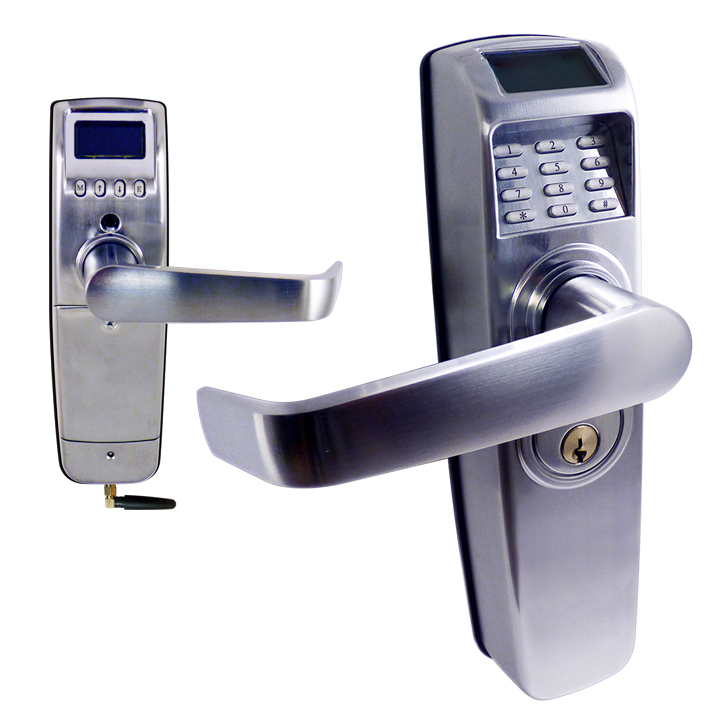
Name | Westinghouse RTS-PZ |
Short Description | Z-Wave enabled deadlatch door lock with 1000 user’s PIN, access logging and scheduled access. |
Long Description | The RTS-PZ is perfect for security-sensitive business and government environments. Set access control rights for each individual user to each individual lock and upload these access rights in seconds. You can register users as PIN-code only on any lock or group of locks you define. The combination of large user capacity, audit trails, built-in scheduling system and weather- proof design makes this system unequaled in value compared to other products currently available. |
Brand | Westinghouse |
Product Identifier | 9001 |
OEM Version | 10 |
Hardware Platform | ZM5202 |
Z-Wave Version | 6.51.06 |
Library Type | SLAVE_ENHANCED_232 |
Device Type | Door Lock Keypad |
Role Type | ROLE_TYPE_SLAVE_SLEEPING_LISTENING |
Manufacturer ID | 0x0217 |
Product Type ID | 0x0900 |
Product ID | 0x0001 |
Frequency Plans | US: 916.00MHz, 908.40MHz |
Categories | Locks |
Countries / Regions | United States of America |
Documents | |
Association Groups | |
Texts | |
Supports NWI | Yes |
Supports Explorer Frames | Yes |
Is Flirs | Yes |
Radio Range Z-Wave (m) | 40 |