| Product Recognition | |
|---|
| Certification Number | ZC10-17015397 |
|---|
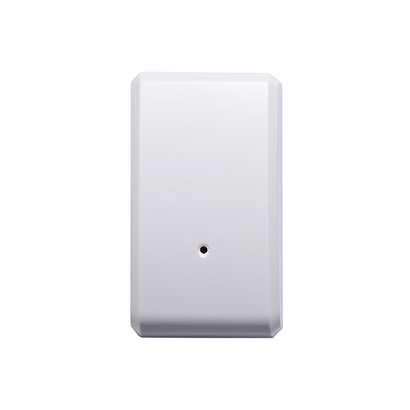
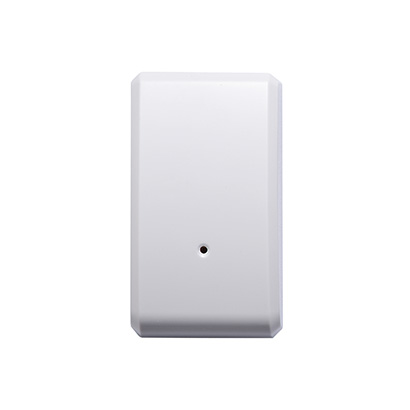
| Name | Wireless Shock Sensor |
|---|
| Short Description | ZS5101US-5 detects vibrations made by an intruder attempting to break a window or door. It detects tamper situations and relayed communications are encrypted. |
|---|
| Long Description | ZS5101US-5 detects vibrations made by an intruder attempting to break a window or door. It detects tamper situations and will send Z-Wave a signal when vibrations or tamper situations occur. When this device is securely included into the Z-Wave network, the above communications will be encrypted.
* Non-Touch Vibration Design for Longer Lifetime
* Adjustable Sensitivity
* Tamper Switch
* Battery Detection
* LED Status Indicator
* Battery Life: 2 Years |
|---|
| Brand | Vision |
|---|
| Product Identifier | ZS5101US-5 |
|---|
| OEM Version | HW: 1 FW: 16.11 |
|---|
| Hardware Platform | ZM5202 |
|---|
| Z-Wave Version | 6.51.09 |
|---|
| Library Type | SLAVE_ENHANCED_232 |
|---|
| Device Type | Notification Sensor |
|---|
| Role Type | ROLE_TYPE_SLAVE_SLEEPING_REPORTING |
|---|
| Manufacturer ID | 0x0109 |
|---|
| Product Type ID | 0x2003 |
|---|
| Product ID | 0x0308 |
|---|
| User Icon | 0x0C07 |
|---|
| Installer Icon | 0x0C07 |
|---|
| Frequency Plans | US: 916.00MHz, 908.40MHz |
|---|
| Categories | Sensors |
|---|
| Countries / Regions | United States of America |
|---|
| Supported Command Classes | | Identifier | Name | Key | Version |
|---|
| COMMAND_CLASS_POWERLEVEL | Powerlevel | 0x73 | 1 | | COMMAND_CLASS_BATTERY | Battery | 0x80 | 1 | | COMMAND_CLASS_APPLICATION_STATUS | Application Status | 0x22 | 1 | | COMMAND_CLASS_SECURITY | Security S0 | 0x98 | 1 | | COMMAND_CLASS_VERSION_V2 | Version V2 | 0x86 | 2 | | COMMAND_CLASS_WAKE_UP_V2 | Wake Up V2 | 0x84 | 2 | | COMMAND_CLASS_DEVICE_RESET_LOCALLY | Device Reset Locally | 0x5A | 1 | | COMMAND_CLASS_ZWAVEPLUS_INFO_V2 | Z-Wave Plus Info V2 | 0x5E | 2 | | COMMAND_CLASS_ASSOCIATION_V2 | Association V2 | 0x85 | 2 | | COMMAND_CLASS_ASSOCIATION_GRP_INFO | Association Group Info | 0x59 | 1 | | COMMAND_CLASS_FIRMWARE_UPDATE_MD_V2 | Firmware Update Meta-Data V2 | 0x7A | 2 | | COMMAND_CLASS_MANUFACTURER_SPECIFIC_V2 | Manufacturer Specific V2 | 0x72 | 2 | | COMMAND_CLASS_NOTIFICATION_V4 | Notification V4 | 0x71 | 4 |
|
|---|
| Controlled Command Classes | | Identifier | Name | Key | Version |
|---|
| COMMAND_CLASS_BASIC | Basic | 0x20 | 1 |
|
|---|
| Documents | |
|---|
| Features | | Feature | Values |
|---|
| Color | | | Battery Quantity | | | Battery Type | | | Sensors | | Value |
|---|
| Vibration/Shock (Binary) |
|
|
|---|
| Association Groups | | Group Number | Maximum Nodes Supported | End Point ID | Description |
|---|
| 1 | 5 | 0 | Z-Wave Plus Lifeline |
|
|---|
| Texts | | ID | Description | Value |
|---|
| 1 | Inclusion | Put the Z-Wave™ Interface Controller into “inclusion” mode, and following its instruction to add the ZS 5101-5 to your controller. To get in the “inclusion” mode, please press the program switch of ZS 5101-5 for 1 second at least to be included. The LED on the ZS 5101-5 should go off, if not, please try again. | | 5 | Factory Reset | *Push the Tamper switch then power on (put in the battery) & hold the Tamper switch for 5 seconds, ZD5101-5 will send the “Device Reset Locally Notification” command and reset to the factory default, LED will solid on, need to take off the battery and re-put in the battery to complete the function.
*Please use this procedure only in the event that the network primary controller is missing or otherwise inoperable. | | 2 | Exclusion | Put the Z-Wave™ Interface Controller into “exclusion” mode, and following its instruction to delete the ZS 5101-5 from your controller. Press the program switch of ZS 5101-5 for 1 second at least to be excluded. | | 4 | Device Wake-Up | Use “Wake Up” command to set up the awaking time and send the wake up notification to controller. User can use command to change the auto wake up from 500 seconds to 1 week, Interval increment is 250 seconds. (Default: 6 hours)
*Use “Battery Get” command to have the battery capacity back in % |
|
|---|
| Supported Multilevel Sensors | | Multilevel Sensor Type |
|---|
| 0x02 |
|
|---|
| Supports NWI | Yes |
|---|
| Supports Explorer Frames | Yes |
|---|