| Product Recognition | |
|---|
| Certification Number | ZC10-15090001 |
|---|
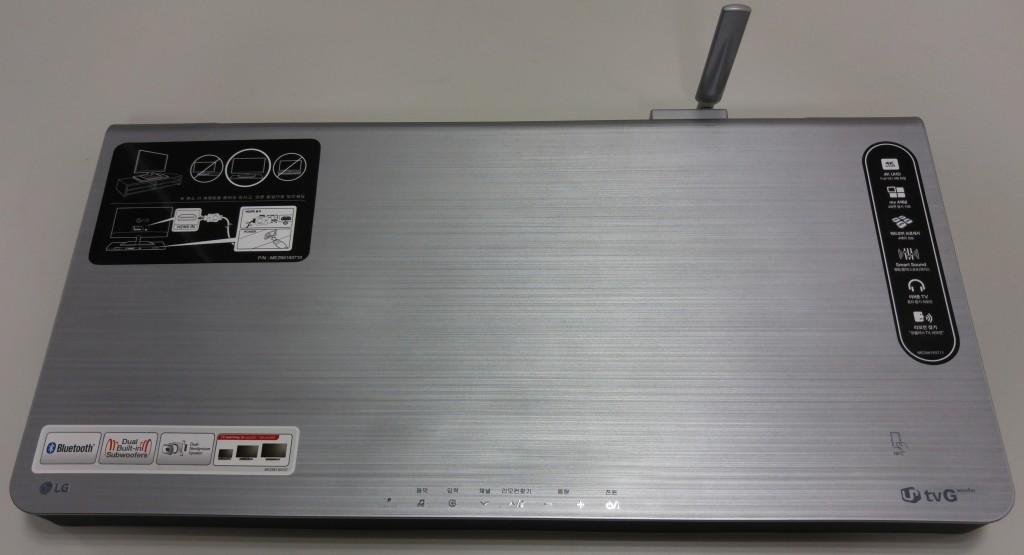
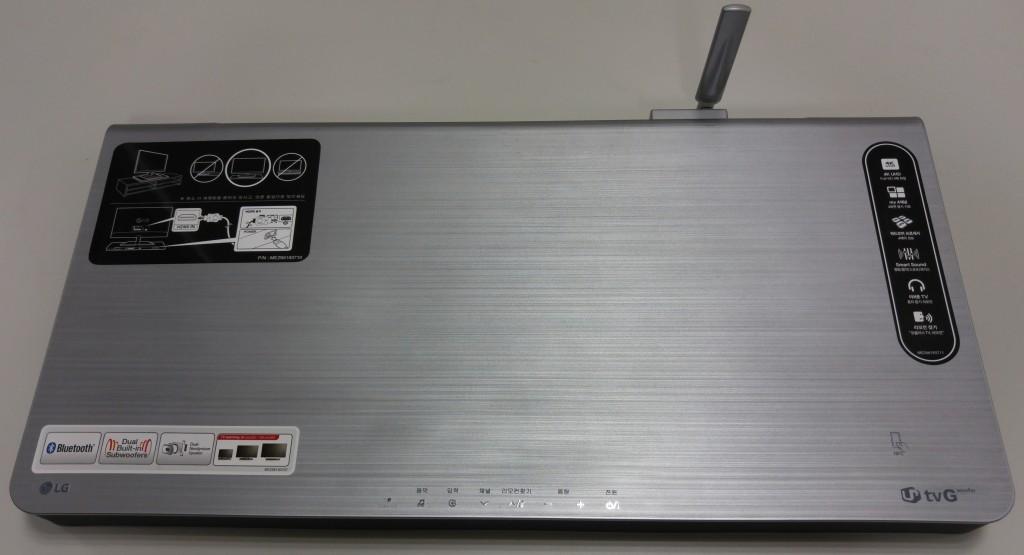
| Name | Woofer IoT |
|---|
| Short Description | Woofer IoT is a set-top box which is supporting universal controller functionalities. |
|---|
| Long Description | Woofer IoT is a set-top box which is supporting universal controller functionalities. this can full support Open Sensor, Smart Switch, Gas Lock, Smart Plug, Door Lock products made for LG Uplus by smart phone application, Other Products made as general Z-Wave Plus standards can be controlled with limited functions. |
|---|
| Brand | LG Uplus |
|---|
| Product Identifier | LAP255U |
|---|
| OEM Version | 00 |
|---|
| Hardware Platform | ZM5101 |
|---|
| Z-Wave Version | 6.51.06 |
|---|
| Library Type | CONTROLLER_STATIC |
|---|
| Device Type | Central Controller |
|---|
| Role Type | ROLE_TYPE_CONTROLLER_CENTRAL_STATIC |
|---|
| Manufacturer ID | 0x015B |
|---|
| Product Type ID | 0x0002 |
|---|
| Product ID | 0x0001 |
|---|
| Frequency Plans | KR: 920.90MHz, 921.70MHz, 923.10MHz |
|---|
| Categories | All Controllers, Gateway Controller |
|---|
| Countries / Regions | Republic of Korea |
|---|
| Controlled Command Classes | | Identifier | Name | Key | Version |
|---|
| COMMAND_CLASS_SENSOR_BINARY | Sensor Binary | 0x30 | 1 | | COMMAND_CLASS_ASSOCIATION | Association | 0x85 | 1 | | COMMAND_CLASS_SWITCH_MULTILEVEL | Switch Multilevel | 0x26 | 1 | | COMMAND_CLASS_ASSOCIATION_GROUP_INFORMATION | Association Group Information V1 | 0x59 | 0 | | COMMAND_CLASS_SENSOR_ALARM | Sensor Alarm | 0x9C | 1 | | COMMAND_CLASS_DOOR_LOCK | Door Lock | 0x62 | 1 | | COMMAND_CLASS_MULTI_COMMAND | Multi-Command V1 | 0x8F | 0 | | COMMAND_CLASS_NO_OPERATION | No Operation | 0x00 | 1 | | COMMAND_CLASS_POWERLEVEL | Powerlevel | 0x73 | 1 | | COMMAND_CLASS_USER_CODE | User Code | 0x63 | 1 | | COMMAND_CLASS_MULTI_CHANNEL_ASSOCIATION | Multi-Channel Association V1 | 0x8E | 0 | | COMMAND_CLASS_MULTI_CHANNEL | Multi-Channel V1 | 0x60 | 0 | | COMMAND_CLASS_SWITCH_ALL | Switch All | 0x27 | 1 | | COMMAND_CLASS_BATTERY | Battery | 0x80 | 1 | | COMMAND_CLASS_WAKE_UP | Wake Up | 0x84 | 1 | | COMMAND_CLASS_TIME | Time | 0x8A | 1 | | COMMAND_CLASS_TIME_PARAMETERS | Time Parameters | 0x8B | 1 | | COMMAND_CLASS_THERMOSTAT_MODE | Thermostat Mode | 0x40 | 1 | | COMMAND_CLASS_SENSOR_MULTILEVEL | Sensor Multilevel | 0x31 | 1 | | COMMAND_CLASS_SWITCH_BINARY | Switch Binary | 0x25 | 1 | | COMMAND_CLASS_BASIC | Basic | 0x20 | 1 | | COMMAND_CLASS_CONFIGURATION | Configuration | 0x70 | 1 | | COMMAND_CLASS_CRC_16_ENCAP | CRC16 Encapsulation | 0x56 | 1 | | COMMAND_CLASS_SECURITY | Security S0 | 0x98 | 1 | | COMMAND_CLASS_ZWAVEPLUS_INFO | Z-Wave Plus Info | 0x5E | 1 | | COMMAND_CLASS_NOTIFICATION | Notification V1 | 0x71 | 0 | | COMMAND_CLASS_THERMOSTAT_SETPOINT | Thermostat Setpoint | 0x43 | 1 | | COMMAND_CLASS_METER | Meter | 0x32 | 1 | | COMMAND_CLASS_FIRMWARE_UPDATE_MD | Firmware Update Meta-Data | 0x7A | 1 | | COMMAND_CLASS_MANUFACTURER_SPECIFIC | Manufacturer Specific | 0x72 | 1 | | COMMAND_CLASS_VERSION | Version | 0x86 | 1 | | COMMAND_CLASS_SCHEDULE_ENTRY_LOCK | Schedule Entry Lock | 0x4E | 1 |
|
|---|
| Documents | |
|---|
| Association Groups | | Group Number | Maximum Nodes Supported | End Point ID | Description |
|---|
| 1 | 1 | 0 | Z-Wave Plus Lifeline |
|
|---|
| Texts | | ID | Description | Value |
|---|
| 23 | Controller Inclusion | Run Z-Wave Certification Application in Setting, Select ""Things"" on the left menu, Select ""bridge"" on the right list, and Select addThing on the right list, push Send button on the Pop up, and then run inclusion of Slave device. | | 24 | Controller Exclusion | Run Z-Wave Certification Application in Setting, Select ""Things"" on the left menu, select ""bridge"" on the right list, and Select removeThing on the right list, push Send button on the Pop up, and then run exclusion of Slave device. | | 3 | Learn Mode (adding another controller) | Run Z-Wave Certification Application in Setting, Select ""Things"" on the left menu, select ""bridge"" on the right list, and Select setLearnMode on the right list, push Send button on the Pop up. | | 5 | Factory Reset | Run Z-Wave Certification Application in Setting, Select ""Things"" on the left menu, select ""bridge"" on the right list, andd Select factoryReset on the right list, push Send button on the Pop up. |
|
|---|
| Supports NWI | Yes |
|---|
| Supports Explorer Frames | Yes |
|---|