Product Recognition | |
|---|
Certification Number | ZC10-22067107 |
|---|
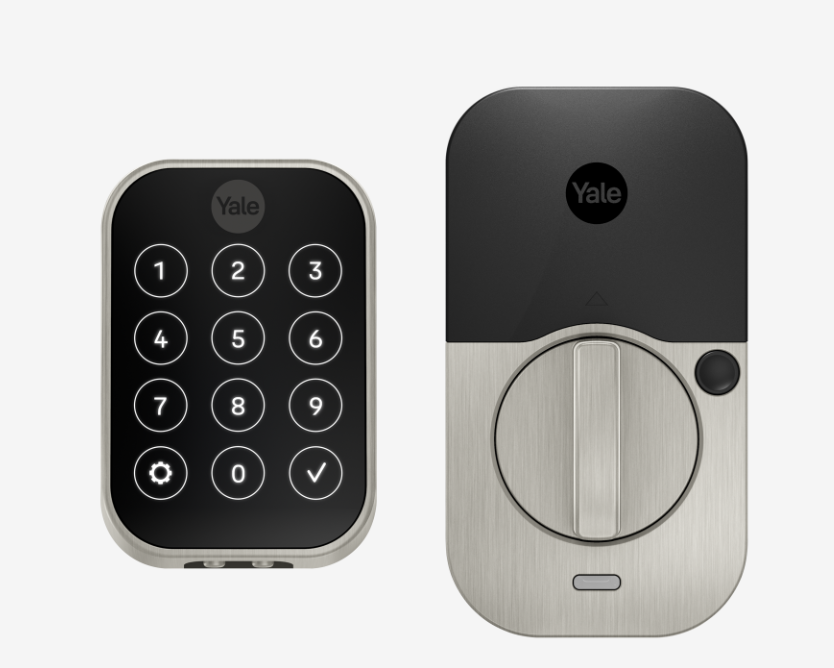
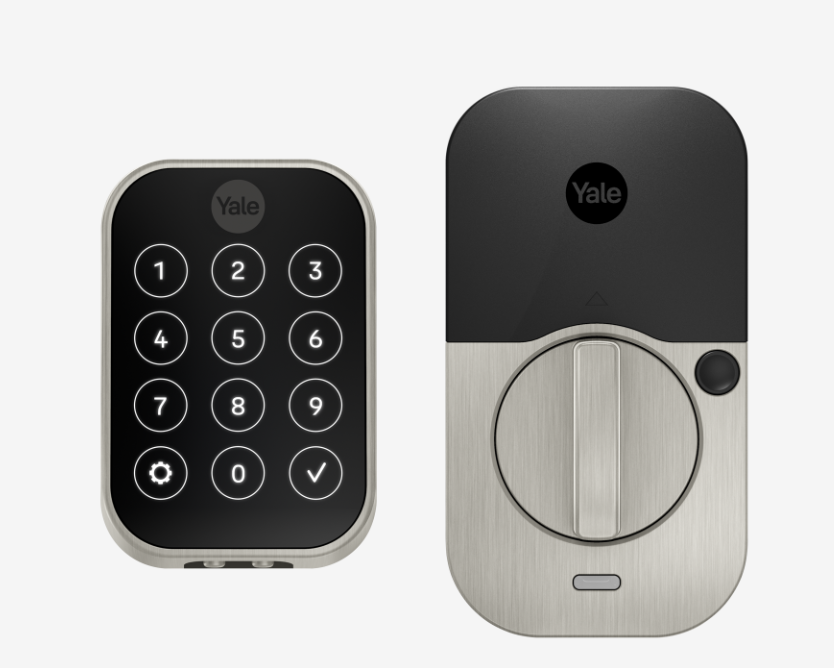
Name | Yale Assure 2 Lock® SL Key Free Touchscreen Deadbolt |
|---|
Short Description | The Assure Lock SL features Z-Wave and seamlessly integrates into 50+ home automation and security systems including SmartThings, Alarm.com, Honeywell, ADT, Wink and more! When added to most Z-Wave™ automation systems, lock and unlock your door, create pin codes, view access history and receive notifications from anywhere |
|---|
Long Description | Never worry about carrying around or losing your keys again. The Assure Lock SL features Z-Wave and seamlessly integrates into 50+ home automation and security systems including SmartThings, Alarm.com, Honeywell, ADT, Wink and more! When added to most Z-Wave™ automation systems, lock and unlock your door, create pin codes, view access history and receive notifications from anywhere. |
|---|
Brand | Yale Locks & Hardware |
|---|
Product Identifier | YRD450-ZW2 |
|---|
Product Line | Yale |
|---|
OEM Version | HW: 255 FW: 1.78:12.05 |
|---|
Hardware Platform | ZM5101 |
|---|
Z-Wave Version | 6.51.07 |
|---|
Library Type | SLAVE_ENHANCED_232 |
|---|
Device Type | Door Lock - Keypad |
|---|
Role Type | ROLE_TYPE_SLAVE_SLEEPING_LISTENING |
|---|
Manufacturer ID | 0x0129 |
|---|
Product Type ID | 0x8104 |
|---|
Product ID | 0x05D5 |
|---|
User Icon | 0x0300 |
|---|
Installer Icon | 0x0300 |
|---|
Frequency Plans | US: 916.00MHz, 908.40MHz |
|---|
Categories | Locks |
|---|
Countries / Regions | United States of America |
|---|
Supported Command Classes | Identifier | Name | Key | Version |
|---|
COMMAND_CLASS_POWERLEVEL | Powerlevel | 0x73 | 1 | COMMAND_CLASS_USER_CODE | User Code | 0x63 | 1 | COMMAND_CLASS_DOOR_LOCK_V2 | Door Lock V2 | 0x62 | 2 | COMMAND_CLASS_BATTERY | Battery | 0x80 | 1 | COMMAND_CLASS_TIME_PARAMETERS | Time Parameters | 0x8B | 1 | COMMAND_CLASS_CONFIGURATION | Configuration | 0x70 | 1 | COMMAND_CLASS_SECURITY | Security 0 | 0x98 | 1 | COMMAND_CLASS_TIME_V2 | Time V2 | 0x8A | 2 | COMMAND_CLASS_VERSION_V2 | Version V2 | 0x86 | 2 | COMMAND_CLASS_DEVICE_RESET_LOCALLY | Device Reset Locally | 0x5A | 1 | COMMAND_CLASS_ZWAVEPLUS_INFO_V2 | Z-Wave Plus Info V2 | 0x5E | 2 | COMMAND_CLASS_ASSOCIATION_V2 | Association V2 | 0x85 | 2 | COMMAND_CLASS_ASSOCIATION_GRP_INFO | Association Group Info | 0x59 | 1 | COMMAND_CLASS_DOOR_LOCK_LOGGING | Door Lock Logging | 0x4C | 1 | COMMAND_CLASS_FIRMWARE_UPDATE_MD_V3 | Firmware Update Meta-Data V3 | 0x7A | 3 | COMMAND_CLASS_MANUFACTURER_SPECIFIC_V2 | Manufacturer Specific V2 | 0x72 | 2 | COMMAND_CLASS_NOTIFICATION_V4 | Notification V4 | 0x71 | 4 | COMMAND_CLASS_SCHEDULE_ENTRY_LOCK_V3 | Schedule Entry Lock V3 | 0x4E | 3 |
|
|---|
Documents | Category | Description | File |
|---|
Manual_Primary_Lang | Product Manual | |
|
|---|
Features | Feature | Values |
|---|
Battery Quantity | | Battery Type | | Door Lock Type | | Firmware Updatable | | Outdoor Use | | Supported Notification Types | |
|
|---|
Association Groups | Group Number | Maximum Nodes Supported | End Point ID | Group Name | Description |
|---|
1 | 1 | 0 | Lifeline | Z-Wave Plus Lifeline |
|
|---|
Configuration Parameters | Parameter Number | Name | Description | Format | Size | Min Value | Max Value | Default Value | Parameter Values |
|---|
1 | Silent Mode on/off | Level control, 1 = High Volume, 2 = Low Volume, 3 = Silent.
Default is 2 or Low Volume | 0 | 1 | 1 | 3 | 2 | | 2 | Auto Relock On/Off | 0x00 = OFF, 0xFF = ON default is 0x00 or OFF | 0 | 1 | 0 | 255 | 0 | From | To | Description |
|---|
0 | 0 | Auto Relock Off | 255 | 255 | Auto Relock On |
| 4 | Wrong Code Entry Limit | 3 to 10 default is 5 times | 0 | 1 | 3 | 10 | 5 | From | To | Description |
|---|
3 | 10 | Times |
| 5 | Language | 1=English, 2=Spanish, 3=French default is 1= English | 0 | 1 | 1 | 3 | 1 | From | To | Description |
|---|
1 | 3 | Language |
| 7 | Shut Down Time (after wrong code entries) | 10 to 180 seconds default is 60 seconds | 0 | 1 | 10 | 180 | 60 | From | To | Description |
|---|
10 | 180 | Seconds |
| 8 | Operating Mode | 00 = normal mode (this is the default mode)
01 = vacation mode, keypad lockout
02= privacy mode, no keypad. RF Unlock will work
03= passage mode, disable auto relock and stays unlock
(0x8109 & 0x8104)
| 0 | 1 | 0 | 3 | 0 | From | To | Description |
|---|
0 | 0 | Normal Mode (Default) | 1 | 1 | Vacation Mode (Keypad Locked Out) | 2 | 2 | Privacy Mode (Keypad Locked, RF Unlock Functional) | 3 | 3 | Passage mode, disable auto relock and stays unlock |
| 11 | One Touch Locking | 0x00 = OFF, 0xFF = ON default is 0xFF or ON. | 0 | 1 | 0 | 255 | 0 | From | To | Description |
|---|
0 | 0 | One Touch Locking Off | 255 | 255 | One Touch Locking On |
|
|
|---|
Texts | ID | Description | Value |
|---|
2 | Classic Exclusion | 1. Enter the 4-8 digit master PIN code followed by the gear key.
2. Press the 7 key followed by the gear key.
3. Press the 3 key followed by the gear key. | 5 | Factory Reset Procedure | Please use this procedure only when the network primary controller is missing or otherwise inoperable.
1. Remove the inside lever with the lever removal tool.
2. Remove battery cover using hex wrench provided with lock.
3. Remove four (4) AA batteries.
4. Remove the 10-32 x 3/4"" pan head screw from the center of the battery housing into the barrel nut of the outside assembly.
5. Remove inside escutcheon. Cables may stay connected.
6. Reinstall batteries
7. On the back of the PC board, push and hold the Reset Button with the lever removal tool for 3 seconds.
8. While continuing the press the reset button, temporarily remove one AA battery.
9. Reinstall the battery
10. Release reset button and wait 15 seconds. Speaker will announce ""Welcome to Yale""
11. Reassemble escutcheon | 1 | Classic Inclusion | 1. Enter the 4-8 digit master PIN code followed by the gear key.
2. Press the 7 key followed by the gear key.
3. Press the 1 key followed by the gear key. | 4 | Wake-Up Procedure | Press the Yale logo to wake up |
|
|---|
Supported Notification Types | Notification Type | Event / State |
|---|
Access Control | (Refer to parameters): State idle |
|
|---|
Supports NWI | Yes |
|---|
Supports Explorer Frames | Yes |
|---|
Is Flirs | Yes |
|---|
Radio Range Z-Wave (m) | 40 |
|---|