Product Recognition | |
|---|
Certification Number | ZC10-19106766 |
|---|
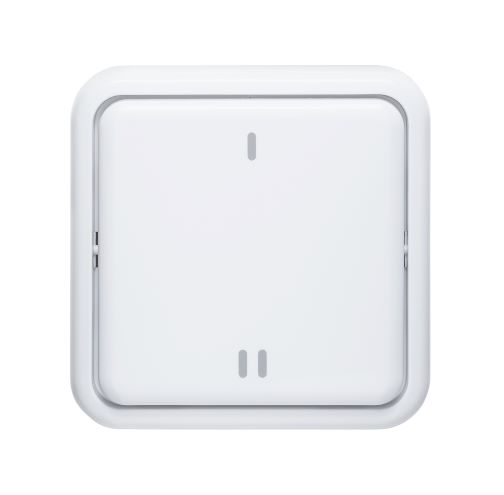
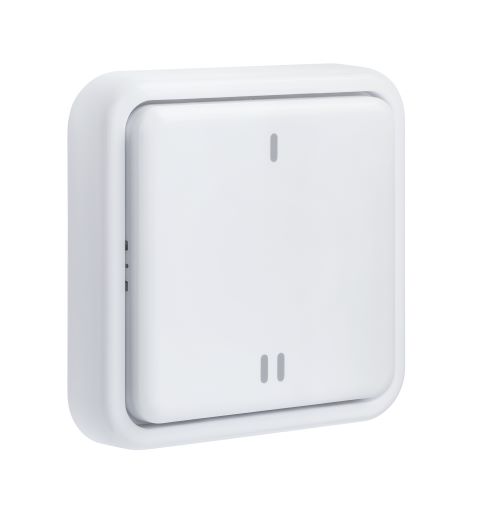
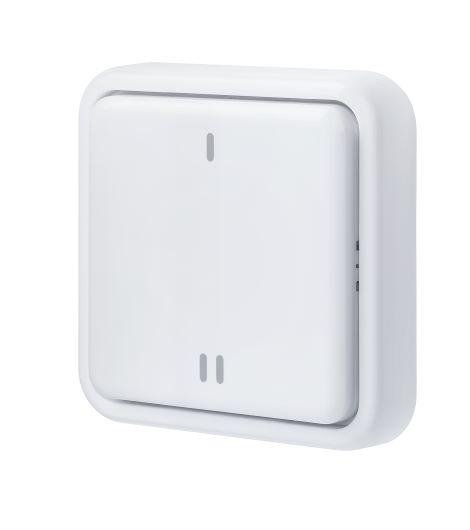
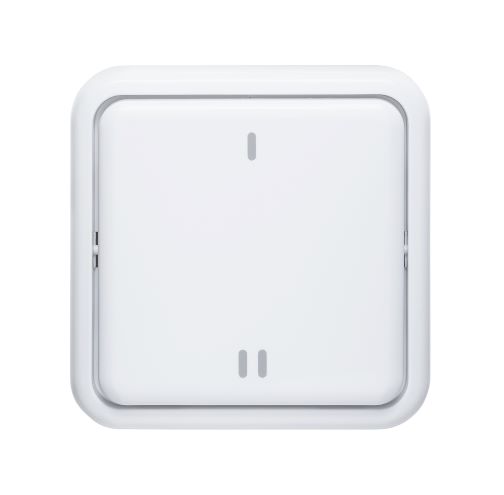
Name | Z-Wave Button |
|---|
Short Description | Scenes programmed in the Z-Wave Gateway can be safely and quickly switched on and off at the touch of a button without having to open the app |
|---|
Long Description | Scenes programmed in the Z-Wave Gateway can be safely and quickly switched on and off at the touch of a button without having to open the app.
The rocker button has 2 buttons (top and bottom), for each button a distinction is made between short press, double press and long press.
This means that up to 3 different scenes can be switched on and off as the button can send a total of 6 different commands to the Z-Wave Gateway
With just one button, an entire room can be controlled. For example: heating up/down, lighting on /off and shutter up/down.
The button can either be glued to the wall or screwed. Alternatively, it can also be used on the move, for example on the bedside table or living room table.
The wireless button can be operated with 2 standard AAA batteries for up to 2 years without battery replacement. |
|---|
Brand | ABUS |
|---|
Product Identifier | SHBE10000 |
|---|
Product Line | Comfort Line |
|---|
OEM Version | HW: 1 FW: 1.00 |
|---|
Hardware Platform | SD3502 |
|---|
Z-Wave Version | 6.71.03 |
|---|
Library Type | SLAVE_ENHANCED_232 |
|---|
Device Type | Wall Controller |
|---|
Role Type | ROLE_TYPE_SLAVE_SLEEPING_REPORTING |
|---|
Manufacturer ID | 0x0403 |
|---|
Product Type ID | 0x0004 |
|---|
Product ID | 0x0005 |
|---|
User Icon | 0x1600 |
|---|
Installer Icon | 0x1600 |
|---|
Frequency Plans | EU: 869.85MHz, 868.40MHz |
|---|
Categories | All Lighting Devices, On/Off Switches/Devices |
|---|
Countries / Regions | European Union |
|---|
Supported Command Classes | Identifier | Name | Key | Version |
|---|
COMMAND_CLASS_FIRMWARE_UPDATE_MD_V4 | Firmware Update Meta-Data V4 | 0x7A | 4 | COMMAND_CLASS_POWERLEVEL | Powerlevel | 0x73 | 1 | COMMAND_CLASS_MULTI_CHANNEL_ASSOCIATION_V3 | Multi-Channel Association V3 | 0x8E | 3 | COMMAND_CLASS_BATTERY | Battery | 0x80 | 1 | COMMAND_CLASS_SECURITY | Security S0 | 0x98 | 1 | COMMAND_CLASS_TRANSPORT_SERVICE_V2 | Transport Service V2 | 0x55 | 2 | COMMAND_CLASS_WAKE_UP_V2 | Wake Up V2 | 0x84 | 2 | COMMAND_CLASS_DEVICE_RESET_LOCALLY | Device Reset Locally | 0x5A | 1 | COMMAND_CLASS_ZWAVEPLUS_INFO_V2 | Z-Wave Plus Info V2 | 0x5E | 2 | COMMAND_CLASS_ASSOCIATION_V2 | Association V2 | 0x85 | 2 | COMMAND_CLASS_ASSOCIATION_GRP_INFO | Association Group Info | 0x59 | 1 | COMMAND_CLASS_NOTIFICATION_V8 | Notification V8 | 0x71 | 8 | COMMAND_CLASS_SECURITY_2 | Security S2 | 0x9F | 1 | COMMAND_CLASS_VERSION_V3 | Version V3 | 0x86 | 3 | COMMAND_CLASS_CENTRAL_SCENE_V3 | Central Scene V3 | 0x5B | 3 | COMMAND_CLASS_SUPERVISION | Supervision | 0x6C | 1 | COMMAND_CLASS_MANUFACTURER_SPECIFIC_V2 | Manufacturer Specific V2 | 0x72 | 2 |
|
|---|
Controlled Command Classes | Identifier | Name | Key | Version |
|---|
COMMAND_CLASS_BASIC | Basic | 0x20 | 1 |
|
|---|
S2 Classes | S2_UNAUTHENTICATED, S2_AUTHENTICATED |
|---|
Documents | Category | Description | File |
|---|
Manual_English | Product Manual in English | | Installer_Guide | Consumer Quickguide | | Manual_Primary_Lang | Product Manual German | |
|
|---|
Features | Feature | Values |
|---|
Z-Wave Scene Type | | Battery Quantity | | Battery Type | | Color | | Firmware Updatable | Value |
|---|
Updatable by Consumer by RF |
|
|
|---|
Association Groups | Group Number | Maximum Nodes Supported | End Point ID | Group Name | Description |
|---|
3 | 4 | 0 | Button 2 | When key 2 is pressed once, the device sends a BASIC SET ON command containing an adjustable value to the nodes of group 2. | 2 | 4 | 0 | Button 1 | When key 1 is pressed once, the instrument sends a BASIC SET ON command containing an adjustable value to the nodes of group 2.
If key 1 is pressed twice, the instrument sends a BASIC SET OFF command containing an adjustable value to the nodes of group 2. | 1 | 1 | 0 | Lifeline | When the device is powered for the first time, the device sends a notification report to the node of group 1.
If the battery level falls below a certain threshold, the device sends a battery report to the node of group 1.
When a factory reset is performed, the device sends a Reset Locally Notification to the node of group 1.
When button 1 or button 2 is pressed, the device sends a Central Scene Notification to the node of group 1. |
|
|---|
Texts | ID | Description | Value |
|---|
8 | Where to find S2 DSK on product | Backside of the Base
Described in user Manual chapter 1.2, page 6
It can also be found on DSK Card
Described in user Manual chapter 1.6, Page 7 | 1 | Classic Inclusion | Activate the inclusion mode (teach-in mode) on the gateway. (for further details please refer to the gateways manual)
Press the "+" key (Add / Inclusion) in your Z-Wave app and follow the instructions to set the gateway to Inclusion mode.
Keep the device within range of the gateway.
Remove the fuse strip from the battery compartment.
The device supports automatic inclusion, i.e. it automatically goes into inclusion mode when it is powered and not yet connected to a gateway.
Alternative Inclusion:
If the security strip has already been removed, instead press the Link button 3 times quickly (within 1.5 seconds) to start the inclusion on the device. | 2 | Classic Exclusion | Activate the exclusion mode (learn-out mode) at the gateway. (for further details please refer to the gateways manual)
Press the "-" key (Remove / Exclusion) in your Z-Wave app and follow the instructions to set the gateway to exclusion mode.
Press the Link button 3 times quickly (within 1.5 seconds) to start the exclusion on the device.
The successful exclusion is displayed in the app or at the gateway. | 4 | Wake-Up Procedure | Press the Link button once to wake up the device. It then establishes a connection to the Z-Wave gateway and transmits the current status. | 5 | Factory Reset Procedure | Press the Link button 3 times quickly (within 1.5 seconds).
Press quickly (within 1 second)
a fourth time and press and hold the Link button for at least 5 seconds.
The button is now reset to factory settings.
Hint:
Please use this procedure only when the network primary controller is missing or otherwise inoperable.
If the device is set to factory default, the status is set to "not included" and the association settings and possible configurations are reset to default. |
|
|---|
Supported Notification Types | Notification Type | Event / State |
|---|
Power Management | Battery maintenance status: Replace battery soon |
|
|---|
Supports NWI | Yes |
|---|
Supports Explorer Frames | Yes |
|---|
Radio Range Z-Wave (m) | 40 |
|---|