
Product Recognition | |
|---|---|
Certification Number | ZC10-16065100 |
Name | Z-Wave CO Detector |
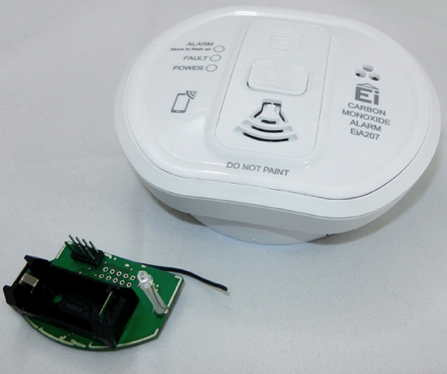
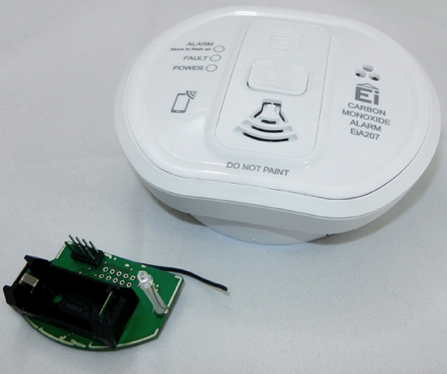
Short Description | This product combines a certified stand-alone Carbon Monoxide alarm with a plug-in Z-Wave module to form a wirelessly reporting Carbon Monoxide alarm. The Carbon Monoxide alarm is tested and certified by BSI to EN5029:2010. |
Long Description | The High-End Electro-Chemical Carbon Monoxide alarm head offers a 10 year sensor life and is powered via a 3V lithium battery that powers the Alarm head for the life of the alarm. The CO Sensor is monitored electronically and will report the following:
1. Alarm on Sensing Carbon Monoxide
2. Battery status reporting
3. Sensor Fault
4. Alarm removal from mounting plate
5. End of life to make sure it is replaced on time.
The device is a secure Z-Wave Plus device and can be used in one wireless Z-Wave network with other certified devices regardless of origin and brand. |
Brand | Z-Wave.Me |
Product Identifier | 004407 |
OEM Version | HW: 1 FW: 1.00 |
Hardware Platform | ZM5202 |
Z-Wave Version | 6.51.06 |
Library Type | SLAVE_ENHANCED |
Device Type | Notification Sensor |
Role Type | ROLE_TYPE_SLAVE_SLEEPING_REPORTING |
Manufacturer ID | 0x0115 |
Product Type ID | 0x0004 |
Product ID | 0x0003 |
User Icon | 0x0C02 |
Installer Icon | 0x0C02 |
Frequency Plans | US: 916.00MHz, 908.40MHz |
Categories | Sensors, Security Add-Ons |
Countries / Regions | United States of America |
Controlled Command Classes | |
Documents | |
Association Groups | |
Configuration Parameters | |
Texts | |
Supports NWI | Yes |
Supports Explorer Frames | Yes |
Radio Range Z-Wave (m) | 40 |