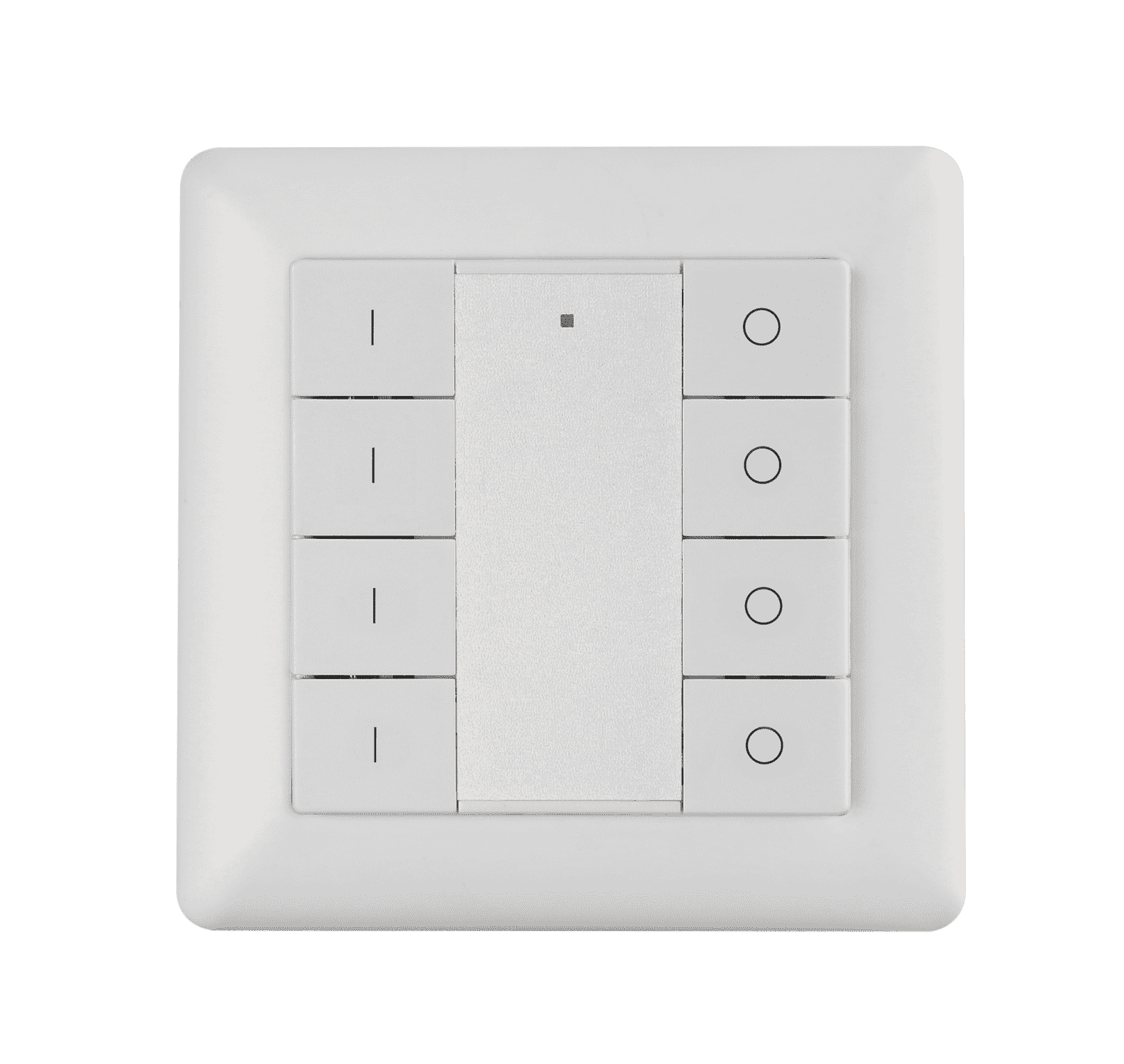
Product Recognition | |
|---|
Certification Number | ZC10-19056465 |
|---|
Name | Z-Wave Dim Remote Control |
|---|
Short Description | The remote control is a Z-Wave device that can both control other Z-Wave devices and activate scenes in Gateways. Although it is controlling other devices, the device cannot act as Z-Wave network controller (primary or secondary) and will always need a Z-Wave network controller to be included into a Z-Wave network. |
|---|
Long Description | The remote control is a Z-Wave device that can both control other Z-Wave devices and activate scenes in Gateways. Although it is controlling other devices, the device cannot act as Z-Wave network controller (primary or secondary) and will always need a Z-Wave network controller to be included into a Z-Wave network. It also supports the Over The Air (OTA) feature for the product’s firmware upgrade.
The remote control has following functions:
1. Control of groups of other Z-Wave devices using 'ON', 'OFF' and Dim commands.
2. Activation of scenes in Gateway mode. |
|---|
Brand | Sunricher |
|---|
Product Identifier | SR-ZV9001K8-DIM-G4 |
|---|
OEM Version | HW: 1 FW: 1.26 |
|---|
Hardware Platform | ZM5101 |
|---|
Z-Wave Version | 6.71.03 |
|---|
Library Type | SLAVE_ENHANCED_232 |
|---|
Device Type | Wall Controller |
|---|
Role Type | ROLE_TYPE_SLAVE_PORTABLE |
|---|
Manufacturer ID | 0x0330 |
|---|
Product Type ID | 0x0300 |
|---|
Product ID | 0xa305 |
|---|
User Icon | 0x1600 |
|---|
Installer Icon | 0x1600 |
|---|
Frequency Plans | EU: 869.85MHz, 868.40MHz |
|---|
Categories | All Lighting Devices, All Controllers, Handheld Controller, Lighting Accessories |
|---|
Countries / Regions | European Union |
|---|
Supported Command Classes | Identifier | Name | Key | Version |
|---|
COMMAND_CLASS_FIRMWARE_UPDATE_MD_V4 | Firmware Update Meta-Data V4 | 0x7A | 4 | COMMAND_CLASS_POWERLEVEL | Powerlevel | 0x73 | 1 | COMMAND_CLASS_MULTI_CHANNEL_ASSOCIATION_V3 | Multi-Channel Association V3 | 0x8E | 3 | COMMAND_CLASS_BATTERY | Battery | 0x80 | 1 | COMMAND_CLASS_CONFIGURATION | Configuration | 0x70 | 1 | COMMAND_CLASS_SECURITY | Security S0 | 0x98 | 1 | COMMAND_CLASS_TRANSPORT_SERVICE_V2 | Transport Service V2 | 0x55 | 2 | COMMAND_CLASS_VERSION_V2 | Version V2 | 0x86 | 2 | COMMAND_CLASS_WAKE_UP_V2 | Wake Up V2 | 0x84 | 2 | COMMAND_CLASS_DEVICE_RESET_LOCALLY | Device Reset Locally | 0x5A | 1 | COMMAND_CLASS_ZWAVEPLUS_INFO_V2 | Z-Wave Plus Info V2 | 0x5E | 2 | COMMAND_CLASS_ASSOCIATION_V2 | Association V2 | 0x85 | 2 | COMMAND_CLASS_ASSOCIATION_GRP_INFO | Association Group Info | 0x59 | 1 | COMMAND_CLASS_SECURITY_2 | Security S2 | 0x9F | 1 | COMMAND_CLASS_CENTRAL_SCENE_V3 | Central Scene V3 | 0x5B | 3 | COMMAND_CLASS_SUPERVISION | Supervision | 0x6C | 1 | COMMAND_CLASS_MANUFACTURER_SPECIFIC_V2 | Manufacturer Specific V2 | 0x72 | 2 |
|
|---|
Controlled Command Classes | Identifier | Name | Key | Version |
|---|
COMMAND_CLASS_BASIC | Basic | 0x20 | 1 | COMMAND_CLASS_SWITCH_MULTILEVEL_V4 | Switch Multilevel V4 | 0x26 | 4 |
|
|---|
S2 Classes | S2_UNAUTHENTICATED |
|---|
Documents | Category | Description | File |
|---|
Manual_Primary_Lang | Product or Owner's Manual | |
|
|---|
Features | Feature | Values |
|---|
Z-Wave Scene Type | | Firmware Updatable | Value |
|---|
Updatable by Consumer by RF |
|
|
|---|
Association Groups | Group Number | Maximum Nodes Supported | End Point ID | Description |
|---|
2 | 5 | 0 | Short press I/O button of Group 2 to send ON/OFF command to
associated devices of this group using Command Class "Basic Set
V2".
Press and hold down I/O button of Group 2 to send light intensity
increase/decrease command to associated devices of this group
using Command Class "Multilevel V4". | 1 | 5 | 0 | 1. Send Command Class "Device Reset Locally Notification V1" to
associated devices of this group to report factory reset information
when factory reset the remote control.
2. When remote control battery power value changes, send
Command Class "Battery Report V1" to associated devices of this
group to report power value information.
3. Short press or press and hold down any button to send scene
activation command to the associated devices of this group using
Command Class “Central Scene Notification V3” | 3 | 5 | 0 | Short press I/O button of Group 3 to send ON/OFF
command to associated devices of this group using
Command Class "Basic Set V2".
Press and hold down I/O button of Group 3 to send
light intensity increase/decrease command to
associated devices of this group using Command Class
"Multilevel V4". | 4 | 5 | 0 | Short press I/O button of Group 4 to send ON/OFF
command to associated devices of this group using
Command Class "Basic Set V2".
Press and hold down I/O button of Group 4 to send
light intensity increase/decrease command to
associated devices of this group using Command Class
"Multilevel V4". | 5 | 5 | 0 | Short press I/O button of Group 5 to send ON/OFF
command to associated devices of this group using
Command Class "Basic Set V2".
Press and hold down I/O button of Group 5 to send
light intensity increase/decrease command to
associated devices of this group using Command Class
"Multilevel V4". |
|
|---|
Configuration Parameters | Parameter Number | Name | Description | Format | Size | Min Value | Max Value | Default Value | Parameter Values |
|---|
1 | factory reset | Value=0x55AA, other values are invalid, factory reset the Remote Control | 0 | 2 | 0 | 0 | 0 | From | To | Description |
|---|
21930 | 21930 | factory reset |
|
|
|---|
Texts | ID | Description | Value |
|---|
23 | Controller Inclusion | Step 1. Make sure the remote control does not belong to any Z-Wave network, short press any button, if LED indicator does not turn on, the remote control does not belong to any network, then continue step 2,if LED indicator turns on, it means the remote control has already been included to a network, please first set the remote control to exclusion mode (refer to the part Exclusion"" of this manual),then continue step 2.
Step 2. Set primary controller/gateway into inclusion mode (Please refer to your primary controllers manual on how to turn your controller into inclusion).
Step 3. Press and hold down both buttons I and O of Group 2 over 3 seconds, LED indicator turns on, the remote control will be set to inclusion mode, and waiting to be included, after 10s LED indicator blinks 6 times
quickly to indicate successful inclusion. The remote control is a sleepy device, after inclusion it will not enter into sleepy mode immediately, and will continue activation status for 30s and wait data interaction from the gateway, the LED indicator will stay solid on, please be patient to wait LED indicator to turn off. | 5 | Factory Reset | Press and hold down both buttons I and O of Group 2 for over 10 seconds, LED indicator turns on and then blinks 4 times quickly to indicate successful factory reset. | 24 | Controller Exclusion | There are two exclusion methods:
Method 1: Exclusion from the primary controller/gateway as follows:
1. Set the primary controller/gateway into exclusion mode (Please refer to your primary controllers manual on how to set your controller into exclusion).
2. Press and hold down both buttons I and O of Group 2 over 3 seconds, LED indicator turns on, the remote control will be set to exclusion mode, and waiting to be excluded, after 7s LED indicator blinks 4 times quickly to indicate successful exclusion. |
|
|---|
Supports NWI | Yes |
|---|
Supports Explorer Frames | Yes |
|---|
Radio Range Z-Wave (m) | 40 |
|---|

.png)