Product Recognition | |
|---|
Certification Number | ZC10-17115876 |
|---|
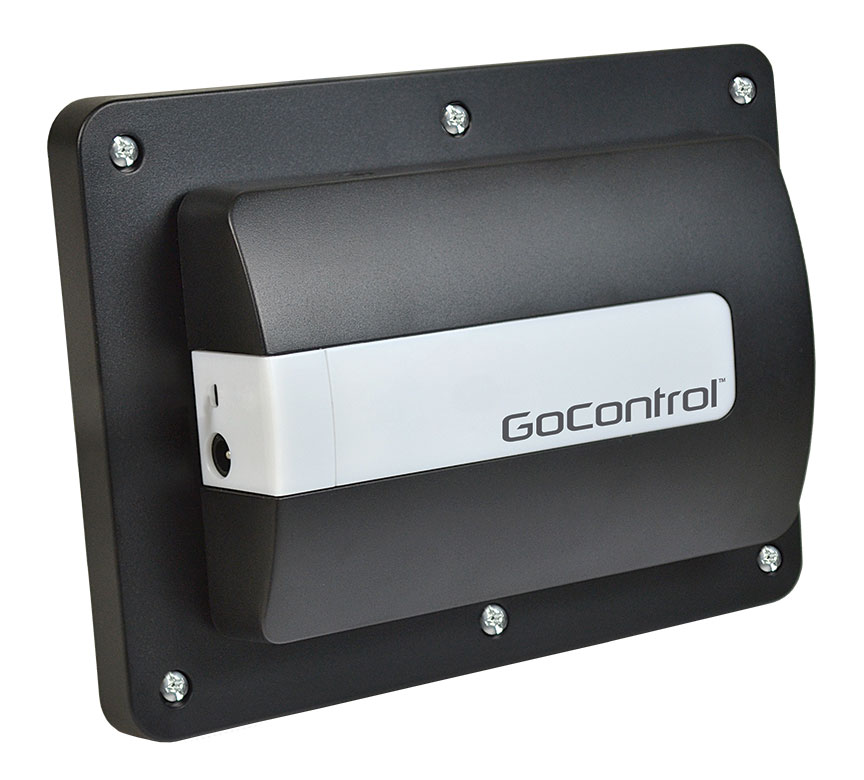
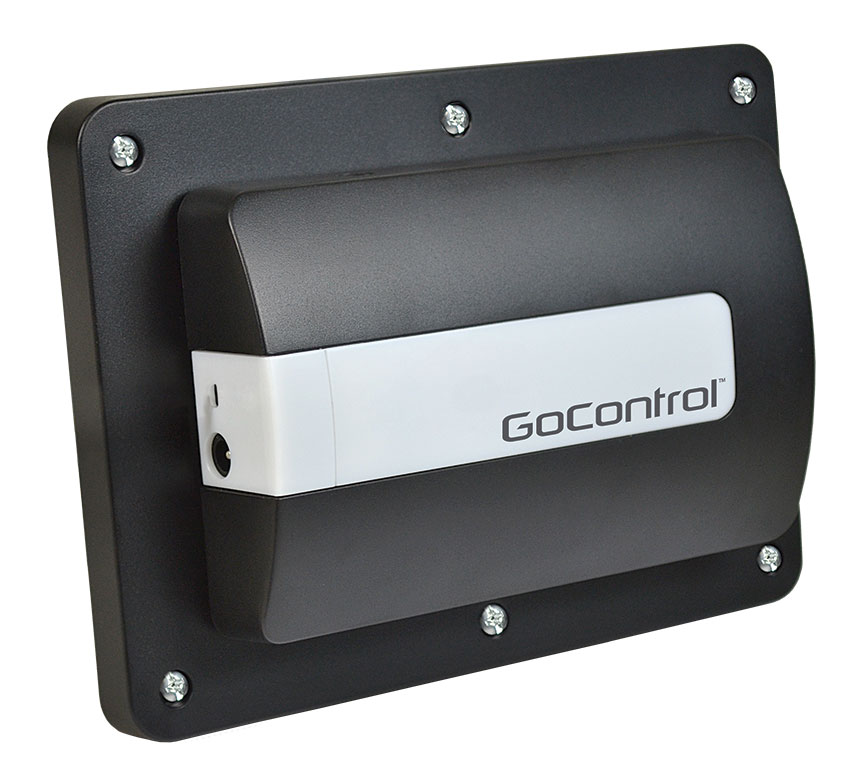
Name | Z-Wave Garage Door Controller |
|---|
Short Description | The GoControl GD00Z-7 is the next iteration of the best selling line of Z-Wave controlled remote garage door status indicator and activator. Adding S2 security and OTA capability. |
|---|
Long Description | The GoControl GD00Z-7 is the next iteration of the best selling line of Z-Wave controlled remote garage door status indicator and activator. Adding S2 security and OTA capability, the GD00Z-7 continues to Nortek’s leadership positing in the IOT market. Open or close a sectional garage door remotely through a Z-Wave certified Gateway or Security Panel. Compatible with virtually any garage door opener connected to a sectional garage door. Audible and visual warnings prior to remotely-activated door movement, meeting UL 325 safety requirements. Included tilt sensor reports door "open" or "close" information. |
|---|
Brand | GoControl |
|---|
Product Identifier | GD00Z-7 |
|---|
OEM Version | HW: 3 FW: 0.89:00.27 |
|---|
Hardware Platform | ZM5202 |
|---|
Z-Wave Version | 6.71.00 |
|---|
Library Type | SLAVE_ENHANCED_232 |
|---|
Device Type | Barrier Operator |
|---|
Role Type | ROLE_TYPE_SLAVE_ALWAYS_ON |
|---|
Manufacturer ID | 0x014F |
|---|
Product Type ID | 0x4744 |
|---|
Product ID | 0x3531 |
|---|
User Icon | 0x1E00 |
|---|
Installer Icon | 0x1E00 |
|---|
Frequency Plans | US: 916.00MHz, 908.40MHz |
|---|
Categories | Motor Control |
|---|
Countries / Regions | United States of America |
|---|
Supported Command Classes | Identifier | Name | Key | Version |
|---|
COMMAND_CLASS_FIRMWARE_UPDATE_MD_V4 | Firmware Update Meta-Data V4 | 0x7A | 4 | COMMAND_CLASS_POWERLEVEL | Powerlevel | 0x73 | 1 | COMMAND_CLASS_APPLICATION_STATUS | Application Status | 0x22 | 1 | COMMAND_CLASS_SECURITY | Security S0 | 0x98 | 1 | COMMAND_CLASS_TRANSPORT_SERVICE_V2 | Transport Service V2 | 0x55 | 2 | COMMAND_CLASS_VERSION_V2 | Version V2 | 0x86 | 2 | COMMAND_CLASS_DEVICE_RESET_LOCALLY | Device Reset Locally | 0x5A | 1 | COMMAND_CLASS_ZWAVEPLUS_INFO_V2 | Z-Wave Plus Info V2 | 0x5E | 2 | COMMAND_CLASS_BARRIER_OPERATOR | Barrier Operator | 0x66 | 1 | COMMAND_CLASS_ASSOCIATION_V2 | Association V2 | 0x85 | 2 | COMMAND_CLASS_ASSOCIATION_GRP_INFO | Association Group Info | 0x59 | 1 | COMMAND_CLASS_NOTIFICATION_V8 | Notification V8 | 0x71 | 8 | COMMAND_CLASS_SECURITY_2 | Security S2 | 0x9F | 1 | COMMAND_CLASS_SUPERVISION | Supervision | 0x6C | 1 | COMMAND_CLASS_MANUFACTURER_SPECIFIC_V2 | Manufacturer Specific V2 | 0x72 | 2 |
|
|---|
S2 Classes | S2_ACCESS_CONTROL |
|---|
Documents | Category | Description | File |
|---|
Manual_Primary_Lang | Product or Owner's Manual | |
|
|---|
Features | Feature | Values |
|---|
Firmware Updatable | Value |
|---|
Updatable by Consumer by RF |
| Supported Notification Types | | Color | |
|
|---|
Association Groups | Group Number | Maximum Nodes Supported | End Point ID | Description |
|---|
1 | 5 | 0 | Z-Wave Plus Lifeline |
|
|---|
Texts | ID | Description | Value |
|---|
2 | Exclusion | 1. Place your Z-Wave Controller into Exclude mode.
2. Press and release the link button on the GD00Z-7. | 1 | Inclusion | 1. Place your Z-Wave Controller into Discovery or Include mode.
2. Press and release the link button on the GD00Z-7. | 5 | Factory Reset | Reset the GD00Z-7 by pressing the LINK button 5 times. A quick beep followed by a longer beep will indicate the reset.
Reset should only be used in the case of a missing or inoperative primary controller. |
|
|---|
Supported Notification Types | Notification Type | Event / State |
|---|
Access Control | (Refer to parameters): State idle |
|
|---|
Supports NWI | Yes |
|---|
Supports Explorer Frames | Yes |
|---|